Chose ConnectWise CPQ
Most likely we are moving to QuoteWerks, they answer the phone when you call them for support. I tested their support last week and within 5 minutes I had a live tech on the phone.

| Product | Rating | Most Used By | Product Summary | Starting Price |
|---|---|---|---|---|
 ConnectWise CPQ | N/A | ConnectWise CPQ (formerly ConnectWise Sell, and Quosal) is the quote and proposal solution of the ConnectWise Suite. With ConnectWise Sell, users can create professional technology quotes and proposals that include rich product information, cover letters, and statements of work in minutes and automatically update their sales pipelines accordingly. The vendor says key benefits include: Save time creating IT quotes and proposals through automation … | N/A | |
 Foxit PDF Editor | N/A | Foxit PDF Editor is a solution for creating, editing, organizing, and securing PDF documents. Designed for professionals and businesses of all sizes, features include editing capabilities, OCR, collaboration tools, and security options like redaction and document encryption. | $10.99 per month per user | |
 Thinkeo | N/A | N/A | N/A |
| ConnectWise CPQ | Foxit PDF Editor | Thinkeo | ||||||||||||||||||||||
|---|---|---|---|---|---|---|---|---|---|---|---|---|---|---|---|---|---|---|---|---|---|---|---|---|
| Editions & Modules | No answers on this topic |
| No answers on this topic | |||||||||||||||||||||
| Offerings |
| |||||||||||||||||||||||
| Entry-level Setup Fee | No setup fee | No setup fee | No setup fee | |||||||||||||||||||||
| Additional Details | — | — | — | |||||||||||||||||||||
| More Pricing Information | ||||||||||||||||||||||||
| ConnectWise CPQ | Foxit PDF Editor | Thinkeo | |
|---|---|---|---|
| Considered Multiple Products |  ConnectWise CPQ  John Trevino Director of IT Chose ConnectWise CPQ When it comes to the quoting layout Sell gives you so many more customization options. The item inventory is also easier to maintain. Sell is by far the best selling module that I have used thus far and it has helped keep us more organized.  Nick Newbould IT Consultant Chose ConnectWise CPQ I have not used any other quoting platforms like ConnectWise Sell except for the integrated estimates and invoicing in Freshbooks. These softwares are wildly different, however, since I use Freshbooks as a financial platform for another business I have. I would say in terms of …  Mike Markham Director of Business Technology Solutions Chose ConnectWise CPQ We have previously used Excel and templates for quoting. We also have used Salesforce to generate quotes. Neither method was as clean as ConnectWise Sell and they were not geared specifically to how we work. We still use Salesforce for our main CRM and ConnectWise Sell …  David McCoy Provisioning Engineer Chose ConnectWise CPQ Salesforce is the main competitor but this is easier to keep up with and I highly recommend any businesses to use this just for the convenience factor. Other programs and suites are also more expensive so you know that you are saving money using this service. Highly …  Garry Adams Client Relationship Manager Chose ConnectWise CPQ Both tools have a very common feature set. Sell is different primarily in the fact that it is online software-as-a-service based deployment, rather than a local server based deployment. That gives it a major leg up. I can use Sell from anywhere in the world easily.  Mike Herrington VP of Sales and Marketing Chose ConnectWise CPQ We've also had some experience with quotewerks in the past. Quotewerks has some pretty solid functionality for the basic quoting features that we need, but didn't have the tight integration that we wanted.  Alissa Levanway Purchasing Agent Chose ConnectWise CPQ We prefer having access to it inside our connectwise versus it being a separate program. Quosal took a long time to load or it would glitch. Sell is much quicker to use.  Trent Kenelly, DTM Enterprise Applications Manager Chose ConnectWise CPQ Matchs our CRM (Manage) AX was too expensive and Quotewerks had no API to manage. We did a Proof of concept, are members of Microsoft's partner program, and were worried about the scalability of this product versus others in the market. Connectwise has made good on their …  Chris Michalec Founder, Chief Strategist & vCIO - I help law firms with IT Chose ConnectWise CPQ We did not evaluate any other solutions, except to compare it against our current QuickBooks estimate and Word document proposal method.  Kevin Rountree Vice President of Sales Chose ConnectWise CPQ Infusionsoft - It is made more for an internet store, and it never answered our needs for effective quoting. Microsoft Excel - It was nice to create algorithms for speedy quotes but moving around products, or sharing quotes with co-workers was hard. Google Sheets did not come …  Ronald Deeds Client Advocate Manager and Cisco CSE6 Chose ConnectWise CPQ Quotewerx was previously the product of choice for our company. When CW purchased Quosal, CW ceased providing Integration to Quotewerx which forced our company to migrate to Quosal. At that particular time, it would have just been better if CW had admitted to us right from …  Ken Smith Vice President Chose ConnectWise CPQ Bought it because of the integration to ConnectWise Manage. Did not review other products.  Jim Hartz IT Ninja Chose ConnectWise CPQ I haven't used a competitor in a while, but I am also not interested in looking. Other systems we used export to ugly and confusing Excel sheets. The Quosal system creates professional, customizable quotes and the customers love how easy it is to interact with them.  Tabby Stoeppel Service Operations Manager Chose ConnectWise CPQ This is the first quoting tool we have used that I am aware of.  David Landry Owner Chose ConnectWise CPQ We looked at Salesforce.com as an option but it just wasn't the right fit. It didn't integrate well into our system, and to close the gap was costly. We needed a comprehensive sales tool to handle every aspect of our business. Data needed to systematically flow into all company … Chose ConnectWise CPQ We used to use Quotewerks. It also had integration with our PSA tool and the integration was pretty good. The fact that quotewerks was not cloud based meant we had to provide it via terminal services to handle all our locations and remote access. It's installer was difficult …  Tammy M. Randall Account Management Coordinator Chose ConnectWise CPQ We selected Connectwise Sell based on available features, cost and the integration with other products.  Eduard Lavilla CTO and Co-Founder Chose ConnectWise CPQ QuickBooks and Excel - and there is no comparison.  Dawn Swagger Admininstrative Coordinator Chose ConnectWise CPQ We decided ultimately that we wanted to remain within the Connectwise Manage/Sell family. It made sense.  Kyle Forward IT/Managed Service Operations Manager Chose ConnectWise CPQ We saw Quosal and ran with it. Other apps just don't compare. |  Foxit PDF Editor  Steven Sheasby President Chose Foxit PDF Editor Foxit PDF Editor (FoxitPhantom) is cheaper and easier to purchase and renew. It's layout is easier to navigate. They have used the same type of layout as Microsoft Office products so it is easier for Team Members to find what they need. It also has a few more features than …  Douglas S Bush Owner, ITMSP/MSSP, and Lead Consultant Chose Foxit PDF Editor Foxit PDF Editor had the most tools that I frequently use and it had them right where I expected them. All of the others that I demoed either lacked tools I use often or were not nearly as intuitive to use.  Jay Werth Principal / Campaign Manager Chose Foxit PDF Editor FoxitPhantom PDF does everything Adobe does and much quicker from the program opening to saving files.  Guy G. Gray Chief Operating Officer Chose Foxit PDF Editor Our main reason to review Foxit was due to the many challenges that we incurred with Adobe conversions. Additionally, trying to get Adobe to answer our inquiries was trying at best. Foxit is simply better at what they do. Another nice benefit is that Foxit is a fraction of …  Marc Shaffer CEO Chose Foxit PDF Editor Simpler to use, just as functional if not more so. Better, smoother integration. We went with it because of its wide functionality and client support. Overall, for the money, it is better and more reliable software.  Julián González Production and Operation Manager Chose Foxit PDF Editor I would say that when you want to get a bigger share of the market and take business from long time consolidated applications like Acrobat, you really need to try harder and give something more to the user to be able to change their mind and switch to Foxit. In our case …  anne wanjau Registered Nurse Chose Foxit PDF Editor I have used Adobe pdf reader before I discovered FoxitPhantom PDF. Compared to Foxit Adobe have fewer features and a less appealing user interface. | Thinkeo No answer on this topic |
| ConnectWise CPQ | Foxit PDF Editor | Thinkeo | |||||||||||||||||||||||||||||||||||||||||||
|---|---|---|---|---|---|---|---|---|---|---|---|---|---|---|---|---|---|---|---|---|---|---|---|---|---|---|---|---|---|---|---|---|---|---|---|---|---|---|---|---|---|---|---|---|---|
| CPQ |
| ||||||||||||||||||||||||||||||||||||||||||||
| PDF Editors |
|
| ConnectWise CPQ | Foxit PDF Editor | Thinkeo | |
|---|---|---|---|
| Small Businesses |  QuoteWerks Score 9.7 out of 10 |  Tungsten Power PDF Score 9.8 out of 10 |  Square 9 Softworks Score 9.3 out of 10 |
| Medium-sized Companies | QuoteWerks Score 9.7 out of 10 |  pdfFiller Score 9.0 out of 10 |  MSB Docs Score 9.4 out of 10 |
| Enterprises |  Everstage Score 9.1 out of 10 |  Bluebeam Score 9.1 out of 10 |  M‑Files Score 8.9 out of 10 |
| All Alternatives | View all alternatives | View all alternatives | View all alternatives |
| ConnectWise CPQ | Foxit PDF Editor | Thinkeo | |
|---|---|---|---|
| Likelihood to Recommend | 10.0 (0 ratings) | 9.1 (0 ratings) | - (0 ratings) |
| Likelihood to Renew | 1.0 (0 ratings) | 10.0 (0 ratings) | - (0 ratings) |
| Usability | 9.7 (0 ratings) | 9.3 (0 ratings) | - (0 ratings) |
| Performance | 6.3 (0 ratings) | 10.0 (0 ratings) | - (0 ratings) |
| Support Rating | 5.9 (0 ratings) | 8.9 (0 ratings) | - (0 ratings) |
| Implementation Rating | 8.8 (0 ratings) | - (0 ratings) | - (0 ratings) |
| Ease of integration | - (0 ratings) | 9.0 (0 ratings) | - (0 ratings) |
| Product Scalability | 8.2 (0 ratings) | - (0 ratings) | - (0 ratings) |
| ConnectWise CPQ | Foxit PDF Editor | Thinkeo | |
|---|---|---|---|
| Likelihood to Recommend |
 Abraham Ford Service Manager |
| No answers on this topic |
| Pros |
David Landry Owner |
| No answers on this topic |
| Cons |
 Jared Connell Manager of Sales Support |
| No answers on this topic |
| Likelihood to Renew |
 Bill McCord Manager of Information Systems |
| No answers on this topic |
| Usability |
Jared Connell Manager of Sales Support |
| No answers on this topic |
| Performance |
Tabby Stoeppel Service Operations Manager |
| No answers on this topic |
| Support Rating |
|
| No answers on this topic |
| Implementation Rating |
 Chris Drynan VP, Operations | No answers on this topic | No answers on this topic |
| Alternatives Considered |
Garry Adams Client Relationship Manager |
| No answers on this topic |
| Scalability |
Dawn Swagger Admininstrative Coordinator | No answers on this topic | No answers on this topic |
| Return on Investment |
 Nadia Varallo Purchasing Specialist |
Julián González Production and Operation Manager | No answers on this topic |
| ScreenShots | ConnectWise CPQ Screenshots    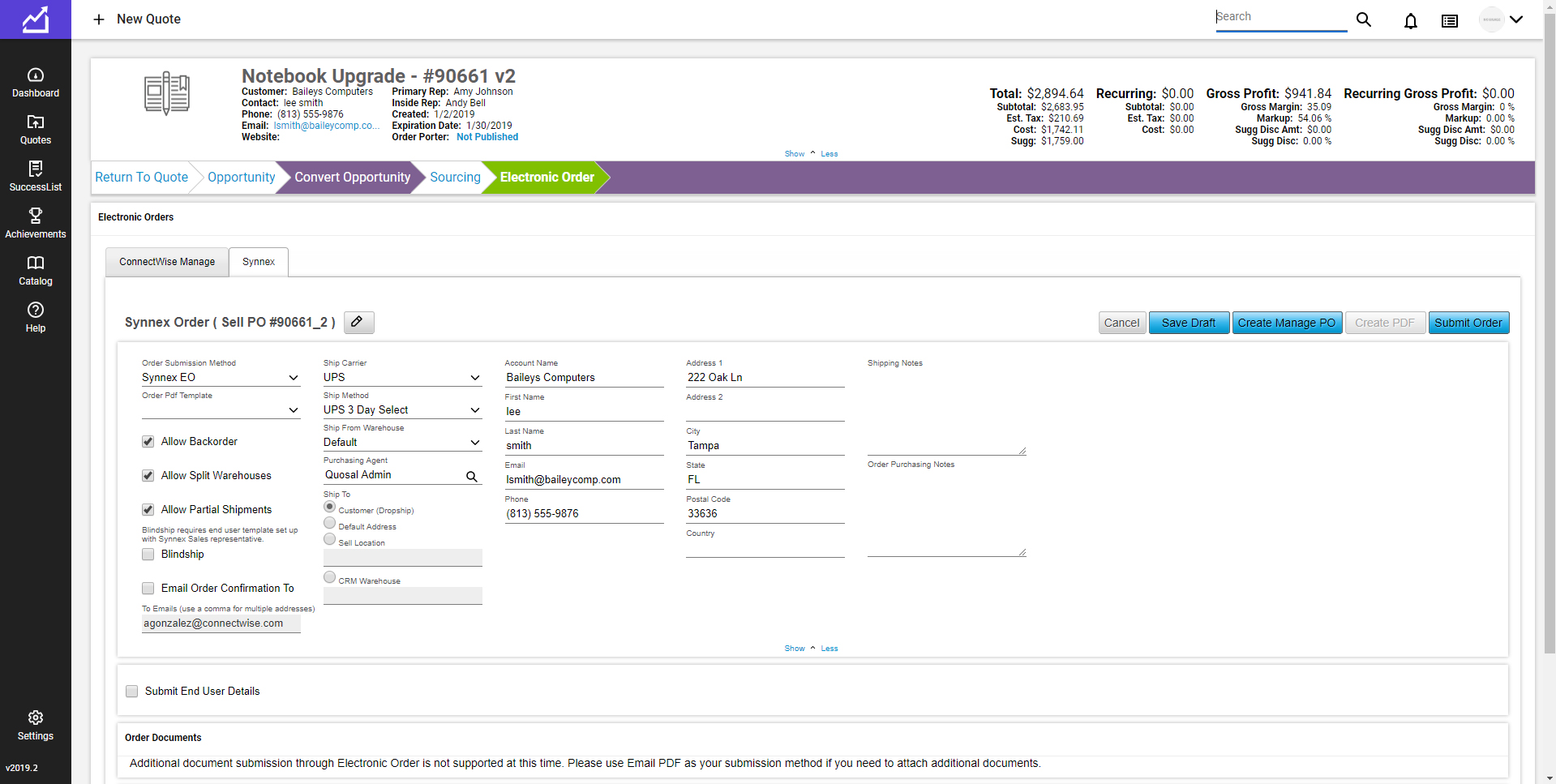 |
