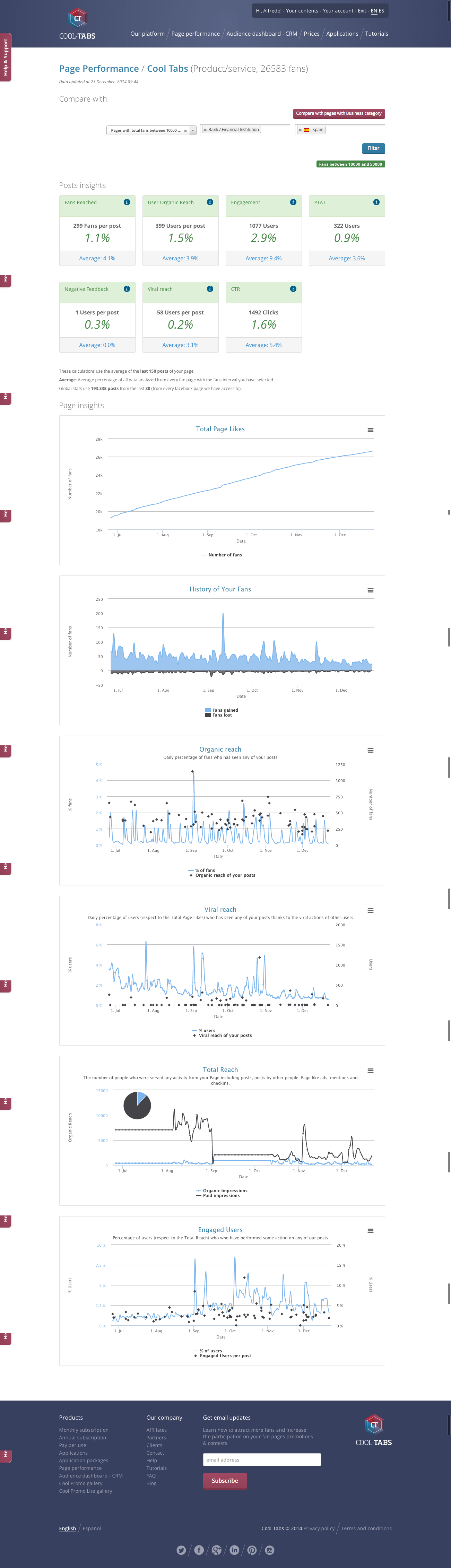
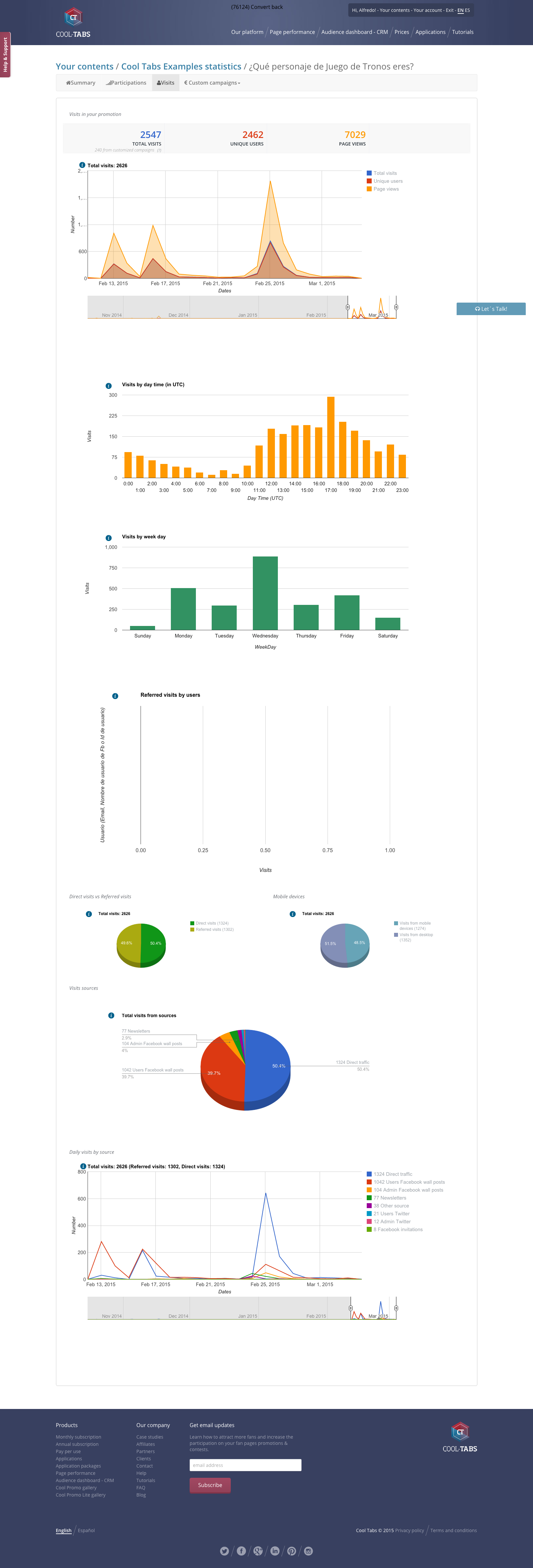
Cool Tabs is a social media marketing platform that is designed to help users increase their online audience and get qualified leads by creating simple interactive content for apps, social networks, microsites, mobile devices and websites. Users have more than twenty different types of dynamics to choose from: Paths (Choose Your Own Adventure), Trivia, Personality Tests, Instant Win, sweepstakes, competitions, coupon codes, and more. Cool Tabs enables users to create interactive content…
$49
Per User per Month
Zendesk Suite
Score 8.6 out of 10
N/A
Zendesk is a customer support solution with built-in ticketing, conversational messaging, and live chat, designed to help businesses of all sizes and industries deliver personalized service at scale. Zendesk's AI agents are trained in CX to help Service teams resolve customer issues faster and more accurately while still providing a human-centered experience. Zendesk ultimately aims to help businesses improve time to value, reduce effort per ticket, and keep costs low.
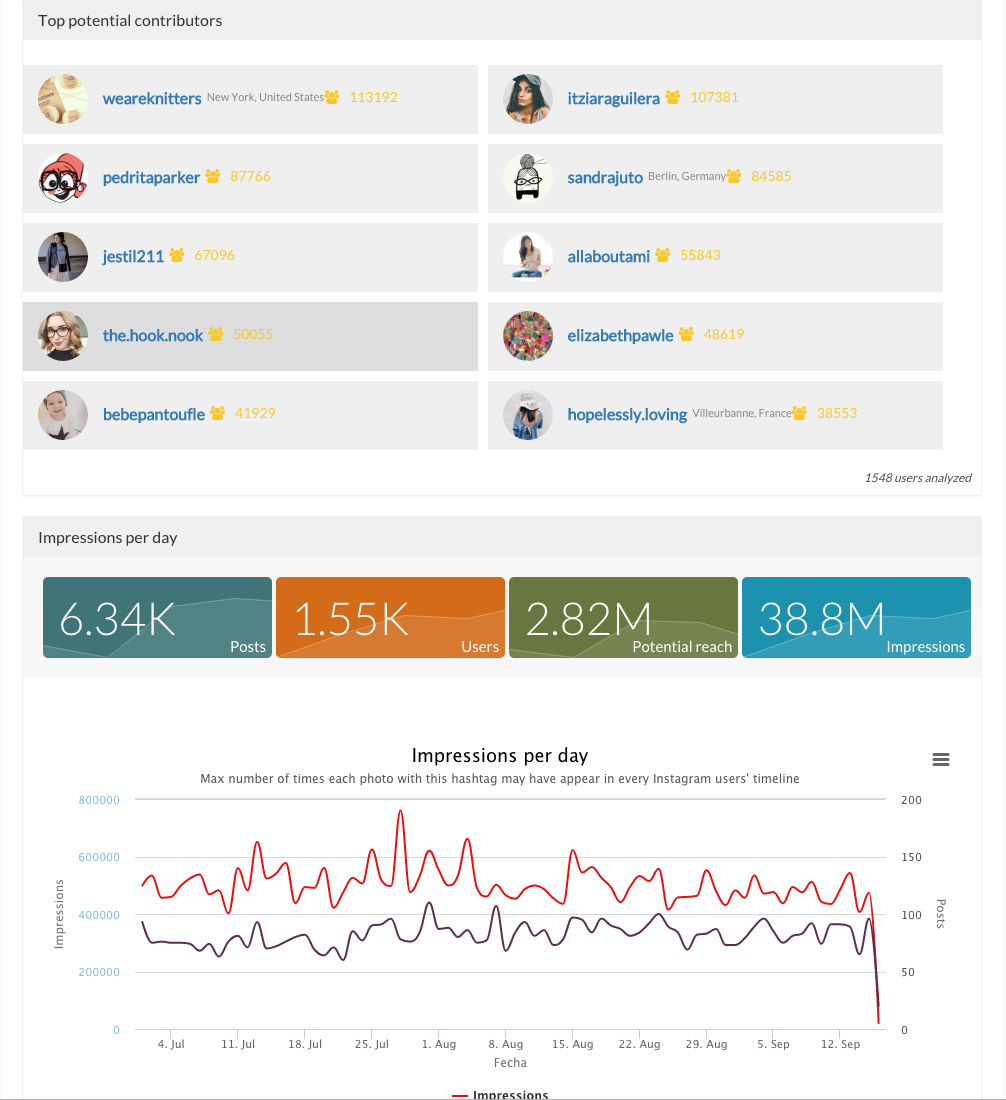
In general, it works as some kind of manual on how the particular baseline of your social networks can be improved, and it provides the right assessment at the same time so that I can analyze my data based on my results. Also, they count on excellent technical assistance. Earlier it was hard to go search hashtags on my Instagram but after using this I can get more deep analytics, geotag research, and profile analytics to get great information about the keywords I want to know about. The pricing is great, as well as the support team which replies very quickly.
Being a customer support agent, I found it very good when it comes to send an email or call or chat- with the user. I can do all that from the one single platform which is so easy and time saving for you. It does not take much time to use this, We can chat- with the user and at the same time we can send an email to them as well.
Is there a way for AEs and CSMs to be informed in a weekly summary of all their accounts and any tickets? Example: Disney submitted a ticket on XYZ. Google has an urgent issue on X still unresolved.
Is there a way for CSMs or AEs to have a Dashboard that's specific to their accounts instead of seeing all the tickets in the queue that are not relevant to them?
Zendesk is an amazing tool for communicating with your customers easily. The communication tickets from sellers to us or from us to sellers are stored, and there are statuses used to make communication easy. We have internal conversations between departments, linked with useful software such as Zingtree, Talkdesk, and Webs.
Because it lacks customization options for its aesthetics. We did a specific adaptation for registering entries and participants, and it worked perfectly. It's a very comprehensive tool for launching viral campaigns for all types of businesses. We will continue working on campaigns in collaboration with Cool Tabs. Porque le falta capacidad de personalización de la estética.En su momento, hicimos una adaptación concreta para el registro de participaciones y participantes y sale todo genial. Es una herramienta muy completa para lanzar campañas virales para todo tipo de empresas. Seguiremos trabajando las campañas en colaboración con Cool Tabs.
Pros: The agent interface is sleek, contemporary, and relatively easy to learn compared to many other enterprise tools. For common tasks, admins are given point-and-click options- adding fields, modifying workflows, constructing macros. The knowledge base (Guide) editor is easy to use for non-developers. Drawbacks: Once you move past the initial things - complex automations, reporting/analytics in Explore, and/or customizations integrating the API, it requires much more advanced training to use successfully. Navigating between the different modules (Support, Explore, Chat, Guide) can feel very disconnected; often you are reminded that it really is a "suite" of products brought together -not really one unified platform. If you're using multiple brands managing simultaneous support tickets, or heavily customizing workflows to meet your brand, you may run into a bit of struggle with usability. So: it's a lot more user friendly than the palaces (Salesforce Service Cloud, ServiceNow), but is not used as quickly or with as much streamlined flow as a product made for a small shop. So if you are looking for a great balance, this is a good option if you are a net new organization or an organization on their way to scaling from 15 - 50 employee. Expect some elbow grease from the admin team once learning, adapting, and working efficiently once you move past the basics with your support tickets and initial customizations.
We rarely need to contact their support team, but when we do they are responsive. However there have been notable times when communication between myself and the support rep was challenging despite me providing clear explanation of the issue, screenshots, and a thorough explanation of the goal we hope to achieve. It took several back and forth attempt, on a few occasions, to get resolution on an otherwise simple request
Zendesk has tons of available material for training - videos, webinars, articles, etc. The only reason this is not a 10 is because it can be hard to figure out how to navigate to these things and find what you are looking for.
I was very satisfied. They have a free trial for 30 days and I recommend you do that and use it. It is very easy to get started with the basics and the build on over time.
The only thing technically complex was single sign-on and integration to Salesforce.com required some tweaks – otherwise setting up system was very easy
Easypromos is one of the best tools you can use to run your contests. The application allows you to create contests for Facebook, Instagram, Twitter, Pinterest and YouTube.You can choose the objective of your campaign, whether it is to increase followers, improve your brand awareness, etc., and you can run various types of promotional initiatives, including giveaways, games, and quizzes.
The customisable reporting every time. Our leadership reply on me to run my team and want to know what customers are telling us so they can elevate our products. We have extensive custom reports that tie up all aspects of our product and customer journeys. I've not found another product that allows me as much freedom as Zendesk Suite explore does, so far.
Integrating other AI solutions for an organization with high volumes can cost about USD5000 monthly. With Zendesk AI and by building onto the same with AI powered apps built for Zendesk Suite we save a projected USD4000 monthly.
Robust Zendesk APIs have enabled us to integrate our internal system with a customized app saving us hundreds of hours every quarter spent loading customer profiles that are not loaded instantly from the app.
Plug and play apps like Round robin save us weeks of sprint delay timelines as they do not require additional coding or developer support to install and start using.