Copper vs. KronoDesk

Overview
ProductRatingMost Used ByProduct SummaryStarting Price
Copper
Score 8.3 out of 10
N/A
Copper is a customer relationship management (CRM) built as an integration into Google Apps.
$12
per month per user
KronoDesk
Score 6.9 out of 10
Mid-Size Companies (51-1,000 employees)
KronoDesk is an integrated customer support system that includes help desk ticketing, support forums and a self-service knowledge base.
$190.99
per month 3 concurrent users (minimum)
Pricing
CopperKronoDesk
Editions & Modules
Starter - Paid Annually
$9.00
per month per user
Basic - Paid Annually
$23.00
per month per user
Professional - Paid Annually
$59.00
per month per user
Business - Paid Annually
$99.00
per month per user
Cloud
$63.66 per
per month per concurrent user
Download
$633.66
per year per concurrent user
Offerings
Pricing Offerings
CopperKronoDesk
Free Trial
YesYes
Free/Freemium Version
NoNo
Premium Consulting/Integration Services
NoNo
Entry-level Setup FeeNo setup feeNo setup fee
Additional DetailsUp to 15% discount for annual pricing.Discount available for annual billing on cloud plans. Discount available for volume of concurrent users. 3 concurrent user minimum.
More Pricing Information
Community Pulse
CopperKronoDesk
Features
CopperKronoDesk
Sales Force Automation
Comparison of Sales Force Automation features of Product A and Product B
Copper
5.2
52 Ratings
40% below category average
KronoDesk
-
Ratings
Customer data management / contact management7.251 Ratings00 Ratings
Workflow management6.549 Ratings00 Ratings
Territory management5.04 Ratings00 Ratings
Opportunity management8.148 Ratings00 Ratings
Integration with email client (e.g., Outlook or Gmail)6.352 Ratings00 Ratings
Contract management5.29 Ratings00 Ratings
Quote & order management2.07 Ratings00 Ratings
Interaction tracking5.248 Ratings00 Ratings
Channel / partner relationship management1.07 Ratings00 Ratings
Customer Service & Support
Comparison of Customer Service & Support features of Product A and Product B
Copper
1.4
10 Ratings
138% below category average
KronoDesk
-
Ratings
Case management1.29 Ratings00 Ratings
Call center management1.55 Ratings00 Ratings
Help desk management1.67 Ratings00 Ratings
Marketing Automation
Comparison of Marketing Automation features of Product A and Product B
Copper
5.7
39 Ratings
31% below category average
KronoDesk
-
Ratings
Lead management7.036 Ratings00 Ratings
Email marketing4.329 Ratings00 Ratings
CRM Project Management
Comparison of CRM Project Management features of Product A and Product B
Copper
5.4
50 Ratings
35% below category average
KronoDesk
-
Ratings
Task management7.748 Ratings00 Ratings
Billing and invoicing management1.75 Ratings00 Ratings
Reporting6.744 Ratings00 Ratings
CRM Reporting & Analytics
Comparison of CRM Reporting & Analytics features of Product A and Product B
Copper
6.9
46 Ratings
11% below category average
KronoDesk
-
Ratings
Forecasting6.430 Ratings00 Ratings
Pipeline visualization7.943 Ratings00 Ratings
Customizable reports6.438 Ratings00 Ratings
Customization
Comparison of Customization features of Product A and Product B
Copper
4.3
49 Ratings
57% below category average
KronoDesk
-
Ratings
Custom fields6.748 Ratings00 Ratings
Custom objects3.412 Ratings00 Ratings
Scripting environment4.13 Ratings00 Ratings
API for custom integration3.230 Ratings00 Ratings
Security
Comparison of Security features of Product A and Product B
Copper
8.0
40 Ratings
5% below category average
KronoDesk
-
Ratings
Single sign-on capability8.712 Ratings00 Ratings
Role-based user permissions7.339 Ratings00 Ratings
Social CRM
Comparison of Social CRM features of Product A and Product B
Copper
2.0
12 Ratings
115% below category average
KronoDesk
-
Ratings
Social data2.012 Ratings00 Ratings
Social engagement2.07 Ratings00 Ratings
Integrations with 3rd-party Software
Comparison of Integrations with 3rd-party Software features of Product A and Product B
Copper
2.4
31 Ratings
103% below category average
KronoDesk
-
Ratings
Marketing automation3.831 Ratings00 Ratings
Compensation management1.01 Ratings00 Ratings
Platform
Comparison of Platform features of Product A and Product B
Copper
8.4
41 Ratings
10% above category average
KronoDesk
-
Ratings
Mobile access8.441 Ratings00 Ratings
Incident and problem management
Comparison of Incident and problem management features of Product A and Product B
Copper
-
Ratings
KronoDesk
8.2
1 Ratings
0% below category average
Organize and prioritize service tickets00 Ratings8.21 Ratings
Expert directory00 Ratings8.21 Ratings
Subscription-based notifications00 Ratings8.21 Ratings
ITSM collaboration and documentation00 Ratings8.21 Ratings
Ticket creation and submission00 Ratings8.21 Ratings
Ticket response00 Ratings8.21 Ratings
Self Help Community
Comparison of Self Help Community features of Product A and Product B
Copper
-
Ratings
KronoDesk
8.2
1 Ratings
2% above category average
External knowledge base00 Ratings8.21 Ratings
Internal knowledge base00 Ratings8.21 Ratings
Multi-Channel Help
Comparison of Multi-Channel Help features of Product A and Product B
Copper
-
Ratings
KronoDesk
8.4
1 Ratings
5% above category average
Customer portal00 Ratings8.21 Ratings
IVR00 Ratings8.21 Ratings
Social integration00 Ratings8.21 Ratings
Email support00 Ratings9.11 Ratings
Help Desk CRM integration00 Ratings8.21 Ratings
Best Alternatives
CopperKronoDesk
Small Businesses
Salesmate
Salesmate
Score 10.0 out of 10
Agiloft Service Desk (discontinued)
Score 9.0 out of 10
Medium-sized Companies
Creatio
Creatio
Score 9.0 out of 10
Agiloft Service Desk (discontinued)
Score 9.0 out of 10
Enterprises
Creatio
Creatio
Score 9.0 out of 10
SysAid
SysAid
Score 8.9 out of 10
All AlternativesView all alternativesView all alternatives
User Ratings
CopperKronoDesk
Likelihood to Recommend
7.8
(39 ratings)
9.1
(1 ratings)
Usability
7.8
(29 ratings)
-
(0 ratings)
Support Rating
1.9
(11 ratings)
-
(0 ratings)
User Testimonials
CopperKronoDesk
Likelihood to Recommend
Copper
If you need to track contract expiration dates of your clients or your prospects that you're trying to sell - Copper is your tool. If you want to track specific products, solutions, vendors, etc. Copper can do it. I use it to track many brands of IT products and services with the use of custom fields to track which prospects/clients have any number of these items. Rather than taking notes, I can select the product from a drop down list that I created VERY EASILY within Copper.
Read full review
Inflectra Corporation
I advise my customers to use it for all issue tracking, in business development as well as in business operations. An interface to operational systems is therefor very helpful and enlarges the value of the KronoDesk knowledge base, provided that this information is "open" to all users of all departments.
Read full review
Pros
Copper
  • Allows for contacts to be synced and organized directly from Gmail.
  • Gives a flexible style and customizable settings to match our company's specific needs.
  • Does a great job of helping us keep track of projects. We easily created a customized "Status" field with several status options that help us update the many phases of our project.
Read full review
Inflectra Corporation
  • As a system architect I have a clear overview of open issues through clear issue description and assignment to developers.
  • The overview and tracking are most important to me.
Read full review
Cons
Copper
  • Window change: for mobile - when you tap on a card from a pipeline it takes you to the lead’s basic info. I wish it would immediately just open all activities so I can quick see notes
  • I usually use Copper on the go. When you open the Copper app, it immediately opens a collab window. I wish it had some sort of easy dashboard….plus a notes area. I open Copper on mobile to quickly search for someone’s name or to take quick notes from a sales meeting
Read full review
Inflectra Corporation
  • The possibility to create a system/subsystem/component/interface tree of the system landscape, to be used to more detailed issue associations and subsequent detailed planning and monitoring of issues.
  • A quick issue entry with the most important information would be helpful.
  • A "live" report that can contains my current "hot" issues would be helpful.
Read full review
Usability
Copper
Copper is simple to use and it's simple to figure out the additional functionality you may need or want to use. There are a lot of support articles and the support itself is great. But it's also fairly simple to figure out on your own. It integrates easily with Google Workspace as well.
Read full review
Inflectra Corporation
No answers on this topic
Support Rating
Copper
There have been a few times when I contacted the "help desk" or "support team" and they just told me to watch a video or join a seminar to learn what I am looking to do. I would have expected someone to take a few minutes and literally walk me through the steps one by one until either I figured it out or accomplished the goal of my request.
Read full review
Inflectra Corporation
No answers on this topic
Alternatives Considered
Copper
We selected Copper over these other CRMs mainly because of its ability to integrate with Google Workspace. Members of our team have used Salesforce in the past and found it to be a nightmare to work with/on. Candidly, Copper doesn't fill all of our needs so we supplement that with the use of Asana.
Read full review
Inflectra Corporation
Several freeware/shareware tools like Bugzilla are missing integration with other systems. HP, IBM and CA like systems are too cumbersome and complicated for "normal" users, for me too much "hassle" to monitor issues and related information and links to other issues.
Read full review
Return on Investment
Copper
  • Copper has simplified our CRM and makes it easy for the sales team to keep track of leads and opportunities.
  • Copper has allowed us to save money as it is a fairly competitively priced platform.
  • Copper has simplified our workflow, allowing us to work more efficiently and save time from tedious data entry.
Read full review
Inflectra Corporation
  • The ROI is reached faster and exponentially higher, depending on the number of users and cooperating business units.
Read full review
ScreenShots

KronoDesk Screenshots

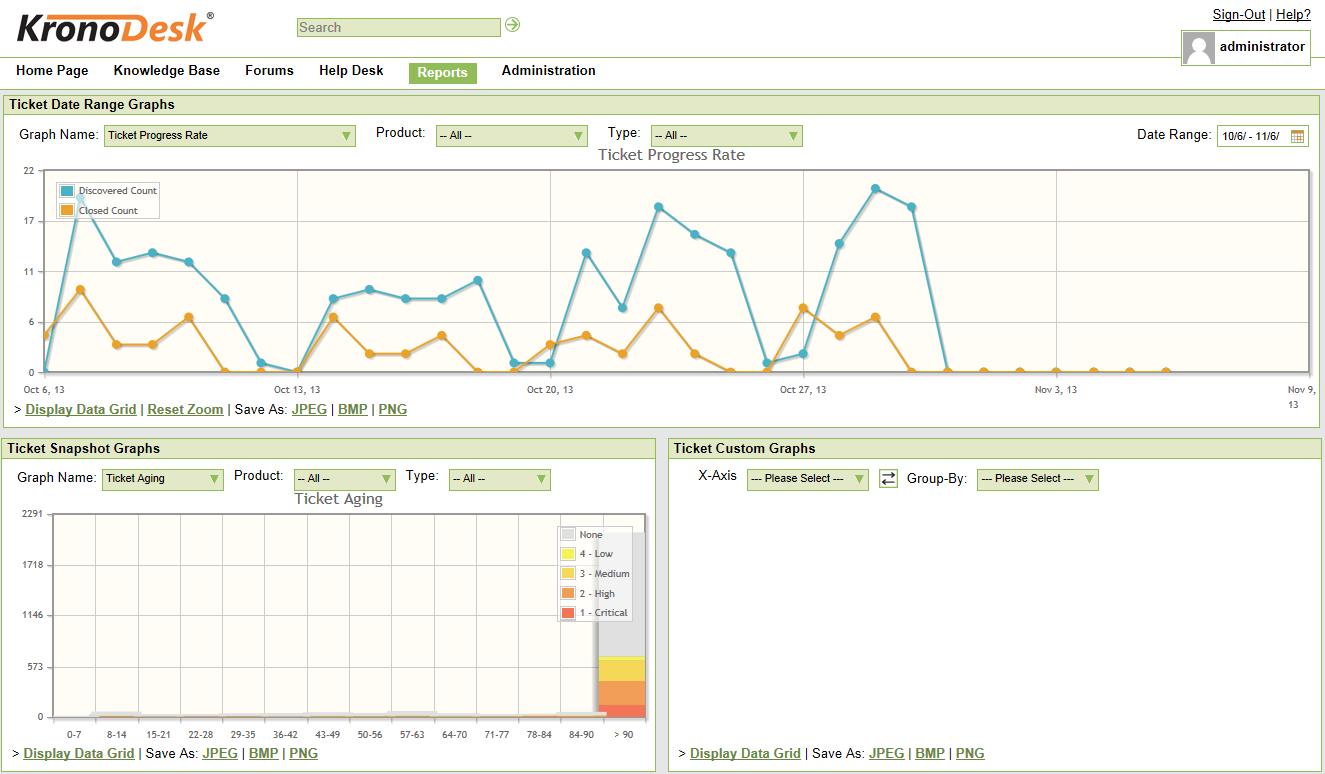
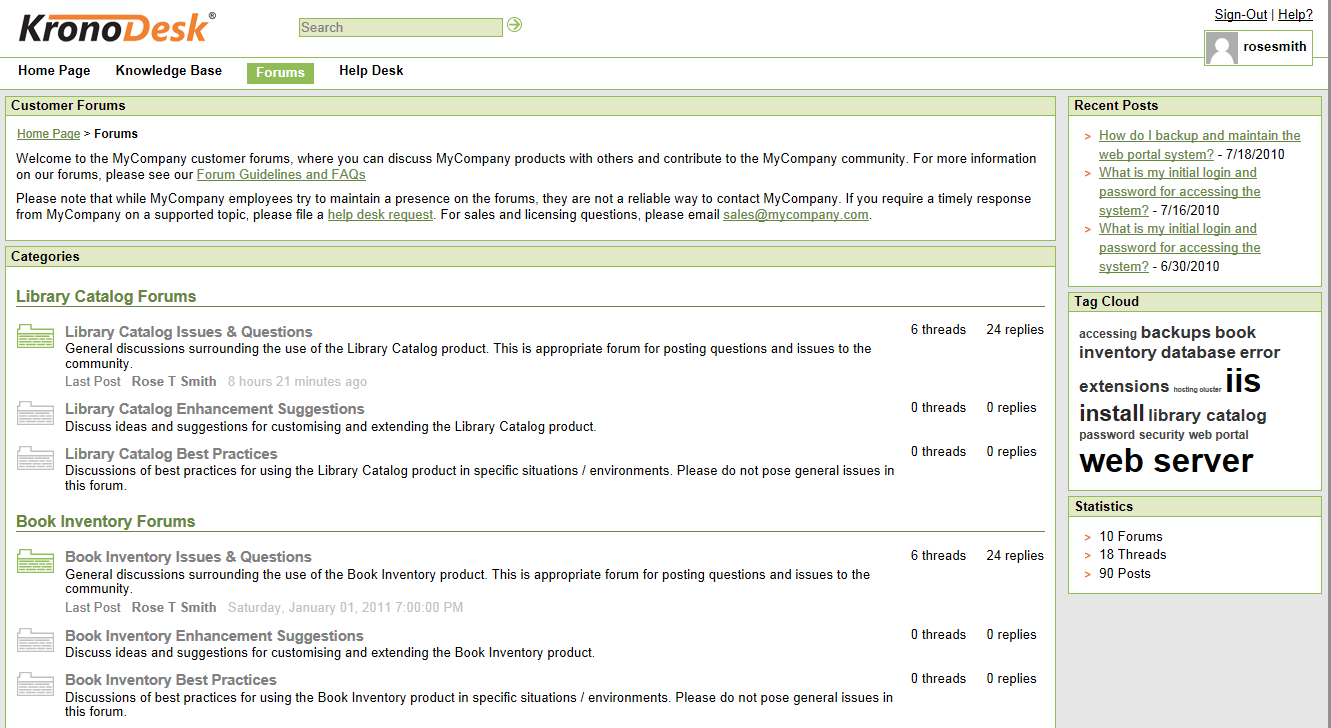
Screenshot of an example dashboard.Screenshot of the knowledge base.Screenshot of the reporting interface.Screenshot of the support forums.