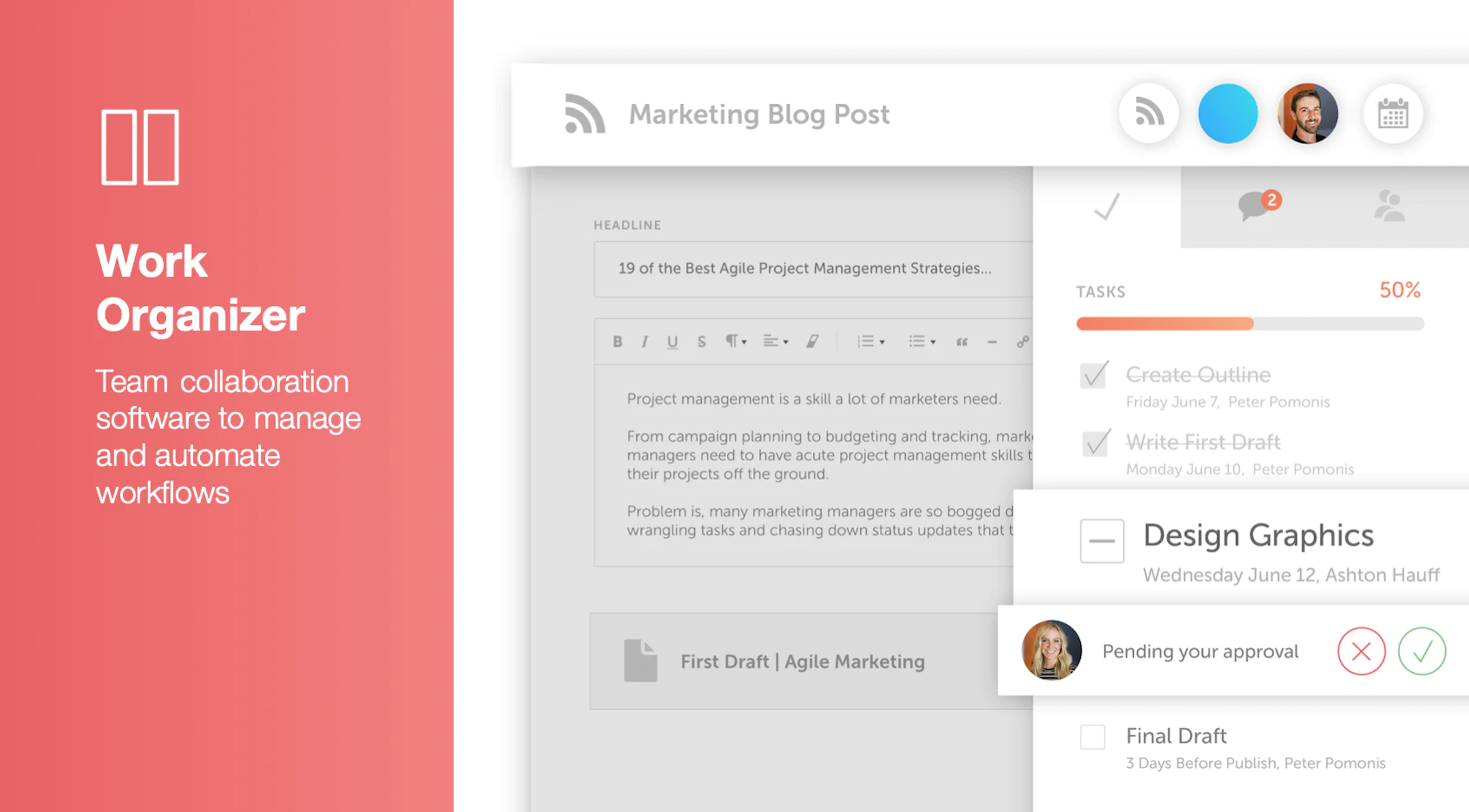
CoSchedule provides a content calendar, content optimization, and contentmarketing products, with users among 50,000 marketers worldwide, helping them organize their work, deliver projects on time, and prove marketing team value.
N/A
HCL Digital Experience
Score9.9 out of 10
N/A
HCL Digital Experience is based on the former IBM Web Content Manager and IBM WebSphere Portal products, acquired by HCL Technologies from IBM in late 2018. The product allows the user to create, manage and deliver engaging omnichannel digital experiences to audiences with responsive content, targeted offers, seamlessly integrated applications and consistent branding across channels (web, mobile, and hybrid mobile/web applications and more).
N/A
Pricing
CoSchedule Marketing Suite
HCL Digital Experience
Editions & Modules
No answers on this topic
No answers on this topic
Offerings
Pricing Offerings
CoSchedule Marketing Suite
HCL Digital Experience
Free Trial
No
No
Free/Freemium Version
Yes
No
Premium Consulting/Integration Services
No
No
Entry-level Setup Fee
No setup fee
No setup fee
Additional Details
—
—
More Pricing Information
Features
CoSchedule Marketing Suite
HCL Digital Experience
Content Creation
Comparison of Content Creation features of CoSchedule Marketing Suite and HCL Digital Experience
Feature
CoSchedule Marketing Suite
7.3
1 Ratings
7% below category average
HCL Digital Experience
-
Ratings
Ideation
5.01 Ratings
00 Ratings
Content collaboration
7.01 Ratings
00 Ratings
Content calendar
10.01 Ratings
00 Ratings
Content Publishing
Comparison of Content Publishing features of CoSchedule Marketing Suite and HCL Digital Experience
Feature
CoSchedule Marketing Suite
10.0
1 Ratings
25% above category average
HCL Digital Experience
-
Ratings
Content distribution
10.01 Ratings
00 Ratings
Content promotion
10.01 Ratings
00 Ratings
Content automation
10.01 Ratings
00 Ratings
Content Reporting & Analytics
Comparison of Content Reporting & Analytics features of CoSchedule Marketing Suite and HCL Digital Experience
Feature
CoSchedule Marketing Suite
10.0
1 Ratings
30% above category average
HCL Digital Experience
-
Ratings
Closed-loop tracking and reporting
10.01 Ratings
00 Ratings
Content performance analytics
10.01 Ratings
00 Ratings
Security
Comparison of Security features of CoSchedule Marketing Suite and HCL Digital Experience
Feature
CoSchedule Marketing Suite
-
Ratings
HCL Digital Experience
5.0
5 Ratings
47% below category average
Role-based user permissions
00 Ratings
5.05 Ratings
Platform & Infrastructure
Comparison of Platform & Infrastructure features of CoSchedule Marketing Suite and HCL Digital Experience
Feature
CoSchedule Marketing Suite
-
Ratings
HCL Digital Experience
4.1
5 Ratings
64% below category average
API
00 Ratings
4.14 Ratings
Internationalization / multi-language
00 Ratings
4.15 Ratings
Web Content Creation
Comparison of Web Content Creation features of CoSchedule Marketing Suite and HCL Digital Experience
Feature
CoSchedule Marketing Suite
-
Ratings
HCL Digital Experience
2.9
5 Ratings
84% below category average
WYSIWYG editor
00 Ratings
7.04 Ratings
Code quality / cleanliness
00 Ratings
3.15 Ratings
Admin section
00 Ratings
3.15 Ratings
Page templates
00 Ratings
1.15 Ratings
Library of website themes
00 Ratings
1.15 Ratings
Mobile optimization / responsive design
00 Ratings
4.04 Ratings
Publishing workflow
00 Ratings
1.14 Ratings
Form generator
00 Ratings
3.02 Ratings
Web Content Management
Comparison of Web Content Management features of CoSchedule Marketing Suite and HCL Digital Experience
CoSchedule is great for businesses or agencies who need an overview of all their marketing efforts, and who want to establish collaboration between multiple departments. The calendar view is one of the best we've worked with and makes it easy to see exactly what's happening. There is some slight clunkiness when it comes to admin-related tasks, and a few things aren't easy to find, but there's great support.
A de minimis incentive was given to thank the reviewer for their time. The incentive was not used to bias or drive a particular response, nor was the incentive contingent on a positive endorsement. More Info
HCL DX does really well at managing and maintaining the site. It allows the business to basically maintain the site while IT spent time developing new and enhanced functions. The main issue I currently have with HCL DX is not directly with the product but it does play a role. It is difficult finding skilled resources to support HCL DX in my experience.
A de minimis incentive was given to thank the reviewer for their time. The incentive was not used to bias or drive a particular response, nor was the incentive contingent on a positive endorsement. More Info
A de minimis incentive was given to thank the reviewer for their time. The incentive was not used to bias or drive a particular response, nor was the incentive contingent on a positive endorsement. More Info
With Version 8.5, IBM Web Content Manager introduced in place editing capabilities which allow authors to make content edits on sections of the page instead of going to the content itself. This feature allows authors to make changes in context of the page and preview changes within the actual look and feel of a live page.
Projects provide a collaborative atmosphere for the author community so that authors can interact and work as a team to manage inter-dependent content changes under one project and publish all changes at once, instead of working separately on individual content changes. This brings awareness across authors in an organization and easy knowledge share.
IBM Digital Data Connector is a cool feature that allows [users] to integrate external content sources onto the portal using IBM Web Content Manager presentation components. This allows UI/UX designers to present integrated external data in any manner they want, manage UI changes with an underlying approval process and leverage syndication to push changes live immediately.
IBM Web Content Manager offers a targeted content feature that allows business users to deliver personalized content to customers based on customer demographic information, browsing history and other transaction related information. Any rules created follow the publishing process thereby making it just a configurable item resulting in less turn around to turn on the feature on a website.
IBM Web Content Manager offers 'multi lingual solution' out of the box which allows content creation for almost all popular languages.
Syndication feature has improved a lot and it now provides a detailed views comprising of 'failed items', 'items that have syndicated successfully, 'items in queue'. Failed items view provides detailed and clear cut information of what resulted in failure helping IT to troubleshoot problems easily.
A de minimis incentive was given to thank the reviewer for their time. The incentive was not used to bias or drive a particular response, nor was the incentive contingent on a positive endorsement. More Info
The platform seems sluggish as of late, likely as a result of the robust amount of data we are entering and the number of filters we're creating.
Social media scheduling exists, but we do run into publishing errors more often then we'd like.
Task templates when updated are not retroactive, so when you create projects for an entire year and then change a template, you need to go back and change them manually.
A de minimis incentive was given to thank the reviewer for their time. The incentive was not used to bias or drive a particular response, nor was the incentive contingent on a positive endorsement. More Info
IBM Web Content Manager should provide some easily usable connectors through a GUI to connect to bring content from custom data sources including connecting to Salesforce and custom databases.
Should further optimize and enhance creation of rich and responsive content driven UIs on various digital channels.
Should further optimize and enhance content personalization features.
A de minimis incentive was given to thank the reviewer for their time. The incentive was not used to bias or drive a particular response, nor was the incentive contingent on a positive endorsement. More Info
IBM products always moves forward to adapt to new requirements and technologies. I have used versions 6, 6.1, 7 and 8 of IBM WCM, and I know IBM is ready to revamp the tool based on emerging needs, and still provide the capabilities to migrate your old system to the newer versions.
The interface is very intuitive, from setting up social profiles, to posting, to tags, to optimizing for best day/time to post. It's super easy to scan the aggregate analytics. The calendar is very easy to grok at a glance, and the more advanced functionality is intuitive to set up.
A de minimis incentive was given to thank the reviewer for their time. The incentive was not used to bias or drive a particular response, nor was the incentive contingent on a positive endorsement. More Info
I didn't have to use their official support, but I can say that they put out a lot of content online to help users. Their YouTube page has quite an array of tutorial videos explaining how things work and how to get the most out of their tools. If you're struggling, before picking up a phone or blasting off an email, try searching for your problem on YouTube or their forums.
A de minimis incentive was given to thank the reviewer for their time. The incentive was not used to bias or drive a particular response, nor was the incentive contingent on a positive endorsement. More Info
CoSchedule provides collaborative planning of projects. The calendar view is very well designed. Meetings and tasks can be scheduled and tracked easily. Whatever is being done, no matter how big the task/project is, it gives a bird-eye view of everything. Additionally, it also integrated very well with WordPress. Their customer service team is also very helpful.
A de minimis incentive was given to thank the reviewer for their time. The incentive was not used to bias or drive a particular response, nor was the incentive contingent on a positive endorsement. More Info
Magento and Prestashop are E-commerce CMS platforms. They are used in a different scale of application than WCM.
Concerning Joomla, it's a useful CMS forsmaller website. Once again this is an other scale of application than WCM Liveray can compete WCM 7 concerning the : ¤ specific development ¤ security ¤ responsive
It has saved me about 1 hour per day to keep things organized from Asana to WordPress.
By not having a functioning Google Doc import feature, it costs me about 30 minutes for each blog post to copy paste all the content, images, etc.
By bundling too many features into their plans, many of which we don't use (e.g. social media scheduling), we lose a little ROI because we are not using the full feature set. We use and prefer Buffer for social media, so when CoSchedule raised their price $40+ per month on features we would not be using, that hurt.
A de minimis incentive was given to thank the reviewer for their time. The incentive was not used to bias or drive a particular response, nor was the incentive contingent on a positive endorsement. More Info
A de minimis incentive was given to thank the reviewer for their time. The incentive was not used to bias or drive a particular response, nor was the incentive contingent on a positive endorsement. More Info