Crowdbooster was a tool to measure the success of Twitter and Facebook posts, with visualizations to track retweets, and track potential impressions created, likes, comments, and how many shares a Facebook post has received. Crowdbooster is no longer available.
$9
per month
Mailtrack
Score9.7 out of 10
N/A
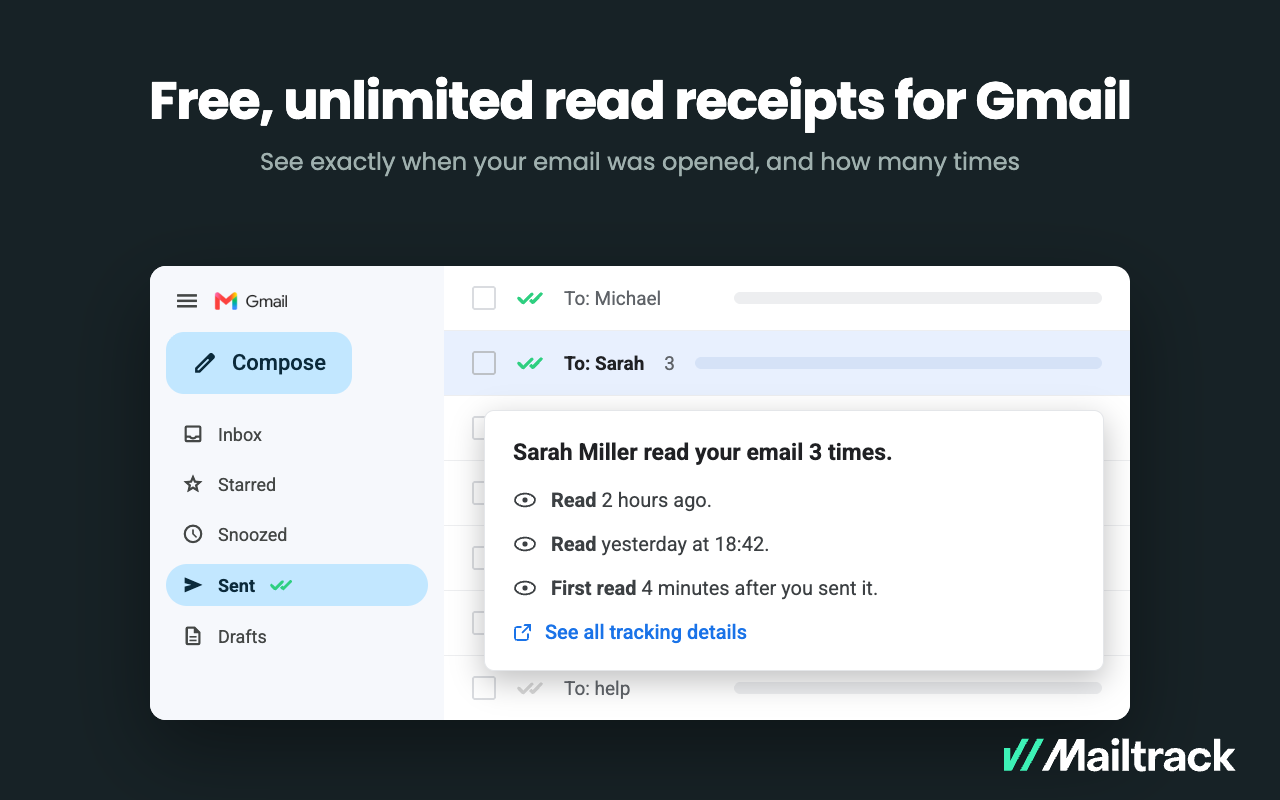
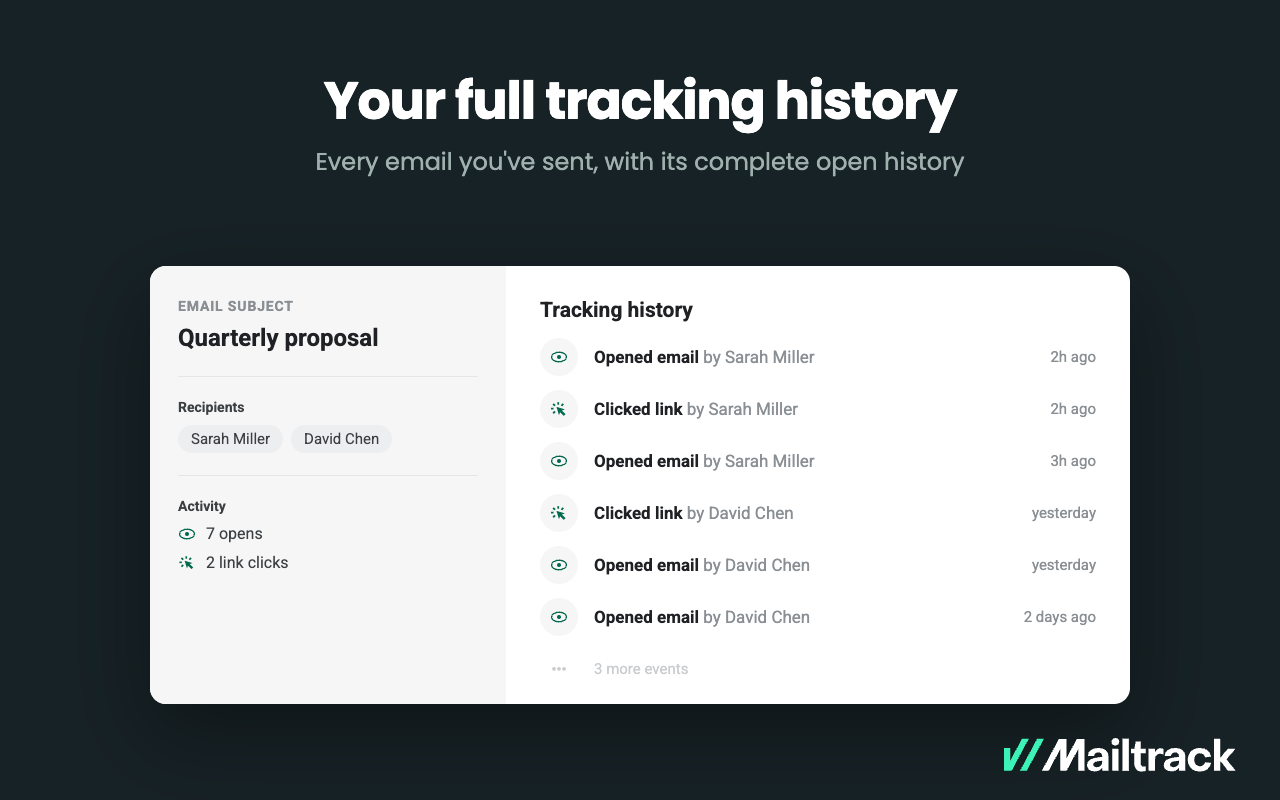
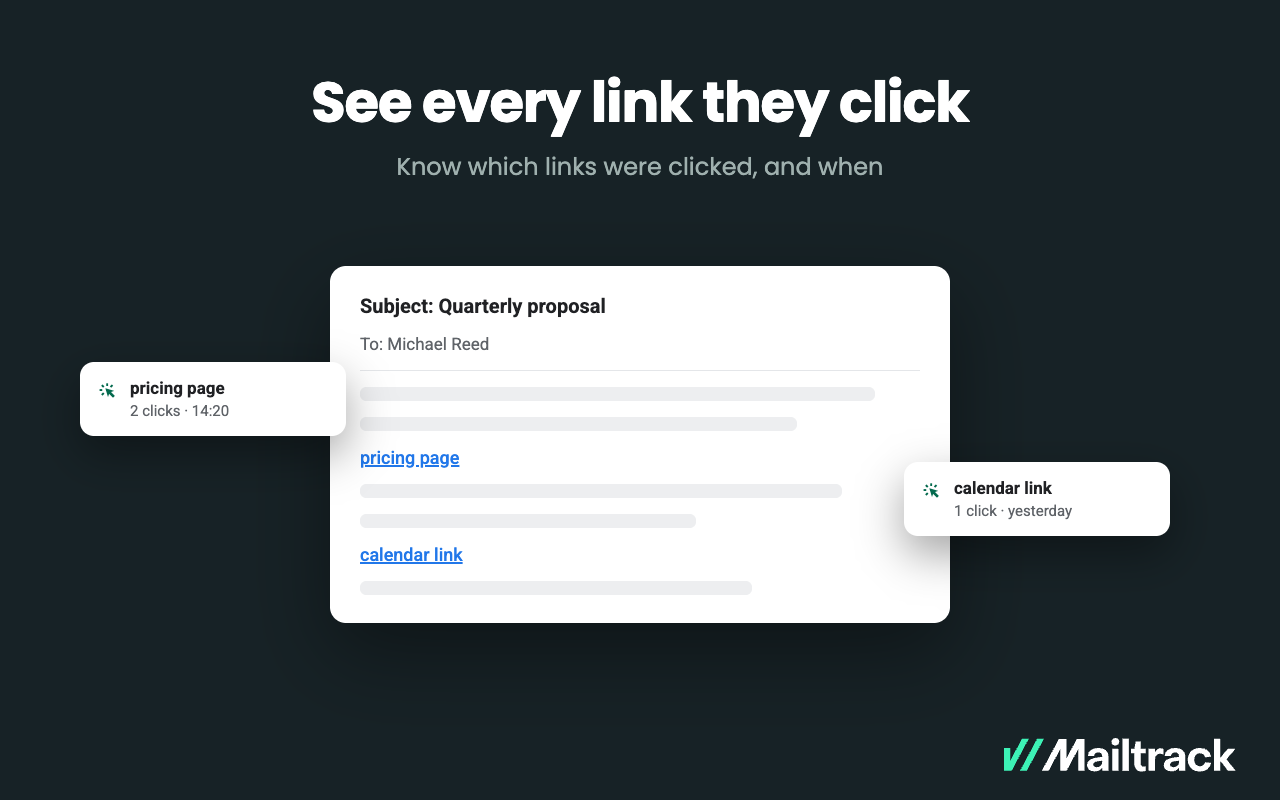
Mailtrack is an email-tracking extension for Gmail and part of Mailsuite. It adds delivery and read-status indicators to sent messages, showing when recipients open an email or click a tracked link without requiring users to leave Gmail. Key Capabilities Gmail read receipts: Mailtrack adds one or two checkmarks to sent messages. Grey checkmarks indicate delivery; green checkmarks indicate that the message was opened. Open and…
Before recommending Crowdbooster, I'd want to know what goals they hope to accomplish with the software. Then I would want them to specifically identify what types of metrics would be most useful to their program. If they specifically need to report out on how many people in a certain location they reached, this isn't the right fit. If they are using other tools, there may be duplication. However, if they are currently using more budget-friendly solutions or just getting started with a new program, Crowdbooster is a perfect fit. It will help you to grow your program and is flexible enough to accommodate your needs.
Mailtrack is great for tracking emails if you do not want to pay for larger more complicated tools that do the same thing. If you already love your system but just want to add some convenient read tracking, that's exactly what this is for. If you have a system that doesn't work well, I would take the time to evaluate alternatives that also include read tracking (Salesforce for example). This also applies if you're trying to use this for large outbound sales emails - there are a lot of applications that have email tracking built in (Outreach.io is a great example) so it may just be worth switching your whole system.
A de minimis incentive was given to thank the reviewer for their time. The incentive was not used to bias or drive a particular response, nor was the incentive contingent on a positive endorsement. More Info
Timed social media posts - Crowdbooster provides the opportunity to schedule social media posts allowing you to work on other important social media tasks.
Simply beautiful tracking - There are millions of ways to measure social media impact. Crowdbooster offers the most important and relevant measurements in simplified charts..
Great UI - Crappy UI = crappy experience. Crowdbooster's UI is easy to navigate. It won't take months to learn where all the buttons are.
A de minimis incentive was given to thank the reviewer for their time. The incentive was not used to bias or drive a particular response, nor was the incentive contingent on a positive endorsement. More Info
The ranked order of twitter followers and the number of "tweet impressions" did not help that much. Those "tweet impressions" were not really an estimate of how many people were actually reading my tweet. It was simply a sum of followers of the person retweeting a tweet and the sum of all followers from a subsequent retweet of the initial retweet. All this told me was the best case scenario I could expect if ALL followers of a person that retweeted saw my tweet. This is not a true measure of "twitter footprint" – since the “signal to noise” ratio in Twitter is very low.
There was no system in place to track "clicked links" for links embedded in tweets and/or facebook wall posts. Hootsuite did a good job of this – but only for twitter.
The list of recommended times to tweet were always "on the hour" (i.e. 10 a.m, 1 p.m.). Never were the times ever at "half past the hour" etc. An independent study that I did on my own using Google Analytics (and campaign links using google's URL builder) helped me determine that my optimal "Tweet time" during the week is 3:30 p.m. ET. More importantly, the recommended times seemed to be roughly the same on the weekends - which I find strange given that social media behavior does change on the weekends.
Occasionally, in my facebook ranked table of "loyal fans", I would see people in there that had not "liked" or "commented" on a post for months at a stretch and the "look back" period of the table was only around 7 days or so. Hence, I occasionally had to question the accuracy of that table.
Simple to use and a great value for what it offers. It has a simple but clean interface and it provides fantastic historical data you can use to measure your efforts online. By using a tool like Crowdbooster, you can see what is working with your audience and what isn't. From there, you can start tweaking your strategies
I found it fairly intuitive and easy to use. The information is laid out cleanly, and the most important information appears at a glance on the home page. However, I have worked with other users who had a hard time switching between platforms and identifying where other information was buried. It's not always clear that something is a clickable button! The option to export results is also a bit buried, and not integrated with the date range option.
I would rate Mailtrack's overall usability as a ten out of ten. The reasons for this are actually quite simple. For now, only I have been using Mailtrack. However, looking at the rather easy to use characteristics Mailtrack has to offer, I would not hesitate to recommend it to the rest of my colleagues.
A de minimis incentive was given to thank the reviewer for their time. The incentive was not used to bias or drive a particular response, nor was the incentive contingent on a positive endorsement. More Info
I do not think it is as supported as it once was when it first arrived on the social media scene. It is an older platform whose main functionality may have already ran its course.
A de minimis incentive was given to thank the reviewer for their time. The incentive was not used to bias or drive a particular response, nor was the incentive contingent on a positive endorsement. More Info
I didn't really need to use the customer support but the fact that they proactively make the installation process so easy by providing step by step instructions with videos and everything is kind of pro-active customer support that is needed. Good for them because at the end of the day, it's everyone's dream to use a product that they don't need support for.
It is a platform that is singularly focused. It does not have a lot of the additions that come stock with other platforms such as robust reporting or deeper insights past schedule times. It is also a stand-alone platform and a lot of its primary functionality can be found in more encompassing platforms.
A de minimis incentive was given to thank the reviewer for their time. The incentive was not used to bias or drive a particular response, nor was the incentive contingent on a positive endorsement. More Info
There's a free tier. Obviously, there are other things to love, like notifications about your email being read, the fact that if an email hasn't been responded to in some time it gets bumped up. The fact that if other people have Mailtrack you will actually get notified who read your email. But the fact that there is a free tier is HUGE.
Increased efficiency. I am able to generate useful snapshot reports in seconds. Particularly useful when you need answers fast (such as on a phone call).
Peace of mind. I am able to compare the data in Crowdbooster to what is exported from Facebook and Twitter.
Quicker, simpler evaluation of results. I am able to more easily compare impressions with engagement data to see what is working, and what should change. Particularly useful in day-to-day analysis.
I'm currently using the free version so my investment was time spent downloading the browser extension. I would say it's worth the investment because I can make more value through each email by finding the right time to send replies or know when is the exact time I should follow up.
Knowing when an email is read multiple times helps me know the importance of the content in my email.
The paid version allows Mailtrack to tell you which recipient read the email if there was more than 1.