Customer.io is a customer engagement platform that enables marketers to build sophisticated automated messaging campaigns. With access to real-time behavioral data, users can create personalized and relevant messages to engage and retain customers. This includes sending emails, push notifications, SMS, in-app messages, and more through a visual building experience. Built for scale, Customer.io boasts users among over 5,300 companies, sending over 17 billion messages per year.
$100
per month
Zoho Campaigns
Score8.9 out of 10
N/A
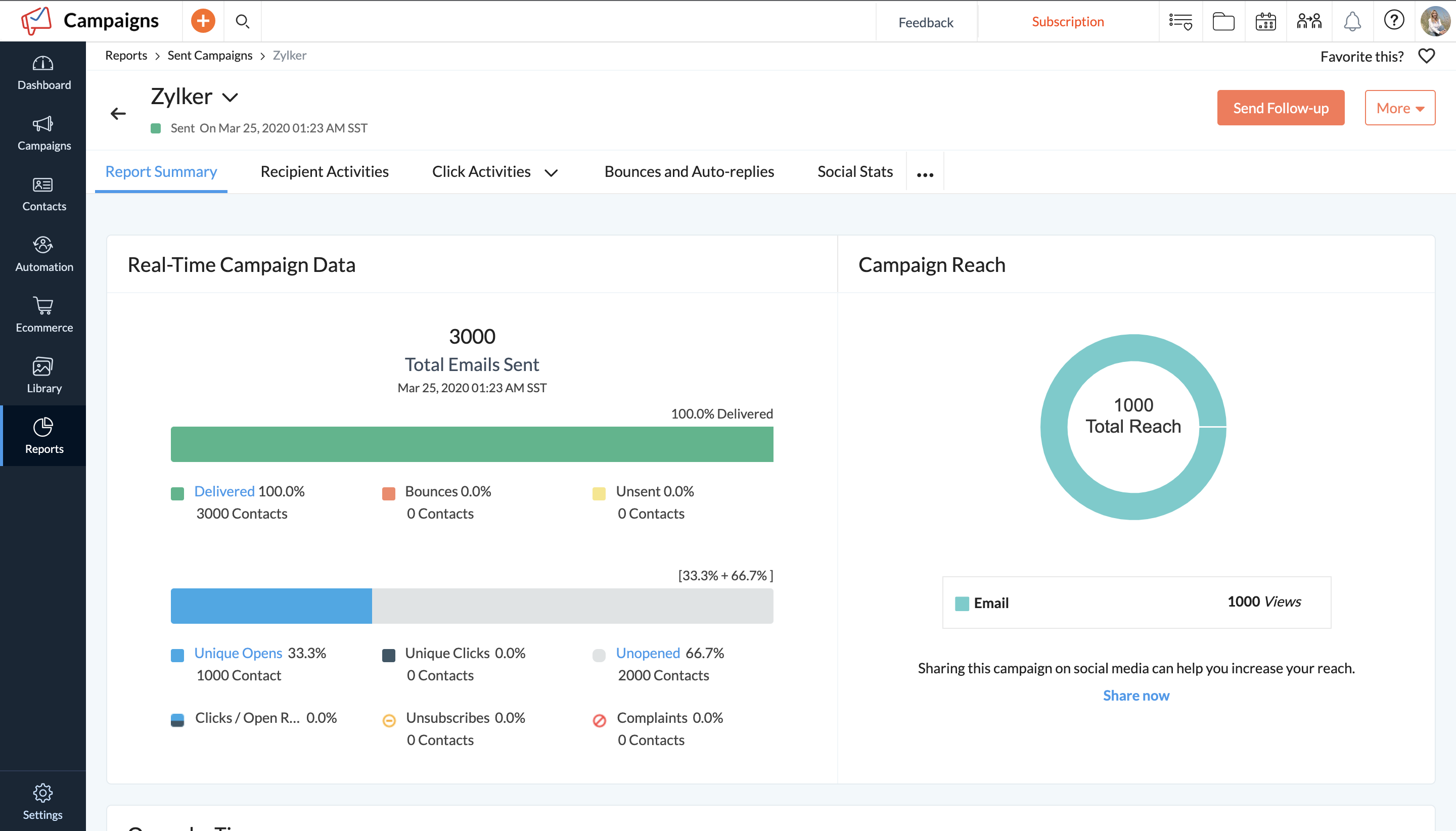
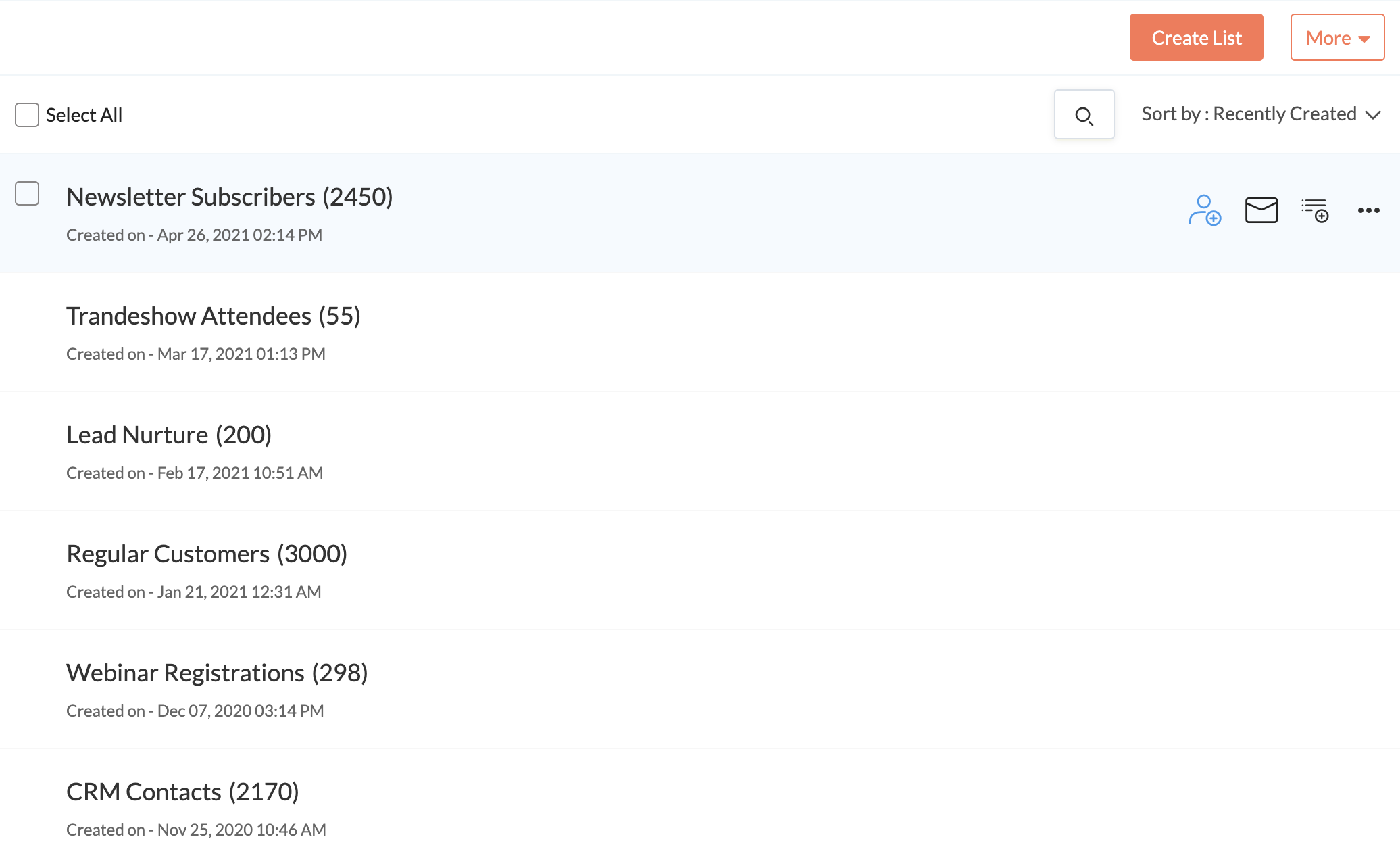
Zoho Campaigns is an email marketing and social networking campaigning tool for smaller companies that helps create, send, and track effective email campaigns. It features list management and segmentation, A/B Testing, tracking and reporting, automation, and mobile campaign management.
$0
Pricing
Customer.io
Zoho Campaigns
Editions & Modules
No answers on this topic
Forever Free
$0
Standard Plan
$3 for 500 contacts
per month
Professional Plan
$4.5 for 500 contacts
per month
Pay as you go
$14 for 500 contacts
Offerings
Pricing Offerings
Customer.io
Zoho Campaigns
Free Trial
Yes
Yes
Free/Freemium Version
No
Yes
Premium Consulting/Integration Services
Yes
No
Entry-level Setup Fee
Optional
No setup fee
Additional Details
Essentials: For startups and small teams engaging customers on their mobile and web apps.
- Up to 5,000 profiles*, Send Emails, Push, In-App, and SMS, Visual Workflow Builder, Segmentation, Two Workspaces, Email Support, Customer Community
Premium: For high-growth companies looking for greater control over their messaging outcomes.
- Everything in Essentials, Custom Data + Message Volume, Premium Product Features, Additional Workspaces, 90-day Onboarding Program, Premium Email & Chat Support, Managed Deliverability, Dedicated IPs, Parcel Pro Licenses, HIPAA Compliance
Enterprise: For at-scale companies looking to create world-class customer experiences.
- Everything in Premium, Managed Infrastructure*, Customer Success Manager, Quarterly Success Reviews, Technical Account Manager*, Audit Logging & Data Governance*, Parcel Business Licenses, Migration Support*, *Available by consultation.
Talking from the perspective of a marketer at a SaaS with average. 50K email subscribers, Customer IO has been an excellent tool for us. Our requirements include sending users newsletters, marketing emails, and transactional emails, running lead-nurturing campaigns, and more. For a comprehensive use case like ours, CustomerIO is great. While it also has a learning curve, when you have such requirements, it’s worth it. I don’t think CustomerIO is the best fit if you have basic requirements like only weekly newsletter emails.
A de minimis incentive was given to thank the reviewer for their time. The incentive was not used to bias or drive a particular response, nor was the incentive contingent on a positive endorsement. More Info
A de minimis incentive was given to thank the reviewer for their time. The incentive was not used to bias or drive a particular response, nor was the incentive contingent on a positive endorsement. More Info
Managing users, attributes and events. You are easily able to modify any user, based on their ID, and add or remove attributes, assign events to them. That makes it very easy to segment later and to assign them to several campaigns based on behavior. Just a warning: this integration isn't so easy (at least it wasn't for us).
Creating workflows of campaigns is very easy. You can quickly create behavioral campaigns based on attributes, segments and add elements to the workflow. You can send an email, then wait, then send another, then exit the campaign if they converted, etc. The workflow is easy to configure and very powerful for automation.
We don't use many email templates (we make them in MJML) but it's very easy to add senders, to change templates and in general to test designs.
Deliverability works very well, at least for us. It sends emails pretty fast and without issues.
Exporting is very quick and easy. Importing wasn't a feature until recently, but it works well too.
Seeing activity it's also useful. In general, logs are awesome (be it of a customer, of activity on the site, email sends, etc.).
We don't use environments, but it might be very useful for a bigger company.
A de minimis incentive was given to thank the reviewer for their time. The incentive was not used to bias or drive a particular response, nor was the incentive contingent on a positive endorsement. More Info
A de minimis incentive was given to thank the reviewer for their time. The incentive was not used to bias or drive a particular response, nor was the incentive contingent on a positive endorsement. More Info
Zoho should start by throwing this tool in the trash and then recreate it from scratch. There are so many flaws I would be here all year trying to list them all. Start by the fact that creating templates is an absolute nightmare. You'll find over and over again that something that should be easily executed can't be done. It is NOT a plug and play program. Everything is trial and error.
The reporting SUCKS bad. It gives you basics, but if you want any real insights... I have to export all my data into my own spreadsheets to compare results from multiple campaigns.
Customer service is B.A.D. You'll spend HOURS upon HOURS with a tech support team that knows less than you. The only time anything gets accomplished is when you work with a programmer. BUT, you'll seriously waste 1-2 hours explaining a problem to someone who is only taking notes. You'll get so frustrated when they try to show you how they think it works and you respond with... "I know how this works because I have used it for a year - the problem is that it stopped working the way it always did before. They will argue with you. You will respond accordingly. They will close tickets without resolution. Speaking of tickets, you'll never get one. They say they will take care of it and a week later you will follow-up and no one will have any idea what is going on. You'll start from scratch and be even more frustrated. You will learn to "fix" it on your own or deal with it, broken.
After two years, I'm still not sure if my emails even make it to an inbox. When asked, you'll be told that you need to write better subject lines. I call bull****. Don't rely on this product to deliver your email. And don't question Zoho, as it will always be your fault.
You can't use this tool to send to ANY group email addresses. You can't even override the system. I have a lot of clients that use info@xxx.com or sales@xxx.com, etc. and I have to send them personal emails since this will not allow them to be sent. They say it is to protect them from getting blacklisted. I call bull**** again.
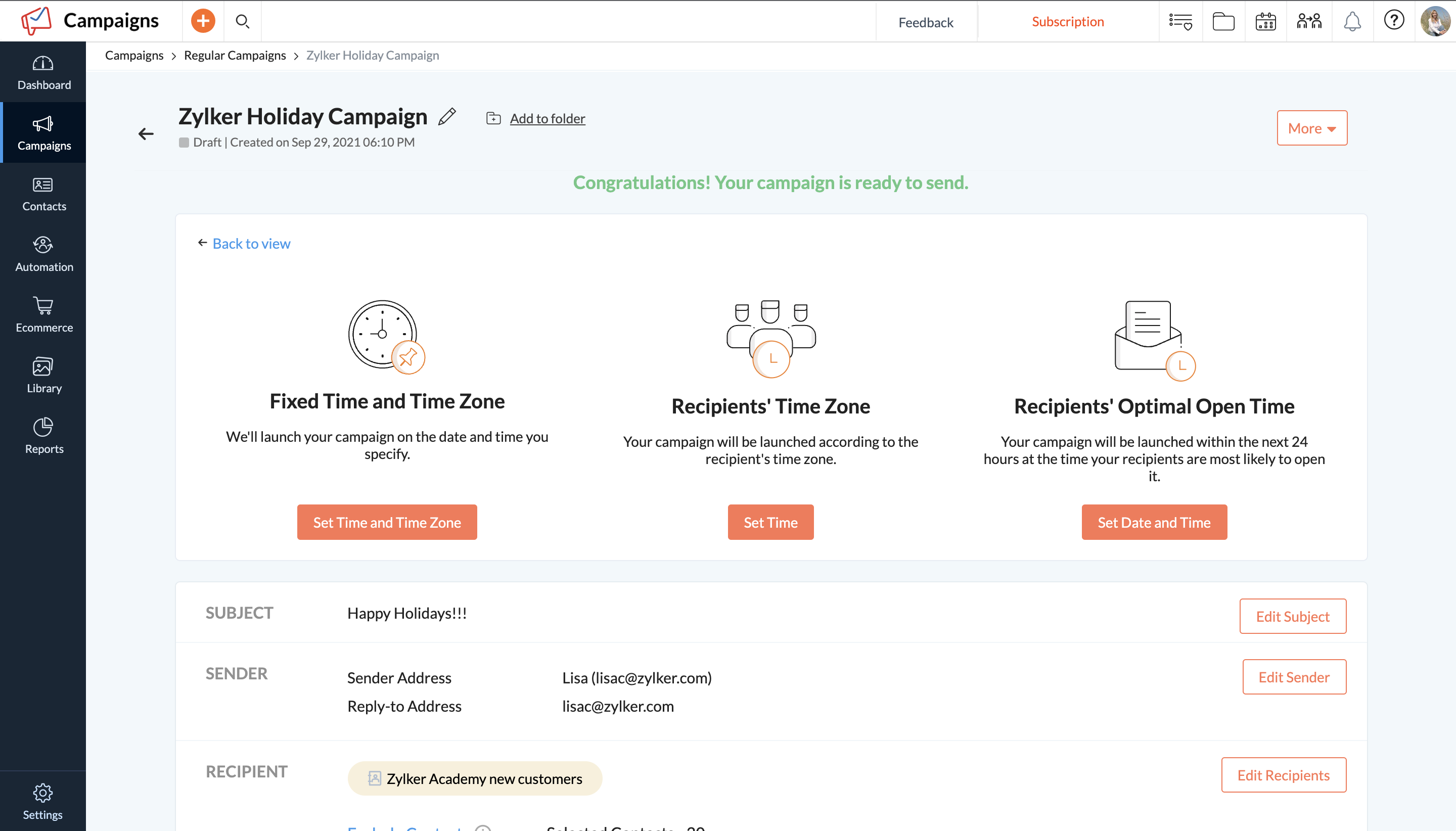
The templates offered by the system are crap - unless you only send holiday emails. Not a large selection of just generic templates. You'll be pulling your hair out trying to use their builder to create your own. In the end, you'll end up sending emails with nothing "pretty" about them.
A de minimis incentive was given to thank the reviewer for their time. The incentive was not used to bias or drive a particular response, nor was the incentive contingent on a positive endorsement. More Info
A de minimis incentive was given to thank the reviewer for their time. The incentive was not used to bias or drive a particular response, nor was the incentive contingent on a positive endorsement. More Info
Super intuitive and easy interface to start off with. There are not a lot of guides and the documentation is helpful but not super extensive, but even if you're a little technical, you can easily figure most of the things out by yourself. Everything is super easy to start with and the platform does not overwhelm you with a lot of options, or data.
A de minimis incentive was given to thank the reviewer for their time. The incentive was not used to bias or drive a particular response, nor was the incentive contingent on a positive endorsement. More Info
Zoho Campaigns is a powerful email sending tool. Zoho Campaigns is highly user-friendly and intuitive software. Complex email marketing tasks are simplified by Zoho Campaigns. Best part of Zoho Campaigns is that when you upload the email addresses it verifies that emails are valid or not. I have never seen this feature except in Zoho Campaigns.
My experience with their support team has always been great. Very quick to respond, have an online chat, and are very helpful. They helped me resolve any issues I've had every time in a professional and knowledgeable manner. We've now switched to another tool, and I can't even compare the service level we get there to customer.io
A de minimis incentive was given to thank the reviewer for their time. The incentive was not used to bias or drive a particular response, nor was the incentive contingent on a positive endorsement. More Info
Customer.io was really the first pure, full-featured drip email program on the market and as far as I know, it's still the simplest and best overall for that specific function. SendGrid has also added drip campaign features, but I would seriously evaluate Customer.io against any other drip email provider because they really have all the key elements you need to make it work.
A de minimis incentive was given to thank the reviewer for their time. The incentive was not used to bias or drive a particular response, nor was the incentive contingent on a positive endorsement. More Info
Zoho Campaigns is not for beginners to email marketing, but it’s an excellent choice for those who want to send out a lot of emails with few restrictions and great reporting. It’s a no-brainer if you’re already a Zoho user, as Campaigns is included in Zoho One subscriptions and integrates nicely with other Zoho apps.
A de minimis incentive was given to thank the reviewer for their time. The incentive was not used to bias or drive a particular response, nor was the incentive contingent on a positive endorsement. More Info
Positive impact on the sales side. I'm not sure about the specific ROI (you have to include the designer and the time it takes to set up) but you certainly get back the investment in a few months, once you are able to scale your email marketing.
Customer experience is way better by having more segmented, contextual and accurate messages sent to them.
Integration is costly and it will take several days or weeks to be fully achieved. Expect to invest some money on this.
A de minimis incentive was given to thank the reviewer for their time. The incentive was not used to bias or drive a particular response, nor was the incentive contingent on a positive endorsement. More Info
It allows us to communicate with all our customers or lists together or individually, and to track how successful our campaigns are.
Customer Service is a target area of why we use Zoho Campaigns, and it meets our needs greatly.
To date we have not really measured the ROI or impact that Zoho Campaigns has on our marketing efforts but with this product it certainly has the means to do such.
A de minimis incentive was given to thank the reviewer for their time. The incentive was not used to bias or drive a particular response, nor was the incentive contingent on a positive endorsement. More Info