Databricks offers the Databricks Lakehouse Platform (formerly the Unified Analytics Platform), a data science platform and Apache Spark cluster manager. The Databricks Unified Data Service provides a platform for data pipelines, data lakes, and data platforms.
$0.07
Per DBU
Microsoft BI (MSBI)
Score 8.7 out of 10
N/A
Microsoft BI is a business intelligence product used for data analysis and generating reports on server-based data. It features unlimited data analysis capacity with its reporting engine, SQL Server Reporting Services alongside ETL, master data management, and data cleansing.
$14
per month per user
OpenText Magellan
Score 9.0 out of 10
N/A
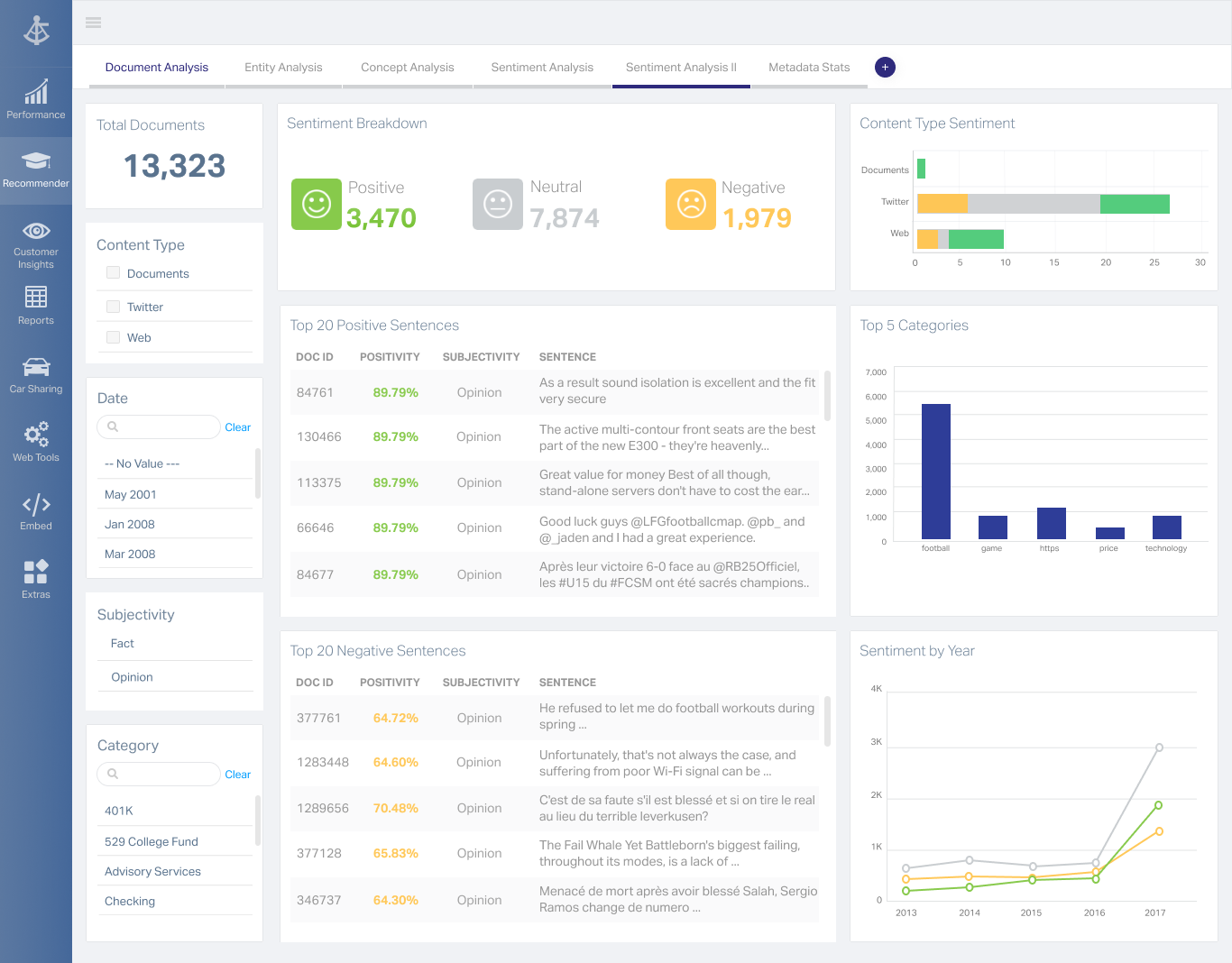
OpenText Magellan Analytics Suite leverages a comprehensive set of data analytics software to identify patterns, relationships and trends through data visualizations and interactive dashboards.
N/A
Pricing
Databricks Data Intelligence Platform
Microsoft BI (MSBI)
OpenText Magellan
Editions & Modules
Standard
$0.07
Per DBU
Premium
$0.10
Per DBU
Enterprise
$0.13
Per DBU
Power BI Pro
$14
per month per user
Power BI Premium
$24
per month per user
No answers on this topic
Offerings
Pricing Offerings
Databricks Data Intelligence Platform
Microsoft BI (MSBI)
OpenText Magellan
Free Trial
No
No
No
Free/Freemium Version
No
Yes
No
Premium Consulting/Integration Services
No
No
No
Entry-level Setup Fee
No setup fee
No setup fee
No setup fee
Additional Details
—
—
—
More Pricing Information
Community Pulse
Databricks Data Intelligence Platform
Microsoft BI (MSBI)
OpenText Magellan
Features
Databricks Data Intelligence Platform
Microsoft BI (MSBI)
OpenText Magellan
BI Standard Reporting
Comparison of BI Standard Reporting features of Product A and Product B
Databricks Data Intelligence Platform
-
Ratings
Microsoft BI (MSBI)
9.0
53 Ratings
10% above category average
OpenText Magellan
7.0
2 Ratings
16% below category average
Pixel Perfect reports
00 Ratings
8.546 Ratings
00 Ratings
Customizable dashboards
00 Ratings
9.653 Ratings
7.02 Ratings
Report Formatting Templates
00 Ratings
9.051 Ratings
7.01 Ratings
Ad-hoc Reporting
Comparison of Ad-hoc Reporting features of Product A and Product B
Databricks Data Intelligence Platform
-
Ratings
Microsoft BI (MSBI)
8.6
53 Ratings
7% above category average
OpenText Magellan
8.3
3 Ratings
3% above category average
Drill-down analysis
00 Ratings
8.548 Ratings
8.03 Ratings
Formatting capabilities
00 Ratings
8.353 Ratings
8.03 Ratings
Integration with R or other statistical packages
00 Ratings
8.442 Ratings
9.01 Ratings
Report sharing and collaboration
00 Ratings
9.053 Ratings
8.02 Ratings
Report Output and Scheduling
Comparison of Report Output and Scheduling features of Product A and Product B
Databricks Data Intelligence Platform
-
Ratings
Microsoft BI (MSBI)
8.6
52 Ratings
5% above category average
OpenText Magellan
8.3
2 Ratings
1% above category average
Publish to Web
00 Ratings
9.448 Ratings
8.02 Ratings
Publish to PDF
00 Ratings
9.248 Ratings
8.02 Ratings
Report Versioning
00 Ratings
7.544 Ratings
9.02 Ratings
Report Delivery Scheduling
00 Ratings
8.547 Ratings
8.02 Ratings
Delivery to Remote Servers
00 Ratings
8.626 Ratings
00 Ratings
Data Discovery and Visualization
Comparison of Data Discovery and Visualization features of Product A and Product B
Medium to Large data throughput shops will benefit the most from Databricks Spark processing. Smaller use cases may find the barrier to entry a bit too high for casual use cases. Some of the overhead to kicking off a Spark compute job can actually lead to your workloads taking longer, but past a certain point the performance returns cannot be beat.
Microsoft BI has a lot of features and is a very powerful tool, especially if you have folks on your team that know how to utilize all of its capabilities. To truly unlock all that it can do, it does require people to have a deep understanding of its capabilities. That's where the software really shines. If you are looking for a simpler, more basic reporting tool, there are other programs available that do not require such a steep learning curve.
If you do not have a large budget and are a large organization, I would steer clear of Actuate. If you are looking to do very complex washboarding, I would not use them. Your developers have to be very skilled to work with this. Plan to bring in consultants if necessary to help your process. Adhoc reporting is weak. If your pricing is user based and you expand, this could be very expensive.
Microsoft BI is fundamental to our suite of BI applications. That being said, Northcraft Analytics is focused on delighting our customers, so if the underlying factors of our decision change, we would choose to re-write our BI applications on a different stack. Luckily, mathematics are the fundamental IP of our technology... and is portable across all BI platforms for the foreseeable future.
I am no longer working for the company that was using Actuate but I believe they would continue to use it because the stitching costs would be to high. It would require a complete rewrite of the reports and the never version of Actuate (BIRT) even required an almost complete report rewrite
Because it is an amazing platform for designing experiments and delivering a deep dive analysis that requires execution of highly complex queries, as well as it allows to share the information and insights across the company with their shared workspaces, while keeping it secured.
in terms of graph generation and interaction it could improve their UI and UX
The Microsoft BI tools have great usability for both developers and end users alike. For developers familiar with Visual Studio, there is little learning curve. For those not, the single Visual Studio IDE means not having to learn separate tools for each component. For end-users, the web interface for SSRS is simple to navigate with intuitive controls. For ad-hoc analysis, Excel can connect directly to SSAS and provide a pivot table like experience which is familiar to many users. For database development, there is beginning to be some confusion, as there are now three tool choices (VS, SSMS, Azure Data Studio) for developers. I would like to see Azure Data Studio become the superset of SSMS and eventually supplant it.
It is quite intuitive to use. It is fit specifically for doing sentiment, emotion, and intention analysis as well as text classification and text summarization. I would have given 10 if it is fit for the purpose of doing image processing and analysis as well. There is a huge market to analyze video and image data.
SQL Server Reporting Services (SSRS) can drag at times. We created two report servers and placed them under an F5 load balancer. This configuration has worked well. We have seen sluggish performance at times due to the Windows Firewall.
One of the best customer and technology support that I have ever experienced in my career. You pay for what you get and you get the Rolls Royce. It reminds me of the customer support of SAS in the 2000s when the tools were reaching some limits and their engineer wanted to know more about what we were doing, long before "data science" was even a name. Databricks truly embraces the partnership with their customer and help them on any given challenge.
MSBI natively has a site that allows you to vote on user enhancements and bug fixes. This allows the largest nagging issues to float to the top and the development team can prioritize accordingly. As mentioned earlier, the large community base of MSBI developers assist technical resources in handling technical questions.
I have used on-line training from Microsoft and from Pragmatic Works. I would recommend Pragmatic Works as the best way to get up to speed quickly, and then use the Microsoft on-line training to deep dive into specific features that you need to get depth with.
We are a consulting firm and as such our best resources are always billing on client projects. Our internal implementation has weaknesses, but that's true for any company like ours. My rating is based on the product's ease of implementation.
The most important differentiating factor for Databricks Lakehouse Platform from these other platforms is support for ACID transactions and the time travel feature. Also, native integration with managed MLflow is a plus. EMR, Cloudera, and Hortonworks are not as optimized when it comes to Spark Job Execution. Other platforms need to be self-managed, which is another huge hassle.
We have used the built in ConnectWise Manager reports and custom reports. The reports provide static data. PowerBI shows us live data we can drill down into and easily adjust parameters. It's much more useful than a static PDF report.
It is vastly superior to these in many ways, for complex reporting it is a much more sophisticated solution. Visualizations are very good. Javascript extensibility is very powerful, others don't support this or as well. Pentaho and MS are both OLAP oriented. Pentaho is moving more toward big data, which was not our primary focus. Others are stuck in the Crystal Reports Band metaphor.
As a SaaS provider we see being able to provide self-service BI to our client users as a competitive advantage. In fact the MSSQL enabled BI is a contributing factor to many winning RFPs we have done for prospective client organisations.
However MSSQL BI requires extensive knowledge and skills to design and develop data warehouses & data models as a foundation to support business analysts and users to interrogate data effectively and efficiently. Often times we find having strong in-house MSSQL expertise is a bless.
Actuate can handle 50 to 60 sub reports inside a report very well.
Dynamically creating the datasource, chart, graph, reports are the main advantages. We can do any level of drilling, and can create a performance matrix dashboard efficiently.