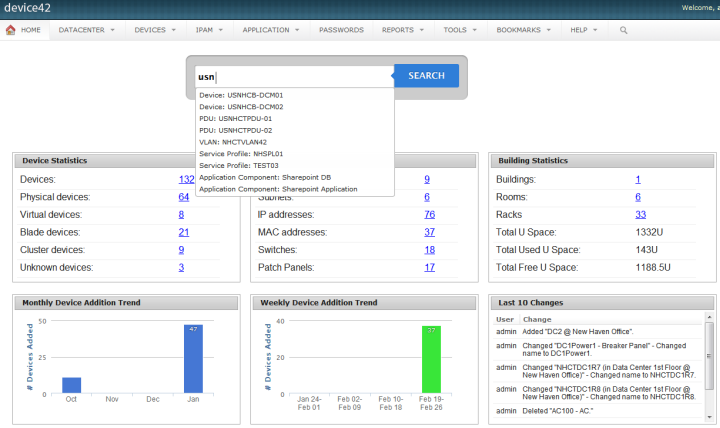
Device42 is a comprehensive, agentless discovery system for Hybrid IT. Device42 can continuously discover, map, and optimize infrastructure and applications across data centers and cloud, in order to provide an accurate views of the IT ecosystem. Device42 intelligently groups discovered workloads by application affinities, so as to reduce the effort required to create move groups, capturing all communications. The vendor boasts customers in more than 60 countries including Global 2000…
$1,449
1-1K IPs
KeePass
Score 8.9 out of 10
N/A
KeePass is an open source password manager which secures passwords in a database locked with a master password or key file.
N/A
Keeper
Score 8.1 out of 10
N/A
Keeper's password security and management platform boasts millions of people and thousands of businesses as users, who manage, secure and enforce strong passwords across all employee logins, applications and sites. Employees can access Keeper natively on all mobile operating systems, desktops and browsers. Keeper enables businesses to auto-generate high-strength passwords, protect sensitive files in an encrypted digital vault, securely share records with teams and integrate with SSO, LDAP and…
$2
per month per user
Pricing
Device42
KeePass
Keeper
Editions & Modules
Core 1-100 Devices
$1,449
1-1K IPs
Core 101-500 Devices
$2,999
1K-5K IPs
Core 501-1000 Devices
$4,999
5K-10K IPs
Core 1001-2500 Devices
$9,999
10K-25K IPs
Core 2500+ Devices
Request Quote
25K+ IPs
No answers on this topic
Keeper Business Starter
$2.00
per month per user
Keeper Enterprise
Contact Keeper for pricing
Offerings
Pricing Offerings
Device42
KeePass
Keeper
Free Trial
Yes
No
Yes
Free/Freemium Version
No
No
No
Premium Consulting/Integration Services
No
No
Yes
Entry-level Setup Fee
No setup fee
No setup fee
No setup fee
Additional Details
Pricing for each customer requesting a SaaS installation/deployment is negotiated on a case by case basis, and depends on many factors
1. Installbase management feature allows us to retire our old spreadsheet methods for tracking the data in favour of a singular database with some excellent reporting.2. We are also providing data connectivity from the WAN Providers and keeping all connections in Device42 gives us the ability have documentation of all connection that are made. 3. Ever changing and growing inventory that needs to be carefully tracked and inventoried. We find this so simple to use that we spend much less time than we used to on tracking these items.
[KeePass] works extremely well for personal work passwords and personal-use passwords for home. It allows users to remember 1 single complex password in order to gain access to the entire database of passwords. It doesn't work so well if you want to sync passwords to multiple devices such as your computer or phone. It can be done, but it's not simple.
I can only think of scenarios where Keeper is well-suited, in my experience. I work in small business (i.e., sole proprietor, 1 employee) environments and Keeper is well-suited to my needs. I imagine it would also be well-suited to multi-user environments, but would require a great deal more management and organization in such environments.
My very good experience in the past 15 years of usage of KeePass makes it easy to decide for a renewal of this friendship. I was never disappointed and KeePass always meets my expectations. The software runs stable and if there should be a software error, it will be fixed in no time. This is customer satisfaction.
KeePass is easy to use and requires no prior training using it. I would rate KeePass a score 9 out of 10. It stands out in managing credentials securely and efficiently. No other similar app performs its core function as well, making KeePass an essential tool for password management and security.
It's just easy to use, plain and simple. It has the complexity and user-interface that gives you confidence in its build but the ease-of-use that keep things from getting too complicated. A huge plus when you have to onboard new members of the team or summer interns when you need them to step in and make orders on your behalf.
I have almost never had to contact support. This product has a wide community, a very expansive documentation/forum site where generally any question/issue already has an answer/fix or explanation/workaround, or plans for improvement in a future version. On the occasions that I have reached out, answers were fairly quick, useful, and respectful.
What I appreciate and love about Device42 is how everything links together from room layout,to server rack organisation,down to all VMs and Business applications. We are also able to get full value of our money and full visibility of our assets management process.
KeePass is free and compatible with all the devices you or your customers and it has a lot of different uses. Is not only a password manager like Norton safe password or the avast's one. Like the password managers of the browsers, no, with KeePass every customer can find a useful way to share and keep secure I formations
I have used the Apple cloud, but if you forget your password into that, once again, you’re at the mercy of calling customer service. With Keeper, you can use the thumbprint option to log on, and there’s any of your needed passwords. It’s fast and simple, and you don’t have to wait online to unlock the app you’ve locked yourself out of.
The spreadsheets and printed papers being passed around the office with passwords on them have gone! This is a huge security hole plugged.
Users actively use the software which says something - it is easy to use and intuitive. When software is not intuitive, it tends to not get used.
It gives IT control over who does what with passwords, and while difficult to quantify it is certainly a dramatically positive impact on the organization.