Dropbox is a cloud storage solution, equipped with features that help users to save time, improve productivity, and collaborate with others. Users can edit PDFs, share videos, sign documents, and collaborate with stakeholders without leaving Dropbox.
$9.99
per month
XaitPorter
Score9 out of 10
N/A
XaitPorter is a co-authoring software solution for teams to collaboratively create, manage and produce documents. With it, users can streamline and optimize document production to maximize revenue from bids and proposals and other business-critical documents. XaitPorter is designed to enable co-authors to focus on creating bid-winning content so that teams can become more efficient while production time and costs are reduced.
We looked at every major product and some newer ones. We liked Xait's general robustness and handling of images (despite the issue about the internal library), as well as the output quality in PDF. Also, we're a Mac shop so we could not be chained to a Windows editor.
A de minimis incentive was given to thank the reviewer for their time. The incentive was not used to bias or drive a particular response, nor was the incentive contingent on a positive endorsement. TR verified that a representative sample of customers was invited. More Info
Dropbox is well suited for sending File Requests to clients to upload documents, and for me to send File Transfers to clients with documents for them to download. I can create separate files for each client, and also create files within files, which is very convenient and useful for my business purposes. In Dropbox I can also see all of the File Requests that I have sent and it shows me how many times they've accessed it and how many files they uploaded. I can also see all of the File Transfers that I have made and whether how many times the client has accessed it and how many documents were downloaded. It also sends me notifications if the clients haven't downloaded their files yet so I can remind them. Dropbox Sign has been very easy to use, and I have already stated what could be changed with it
A de minimis incentive was given to thank the reviewer for their time. The incentive was not used to bias or drive a particular response, nor was the incentive contingent on a positive endorsement. More Info
XaitPorter is ideal when a large document, containing many (preferably independent) sections is being created by more than five writers across different office locations and is subject to review by multiple reviewers and requires formal approval. It is particularly suited for external documents which are to be delivered as a non-editable PDF file.
A de minimis incentive was given to thank the reviewer for their time. The incentive was not used to bias or drive a particular response, nor was the incentive contingent on a positive endorsement. TR verified that a representative sample of customers was invited. More Info
I can make projects available to editors so that they can do their work.
Dropbox is a place where I can store files that I can access from anywhere, even if I don't have my laptop with me at the time.
I have an old friend who is an acting professor in Tokyo. He loves the dialogue that I write in my novels. He converts chapters into scenework for his acting students. They get very excited when there's new material!
This tool gives us the opportunity to work together. We always work in the last revision.
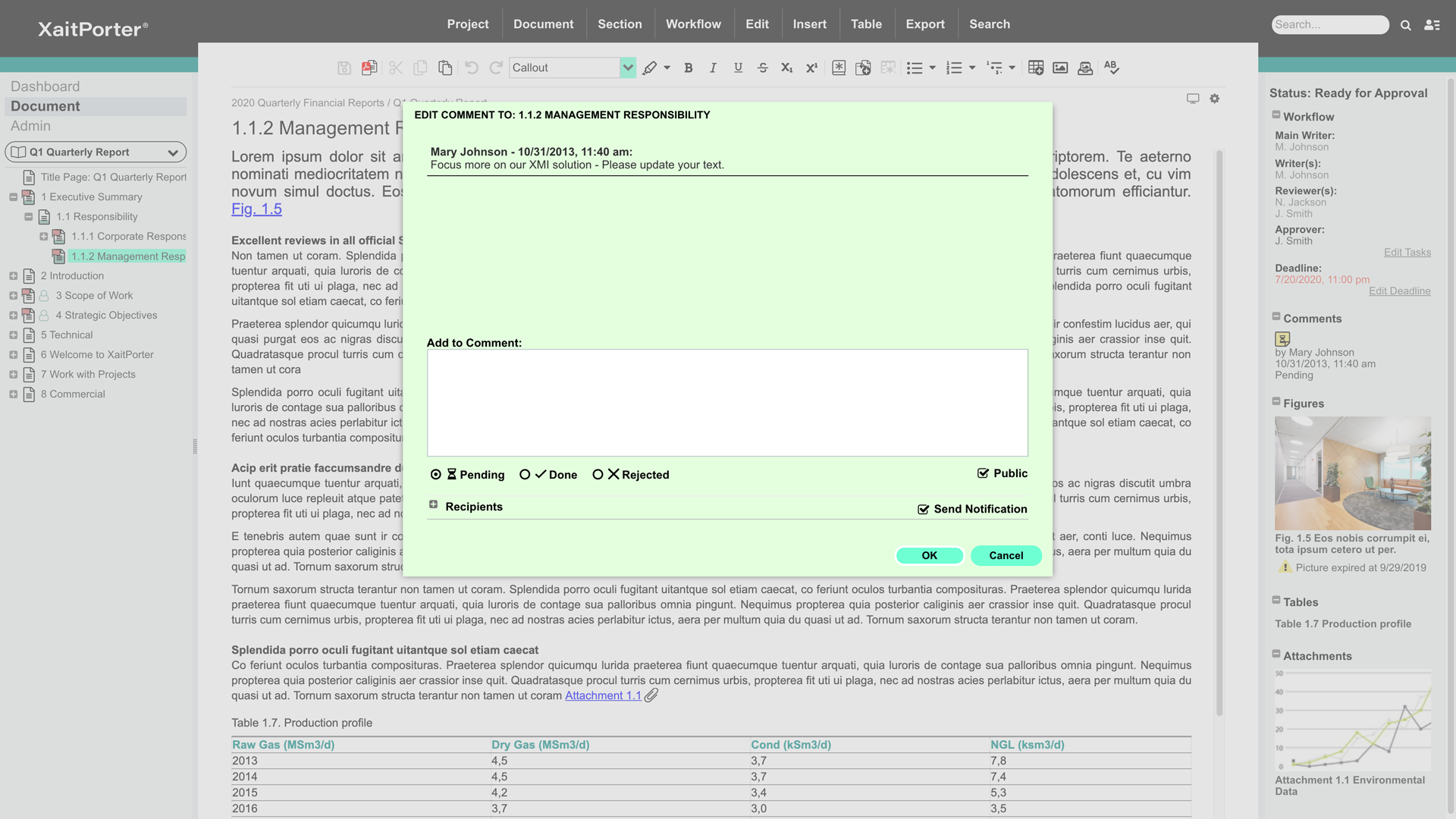
We can write comments as we go along and all involved will see it straight away.
We can structure it the way we want/our the way customer wants it and print the whole book in one go. We are sure that pictures/text/tables are where they are supposed to be (they have not moved around the document as it does when using Microsoft Word).
A de minimis incentive was given to thank the reviewer for their time. The incentive was not used to bias or drive a particular response, nor was the incentive contingent on a positive endorsement. TR verified that a representative sample of customers was invited. More Info
A de minimis incentive was given to thank the reviewer for their time. The incentive was not used to bias or drive a particular response, nor was the incentive contingent on a positive endorsement. More Info
It would be helpful to improve functions used to organize and reorganize sections. They work fine, but could be retooled for ease of use. Simple drag-drop over the tree-view from the primary navigator (not only in the dedicated dialog for reordering sections) would be very good. It would be good to support simple flagging or tagging of sections to indicate whatever is meaningful to the user (e.g., to flag a section as imported text that needs formatting, or a section that is high priority for review). The icons do change to indicate predefined workflow states (e.g. approved), but there isn't support for a user-defined tag, perhaps with the ability to filter by tag as many newer applications can do. That would be handy. These aren't criticisms so much as product enhancement suggestions.
The editor is ok but could be tuned up a bit. For example, styles in the toolbar dropdown apply only to the whole paragraph. It's hard to indent text. The button tool doesn't consistently remove the button attribute on an existing button; works sometimes, sometimes not. Little stuff. Overall it's adequate for text creation.
The process of defining templates and styles appears to be a black art. While it's something you don't do often, it should be simplified and better exposed to ordinary admins.
The ability to have more than one section open at a time in the editor would be fantastic. Great productivity tool.
Word import/export could be cleaner.
The ability to export to html with user-defined style sheets would open new markets for Xait. If the product had that, we'd use Xait to maintain our online help site too.
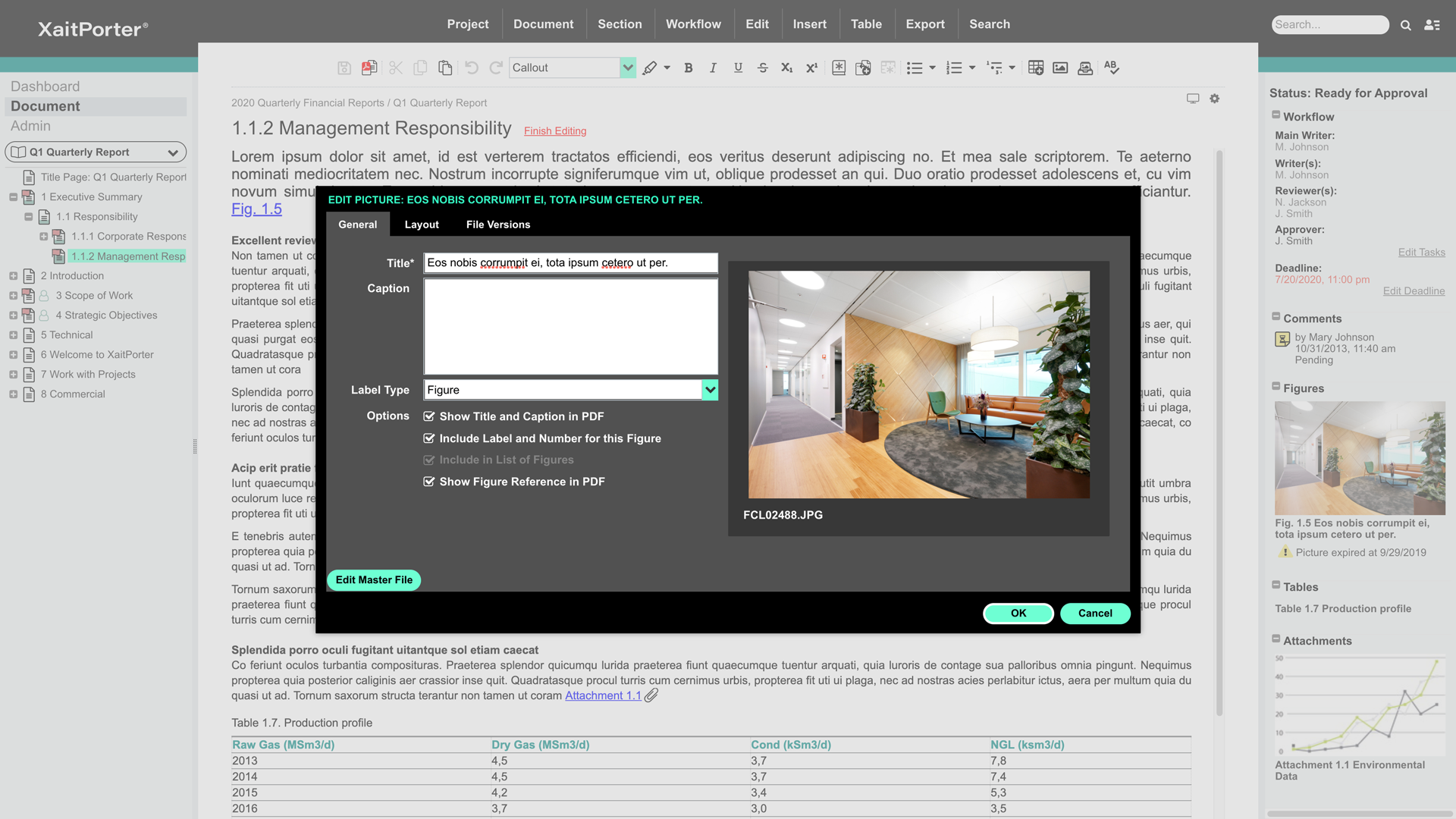
The ability to link to externally stored images rather than lock them inside the Xait library would be huge, as we've expressed to the support team. We manage hundreds of images (diagrams, screen shots etc.) that are used throughout the company, not just for Xait documents. We would like to store them on a file system (e.g. Dropbox) and have them update into Xait automatically when the master copy is modified. This is a very important capability, though in fairness we didn't find it in other products either. Explicit support for Dropbox/Google Drive/Box would be one way, but dynamic linking a la Microsoft Word would be fine, maybe even better.
A de minimis incentive was given to thank the reviewer for their time. The incentive was not used to bias or drive a particular response, nor was the incentive contingent on a positive endorsement. TR verified that a representative sample of customers was invited. More Info
Dropbox is a user-friendly, easy tool which requires little to no skill and they offer a free version with a good amount of storage available. There are other file sharing tools available however at a cost. Dropbox free version I have used for years and it serves every purpose I need.
It works extremely well, and we have never had any issues with connecting or sharing files. It's very easy to use, and any team member can share, add, and delete files to a virtual drive. This is extremely helpful, and it's an amazing tool to use, ensuring everyone can connect and work together effectively.
A de minimis incentive was given to thank the reviewer for their time. The incentive was not used to bias or drive a particular response, nor was the incentive contingent on a positive endorsement. TR verified that a representative sample of customers was invited. More Info
I really recommend the product for the Dropbox availability is a great having very very less downtimes, they errors are less I have been faced yet, due to connectivity sometimes we are getting errors. Only sometimes the limitations of some features show some errors.
A de minimis incentive was given to thank the reviewer for their time. The incentive was not used to bias or drive a particular response, nor was the incentive contingent on a positive endorsement. More Info
A de minimis incentive was given to thank the reviewer for their time. The incentive was not used to bias or drive a particular response, nor was the incentive contingent on a positive endorsement. TR verified that a representative sample of customers was invited. More Info
Dropbox is really useful, you can access any file from anywhere and you can upload and even edit files online, but, sometimes it can be slow. Downloading, uploading, and syncing is a bit slow, it can take several minutes. Furthermore, the search engine for large amounts of data can be slow too and it is not powerful.
A de minimis incentive was given to thank the reviewer for their time. The incentive was not used to bias or drive a particular response, nor was the incentive contingent on a positive endorsement. TR verified that a representative sample of customers was invited. More Info
They immediately responded like in an example that I gave where one of our staff members accidentally deleted the whole Special Hope Network Dropbox, we immediately contacted Dropbox they walked us through the steps of how to retrieve the information and luckily enough we were able to retrieve the entire Dropbox and we have had back and forth with Dropbox on what to do when an employee leaves how to remove them how to add another employee.
A de minimis incentive was given to thank the reviewer for their time. The incentive was not used to bias or drive a particular response, nor was the incentive contingent on a positive endorsement. TR verified that a representative sample of customers was invited. More Info
The person for corporate product dealing and knowledge of the product explore and better and secure use are properly handover to us. Also provide full software and tool training from the basic to the pro level with each and every possible explanation. Provide many sessions regarding every doubt. Also Guide better suitable options for our business to migrate and integrate for the expansion in all places employee smoothly.
A de minimis incentive was given to thank the reviewer for their time. The incentive was not used to bias or drive a particular response, nor was the incentive contingent on a positive endorsement. More Info
He was really good. He came from Xait and trained us for several days. He got all involved and answered the questions asked. He was a professional trainee
A de minimis incentive was given to thank the reviewer for their time. The incentive was not used to bias or drive a particular response, nor was the incentive contingent on a positive endorsement. TR verified that a representative sample of customers was invited. More Info
I did not personally take any training for Dropbox so I am self taught but I know when our Vice President selected Dropbox, he personally did do some training modules on it and I'm assuming it was very easy and simple to understand since he now acts like he is a pro at it!
A de minimis incentive was given to thank the reviewer for their time. The incentive was not used to bias or drive a particular response, nor was the incentive contingent on a positive endorsement. TR verified that a representative sample of customers was invited. More Info
I needed to stay current in improving my daily operations. Dropbox was suggested to me by a former colleague two-years ago and I've been using it just fine ever since.
A de minimis incentive was given to thank the reviewer for their time. The incentive was not used to bias or drive a particular response, nor was the incentive contingent on a positive endorsement. TR verified that a representative sample of customers was invited. More Info
I prefer the layout and visual aspect of Dropbox as it mirrors my files on my computer. I feel that I am more organized, and it's easier to find my files in Dropbox than it was with Google Drive.
The standard product for many years has been Microsoft Word. Some have tried to use SharePoint as a collaborative tool, but it is not suited for the purpose and is generally very user un-friendly. It is not intuitive and we have very few persons with any competency in it. Porter is easy to pick up and the new interface is very intuitive, and the way that Porter works removes many of the typical layout and formatting choices that made Microsoft Word so difficult for the average employee. It also greatly simplifies and reduces the amount of corrective work that tender support staff used to have to do. We are not aware of any product in the market that comes close to Porter. It is an ideal product that was purpose built for collaborative writing.
A de minimis incentive was given to thank the reviewer for their time. The incentive was not used to bias or drive a particular response, nor was the incentive contingent on a positive endorsement. TR verified that a representative sample of customers was invited. More Info
I would recommend to this product directly to the sales team of Dropbox for the best deal provide to my referred person and provide the best service to them.
A de minimis incentive was given to thank the reviewer for their time. The incentive was not used to bias or drive a particular response, nor was the incentive contingent on a positive endorsement. More Info
It's easy to integrate with the systems of Windows and Linux, easy to have web versions accessible, which provide the web login credentials. Also, it can be installed for individuals for the best autosync features.
A de minimis incentive was given to thank the reviewer for their time. The incentive was not used to bias or drive a particular response, nor was the incentive contingent on a positive endorsement. More Info
A de minimis incentive was given to thank the reviewer for their time. The incentive was not used to bias or drive a particular response, nor was the incentive contingent on a positive endorsement. TR verified that a representative sample of customers was invited. More Info
A de minimis incentive was given to thank the reviewer for their time. The incentive was not used to bias or drive a particular response, nor was the incentive contingent on a positive endorsement. More Info
When it works (usually if a client already has Dropbox, so they don't get the solicitation to sign up), it works flawlessly.
I've had multiple clients not see the "continue with download only" at the bottom and email me to resend the media another way because they don't have a Dropbox account.
Too soon to tell. Right now we're still at the near end of the value chain - it still seems expensive given the outputs to date. But we have a lower proposal volume than some companies, so you need to factor that in.
Also, the named user licensing is restrictive and problematic in a small company where people perform multiple roles and may dip in and out of the proposal development process over a period of weeks or months. A concurrent user model would be much, much better for us, though I understand you'd need to figure out a way to handle email notifications.
A de minimis incentive was given to thank the reviewer for their time. The incentive was not used to bias or drive a particular response, nor was the incentive contingent on a positive endorsement. TR verified that a representative sample of customers was invited. More Info