
Edsby vs. Schoology Learning
| Product | Rating | Most Used By | Product Summary | Starting Price |
|---|---|---|---|---|
 Edsby | Score8.6 out of 10 | Mid-Size Companies (51-1,000 employees) | Edsby is a cloud-based learning management system (LMS) for K-12 school districts that uses web and mobile technologies to connect teachers, students, parents and administrators in new ways. This LMS allows students and parents to check grades, attendance, homework and more from a browser, tablet or mobile phone. The vendor says what sets this LMS apart from others is that Edsby is designed specifically for the special requirements and needs of K-12. To make district-wide… | $5 per user/per year |
 Schoology Learning | Score8 out of 10 | N/A | Schoology aims to combine as many parts of the learning process as possible into a single platform for K-12 students. By doing this they aim to simplify the learning experience for students, parents, and teachers. | N/A |
| Edsby | Schoology Learning | |||||||||||||||
|---|---|---|---|---|---|---|---|---|---|---|---|---|---|---|---|---|
| Editions & Modules |
|
| ||||||||||||||
| Offerings |
| |||||||||||||||
| Entry-level Setup Fee | Required | No setup fee | ||||||||||||||
| Additional Details | Edsby charges an up-front fee for initial integration. There are also annual costs, variable with the number of students. Parent, teacher and administrator accounts are free. Certain other features are charged for annually. Special pricing applies for private schools. Contact Edsby for details. | Reach out to the vendor for pricing options based on your needs. | ||||||||||||||
| More Pricing Information | ||||||||||||||||
| Edsby | Schoology Learning | |
|---|---|---|
| Considered Both Products | No answer on this topic | No answer on this topic |
| Key User Insights | ||
| Would buy again | ||
100% Would buy again 5 Answers | 77% Would buy again 10 Answers | |
| Delivers good value for the price | ||
100% Delivers good value for the price 5 Answers | 73% Delivers good value for the price 8 Answers | |
| Happy with the feature set | ||
100% Happy with the feature set 5 Answers | 77% Happy with the feature set 10 Answers | |
| Lived up to sales and marketing promises | ||
No answers on this topic | 71% Lived up to sales and marketing promises 5 Answers | |
| Implementation went as expected | ||
No answers on this topic | 67% Implementation went as expected 6 Answers | |
| Edsby | Schoology Learning | ||||||||||||||||||||||||||||||||||||||||
|---|---|---|---|---|---|---|---|---|---|---|---|---|---|---|---|---|---|---|---|---|---|---|---|---|---|---|---|---|---|---|---|---|---|---|---|---|---|---|---|---|---|
| Learning Management |
| ||||||||||||||||||||||||||||||||||||||||
| Edsby | Schoology Learning | |
|---|---|---|
| Small Businesses |  Google Classroom Score8 out of 10 | Google Classroom Score8 out of 10 |
| Medium-sized Companies | Schoology Learning Score8 out of 10 |  Sakai Score8.7 out of 10 |
| Enterprises |  D2L Brightspace Score7.8 out of 10 | D2L Brightspace Score7.8 out of 10 |
| All Alternatives | View all alternatives | View all alternatives |
| Edsby | Schoology Learning | |
|---|---|---|
| Likelihood to Recommend | 8.6 | 3.0 |
| Likelihood to Renew | - | 4.5 |
| Usability | 8.8 | 3.7 |
| Availability | - | 7.3 |
| Performance | - | 6.4 |
| Support Rating | - | 1.0 |
| Online Training | - | 4.5 |
| Product Scalability | - | 3.6 |
| Vendor post-sale | - | 7.3 |
| Vendor pre-sale | - | 7.3 |
| Edsby | Schoology Learning | |
|---|---|---|
| Likelihood to Recommend |
|
|
| Pros |
|
|
| Cons |
|
|
| Likelihood to Renew | No answers on this topic |
|
| Usability |
|
|
| Reliability and Availability | No answers on this topic |
|
| Performance | No answers on this topic |
|
| Support Rating | No answers on this topic |
|
| In-Person Training | No answers on this topic |
|
| Online Training | No answers on this topic |
|
| Alternatives Considered |
|
|
| Scalability | No answers on this topic |
|
| Return on Investment |
|
|
| ScreenShots | Edsby Screenshots    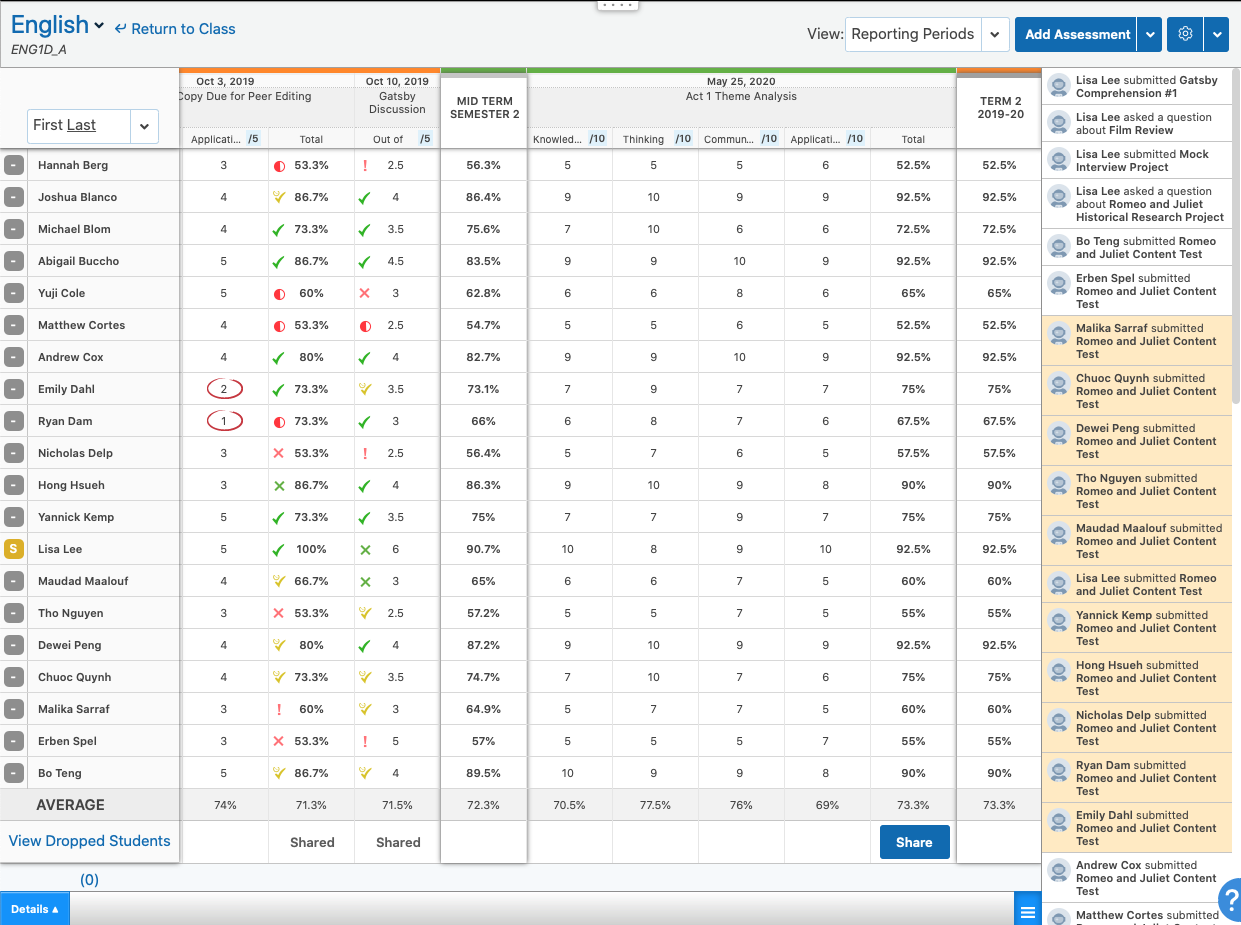  | Schoology Learning Screenshots |




