Engagor was a Social Media Management platform with key features include monitoring of the social web, real-time customer engagement, workflow automation, analytics and reporting. The product was acquired by Clarabridge in 2015, and then Clarabridge was acquired by Qualtrics in October 2021. Engagor is no longer available.
N/A
ZoomSphere
Score9.1 out of 10
N/A
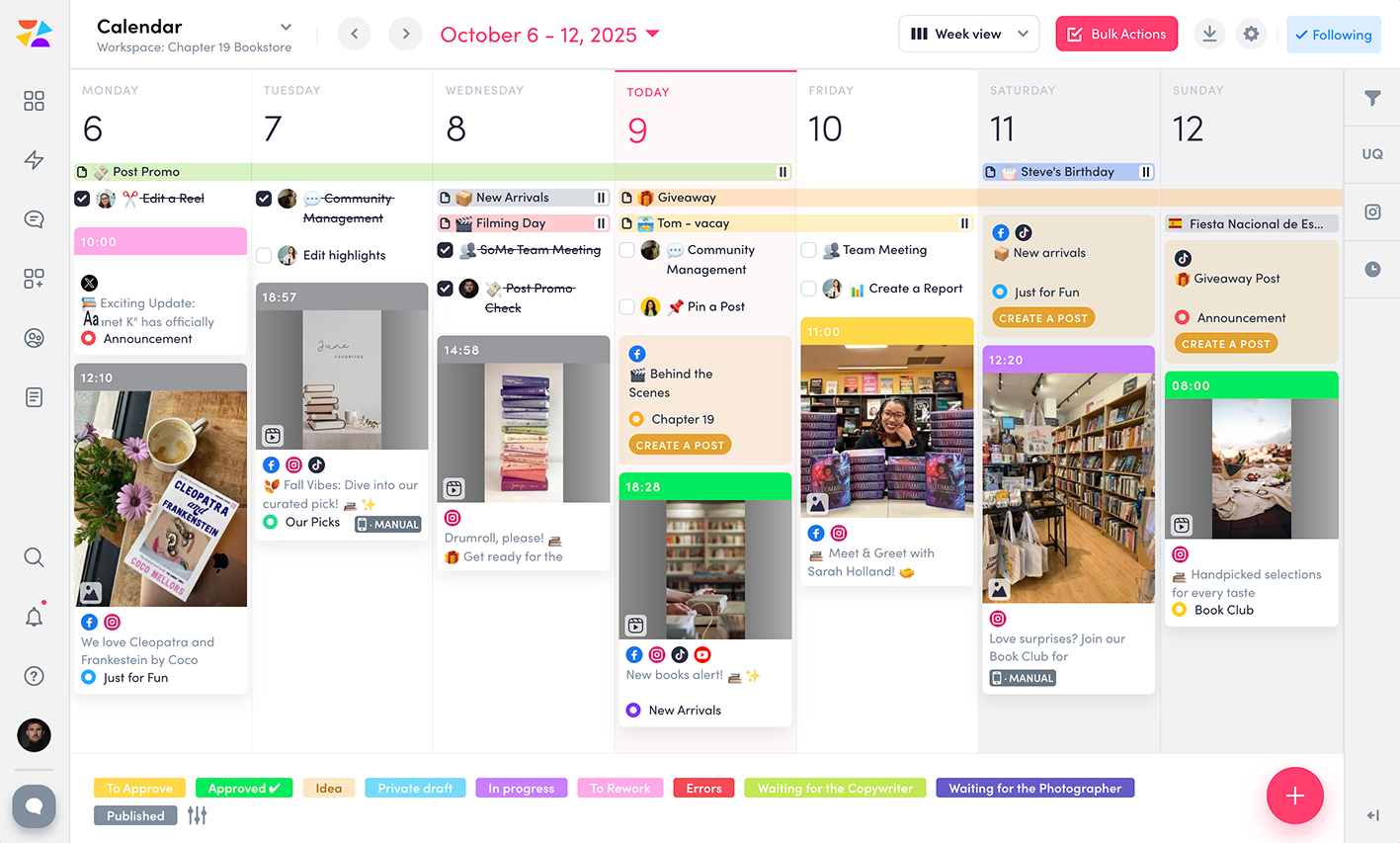
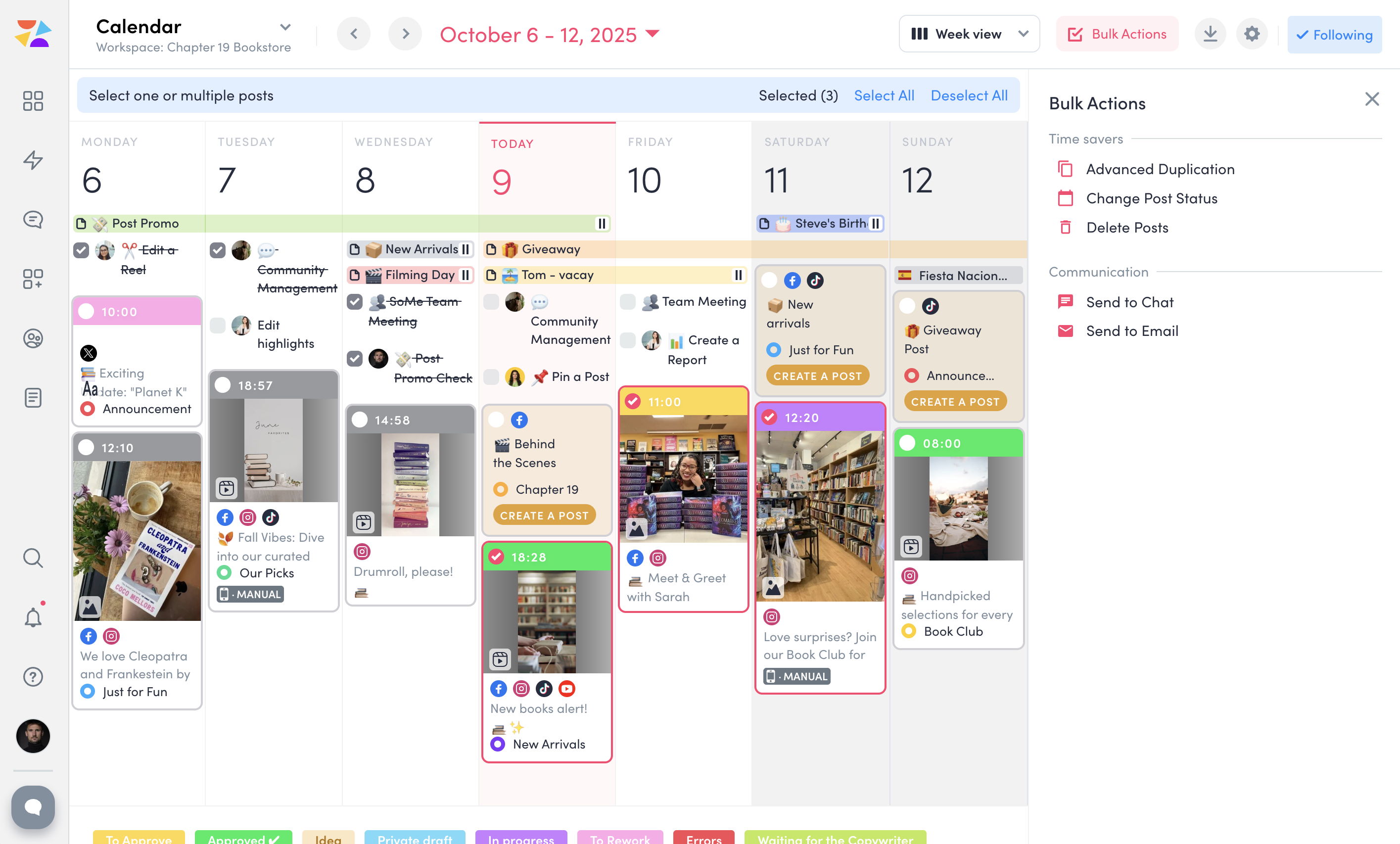
ZoomSphere is a social media scheduling and management solution designed for teams to plan, schedule, auto-publish, and analyze their social media content across multiple platforms.
ZoomSphere is primarily used by social media managers, marketing teams, and agencies to streamline content workflows, improve collaboration, and track performance across various social media platforms, including Instagram, Facebook, TikTok, LinkedIn, YouTube, and X. The software helps users automate…
$29
per month
Pricing
Engagor (discontinued)
ZoomSphere
Editions & Modules
No answers on this topic
Leads Manager
$29
per month
ZoomSphere
$199
per month
Offerings
Pricing Offerings
Engagor (discontinued)
ZoomSphere
Free Trial
Yes
Yes
Free/Freemium Version
No
No
Premium Consulting/Integration Services
Yes
No
Entry-level Setup Fee
No setup fee
No setup fee
Additional Details
—
Two month discount available for annual billing.
More Pricing Information
Features
Engagor (discontinued)
ZoomSphere
Publishing
Comparison of Publishing features of Engagor (discontinued) and ZoomSphere
Feature
Engagor (discontinued)
-
Ratings
ZoomSphere
8.0
1 Ratings
2% below category average
Content planning and scheduling
00 Ratings
8.01 Ratings
Audience targeting
00 Ratings
7.01 Ratings
Workflow management
00 Ratings
9.01 Ratings
Marketing
Comparison of Marketing features of Engagor (discontinued) and ZoomSphere
Feature
Engagor (discontinued)
-
Ratings
ZoomSphere
9.0
1 Ratings
15% above category average
Content marketing
00 Ratings
9.01 Ratings
Channel coverage/integration
Comparison of Channel coverage/integration features of Engagor (discontinued) and ZoomSphere
Feature
Engagor (discontinued)
-
Ratings
ZoomSphere
8.4
1 Ratings
1% above category average
Twitter
00 Ratings
10.01 Ratings
Facebook
00 Ratings
10.01 Ratings
LinkedIn
00 Ratings
8.01 Ratings
Instagram
00 Ratings
7.01 Ratings
YouTube
00 Ratings
7.01 Ratings
Reporting/analytics
Comparison of Reporting/analytics features of Engagor (discontinued) and ZoomSphere
Feature
Engagor (discontinued)
-
Ratings
ZoomSphere
8.3
1 Ratings
7% above category average
Campaign success analytics
00 Ratings
8.01 Ratings
Real-time tracking
00 Ratings
7.01 Ratings
Competitor analysis
00 Ratings
10.01 Ratings
Account management
Comparison of Account management features of Engagor (discontinued) and ZoomSphere
Feature
Engagor (discontinued)
-
Ratings
ZoomSphere
8.5
1 Ratings
7% above category average
Role-based user permissions & privileges
00 Ratings
10.01 Ratings
Mobile access
00 Ratings
7.01 Ratings
Best Alternatives
Engagor (discontinued)
ZoomSphere
Small Businesses
No answers on this topic
Sendible
Score7.2 out of 10
Medium-sized Companies
Khoros Service
Score8.5 out of 10
Emplifi
Score8.9 out of 10
Enterprises
Brand Embassy (discontinued)
Score7.9 out of 10
Salesforce Marketing Cloud Social Studio (discontinued)
Engagor is a very powerful tool for customer care purposes to be able to engage in real-time with your customers. If there are a lot of messages coming in during important peaks throughout, we can easily answer them every 30 seconds. Engagor isn’t that fit to use for publishing. We mostly use Engagor to reply to messages in real-time. However, for scheduling posts in Engagor, we publish and schedule on the native platform instead.
ZoomSphere is suited for all companies - from small to big, for one brand or more brands within company. With ZoomSphere you can leverage your social media presence - but you need to use lot of apps ZoomSphere has. I think that ZoomSphere is not suited for company that want to use ZoomSphere for only one purpose, for example content creation and publishing. There are plenty of ways how to use ZoomSphere more complex.
A de minimis incentive was given to thank the reviewer for their time. The incentive was not used to bias or drive a particular response, nor was the incentive contingent on a positive endorsement. More Info
Real-time mention tracking is a must these days. Quick responsiveness is critical on many social media platforms, especially on Twitter.
Fast and helpful support via Engagor chat and messages helps a LOT! I think the longest wait time was about 40 seconds for me. My workflow never gets disrupted because of idle sessions.
Automations can help you a lot. Automated "recipes" are great tools for decreasing your agents' workload, and there are many customizable settings for them.
A de minimis incentive was given to thank the reviewer for their time. The incentive was not used to bias or drive a particular response, nor was the incentive contingent on a positive endorsement. More Info
The UX is pretty clunky. Engagor only loads about 10 mentions per page, so if my team is behind on tagging/mention resolution by a couple of days, for a global brand that can mean an extra week of work. Would be much easier if the user could choose how many mentions show up on their screen.
Over the year we have had issues with Engagor's glitches. For example, the user has the capability to publish to a platform (like Facebook, Twitter, etc.) through Engagor as the brand. For a couple of the brands we work on, Engagor would show the update as published as one brand, but would actually publish as another. As an agency that handles social media content/community management for several very large brands, we cannot afford to have accidental status updates despite the author's efforts. This happened several times over the course of our experience with Engagor, to a point that we had to forego this feature for those brands and publish natively through the platform.
It has definitely skewed reporting numbers more than once -- for a set time period (i.e. 30 days, our typical monthly reporting period), the stats for a platform will appear very different from how they display on the native platform itself. For example, on occasion Engagor would load numbers from a Facebook fan count during a 30-day period that did not at all match up with the numbers Facebook showed me. This also applies to the number of overall mentions of a brand/account.
There is no immediately clear "undo" feature when resolving a mention. There have been times I have bulk-tagged a set of mentions, set all as resolved and then realized that I had made an error, without a very clear way to revert that action.
Double mentions have shown up, skewing numbers and sentiment/tagging analytics.
The insights/reporting section could definitely be a little more clear in how it explains metrics (or why the user should care to report these metrics). While we have an analyst on our team who is happy to explain these terms, I can see how some of them would not be intuitive at all to a user who doesn't live and breathe social media analytics. Also, the line graphs can be very difficult to read and parse. If the user downloads a line graph to their desktop from Engagor, it doesn't necessarily show all of the information you need, making it necessary to screengrab rather than downloading a higher-quality visual.
A de minimis incentive was given to thank the reviewer for their time. The incentive was not used to bias or drive a particular response, nor was the incentive contingent on a positive endorsement. More Info
Both the tool and the support that we receive from the customer service department and the customer success manager makes me likely to renew the use of Engagor.
There is always a space for improvement, but overall I see ZoomSphere as a valuable partner and tool for our business on social media. Maybe in a future rest of the apps in tool (community management, social media listening,...) will be on a same level as competitors and we will use only one tool for whole social media management. But if not, ZoomSphere is still awesome for the most of it
A de minimis incentive was given to thank the reviewer for their time. The incentive was not used to bias or drive a particular response, nor was the incentive contingent on a positive endorsement. More Info
Whenever I contacted customer service, I had a great response within minutes. Sometimes was not easy to solve, but somehow we figured it out. I would like to reccommend more proactive communication with clients regarding product roadmap, for example "In 1Q we will launch XY,..." Client should know that before implementation - client can prepare for news, client can test something,...
A de minimis incentive was given to thank the reviewer for their time. The incentive was not used to bias or drive a particular response, nor was the incentive contingent on a positive endorsement. More Info
Sprout Social is good for smaller accounts with limited traffic. Some insights available but often questionable data. Only picks up direct interaction (i.e. doesn't monitor likes or favourites). Sysomos was used for a while, but spent ages defining search times still producing questionable data. Did not properly monitor Facebook interaction and often did not pick up from that platform at all. Customer service only operated in US time (we are UK) which proved increasingly problematic
We see ZoomSphere as a better option than Kontentino. They are almost the same in way you can use the tool, but ZoomSphere has better UI and UX and also customer service. We also know that pricing levels are better with ZoomSphere than Kontentino. But both tools are quite awesome for social media management. Just book a demo, have a trial and you will see by yourself.
A de minimis incentive was given to thank the reviewer for their time. The incentive was not used to bias or drive a particular response, nor was the incentive contingent on a positive endorsement. More Info
A de minimis incentive was given to thank the reviewer for their time. The incentive was not used to bias or drive a particular response, nor was the incentive contingent on a positive endorsement. More Info