
Epicor ECM vs. JungleDocs
Epicor ECM vs. JungleDocs
| Product | Rating | Most Used By | Product Summary | Starting Price |
|---|---|---|---|---|
 Epicor ECM | N/A | Epicor ECM is based on docStar, a document management software offering that was acquired by Epicor in 2017. | N/A | |
 JungleDocs | N/A | JungleDocs takes properties and parts of an existing document and puts them into a new one. The vendor’s value proposition is that this prevents possible mistakes and saves up to 90% of the user’s time that would be used on inputting and copy-pasting operations. Key features include: Word and PowerPoint document generation and automation Document mail merge from SharePoint lists Template processing engine uses Open XML technology for very fast and… | N/A |
| Epicor ECM | JungleDocs | |||||||||||||||
|---|---|---|---|---|---|---|---|---|---|---|---|---|---|---|---|---|
| Editions & Modules | No answers on this topic | No answers on this topic | ||||||||||||||
| Offerings |
| |||||||||||||||
| Entry-level Setup Fee | No setup fee | No setup fee | ||||||||||||||
| Additional Details | — | Licensed per Web Front End (WFE) Server | ||||||||||||||
| More Pricing Information | ||||||||||||||||
| Epicor ECM | JungleDocs |
|---|
| Epicor ECM | JungleDocs | ||||||||||||||||||||||||||||||||||||||||||
|---|---|---|---|---|---|---|---|---|---|---|---|---|---|---|---|---|---|---|---|---|---|---|---|---|---|---|---|---|---|---|---|---|---|---|---|---|---|---|---|---|---|---|---|
| Enterprise Content Management |
|
| Epicor ECM | JungleDocs | |
|---|---|---|
| Small Businesses |  Square 9 Softworks Score 9.3 out of 10 |  Tungsten Power PDF Score 9.8 out of 10 |
| Medium-sized Companies | Square 9 Softworks Score 9.3 out of 10 |  MSB Docs Score 9.4 out of 10 |
| Enterprises |  M‑Files Score 8.9 out of 10 |  Tungsten Capture Score 9.4 out of 10 |
| All Alternatives | View all alternatives | View all alternatives |
| Epicor ECM | JungleDocs | |
|---|---|---|
| Likelihood to Recommend | 10.0 (7 ratings) | 7.6 (3 ratings) |
| Support Rating | 9.9 (3 ratings) | - (0 ratings) |
| Epicor ECM | JungleDocs | |
|---|---|---|
| Likelihood to Recommend |  Epicor Software
 Julee Carlson Service & Support Specialist, Custom Report Development | EnovaPoint, LLC
|
| Pros | Epicor Software
 Beza Yihun Student Assistant | EnovaPoint, LLC
|
| Cons | Epicor Software
| EnovaPoint, LLC
|
| Support Rating | Epicor Software
Julee Carlson Service & Support Specialist, Custom Report Development | EnovaPoint, LLC No answers on this topic |
| Alternatives Considered | Epicor Software
| EnovaPoint, LLC
|
| Return on Investment | Epicor Software
 Jeremy Smith Network Administrator | EnovaPoint, LLC
|
| ScreenShots | JungleDocs Screenshots  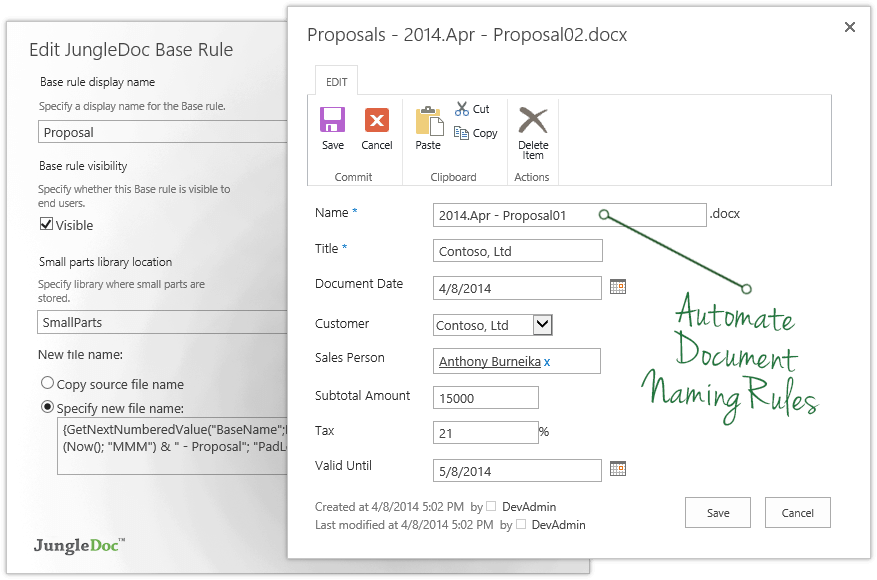    |