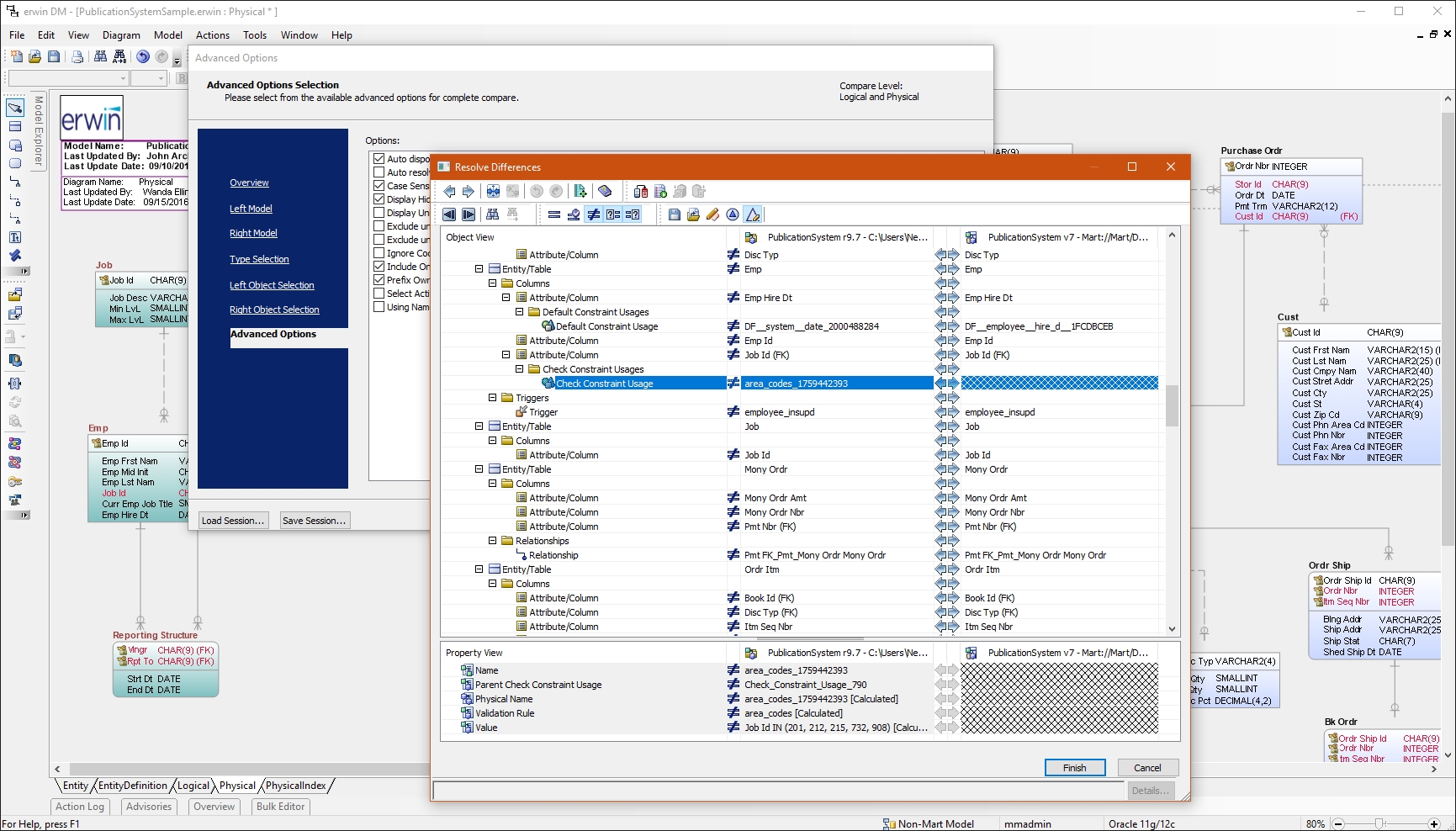
erwin Data Modeler by Quest is a data modeling tool used to find, visualize, design, deploy and standardize high-quality enterprise data assets. It can discover and document any data from anywhere for consistency, clarity and artifact reuse across large-scale data integration, master data management, metadata management, Big Data, business intelligence and analytics initiatives, accomplishing this whil esupporting data governance and intelligence efforts.
N/A
Oracle SQL Developer
Score 8.0 out of 10
N/A
Oracle SQL Developer is an integrated development environment (IDE) which provides editors for working with SQL, PL/SQL, Stored Java Procedures, and XML in Oracle databases.
N/A
Visual Studio
Score 8.8 out of 10
N/A
Visual Studio (now in the 2022 edition) is a 64-bit IDE that makes it easier to work with bigger projects and complex workloads, boasting a fluid and responsive experience for users. The IDE features IntelliCode, its automatic code completion tools that understand code context and that can complete up to a whole line at once to drive accurate and confident coding.
$45
per month
Pricing
erwin Data Modeler
Oracle SQL Developer
Microsoft Visual Studio
Editions & Modules
No answers on this topic
No answers on this topic
Professional
$45.00
per month
Enterprise
$250.00
per month
Offerings
Pricing Offerings
erwin Data Modeler
Oracle SQL Developer
Visual Studio
Free Trial
Yes
No
No
Free/Freemium Version
No
Yes
Yes
Premium Consulting/Integration Services
Yes
No
No
Entry-level Setup Fee
Optional
No setup fee
No setup fee
Additional Details
—
—
—
More Pricing Information
Community Pulse
erwin Data Modeler
Oracle SQL Developer
Microsoft Visual Studio
Considered Multiple Products
erwin Data Modeler
Verified User
Professional
Chose erwin Data Modeler
I have used few other data modeling tools like Toad Data Modeler and SQL Developer Data Modeler. erwin Data Modeler is easy to use and has additional features that make overall data modeling productive and easy to manage.
Oracle SQL Developer is easy to install, easy to use and navigate and feature rich graphical user interface to view and manage data. It can be used across various roles like developer, tester, administrator etc. It helps to develop a strong base for database understanding. …
Having used both TOAD and PL/SQL Developer, I believe SQL Developer from Oracle is a most than acceptable alternative, maybe not as powerful and complete as them but being free has a very positive impact. Most development profiles can work perfectly using SQL Developer while …
I've used data modeling tools and in the past with varying levels of integration with the Oracle Database. SQL Developer is the most seamless and has great native extensions for DDL and SQL profiling.
No added value. If Visual Studio costs too much then I see the point. But otherwise there is just no need for any other tool. IntelliJ is a mess, buggy and counter intuitive. Or maybe it's because java is not a particularly cool language...
I have had a chance to use few other data modeling tools from Quest and Oracle, but I am most comfortable using erwin Data Modeler. They understand your data modeling needs and have designed the software to give you a feeling of completeness when you are designing a data model.
Almost all development activities (the tool is called "SQL Developer", not "DBA Toolset") can be done easily and quick with [Oracle] SQL Developer. From data model creation (tables, views) to development (creation of procedures, functions, packages) and then testing (SQL Developer includes an easy to use debugger), all tasks can be performed in a single tool.
It may not be as complete as other solutions for DBA tasks like instance monitoring, but it is usually OK for development and testing environments if you want to do some basic troubleshooting.
When working with base C# code for desktop and web projects, then Microsoft Visual Studio is ideal as it provides the libraries and interfaces needed to quickly create, test and deploy solutions. It is when slightly more complex scenarios are required that issues can arise. The built-in integration for things like PowerBI Paginated Reports and dashboards is far from ideal.
Reverse Engineering: I love the way we can import an SQL file containing schema meta data and generate ER diagram out of it. This is specifically useful if you are implementing erwin Data Modeler for an existing database.
Forward Engineering: We use this feature very frequently. Where we do database changes in our physical and logical data models and then generate deployment scripts for the changes made.
Physical vs Logical Models: I like to have my database model split into physical and logical models and at the same time still linked to each other. Any changes you make to logical model or physical model shows up in the other.
Object Browser in SQL Developer allows you to explore the contents of your database using the connection tree.
The SQL Worksheet is an editor that allows for execution of SQL statements, scripts, and PL/SQL anonymous blocks. SELECT statements can be executed to return results in a spreadsheet-like 'grid' or can be executed as a script such to emulate SQL*Plus behavior and output
DBA Console allows users with administrative privileges to access DBA features such as database init file configuration, RMAN backup, storage, etc.
Inability to run multiple queries on the same database. You can only run one query on a given database.
Analytical models created from complex tables isn't accurate, and needs work.
Inability to view multiple tables of a database side-by-side. When trying to find correlations between tables, it would help to be able to see them at once on the same page.
VS is the best and is required for building Microsoft applications. The quality and usefulness of the product far out-weight the licensing costs associated with it.
I had a lot of experience using erwin Data Modeler for designing data models. I think it's pretty intuitive and easy to use. It has enough features to represent your database requirements in form of a model.
Oracle SQL Developer is very easy to use and there are a wide range of courses available which can help you get started just within a day. Data can be exported in multiple formats based on user requirements. Organizational data can be stored and management effectively using Oracle SQL Developer. All the data, tables, sequences, indexes can be easily created and updated in Oracle SQL Developer.
I love the overall usability of Microsoft Visual Studio. I’ve been using this IDE for more than 20 years, and I’ve seen it evolve by leaps and bounds. Today, with AI and code-suggestion/completion features, developers no longer need to remember countless libraries, methods, or language syntax, or invest a huge amount of programming effort to complete a project. It truly offers everything a developer needs to program, debug, test, and deploy in a single IDE.
CA customer support and our account manager have been able to support us with any issues that we have had, from managing our serial keys to issues we logged tickets to resolve. There are aspects of key management that have made it difficult over the years but support usually has worked with us.
There are many resources available supporting Visual Studio IDE. Microsoft whitepapers, forum posts, and online Visual Studio documentation. There are countless demonstration videos available, as well. If users are having issues, they can call Microsoft Support, but depending on the company's agreement with Microsoft, the number of included support calls will vary from organization to organization. I've found that Microsoft support calls can be hit or miss depending on who you get, but they can usually get you with the right support person for your issue.
IT is very complicated to understand all the functions that the environment has if you are not familiar with this type of development environments. It is important to select a good in-person training to achieve to understand all the possibilities and the capacity of the application. In this case, you will be able to develop a lot type of different applications.
If you are not accustomed to develop in this type of development environments it would be complicated to follow all the parts of the course because if the course does not include a great tour with all the concepts to develop you will not have the option to understand all the functions.
Not listed, but I've only used alternatives built into something like the Squirrel SQL editor. That one is semi-functional but lacking many features and, in some instances, just plain wrong. The only pro there is that it's freely available and works over ODBC. I've tried some of the other free ones like Creately but didn't have much success.
I have started to use Toad for Oracle recently because it is easier to sort and filter results, due to their memory sort feature that puts the results from your query in memory so that you don't have to rerun your query. I have used SQL Developer to easily update records in tables that I need to fix. I haven't found an easy way to do this in Toad other than writing SQL insert statements.
I personally feel Visual Studio IDE has [a] better interface and [is more] user friendly than other IDEs. It has better code maintainability and intellisense. Its inbuilt team foundation server help coders to check on their code then and go. Better nugget package management, quality testing and gives features to extract TRX file as result of testing which includes all the summary of each test case.
Using the integration between Visual Studio and our source control service, the cost of re-work and losing code is drastically reduced.
Paid versions of Visual Studio enable developers to be so much more productive than hacked-together open source solutions that it's hard to imagine developing in Windows without it.
When combined with support subscriptions and the vast array of free online help options available, Visual Studio saves our developers time by keeping them coding and testing, not wasting their time trying to guess their way out of problems or spend endless hours online hoping to find answers.