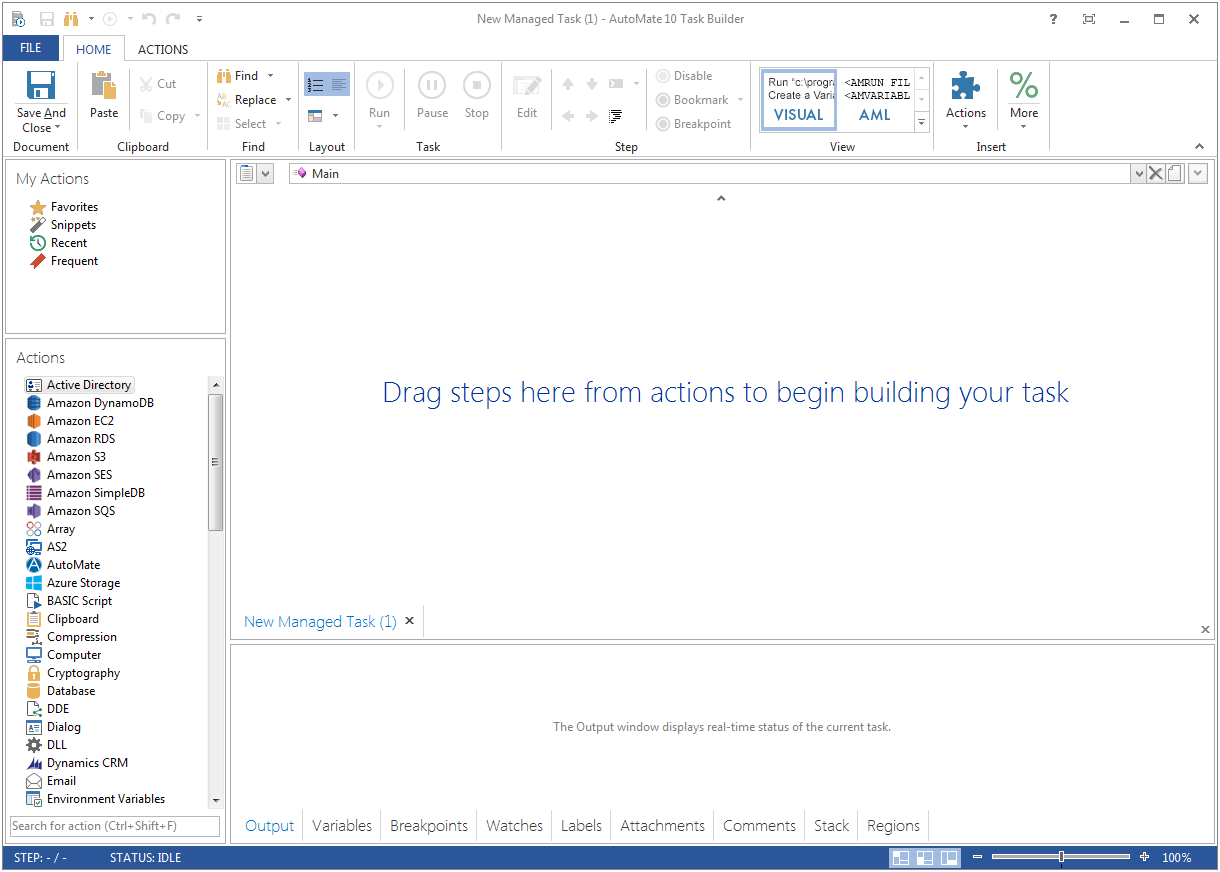
Fortra's Automate (formerly HelpSystems Automate) is a robotic process automation platform for desktop applications. According to the vendor, it offers the ability to automate almost any business process, and no technical expertise is required—IT and business users alike can understand the drag-and-drop interface.
N/A
OutSystems
Score6.4 out of 10
N/A
The OutSystems Platform is a Platform-as-a-Service solution for rapid delivery of responsive web and mobile applications. It includes functionalities required to develop, deploy, manage and change web and mobile applications. It is targeted at the delivery of enterprise applications that require integration with backend systems, complex business rules and logic, usable interfaces and flexibility to change. It can be deployed in the cloud, on-premises or in hybrid environments.
It's great for repetitive or regularly scheduled activities like reports or file transfers. However, it's not so good for on-demand activities. It doesn't support task shortcuts to run specific tasks. If it did it would be perfect.
A de minimis incentive was given to thank the reviewer for their time. The incentive was not used to bias or drive a particular response, nor was the incentive contingent on a positive endorsement. More Info
Well suited for internal exposure of business processes (invoicing, API layer to other systems, customer maintenance etc), whether a UI is required or not. Not so well suited for full fledged web design. An OutSystems application must serve one particular business need, if gets too much functionalities and responsibilities it tends to get chaotic and complex.
A de minimis incentive was given to thank the reviewer for their time. The incentive was not used to bias or drive a particular response, nor was the incentive contingent on a positive endorsement. More Info
A de minimis incentive was given to thank the reviewer for their time. The incentive was not used to bias or drive a particular response, nor was the incentive contingent on a positive endorsement. More Info
A de minimis incentive was given to thank the reviewer for their time. The incentive was not used to bias or drive a particular response, nor was the incentive contingent on a positive endorsement. More Info
A de minimis incentive was given to thank the reviewer for their time. The incentive was not used to bias or drive a particular response, nor was the incentive contingent on a positive endorsement. More Info
Price – The licensing model of OutSystems is very expensive and not suitable for small scale developments. This is offset by the time to develop and stability for larger scale developments
Flexibility on PaaS version – The PaaS hosted version of OutSystems limits your flexibility to access the front end and backend database systems which can significantly restrict your options on high data volume developments or where anything requiring slightly out of the ordinary access is required
Same price for PaaS and self-hosted system. Licensing model dictates that you pay the same price even when you host the system on your own hardware which effectively means you pay more to manage the infrastructure yourself
A de minimis incentive was given to thank the reviewer for their time. The incentive was not used to bias or drive a particular response, nor was the incentive contingent on a positive endorsement. More Info
We are very happy with OutSystems and our developers deliver good work. OutSystems lets us build new software on a regulare (2 weekly) basis, which is highly flexible and adjustable. Even without very much experience, our developers manage to build usefull software, which is working a lot better than our previous (legacy) software.
A de minimis incentive was given to thank the reviewer for their time. The incentive was not used to bias or drive a particular response, nor was the incentive contingent on a positive endorsement. More Info
OutSystems has a feature in which we can develop a functionality in a application and can use that functionality in another application without developing it again. That is main plus point for the development team so they can work with different functionalities rather focusing on the same thing again and again. if we want to make any change on the user side then we can make it live with just the deployment using the service center.
A de minimis incentive was given to thank the reviewer for their time. The incentive was not used to bias or drive a particular response, nor was the incentive contingent on a positive endorsement. More Info
A de minimis incentive was given to thank the reviewer for their time. The incentive was not used to bias or drive a particular response, nor was the incentive contingent on a positive endorsement. More Info
The tech support is very reachable. Usually by [email] from but also by phone if needed. We had some difficulties at the start with understanding "what our machine was doing" under high performance load. After some good sessions understanding our needs they delivered good solutions for our problems we had in the beginning.
The online training material is well designed and explanations are step by step, helping trainees to understand and follow each exercise and new concept.
In a large company, patiently and consistently work the behind the scenes politics with business and IT partners across the firm. This is transformational - you will need a solid set of key business partners to lock arms together to move forward.
A de minimis incentive was given to thank the reviewer for their time. The incentive was not used to bias or drive a particular response, nor was the incentive contingent on a positive endorsement. More Info
A de minimis incentive was given to thank the reviewer for their time. The incentive was not used to bias or drive a particular response, nor was the incentive contingent on a positive endorsement. More Info
I tried to use WordPress with some success. Also looked at Joomla. But when I saw OutSystems I knew I had been wasting my time there. It takes you longer to get going with OutSystems - but even I as a novice realized immediately that Outsystems is simply in another league. Outsystems is powerful. (Can you compare WordPress and Joomla to Outsystems - I don't think so).
It's been a net positive as AutoMate requires less eyes on specific tasks so that people can focus attention elsewhere and do more analysis.
Less manual work also decreases the chances of mistakes and/or missed jobs. Since Automate can schedule everything, send email notifications, etc., there is less time wasted.
A de minimis incentive was given to thank the reviewer for their time. The incentive was not used to bias or drive a particular response, nor was the incentive contingent on a positive endorsement. More Info
The ease of use of the OutSystems development process has been the biggest ROI for us. We have developed our Framework product and maintained/enhanced it with only 4 workers.
OutSystems has enhanced their product very significantly over the last 4 years. They have gone from a simple to use tool to a very simple to use sophisticated tool that covers the standard mainframe-based computing apps and the apps used on handheld mobile devices all using the same basic set of development tools.
A de minimis incentive was given to thank the reviewer for their time. The incentive was not used to bias or drive a particular response, nor was the incentive contingent on a positive endorsement. More Info