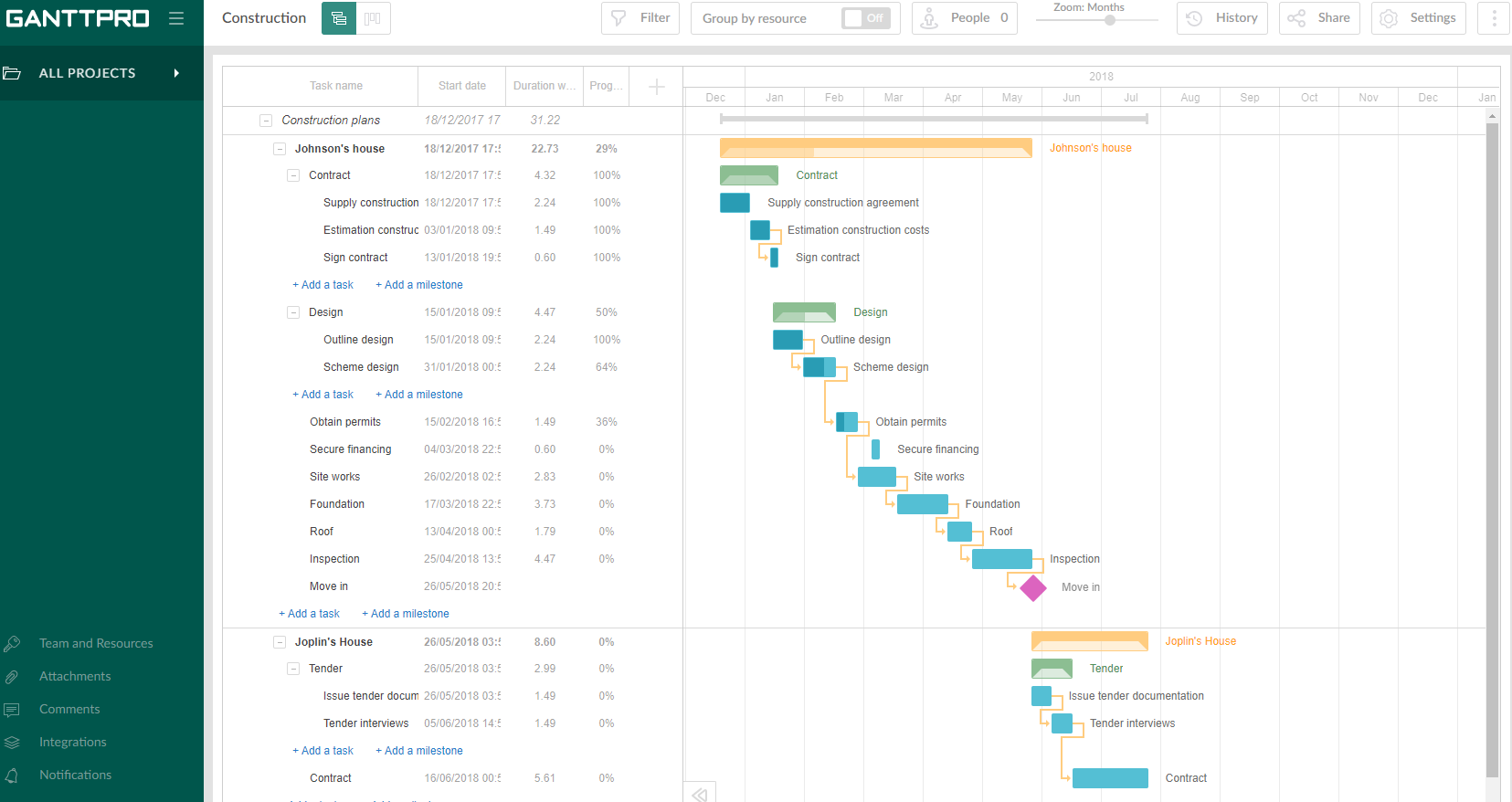
GanttPRO is a project planning tool based on a Gantt chart approach. It visualizes all tasks along a timeline, and it supports resource management, collaboration within teams, and importing and exporting projects onto 3rd party programs.
$8.90
per user per month
Microsoft Project
Score 7.9 out of 10
N/A
Microsoft Project is a project management software. It provides core PM functionality, including agile workflow support and resource management. Project can be deployed in the cloud or on-premise.
$120
per year per user
ProjectLibre
Score 8.0 out of 10
N/A
ProjectLibre is an open source project management software built as a software as a service (SaaS) deployment.
N/A
Pricing
GanttPRO
Microsoft Project
ProjectLibre
Editions & Modules
Team 5
$8.90
per user per month
Team 10
$8.90
per user per month
Team 15
$8.90
per user per month
Individual for personal needs
$15.00
per user per month
Project Server
$0
Planner Plan 1
$10
per month per user
Planner and Project Plan 3
$30
per month per user
Planner and Project Plan 5
$55
per month per user
Project Standard 2024
$679.99
one-time fee per installation
Project Professional 2024
$1,129.99
one-time fee per installation
No answers on this topic
Offerings
Pricing Offerings
GanttPRO
Microsoft Project
ProjectLibre
Free Trial
Yes
Yes
No
Free/Freemium Version
No
No
Yes
Premium Consulting/Integration Services
No
No
No
Entry-level Setup Fee
No setup fee
No setup fee
No setup fee
Additional Details
—
Plans are billed annually.
—
More Pricing Information
Community Pulse
GanttPRO
Microsoft Project
ProjectLibre
Considered Multiple Products
GanttPRO
Verified User
Engineer
Chose GanttPRO
GanttPRO is easy to use and just works. If you need to do something quickly or do a small project then GanttPro is a great tool to use. If you are managing a large project then I would consider using Microsoft Project even though it is a more substantial investment overtime.
GanttPRO is a far superior product, as it is easier to use, it produces a much slicker and professional output, and it enables drag and drop rearranging of tasks and links between tasks to speed things up. It saves time and money and effort and pain and suffering. I would …
In addition to offering the same features of desktop tools. GanttPRO brings online features that allow us to collaborate. No complications regarding access.
ProjectLibre is a free or open source version of MS Project. It’s supported by a community of programmers that maintain its versions. It’s definitely not MS Project but definitely gives you a good idea what to expect from MS Project. I would recommend trying it first to see if …
I can't remember because it was many years ago. But Microsoft Project was very affordable and had a much larger set of features. Also the stability of its technology, as well as the number of existing users, the abundant documentation and the possibility of having well-defined …
The strength it has is that it's the best complete solution for project planning. I would choose Microsoft Project over cloud solutions only if the requirements specify self-hosted solutions or that it allows integration with the AD and other corporate tools. But be prepared to …
Microsoft Project has a great interface and features. However, the cost of ProjectLibre overshadows anything that Microsoft can provide. The cost to benefits that ProjectLibre provides along with their similar features to Microsoft makes ProjectLibre a leader in the project …
ProjectLibre offer many of the same functionalities as MS Project , but at no cost! While the user interface might not be as aesthetically pleasing or intuitive as MS Project, ProjectLibre still gets the job done while enabling substantial cost savings. Both products are …
We decided to go with ProjectLibre because it is a free tool and there is a great community that supports us in case there are any questions or concerns about the software. This has allowed us to be able to invest time without having to worry about licensing costs or anything …
As already mentioned, ProjectLibre doesn't hold up well against a professional project management tool. It is quite suited for simple projects and if you don't need to advanced features of other tools and if you don't need simple scripting extensibility. My main driver on using …
1) Ability to access project plans created using MS Projects - MS Projects license is expensive and we cannot have all users assigned one. This is where ProjectLibre comes in. We can get the team to access project plans rather than sharing them as PDFs
ProjectLibre is a free tool with no limit for users using the tool and mainly works on all Windows, Linux and MAC OS operating systems. It is a very interesting alternative for those who are starting in the project management area. And you don't want to spend on paid software …
Projects are a lot easier to set up with GanttPRO than most tools that support a WBS, so although I've used GanttPRO for very simple projects, it's great for projects with complex WBS' and/or dynamic backlogs (using Agile methodologies). I've used it for long-running projects with multiple phases, where I needed to set up high-level plans for downstream phases (for budgeting) that got updated and modified based on outcomes from upstream phases.
Microsoft Project Online is suited to Turnkey Projects where more Collaboration is required in Project Progress monitoring, risk assessment and conveying, issue recording and tracking. It is less appropriate when ERP Suites other than MS Dynamics are used, i.e when Enterprises need to integrate Finance / Accounting with It and having straight project management workflow
As a project management tool, especially with more straightforward timelines and components, ProjectLibre is a great alternative to some of the costly PM software tools. I have managed many projects with both MS Project and ProjectLibre, and I think ProjectLibre is a great alternative, especially when I've worked in regions of the world where users cannot afford other PM tools.
I love the Gantt Chart that Microsoft Project offers me, because it provides me with a view from various aspects, it provides me with exact details about the fulfillment of tasks over a period of time, it also allows me to make comparisons with the necessary data and the fulfilled data. by the employees, in order to know exactly if the project's expectations have been met.
I love the Gantt Chart that Microsoft Project offers me, because it provides me with a view from various aspects, it provides me with exact details about the fulfillment of tasks over a period of time, it also allows me to make comparisons with the necessary data and the fulfilled data by the employees, in order to know exactly if the project's expectations have been met.
The alert system for the fulfillment and delay of assignments is perfect. Microsoft Project allows me to configure the task system, I can assign the necessary tasks to fulfill the project, and the software alerts me immediately if the managers are fulfilling the assignments.
Intuitive interface, clean, and nice design. As an online app, the data can be viewed on Windows PCs, Macs, and tablets. It saves the data very quickly (depending on the Internet speed) as if it is a locally installed application. Training is minimal, plus there is an extensive range of learning videos and topics in the GanttPRO learning center.
Microsoft Project is easy to operate because data could be inserted, changed and deleted like you are in an Excel timesheet. Besides, it provides a great level of automation beween his fields allowing few data changes. Also, its funcionalities are well defined and grouped in upper menus, so you can find a funcionality quickly
The support for GanttPro is very good. I have no troubles reaching out for their customer support whenever I have questions, they respond almost instantly. I just hope that they will have live chat support for a real-time support experience on the user-end and can answer the questions in real-time.
Microsoft in recent years has transformed itself and gives a positive feeling when one interacts with the company. The company is focusing on its customers and willing to go extra mile to make customers happy.The company continues to invest in its products and bringing new features from time to time. Overall it is a positive feeling to be associated with such an iconic company.
There are a lot of discussions online about it, and a customer addition based manual. While that can lead to some confusion, I am not the kind of person who likes talking on the phone. So it is easier to go online with ProjectLibre!
GanttPRO is easy to use and just works. If you need to do something quickly or do a small project then GanttPro is a great tool to use. If you are managing a large project then I would consider using Microsoft Project even though it is a more substantial investment overtime.
While many of the above tools are extremely well-versed, Microsoft Project's largest advantage comes from it being related to the largest business productivity company in the world. Project does have its sharing limitations - but regardless, offers one of the most robust tools in the market today. Microsoft Project is built with large-scale projects in mind but is more than up to the task for smaller projects as well. However, there are options available (especially cloud-based options) that may be more fitting for higher-level projects that do not require going into the weeds.
We decided to go with ProjectLibre because it is a free tool and there is a great community that supports us in case there are any questions or concerns about the software. This has allowed us to be able to invest time without having to worry about licensing costs or anything else.
Project saved me, as the project manager, countless hours of digging through tickets and schedules to plan everything out. It also saved me time in adjusting the project triangle as needed, since it does so much automatically.
It is costly, and since it requires extensive training to master, it's not just the high licensing cost that you need to take into account.
The reporting features - even just printing out Gantt charts - makes it far easier to communicate with stakeholders. That means less time for PMs doing all of this manually, and it means less follow-up questions and delays moving forward.