Overview
ProductRatingMost Used ByProduct SummaryStarting Price
Geckoboard
Score 6.2 out of 10
Mid-Size Companies (51-1,000 employees)
Geckoboard enables users to create real time dashboards using data from over 80 cloud services. It integrates with other products such as: AWeber, Basecamp, Campaign Monitor and HubSpot.
$35
per month
Klipfolio Klips
Score 9.2 out of 10
Small Businesses (1-50 employees)
Klipfolio is a customizable dashboard and reporting platform that provides real-time business insights. It is used by small to mid-sized businesses and agencies to track performance metrics and create tailored reports, and to consolidate, transform, and visualize data.
$90
per month
Tableau Server
Score 8.0 out of 10
N/A
Tableau Server allows Tableau Desktop users to publish dashboards to a central server to be shared across their organizations. The product is designed to facilitate collaboration across the organization. It can be deployed on a server in the data center, or it can be deployed on a public cloud.
$12
Per User Per Month
Pricing
GeckoboardKlipfolio KlipsTableau Server
Editions & Modules
Starter
$35
per month
Team
$159
per month
Team Plus
$275
per month
Company
$599
per month
Base
$90
per month
Grow
$190
per month
Team
$350
per month
Viewer
$12.00
Per User Per Month
Explorer
$35.00
Per User Per Month
Creator
$70.00
Per User Per Month
Offerings
Pricing Offerings
GeckoboardKlipfolio KlipsTableau Server
Free Trial
YesYesYes
Free/Freemium Version
YesNoNo
Premium Consulting/Integration Services
NoYesYes
Entry-level Setup FeeNo setup feeOptionalNo setup fee
Additional DetailsDiscount available for annual pricing. There are various implementation and training options available, from a 60 Day Proof of Concept, to Onboarding & Training, or ongoing dedicated Data Hero support.
More Pricing Information
Community Pulse
GeckoboardKlipfolio KlipsTableau Server
Considered Multiple Products
Geckoboard
Chose Geckoboard
I find Geckoboard and Klipfolio to be in parallel in terms of performance and presentation. I will say that Klipfolio pulls slightly ahead as it allows for custom branding (great when sharing data with external stakeholders) and having access/edit control based on roles.
Klipfolio Klips
Chose Klipfolio Klips
It was clear that Klipfolio had the edge in terms of the number of third-party connectors and templates available, allowing us to quickly be up and running with various API integrations and visually stunning designs in only an hour. It was a no-brainer for us, and we're glad we …
Chose Klipfolio Klips
Klipfolio is cloud-based, allows for customization, reliable, and intuitive. The competitors were all lacking in one or more areas.
Tableau Server

No answer on this topic

Features
GeckoboardKlipfolio KlipsTableau Server
BI Standard Reporting
Comparison of BI Standard Reporting features of Product A and Product B
Geckoboard
9.3
5 Ratings
13% above category average
Klipfolio Klips
9.0
33 Ratings
11% above category average
Tableau Server
8.4
95 Ratings
3% above category average
Pixel Perfect reports8.03 Ratings9.13 Ratings9.129 Ratings
Customizable dashboards10.05 Ratings8.933 Ratings7.094 Ratings
Report Formatting Templates10.04 Ratings9.13 Ratings9.081 Ratings
Ad-hoc Reporting
Comparison of Ad-hoc Reporting features of Product A and Product B
Geckoboard
7.7
5 Ratings
4% below category average
Klipfolio Klips
8.6
33 Ratings
10% above category average
Tableau Server
7.8
95 Ratings
3% below category average
Drill-down analysis8.04 Ratings8.35 Ratings8.095 Ratings
Formatting capabilities8.03 Ratings7.85 Ratings8.093 Ratings
Integration with R or other statistical packages7.02 Ratings9.12 Ratings8.059 Ratings
Report sharing and collaboration8.05 Ratings9.133 Ratings7.089 Ratings
Report Output and Scheduling
Comparison of Report Output and Scheduling features of Product A and Product B
Geckoboard
9.0
5 Ratings
9% above category average
Klipfolio Klips
9.4
33 Ratings
14% above category average
Tableau Server
7.2
91 Ratings
13% below category average
Publish to Web10.05 Ratings8.931 Ratings8.085 Ratings
Publish to PDF9.01 Ratings9.228 Ratings7.084 Ratings
Report Versioning9.02 Ratings00 Ratings8.070 Ratings
Report Delivery Scheduling8.03 Ratings10.017 Ratings8.077 Ratings
Delivery to Remote Servers9.03 Ratings00 Ratings5.19 Ratings
Data Discovery and Visualization
Comparison of Data Discovery and Visualization features of Product A and Product B
Geckoboard
8.7
5 Ratings
9% above category average
Klipfolio Klips
9.3
33 Ratings
18% above category average
Tableau Server
8.3
90 Ratings
4% above category average
Pre-built visualization formats (heatmaps, scatter plots etc.)10.05 Ratings8.932 Ratings9.086 Ratings
Location Analytics / Geographic Visualization10.05 Ratings9.133 Ratings8.085 Ratings
Predictive Analytics6.02 Ratings10.01 Ratings8.064 Ratings
Pattern Recognition and Data Mining00 Ratings00 Ratings8.01 Ratings
Access Control and Security
Comparison of Access Control and Security features of Product A and Product B
Geckoboard
7.8
5 Ratings
8% below category average
Klipfolio Klips
-
Ratings
Tableau Server
10.0
95 Ratings
16% above category average
Multi-User Support (named login)9.05 Ratings00 Ratings10.093 Ratings
Role-Based Security Model7.03 Ratings00 Ratings10.090 Ratings
Multiple Access Permission Levels (Create, Read, Delete)9.03 Ratings00 Ratings10.092 Ratings
Single Sign-On (SSO)6.12 Ratings00 Ratings10.062 Ratings
Report-Level Access Control00 Ratings00 Ratings10.01 Ratings
Mobile Capabilities
Comparison of Mobile Capabilities features of Product A and Product B
Geckoboard
9.5
5 Ratings
20% above category average
Klipfolio Klips
-
Ratings
Tableau Server
8.1
79 Ratings
4% above category average
Responsive Design for Web Access9.05 Ratings00 Ratings10.077 Ratings
Mobile Application10.03 Ratings00 Ratings7.061 Ratings
Dashboard / Report / Visualization Interactivity on Mobile10.04 Ratings00 Ratings7.068 Ratings
Application Program Interfaces (APIs) / Embedding
Comparison of Application Program Interfaces (APIs) / Embedding features of Product A and Product B
Geckoboard
10.0
2 Ratings
26% above category average
Klipfolio Klips
-
Ratings
Tableau Server
6.4
46 Ratings
18% below category average
REST API10.02 Ratings00 Ratings8.040 Ratings
Javascript API10.02 Ratings00 Ratings8.037 Ratings
iFrames10.02 Ratings00 Ratings6.040 Ratings
Java API10.02 Ratings00 Ratings5.57 Ratings
Themeable User Interface (UI)10.02 Ratings00 Ratings6.19 Ratings
Customizable Platform (Open Source)10.02 Ratings00 Ratings4.67 Ratings
Best Alternatives
GeckoboardKlipfolio KlipsTableau Server
Small Businesses
Yellowfin
Yellowfin
Score 8.8 out of 10
Supermetrics
Supermetrics
Score 9.9 out of 10
Yellowfin
Yellowfin
Score 8.8 out of 10
Medium-sized Companies
Reveal
Reveal
Score 10.0 out of 10
Supermetrics
Supermetrics
Score 9.9 out of 10
Reveal
Reveal
Score 10.0 out of 10
Enterprises
Kyvos Semantic Layer
Score 9.5 out of 10
IBM Analytics Engine
Score 7.3 out of 10
Kyvos Semantic Layer
Score 9.5 out of 10
All AlternativesView all alternativesView all alternativesView all alternatives
User Ratings
GeckoboardKlipfolio KlipsTableau Server
Likelihood to Recommend
9.0
(6 ratings)
8.8
(35 ratings)
8.0
(111 ratings)
Likelihood to Renew
8.0
(1 ratings)
-
(0 ratings)
10.0
(20 ratings)
Usability
9.0
(1 ratings)
9.5
(13 ratings)
8.0
(17 ratings)
Availability
-
(0 ratings)
-
(0 ratings)
9.0
(9 ratings)
Performance
-
(0 ratings)
-
(0 ratings)
8.1
(8 ratings)
Support Rating
8.0
(1 ratings)
9.1
(12 ratings)
3.0
(18 ratings)
In-Person Training
-
(0 ratings)
-
(0 ratings)
8.0
(4 ratings)
Online Training
-
(0 ratings)
-
(0 ratings)
9.0
(9 ratings)
Implementation Rating
-
(0 ratings)
8.2
(1 ratings)
9.1
(13 ratings)
Configurability
-
(0 ratings)
-
(0 ratings)
8.0
(1 ratings)
User Testimonials
GeckoboardKlipfolio KlipsTableau Server
Likelihood to Recommend
Geckoboard
Great value for the money. Excellent for smaller agencies with multiple projects and teams in a smaller space. We can quickly roll out mobile displays to help with a particular deployment push or monitoring a clients website engagement. It's also useful for showing live data without requiring analytics to run reports from a CRM, etc.
Read full review
Klipfolio
Using Klipfolio is one of the finest ways we can expand our business because it is so simple to use and always has new features that make it better. We also appreciate the excellent customer service they offer. There are several benefits to making this investment in your company's efficiency and profitability. We think it's worth the money.
Read full review
Tableau
Whole funnel and specific channel performance from upper to lower funnel metrics. The ability to view full channel performance for some time, such as weekly, monthly, or quarterly, has truly been monumental in how my team optimizes specific channels and campaigns. Daily performance tracking is a bit overwhelming, with load times and having to refresh specific live views over time. It can be challenging to do so at times, as extensive dashboards take much longer to load.
Read full review
Pros
Geckoboard
  • User self-help - the video tutorials and a robust publicly accessible knowledgebase.
  • Geckoboard can aggregate data from a number of other apps into a singular dashboard.
  • Sleek, dark UI.
Read full review
Klipfolio
  • All my reporting requirements have been met.
  • Salesforce, HubSpot, Mailchimp, Google Drive, and other business applications are quite easy to integrate with.
  • The information you need is at your fingertips in a matter of seconds.
  • Whenever I have a question, the customer service is always there to answer it.
Read full review
Tableau
  • It's good at doing what it is designed for: accessing visualizations without having to download and open a workbook in Tableau Desktop. The latter would be a very inefficient method for sharing our metrics, so I am glad that we have Tableau Server to serve this function.
  • Publishing to Tableau Server is quick and easy. Just a few clicks from Tableau Desktop and a few seconds of publishing through an average speed network, and the new visualizations are live!
  • Seeing details on who has viewed the visualization and when. This is something particularly useful to me for trying to drive adoption of some new pages, so I really appreciate the granularity provided in Tableau Server
Read full review
Cons
Geckoboard
  • A bit more flexibility in the number of columns would be nice.
  • Ability to scale to mobile device (web).
  • App capabilities are missing on Android.
Read full review
Klipfolio
  • While Klipfolio covers so many of the bases, one area where I would like to see expansion would be offering additional design and graphics themes for even more customization.
  • Klipfolio has an extensive offering but might be even better if there were a way that we could integrate with some small to mid-sized CRM solutions for audience list segmentation and marketing integrations.
  • It would be interesting if Klipfolio could enable us to overlay the data learnings for cross-referencing of multiple client campaigns for comparative insights.
Read full review
Tableau
  • Tableau Server has had some issue handling some of our larger data sets. Our extract refreshes fail intermittently with no obvious error that we can fix
  • Tableau Server has been hard to work with before they launched their new Rest API, which is also a little tricky to work with
Read full review
Likelihood to Renew
Geckoboard
My company did not renew due to changes in the organization.
Read full review
Klipfolio
No answers on this topic
Tableau
It simply is used all the time by more and more people. Migrating to something else would involve lots of work and lots of training. The renewal fee being fair, it simply isn't worth migrating to a different tool for now.
Read full review
Usability
Geckoboard
With a simple interface and available templates, creating basic dashboards is easy. Obviously depending on the data you want to visualize, there may be higher learning curves. That being said, they have a huge amount of integrations and extensible frameworks. If you are using anything made in the past ten years there is an API function or integration that can get it talking to the platform. As such, it's pretty easy to hit the main data points you want and get it on a cheap display in front of your team.
Read full review
Klipfolio
My initial impressions of the software have been extremely positive. There are YouTube tutorials that explain how to make klips. The intuitive design of the UI It appears that everything in this software has been thoroughly tested to create all the visualizations that can be imagined as well as the user input controls that allow users to have exactly the data they want to be displayed in seconds, considering the various functions and formulas available in the Excel integrations and the extensive list of other services that can be integrated.
Read full review
Tableau
Tableau Server takes training and experience in order to unlock the application's full potential. This is best handled by a qualified data scientist or data analytics manager. Tableau user interface layout, nomenclature, and command structure take time and training to become proficient with. Integration and connectivity require proper IT developer support.
Read full review
Reliability and Availability
Geckoboard
No answers on this topic
Klipfolio
No answers on this topic
Tableau
Our instance of Tableau Server was hosted on premises (I believe all instances are) so if there were any outages it was normally due to scheduled maintenance on our end. If the Tableau server ever went down, a quick restart solved most issues
Read full review
Performance
Geckoboard
No answers on this topic
Klipfolio
No answers on this topic
Tableau
While there are definitely cases where a user can do things that will make a particular worksheet or dashboard run slowly, overall the performance is extremely fast. The user experience of exploratory analysis particularly shines, there's nothing out there with the polish of Tableau.
Read full review
Support Rating
Geckoboard
The support levels vary based on the level of plan that you have but that's to be expected. Virtually everything except the Enterprise plan has basic chat/email support. While they are responsive they are not going to be much assistance in helping you figure out API calls or implementing 3rd party integrations. That is to be expected and the support community can pretty much get you in the right direction if you look.
Read full review
Klipfolio
It provides all the necessary information to be able to carry out the analysis of any type of business, to know how money is managed virtually, what to do to have greater visibility, in addition to being a platform that is always accessible and allows continuous and efficient work.
Read full review
Tableau
We have consistently had highly satisfactory results every time we've reached out for help. Our contractor, used for Tableau server maintenance and dashboard development is very technically skilled. When he hits a roadblock on how to do something with Tableau, the support staff have provided timely and useful guidance. He frequently compares it to Cognos and says that while Cognos has capabilities Tableau doesn't, the bottom line value for us is a no-brainer
Read full review
In-Person Training
Geckoboard
No answers on this topic
Klipfolio
No answers on this topic
Tableau
In our case, they hired a private third party consultant to train our dept. It was extremely boring and felt like it dragged on. Everything I learned was self taught so I was not really paying attention. But I do think that you can easily spend a week on the tool and go over every nook and cranny. We only had the consultant in for a day or two.
Read full review
Online Training
Geckoboard
No answers on this topic
Klipfolio
No answers on this topic
Tableau
The Tableau website is full of videos that you can follow at your own pace. As a very small company with a Tableau install, access to these free resources was incredibly useful to allowing me to implement Tableau to its potential in a reasonable and proportionate manner.
Read full review
Implementation Rating
Geckoboard
No answers on this topic
Klipfolio
None at all; just be sure of what information you will need for working.
Read full review
Tableau
Implementation was over the phone with the vendor, and did not go particularly well. Again, think this was our fault as our integration and IT oversight was poor, and we made errors. Would they have happened had a vendor been onsite? Not sure, probably not, but we probably wouldn't have paid for that either
Read full review
Alternatives Considered
Geckoboard
Domo is more robust. We do use both because Geckoboard is really easy to show the rest of our team without the need for additional licenses.
Read full review
Klipfolio
These and many other BI tools are the most direct competitors. I only have experience with Klipfolio and Tableau. Tableau is definitely more capable, but much more difficult to learn and use. Klipfolio is simple and really packs a punch for its simplicity. I have yet to run into a major problem with it lacking a needed functionality.
Read full review
Tableau
Today, if my shop is largely Microsoft-centric, I would be hard pressed to choose a product other than Power BI. Tableau was the visualization leader for years, but Microsoft has caught up with them in many areas, and surpassed them in some. Its ability to source, transform, and model data is superior to Tableau. Tableau still has the lead in some visualizations, but Power BI's rise is evidenced by its ever-increasing position in the leadership section of the Gartner Magic Quadrant.
Read full review
Return on Investment
Geckoboard
  • While we originally used this as an internal IS tool, we eventually have expanded it to be used by nearly every department.
  • Because pricing is monthly, we can grow or decrease our usage based on our current client needs.
  • Because it is low cost and easy to deploy, we can utilize it in place of considerable resources in analytics and reporting by delivering snapshots of data without pulling reports.
Read full review
Klipfolio
  • It made reporting a breeze as we didn't have to spend time creating the reports
  • The reporting forum really helped give our team more metrics to add to reporting
  • Always ready to view Dashboard meant stakeholders could view reports at any given time
Read full review
Tableau
  • Tableau does take dedicated FTE to create and analyze the data. It's too complex (and powerful) a product not to have someone dedicated to developing with it.
  • There are some significant setup for the server product.
  • Once sever setup is complete, it's largely "fire and forget" until an update is necessary. The server update process is cumbersome.
Read full review
ScreenShots

Geckoboard Screenshots

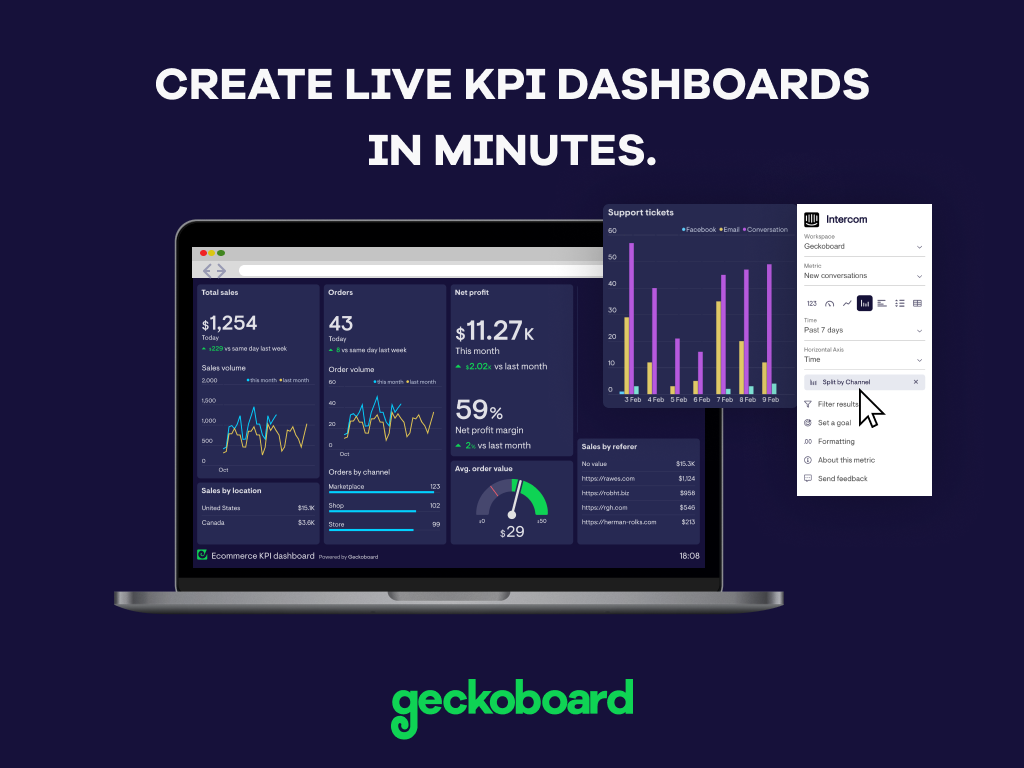
Screenshot of Create live KPI dashboards in minutes. No coding or training required.Screenshot of Easily pull in real-time data from over 80 different tools, including spreadsheets and databases, as well as popular business tools like Salesforce, Zendesk, Google Analytics and many more.Screenshot of Anyone can build custom dashboards that make data and KPIs look professional and are easy for everyone on the team to understand at a glance.Screenshot of Get important numbers in front of the team or stakeholders, whether they're in the office or WFH.Screenshot of Every part of your organisation can surface metrics that matter to them and show progress towards their goals.

Klipfolio Klips Screenshots

Screenshot of an example of a customized dashboard. For showcasing KPIs, tracking performance, or telling complex data stories, Klips lets the user tailor layouts, visuals, and insights, ensuring dashboards are suitable for internal teams or external stakeholders.Screenshot of visualizations, with descriptive text blocks and live data to communicate more than just numbers. Klips lets users insert real-time data directly into text to add context, improving interpretation. Progress towards goals and trends can be tracked using vibrant charts, colors, and text descriptions.Screenshot of one example of the over 30 chart types available, some including bar graphs, pie charts, and heatmaps. The library of pre-built Klip templates connect to popular data sources like Google Analytics, HubSpot, or Salesforce. These templates can be modified.Screenshot of Klipfolio’s formula engine. Similar to Excel, the Klip Editor can be used to clean, transform, and analyze data using functions. Users can perform complex calculations, manipulate dates or text, and add logic or statistical formulas.Screenshot of the Klip editor, used to take precise control over visual properties, customizing font sizes, colors, and styles to match a brand, or to emphasize key metrics. Set decimal places for numerical data, and add prefixes or suffixes—such as currency symbols or percentages—for clear and professional formatting. It also supports conditional formatting, and dynamic colors or icons to highlight trends, anomalies, or thresholds. These tools allow the user to craft Klips that not only deliver insights but also communicate them at a glance.Screenshot of a Klipfolio Klips dashboard. These allow users to customize every aspect, from layouts and fonts to colors and chart styles, ensuring that dashboards align with a brand. For presenting on a laptop, a big-screen TV, or by sharing published links, dashboards are designed to look exceptional in both light and dark modes.

Tableau Server Screenshots

Screenshot of Tableau Server interface and administration view 1.Screenshot of Tableau Server interface and administration view 2.Screenshot of Tableau Server permissions view.Screenshot of Tableau Services Manager (TSM) view 1.Screenshot of Tableau Services Manager (TSM) view 2.