Google Chat vs. GroupMap

Overview
ProductRatingMost Used ByProduct SummaryStarting Price
Google Chat
Score 7.9 out of 10
N/A
Google Chat, formerly Hangouts Chat, is a collaboration tool competing with Slack, designed to make it easy for teams to be able to get their work done in one place. From direct messages to group conversations, Chat helps teams collaborate, and with dedicated, virtual rooms to house projects over time — plus threaded conversations — Chat helps users track progress and follow up tasks. Chat currently supports 28 languages and each room can support up to 8,000 members.N/A
GroupMap
Score 0.0 out of 10
Mid-Size Companies (51-1,000 employees)
GroupMap is a real-time brainstorming, collaboration, and decision-making platform designed for facilitators, educators, and teams running workshops, retrospectives, and planning sessions. Structured facilitation, not a blank canvas Unlike open-ended whiteboard tools, GroupMap moves groups through a defined workflow: brainstorm, group, vote, prioritize, and assign actions, all within a single session. Participants contribute simultaneously, which reduces meeting time and removes…
$20
per month
Pricing
Google ChatGroupMap
Editions & Modules
No answers on this topic
1. Basic
$20
per month per facilitator
2. Professional plan
$60
per month per facilitator
3. Event / Enterprise
Custom quote
Offerings
Pricing Offerings
Google ChatGroupMap
Free Trial
NoYes
Free/Freemium Version
NoNo
Premium Consulting/Integration Services
NoYes
Entry-level Setup FeeNo setup feeOptional
Additional DetailsGroupMap has four tiers: Free (14-day trial, up to 10 participants per map, 1 map creator, unlimited maps) Basic ($200/year, up to 10 participants per map, 1 map creator, standard reporting) Professional ($600/year, up to 50 participants per map, 100 and 200 participant plans also available, unlimited maps and workspaces, priority support) Enterprise (custom pricing, custom participant limits, multiple facilitators, white labeling, SSO, custom domain). Billing is monthly or annual. Only map creators and facilitators need a license; participants joining a map do not need an account.
More Pricing Information
Community Pulse
Google ChatGroupMap
Features
Google ChatGroupMap
Project Management
Comparison of Project Management features of Product A and Product B
Google Chat
8.3
26 Ratings
7% above category average
GroupMap
-
Ratings
Task Management8.014 Ratings00 Ratings
Gantt Charts8.29 Ratings00 Ratings
Scheduling8.616 Ratings00 Ratings
Workflow Automation7.412 Ratings00 Ratings
Mobile Access9.225 Ratings00 Ratings
Search9.223 Ratings00 Ratings
Visual planning tools7.713 Ratings00 Ratings
Communication
Comparison of Communication features of Product A and Product B
Google Chat
8.9
26 Ratings
11% above category average
GroupMap
-
Ratings
Chat9.826 Ratings00 Ratings
Notifications9.126 Ratings00 Ratings
Discussions8.824 Ratings00 Ratings
Surveys9.417 Ratings00 Ratings
Internal knowledgebase8.915 Ratings00 Ratings
Integrates with GoToMeeting8.07 Ratings00 Ratings
Integrates with Gmail and Google Hangouts8.215 Ratings00 Ratings
Integrates with Outlook9.06 Ratings00 Ratings
File Sharing & Management
Comparison of File Sharing & Management features of Product A and Product B
Google Chat
8.6
26 Ratings
7% above category average
GroupMap
-
Ratings
Versioning8.817 Ratings00 Ratings
Video files7.623 Ratings00 Ratings
Audio files7.922 Ratings00 Ratings
Document collaboration8.121 Ratings00 Ratings
Access control9.318 Ratings00 Ratings
Advanced security features9.419 Ratings00 Ratings
Integrates with Google Drive8.115 Ratings00 Ratings
Device sync9.624 Ratings00 Ratings
Best Alternatives
Google ChatGroupMap
Small Businesses
Kintone
Kintone
Score 9.7 out of 10
Kintone
Kintone
Score 9.7 out of 10
Medium-sized Companies
Kintone
Kintone
Score 9.7 out of 10
Kintone
Kintone
Score 9.7 out of 10
Enterprises
HCL Connections
HCL Connections
Score 9.0 out of 10
HCL Connections
HCL Connections
Score 9.0 out of 10
All AlternativesView all alternativesView all alternatives
User Ratings
Google ChatGroupMap
Likelihood to Recommend
9.2
(26 ratings)
-
(0 ratings)
Likelihood to Renew
8.0
(2 ratings)
-
(0 ratings)
Usability
8.9
(9 ratings)
-
(0 ratings)
Support Rating
7.3
(3 ratings)
-
(0 ratings)
User Testimonials
Google ChatGroupMap
Likelihood to Recommend
Google
It is a easy and quick way to chat and send instant message using the Google account, even send files, emojis, create groups. I have used it to communicate even with external people with a personal gmail account and is great to stay in touch with all around. I recommend it for anyone who wants to stay communicated using a google account.
Read full review
GroupMap
No answers on this topic
Pros
Google
  • When discussing about a specific project, I can quickly share google docs or sheets within the chat which helps my team to view the document in real time and they do not have to leave the conversation.
  • Scheduling a meeting with someone is very easy on Google Chat.
  • We have remote team members in different time zones and instead of waiting for emails we use Google Chat to quickly discuss anything.
Read full review
GroupMap
No answers on this topic
Cons
Google
  • Google Hangouts Chat has a room for improvement in customizing the themes background.The themes are outdated and hard to change if you don't know the right key to change it.
  • It could be more user friendly if there will be no hidden features. Formatting messages is very likely to use and fun.
  • With conversations going on about everything all the time, it's easy to get pulled into far too many discussions but sometimes its hard to mention names because it shows many result even the users are not included on the chat room.
Read full review
GroupMap
No answers on this topic
Likelihood to Renew
Google
The updates, support, general reviews on Google Chat are great everywhere. The development of the features is ongoing and this adds a great value to Google as a big company in the market. Other applications are limiting communication while Google Chat is allowing communication to grow. It is very easy to use it and teach others how to use Google Chat.
Read full review
GroupMap
No answers on this topic
Usability
Google
As stated from the starting we found this application is well suited for a small audience and a group of people across the organization can be communicated easily with no additional hectic of doing any setup. When you have a Gmail account ready then you can easily access google chat and continue the communication. This tool is simple,secure and robust helping the global leading partner for their internal precise communication and handling the tasks in a great way
Read full review
GroupMap
No answers on this topic
Support Rating
Google
I have not needed to contact the support folks for Google Hangouts Chat, so I can't speak to this with any accuracy. The online instructions are fairly clearly written, so it is fairly intuitive to start with. I did not feel the need to use the support people anyway.
Read full review
GroupMap
No answers on this topic
Alternatives Considered
Google
Slack has a few more features than Google Chat. Slack, for a long time, had thread chats that grouped a thread of thoughts together, making the main chat group space a lot less cluttered. A while back, Google Chat implemented a similar thing in a different but similar way, making the group less crowded. They are catching up.
Read full review
GroupMap
No answers on this topic
Return on Investment
Google
  • In my work it allows us to report troubles that may cost loss of investment thru Google Hangouts Chat we were able to communicate on how to fix it.
  • I hope we can make it on our own choice of colors to heightened workers vibe
  • It is connected to your email
Read full review
GroupMap
No answers on this topic
ScreenShots

GroupMap Screenshots

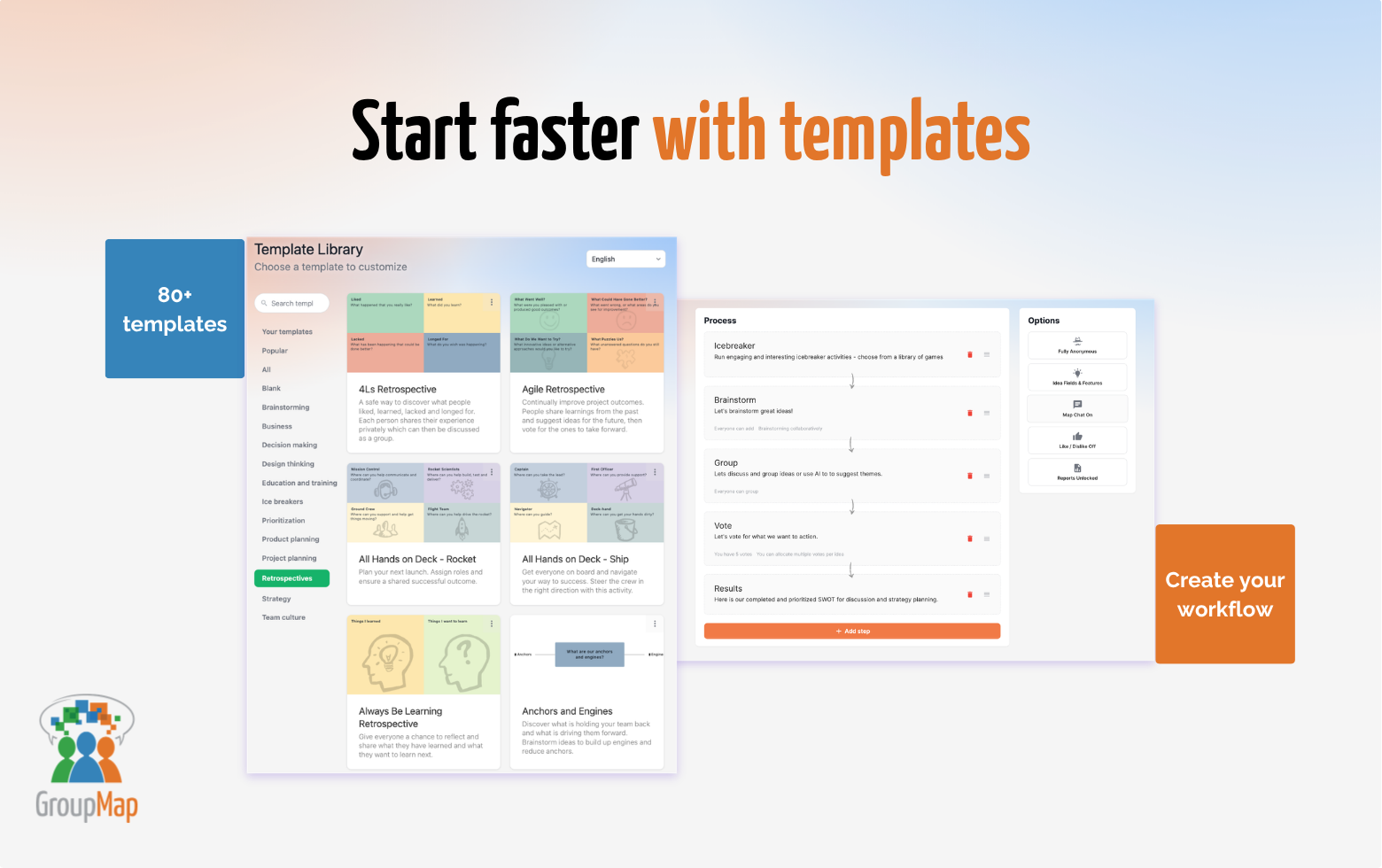
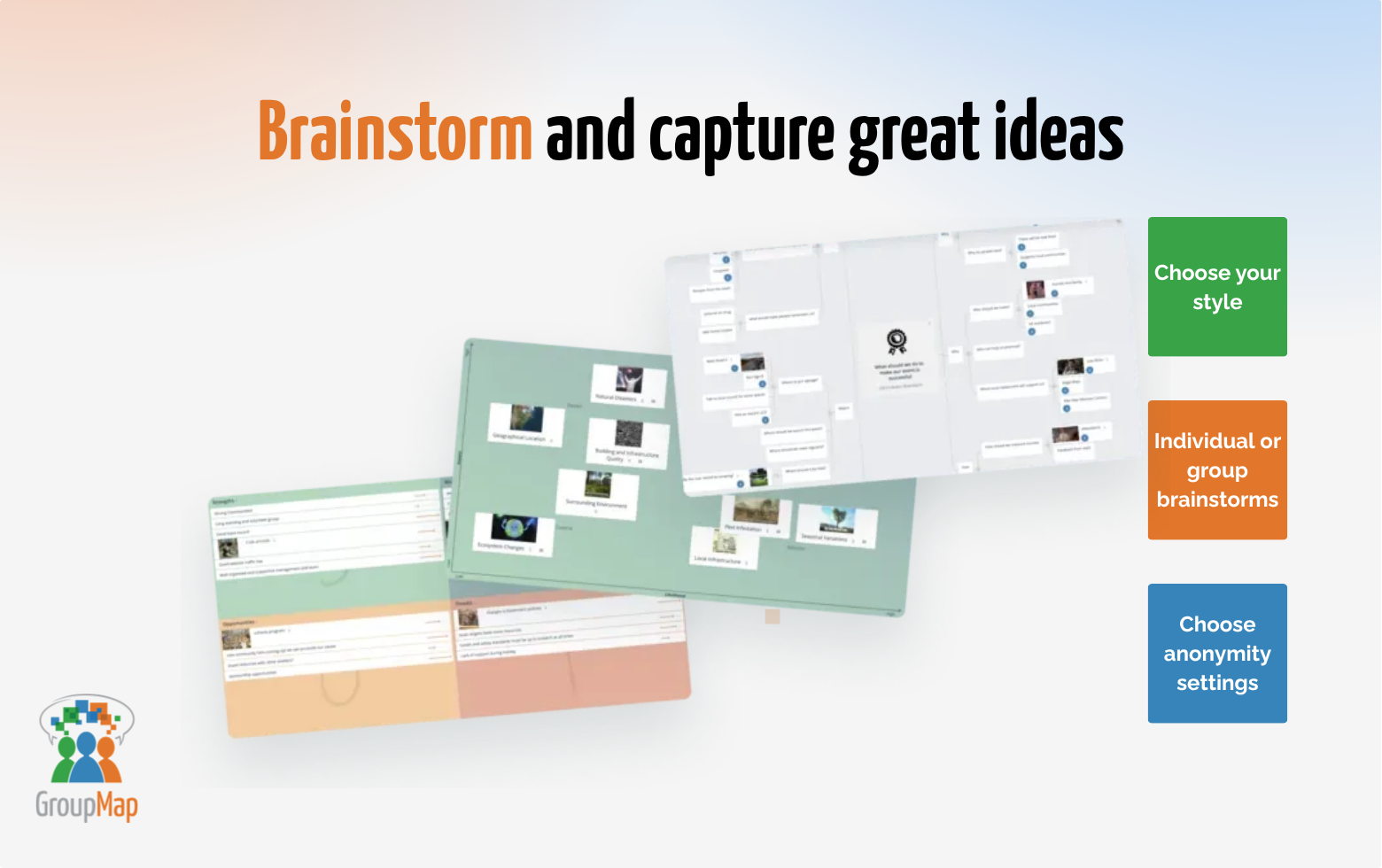
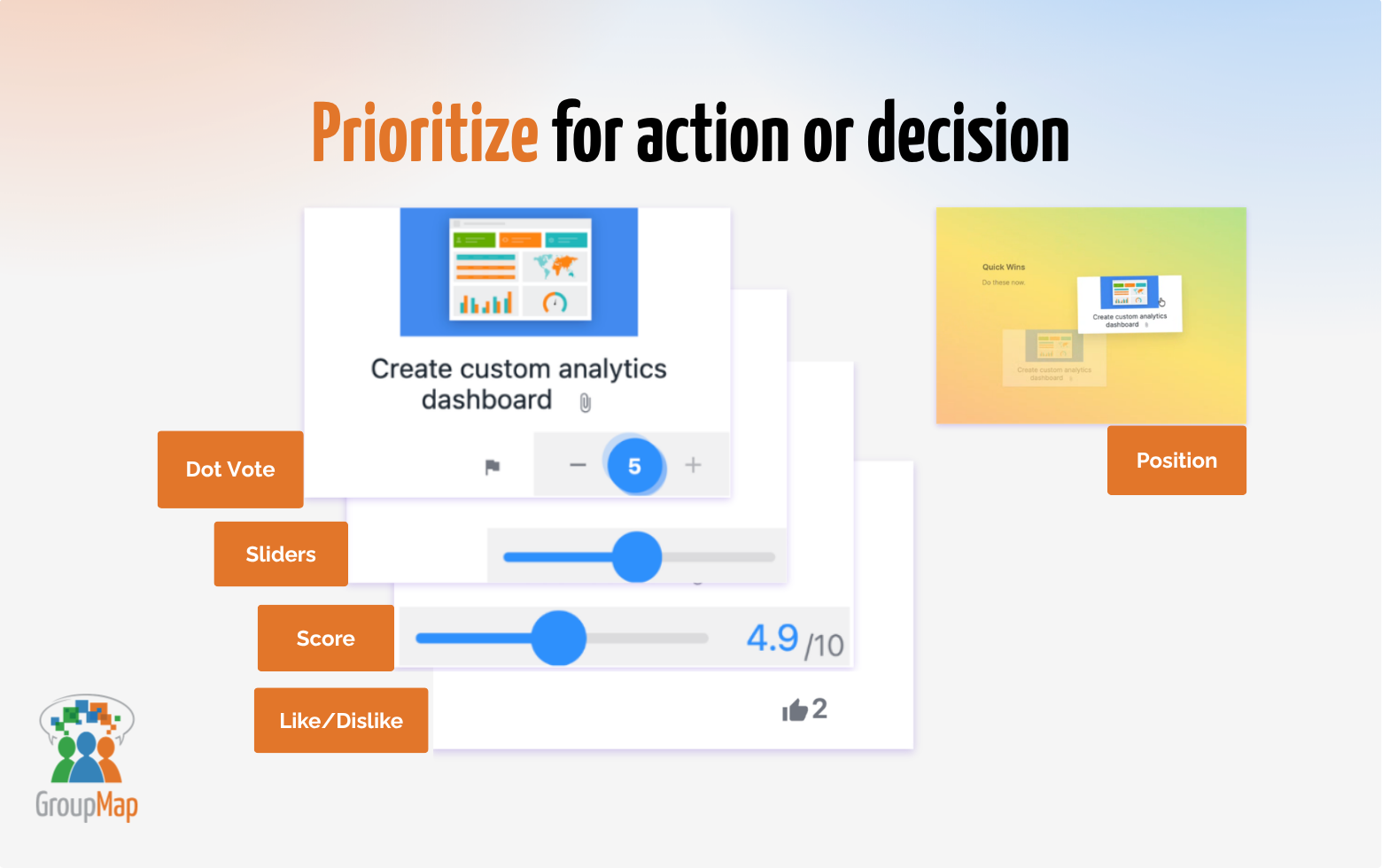
Screenshot of Facilitate better  meetings: Brainstorm, vote, prioritise and decide together in minutes.Screenshot of Start faster with templates: Choose from 80+ ready-to-use templates for brainstorming, retrospectives, planning, strategy, and group decision-making.Screenshot of Brainstorm and capture great ideasScreenshot of Prioritize for action or decisionScreenshot of Turn noise into  meaning: AI-assisted grouping, summaries and prompts help facilitators make sense of group input.Screenshot of From ideas to  outcomes: Make meeting and workshops meaningful and outcome focused with instant results and shareable reports.