
Google Search Console vs. seoClarity
| Product | Rating | Most Used By | Product Summary | Starting Price |
|---|---|---|---|---|
 Google Search Console | Score9 out of 10 | N/A | Google Search Console is a search engine optimization software solution offered by Google. | N/A |
 seoClarity | Score7.5 out of 10 | N/A | seoClarity is an SEO (Search Engine Optimization) platform for enterprises and agencies. It includes customizable dashboards, site audits, content analysis, competitor insights, reporting and actionable insights. It covers typical web search as well as mobile and local search. | $750 per month |
| Google Search Console | seoClarity | |||||||||||||||
|---|---|---|---|---|---|---|---|---|---|---|---|---|---|---|---|---|
| Editions & Modules | No answers on this topic |
| ||||||||||||||
| Offerings |
| |||||||||||||||
| Entry-level Setup Fee | No setup fee | No setup fee | ||||||||||||||
| Additional Details | — | seoClarity starts at $750 per month for rank tracking, keyword research, content analysis and optimization, and reporting dashboards. It includes different packages above that based on the size of the client's site and the capabilities needed. Pricing is primarily driven on the number of keywords tracked, how often, the number of domains, and integrations included. | ||||||||||||||
| More Pricing Information | ||||||||||||||||
| Google Search Console | seoClarity | |
|---|---|---|
| Considered Both Products | No answer on this topic | No answer on this topic |
| Key User Insights | ||
| Would buy again | ||
96% Would buy again 26 Answers | No answers on this topic | |
| Delivers good value for the price | ||
100% Delivers good value for the price 27 Answers | No answers on this topic | |
| Happy with the feature set | ||
96% Happy with the feature set 26 Answers | No answers on this topic | |
| Lived up to sales and marketing promises | ||
96% Lived up to sales and marketing promises 22 Answers | No answers on this topic | |
| Implementation went as expected | ||
96% Implementation went as expected 24 Answers | No answers on this topic | |
| Google Search Console | seoClarity | ||||||||||||||||||||||||||||
|---|---|---|---|---|---|---|---|---|---|---|---|---|---|---|---|---|---|---|---|---|---|---|---|---|---|---|---|---|---|
| SEO |
| ||||||||||||||||||||||||||||
| SEO Channels |
| ||||||||||||||||||||||||||||
| SEO Platform & Account Management |
| ||||||||||||||||||||||||||||
| Google Search Console | seoClarity | |
|---|---|---|
| Small Businesses |  Serpstat Score10 out of 10 | Serpstat Score10 out of 10 |
| Medium-sized Companies |  Yoast Score8.5 out of 10 | Yoast Score8.5 out of 10 |
| Enterprises | Google Trends Score8.6 out of 10 | Google Trends Score8.6 out of 10 |
| All Alternatives | View all alternatives | View all alternatives |
| Google Search Console | seoClarity | |
|---|---|---|
| Likelihood to Recommend | 9.4 | 8.0 |
| Likelihood to Renew | 10.0 | - |
| Usability | 8.8 | 8.0 |
| Support Rating | 6.1 | - |
| Google Search Console | seoClarity | |
|---|---|---|
| Likelihood to Recommend |
|
|
| Pros |
|
|
| Cons |
|
|
| Usability |
|
|
| Support Rating |
| No answers on this topic |
| Alternatives Considered |
|
|
| Return on Investment |
|
|
| ScreenShots | seoClarity Screenshots    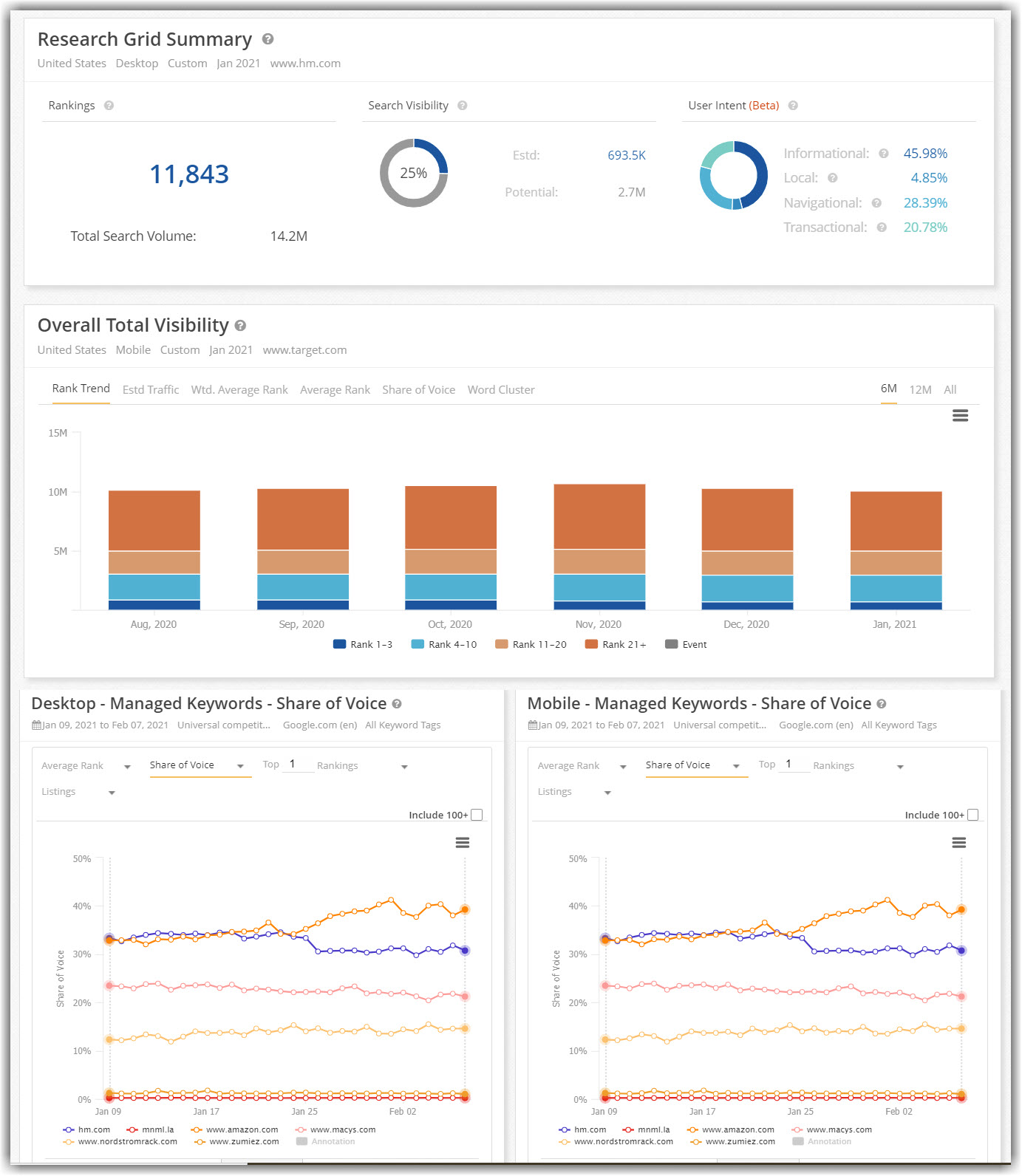 |


