Google Tasks, also available via a mobile app, aims to allow users to manage, capture, and edit tasks from anywhere, at anytime, with to-dos that sync across all devices. Integrates with Gmail and Google Calendar.
N/A
MeisterTask
Score 9.0 out of 10
Small Businesses (1-50 employees)
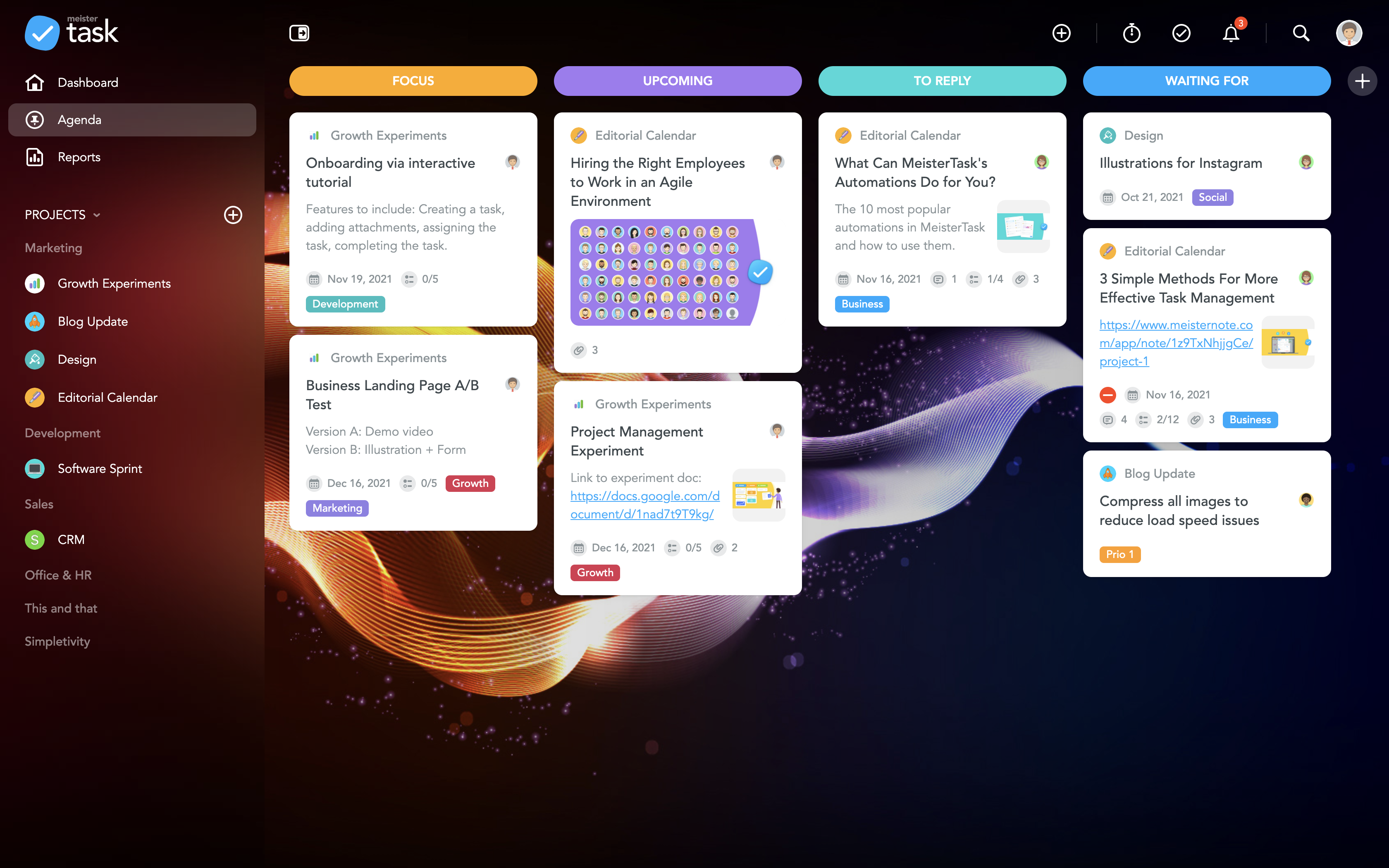
MeisterTask is a task management and collaboration tool that let teams manage tasks in a customizable environment. MeisterTask's project boards adapt to a team’s workflow, and is suitable for managing a variety of tasks from software sprints to editorial calendars. As opposed to only providing a tool that visualizes the work, MeisterTask automates recurring steps in users' workflows to help them work more efficiently and consistently.
MeisterTask is developed by…
$16
per month per user
Microsoft To Do
Score 8.1 out of 10
N/A
Microsoft To Do replaces the former Wunderlist task management tool.
N/A
Pricing
Google Tasks
MeisterTask
Microsoft To Do
Editions & Modules
No answers on this topic
Pro
$16
per month per user
Business
$32
per month per user
Enterprise
Custom
No answers on this topic
Offerings
Pricing Offerings
Google Tasks
MeisterTask
Microsoft To Do
Free Trial
No
No
No
Free/Freemium Version
No
Yes
No
Premium Consulting/Integration Services
No
No
No
Entry-level Setup Fee
No setup fee
No setup fee
No setup fee
Additional Details
—
Discounts are available for education and non-profit organisations. 28% discount for annual pricing.
Microsoft To Do is also a nice reminder program if Outlook is the primary mail manager and calendar system; however, it is not as user-friendly in my opinion. For example, I have had a to-do task listed for over a year because I cannot figure out how to remove it.
Google Tasks is not necessarily better than its competitors and certainly not as robust or complex as most to-do applications and platforms available in the market, but because it is automatically integrated into G Suite services--our primary technology interface--this free …
Google Tasks stand a little below the Microsoft To Do app, but stands well in terms of simplicity.
Here are the strong points of Google Tasks-
MeisterTask
Verified User
Professional
Chose MeisterTask
MeisterTask has all the features which is a combination of all other tools. It also offers a basic plan which is good enough for personal use. Even for the Pro and Business plans, prices are affordable. It also offers an integration feature with other Applications. An overall …
I choose Microsoft to do because is easier and is on the job email, but ClickUp is more handful and Google Tasks its in my personal email, so its more convenient.
If other google products are already in use, it is very easy to get into Google Tasks as well and everybody probably has a google account, hence, does not need another account as well. It is helpful for simple to do lists, we would not recommend for larger project planning.
The best part about Meistertask is how dead simple it is, while still absolutely nailing what it needs to really get right. Meistertask makes task management dead simple for me and keeps the detail out of the way unless I specifically need it.
I think Microsoft To Do is helpful for people who don't need a lot of customization in a task manager. I prefer using 3rd party task managers that allow me to create projects with tasks and subtasks. But for a team that already uses Microsoft products and doesn't want to learn or invest capital in another task manager, Microsoft To Do covers the basics and syncs with your calendar.
The best part, Google Tasks is FREE. No paywall, no ads. Just pure productivity. I was looking for some task-management app which is free, since it was difficult to get a paid one. I found that this was the perfect solution for me.
It's deeply integrated with other Google services like Gmail and Calendar. It can pick tasks with Gmail from emails, in the form of suggestions. It's up to you, completely. The tasks will appear in your calendar automatically, if it's time or date specific.
It's simple and hassle free to insert tasks and complete them. The app loads fast and hardly faces any crash. I encountered no such crashes.
It is present in multiple platforms. I would create a task in my phone, and would check it off on my laptop.
It's hassle free to add and check off tasks. It was very helpful for me in college.
The learning curve is really short compared to other software that is related to this.
It is very easy to manage several projects at the same time, thus saving time in the work process.
Managing the elements of the list is very comfortable since its interface allows everything to work in an orderly manner based on what I want to put as important for me.
It has versions that are adapted to any type of company or if you want to give a personal use because it also has an option based on what you want to do with MeisterTask.
Wunderlist is what you need for your to do lists. It's really simple to use.
Allows you to set due date to your lists, share them with your team and/or create a folder to divide and organize all your list set
Also, Wunderlist is compatible with all platform and devices. So you can always be updated on your list or work on them from wherever you are and with all the devices you have.
Google is simple to use and easy to understand. Having a one-click to add tasks via Google Calendar is a must for any busy business that manages multiple accounts and/or projects. Compliance and business standards are at the forefront, with notification reminders so you don't forget any of those annual certifications, for example.
User friendly, easy to configure, and VERY simplistic. I particularly use heavily the phone app feature. While others in the room are on social media, I am reviewing my tasks and this triggers other tasks I know I need to get done. I like the sense of accomplishment of moving things to the completed pile as well.
Since the app is free, we can't expect to get a great support. 1. The app does not even have a dedicated forum where other members can help each other. 2. The app only has a feedback option, which I rarely think visits the team. 3. Even after sending many feedbacks, you can't expect a reply. 4. In a nutshell, if you face any problem, you can just wait. Nothing more than that.
I have not had an issue where I needed to reach out to Wunderlist, but I know their contact and online chat is easy to access and feel confident that they would be helpful. My only worry is Wunderlist is becoming Microsoft to-do in May 2020, and I believe the app will become worse after that.
Google Tasks is not necessarily better than its competitors and certainly not as robust or complex as most to-do applications and platforms available in the market, but because it is automatically integrated into G Suite services--our primary technology interface--this free option has precluded us from needing to explore other tools that are often "better" but not as intuitive when so much time and focus is already spent within the Google ecosystem.
Meistertask seems like it was made for work, and it doesn’t hide its features amid complicated menus. The Mobile experience is one of the best I have used in task management. It integrates with other tools more widely via Zapier and various built-in ecosystem connections within the Meisterlabs space. If you need to get started simplifying your digital life, this can help.
It's a small tool compared to bigger project management software, but we found that they work perfectly together. It helps you declutter the larger PM tools, keep your smaller tasks in-line and make sure they get completed. When you're working in a creative agency, ideas and tasks are flying around, so having a tool like this that keeps you accountable and reminds you of your tasks is a must!
Personally, has managed over 1280 tasks for me in the past couple of years that I have been able to check off thanks to the app
Has accurately allowed me personally to schedule out tasks into the future that I want to get done but don't have the mental space currently to be trying to remember or do
MeisterTask saves me a lot of time in communicating about various tasks of a project. The activity chat feature lets me communicate with other members of my team without having to be in the same location as them, and increasing our productivity.
It has caused me to use some additional time though, and create a Gantt chart myself instead of being able to use a built-in feature.
MeisterTask is great for letting us organize and keep track of all aspects of a project and make sure each one gets done by its respective due date.