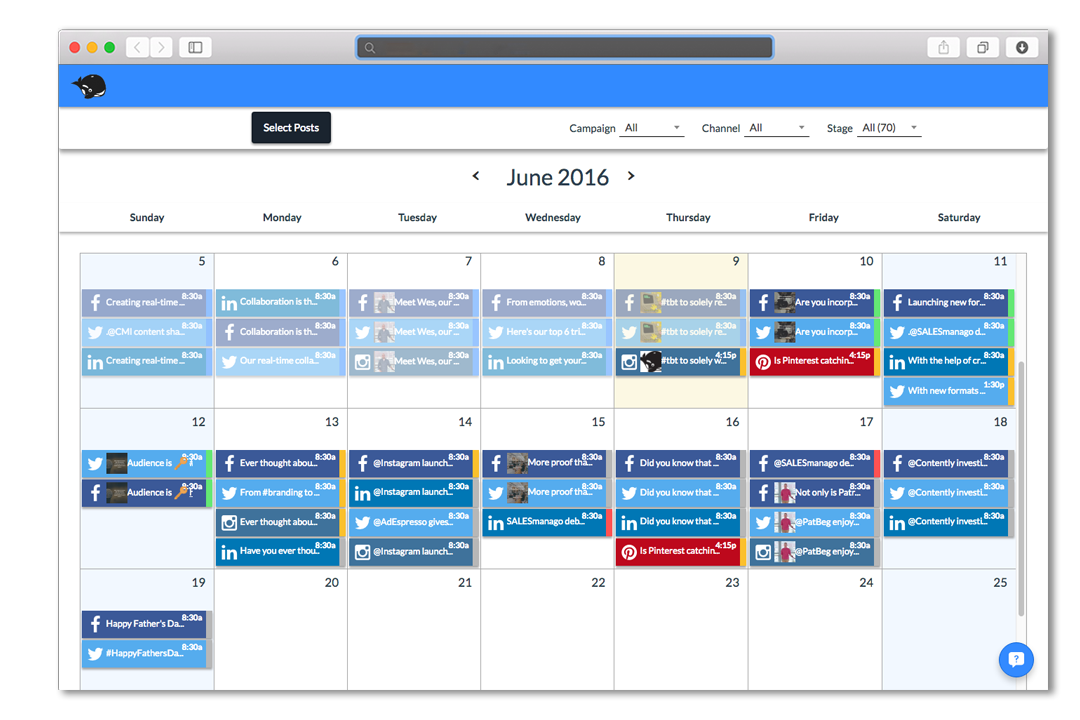
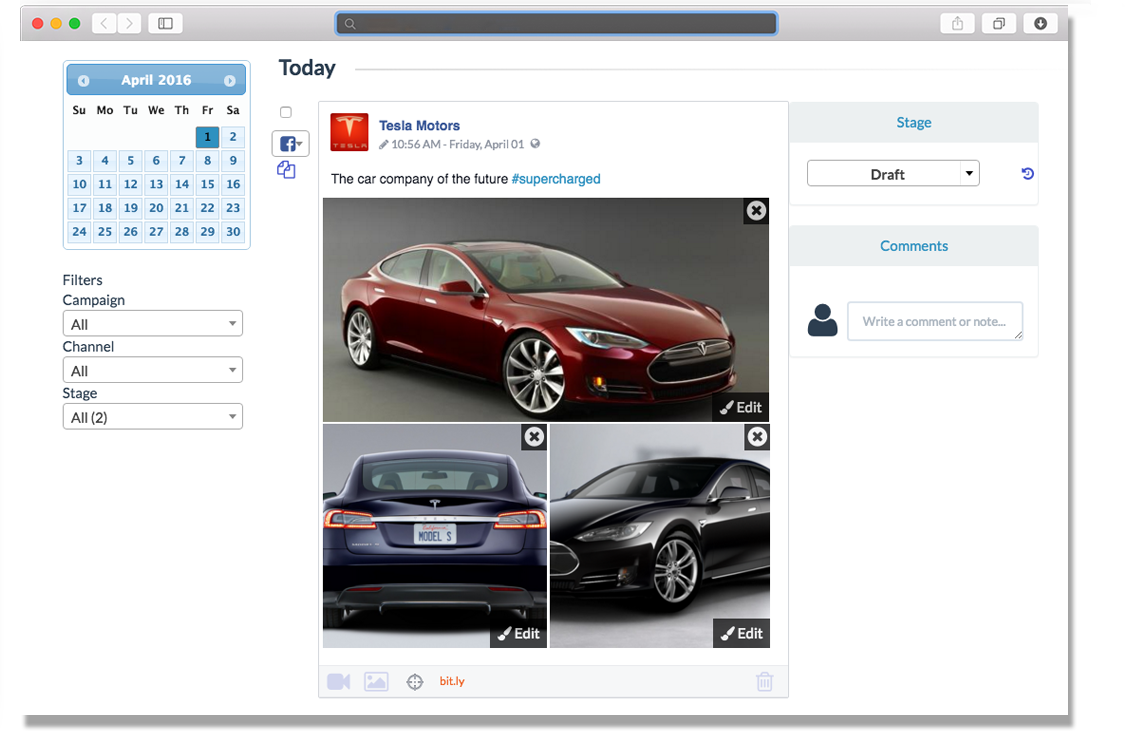
HeyOrca is a solution that allows an agency’s clients to review and approve upcoming social media content. The vendor aims to help agencies save time by moving away from using spreadsheets and docs to communicate and obtain approvals from their clients. With this solution, no logins or spreadsheets are needed. Agencies can invite clients into a visual stakeholder-friendly view where they can approve and provide feedback without needing to sign up. Agencies can also record every change made to…
$59
per month per calendar
MEGA
Score7.9 out of 10
N/A
Launched in 2013, MEGA is a zero-knowledge cloud storage provider that delivers user-controlled end-to-end encryption, with an emphasis on easy accessibility.
N/A
Pricing
HeyOrca
MEGA
Editions & Modules
Solo
$0
Basic
$59
per month per calendar
Standard
$99.00
per month per calendar
Pro
$149
per month per calendar
No answers on this topic
Offerings
Pricing Offerings
HeyOrca
MEGA
Free Trial
Yes
Yes
Free/Freemium Version
No
Yes
Premium Consulting/Integration Services
No
No
Entry-level Setup Fee
No setup fee
No setup fee
Additional Details
Plans start at: $99 USD Per Month. From there, the price scales according to your needs, up to a maximum of $499 USD per month.
—
More Pricing Information
Features
HeyOrca
MEGA
Publishing
Comparison of Publishing features of HeyOrca and MEGA
Feature
HeyOrca
8.3
6 Ratings
2% above category average
MEGA
-
Ratings
Content planning and scheduling
10.06 Ratings
00 Ratings
Audience targeting
7.04 Ratings
00 Ratings
Workflow management
8.06 Ratings
00 Ratings
Engagement
Comparison of Engagement features of HeyOrca and MEGA
Feature
HeyOrca
9.0
5 Ratings
10% above category average
MEGA
-
Ratings
Bulk actions
9.05 Ratings
00 Ratings
Channel coverage/integration
Comparison of Channel coverage/integration features of HeyOrca and MEGA
Feature
HeyOrca
9.3
6 Ratings
11% above category average
MEGA
-
Ratings
Twitter
10.06 Ratings
00 Ratings
Facebook
9.06 Ratings
00 Ratings
LinkedIn
9.06 Ratings
00 Ratings
Instagram
9.06 Ratings
00 Ratings
Account management
Comparison of Account management features of HeyOrca and MEGA
Feature
HeyOrca
8.0
6 Ratings
1% above category average
MEGA
-
Ratings
Role-based user permissions & privileges
9.06 Ratings
00 Ratings
Mobile access
7.06 Ratings
00 Ratings
File Sharing & Management
Comparison of File Sharing & Management features of HeyOrca and MEGA
Feature
HeyOrca
-
Ratings
MEGA
8.7
1 Ratings
4% above category average
Versioning
00 Ratings
7.01 Ratings
Video files
00 Ratings
10.01 Ratings
Audio files
00 Ratings
10.01 Ratings
Document collaboration
00 Ratings
7.01 Ratings
Access control
00 Ratings
8.01 Ratings
File search
00 Ratings
9.01 Ratings
Device sync
00 Ratings
10.01 Ratings
Cloud Storage Security & Administration
Comparison of Cloud Storage Security & Administration features of HeyOrca and MEGA
Feature
HeyOrca
-
Ratings
MEGA
8.7
1 Ratings
1% above category average
User and role management
00 Ratings
9.01 Ratings
File organization
00 Ratings
9.01 Ratings
Device management
00 Ratings
8.01 Ratings
Cloud Storage Platform
Comparison of Cloud Storage Platform features of HeyOrca and MEGA
Feature
HeyOrca
-
Ratings
MEGA
9.7
1 Ratings
11% above category average
Performance
00 Ratings
10.01 Ratings
Reliability
00 Ratings
10.01 Ratings
Storage Reports
00 Ratings
9.01 Ratings
Best Alternatives
HeyOrca
MEGA
Small Businesses
Sendible
Score7.2 out of 10
IDrive Online Backup and Object Storage e2
Score9.1 out of 10
Medium-sized Companies
Emplifi
Score8.9 out of 10
Apple iCloud
Score8.4 out of 10
Enterprises
Salesforce Marketing Cloud Social Studio (discontinued)
HeyOrca is perfect for the social post editing. For example, when I send the content link to my clients, they can easily go in and comment on posts that need editing rather than having to email me changes. Essentially it streamlines client/agency communication. It is perfect for a smaller agency who has less than 20 clients. I think HeyOrca is not for those whose main content is blogs and corresponding social posts. WordPress isn't Integrated, making it inconvenient to manage.
A de minimis incentive was given to thank the reviewer for their time. The incentive was not used to bias or drive a particular response, nor was the incentive contingent on a positive endorsement. More Info
MEGA is great for storing and syncing files across devices. It has a great web interface, as well as a sync tool for desktop and a mobile app that works very well on iPhone. (I have not used the Android version of the app.) I like the overall usability, as well as some of the features like the QR code and contact list functionality. I like the file versioning and file management features as well. What works less well for me is collaboration with other users, and file sharing among users. I have not been able to find a way to view all files shared with me from other users in the same view as my own files. In fact, when files are shared with me, the only way I have been able to locate them is through Notifications, which is sub-par. I would much prefer to see all shared folders alongside my files, without having to make a copy of the shared folder, thus losing the ability to sync with another user's changes, as well as using up my storage space.
A de minimis incentive was given to thank the reviewer for their time. The incentive was not used to bias or drive a particular response, nor was the incentive contingent on a positive endorsement. More Info
A de minimis incentive was given to thank the reviewer for their time. The incentive was not used to bias or drive a particular response, nor was the incentive contingent on a positive endorsement. More Info
A de minimis incentive was given to thank the reviewer for their time. The incentive was not used to bias or drive a particular response, nor was the incentive contingent on a positive endorsement. More Info
A de minimis incentive was given to thank the reviewer for their time. The incentive was not used to bias or drive a particular response, nor was the incentive contingent on a positive endorsement. More Info
A de minimis incentive was given to thank the reviewer for their time. The incentive was not used to bias or drive a particular response, nor was the incentive contingent on a positive endorsement. More Info
Hey Orca has a lot of really great features, they make the workflow really easy and are extremely available for help with questions. I think there are some minor workflow issues that it could overcome and features it could add on that are available in other apps. It definitely doesn't offer the best analytics and also hasn't offered single image direct publishing like hootsuite does. Yet, it's benefits outweigh those minor inconveniences for our team
A de minimis incentive was given to thank the reviewer for their time. The incentive was not used to bias or drive a particular response, nor was the incentive contingent on a positive endorsement. More Info
Clean, contemporary UI that is heavily polished and works great. You can tell they did a lot of user testing with this, and have a top notch UI design team that really cares about the customer. A highly user-friendly service across platforms and form factors, I found their web, desktop and mobile apps to all be impeccably designed and consistent.
A de minimis incentive was given to thank the reviewer for their time. The incentive was not used to bias or drive a particular response, nor was the incentive contingent on a positive endorsement. More Info
A de minimis incentive was given to thank the reviewer for their time. The incentive was not used to bias or drive a particular response, nor was the incentive contingent on a positive endorsement. More Info
While I have never contacted customer support, there is a large user community that has posted solutions on third party websites to a number of common questions like how to share files, and how to access files that have been shared with you. When I received a 40 GB shared file, I was not able to find how to access it until I searched on Google to find a solution, which was easy to find. The large user community helps with support tremendously.
A de minimis incentive was given to thank the reviewer for their time. The incentive was not used to bias or drive a particular response, nor was the incentive contingent on a positive endorsement. More Info
HeyOrca is definitely more for the agency level than Hootsuite. Hootsuite is fairly limited, even at its larger plans. HeyOrca is geared towards agencies, and that is definitely clear in the interface and arrangement. Hootsuite sure seems like more of a consumer product than a B2B product in my opinion.
A de minimis incentive was given to thank the reviewer for their time. The incentive was not used to bias or drive a particular response, nor was the incentive contingent on a positive endorsement. More Info
The two apps Google Drive and MEGA provided free cloud storage but Google Drive grants just 15 GB not more as free to try, At that time MEGA granted us 50 GB at the beginning of use, which gave us a chance to use it with high capacity.
A de minimis incentive was given to thank the reviewer for their time. The incentive was not used to bias or drive a particular response, nor was the incentive contingent on a positive endorsement. More Info
A de minimis incentive was given to thank the reviewer for their time. The incentive was not used to bias or drive a particular response, nor was the incentive contingent on a positive endorsement. More Info
A de minimis incentive was given to thank the reviewer for their time. The incentive was not used to bias or drive a particular response, nor was the incentive contingent on a positive endorsement. More Info