Hornetsecurity 365 Total Protection vs. Keepit

Overview
ProductRatingMost Used ByProduct SummaryStarting Price
Hornetsecurity 365 Total Protection
Score 10.0 out of 10
N/A
With 365 Total Protection, Hornetsecurity offers users enterprise security management in conjunction with Microsoft Office 365. The Enterprise version gives users enhanced functionality and protection, and covers legally compliant email archiving with advanced features such as eDiscovery and 10-year email retention. It also offers protection against advanced persistent threats through the use of AI-based analysis mechanisms.N/A
Keepit
Score 9.4 out of 10
N/A
The Keepit platform, from the company of the same name in Copenhagen, is a solution that protects cloud data, boasting simple deployment and restore options that enable users to recover historic data. The Keepit platform supports any Cloud Workload and offers full retention on the user's terms from one year to eternity. It features indexing and search to ensure users have a complete view of data. The solution features supports Microsoft Office 365, Dynamics 365, Google Workspace, and…N/A
Pricing
Hornetsecurity 365 Total ProtectionKeepit
Editions & Modules
No answers on this topic
Offerings
Pricing Offerings
Hornetsecurity 365 Total ProtectionKeepit
Free Trial
NoYes
Free/Freemium Version
NoNo
Premium Consulting/Integration Services
NoNo
Entry-level Setup FeeOptionalNo setup fee
Additional Details
More Pricing Information
Community Pulse
Hornetsecurity 365 Total ProtectionKeepit
Features
Hornetsecurity 365 Total ProtectionKeepit
Data Center Backup
Comparison of Data Center Backup features of Product A and Product B
Hornetsecurity 365 Total Protection
-
Ratings
Keepit
8.3
29 Ratings
4% below category average
Management dashboard00 Ratings8.229 Ratings
Retention options00 Ratings8.728 Ratings
Encryption00 Ratings8.026 Ratings
Enterprise Backup
Comparison of Enterprise Backup features of Product A and Product B
Hornetsecurity 365 Total Protection
-
Ratings
Keepit
7.9
24 Ratings
1% below category average
Operational reporting and analytics00 Ratings7.621 Ratings
Malware protection00 Ratings8.116 Ratings
Ransomware Recovery00 Ratings8.116 Ratings
SaaS Backup
Comparison of SaaS Backup features of Product A and Product B
Hornetsecurity 365 Total Protection
-
Ratings
Keepit
8.4
35 Ratings
3% below category average
SaaS Product Integration00 Ratings8.732 Ratings
Multiple Data Restoration Options00 Ratings8.435 Ratings
Data Auditing and Search00 Ratings8.233 Ratings
Data Storage in the Cloud or On-Premises00 Ratings8.527 Ratings
Best Alternatives
Hornetsecurity 365 Total ProtectionKeepit
Small Businesses
Cove Data Protection
Score 9.7 out of 10
Cove Data Protection
Score 9.7 out of 10
Medium-sized Companies
Druva Security Cloud
Score 9.5 out of 10
Druva Security Cloud
Score 9.5 out of 10
Enterprises
Druva Security Cloud
Score 9.5 out of 10
Druva Security Cloud
Score 9.5 out of 10
All AlternativesView all alternativesView all alternatives
User Ratings
Hornetsecurity 365 Total ProtectionKeepit
Likelihood to Recommend
-
(0 ratings)
8.6
(56 ratings)
Likelihood to Renew
-
(0 ratings)
8.8
(6 ratings)
Usability
-
(0 ratings)
8.7
(5 ratings)
Support Rating
-
(0 ratings)
9.3
(4 ratings)
Implementation Rating
-
(0 ratings)
8.7
(4 ratings)
User Testimonials
Hornetsecurity 365 Total ProtectionKeepit
Likelihood to Recommend
Hornetsecurity Inc.
No answers on this topic
Keepit
The ability to restore within minutes is beneficial and helps productivity; no longer spend hours restoring from tapes. They can show a new start to the interface and portal, and within minutes, they know how to navigate and restore if required. It is very user friendly and easy for understand and navigate.
Read full review
Pros
Hornetsecurity Inc.
No answers on this topic
Keepit
  • Cross tenant restores, allows you to migrate mailboxes from one tenant to another.
  • Being able to backup multiple tenants/platforms from a single interface is awesome.
  • The setup and ongoing maintenance is great, articles on how to setup security and gain access to data in a secure way is also a great feature
  • The interface is very intuitive and easy to navigate, it hides an awful lot of power
Read full review
Cons
Hornetsecurity Inc.
No answers on this topic
Keepit
  • Providing more information on an ongoing restore job. Once you begin a restore or a data import, it seems to be impossible to see which user account that job is tied to.
  • Its job percentages seem to be drastically inaccurate. It will say a job is 76% complete even though it has only restored 484MB of 8GB - but this is just a little annoying and not a real problem.
Read full review
Likelihood to Renew
Hornetsecurity Inc.
No answers on this topic
Keepit
If you're so surprised that the end of contract is already there and you can't remember a moment of issues... When no extra use cases are required... Why search the market if the pricing is also correct?
Read full review
Usability
Hornetsecurity Inc.
No answers on this topic
Keepit
Such a simple solution to use. User friendly, intuitive, processes can be completed in minutes instead of hours with restoring from tape, and requesting the return of tapes from the off site location, thus saving many hours and cost of storage. Also gives the end user a better experience as files can be restored almost immediately.
Read full review
Support Rating
Hornetsecurity Inc.
No answers on this topic
Keepit
Support helped us to set up SSO and MFA with our Azure AD Accounts. Once when the backup was failing, they could help us to investigate the reason and find a stale account that was preventing the backup. They are really concerned that the backup works and not only want to close the ticket like other support hotlines.
Read full review
Implementation Rating
Hornetsecurity Inc.
No answers on this topic
Keepit
very easy and fast implementation
Read full review
Alternatives Considered
Hornetsecurity Inc.
No answers on this topic
Keepit
We previously used Veeam to backup data from O365 to local servers. We had other SaaS platforms we needed to include and move from local to cloud backups. While Veeam does have multiple cloud options but compared with Keepit it was overly complicated and less cost effective. Keepit was a no-brainer in terms of simplicity and having a single 360 dashboard.
Read full review
Return on Investment
Hornetsecurity Inc.
No answers on this topic
Keepit
  • We don't need a lot of time setting up backups or monitoring them. Very time-efficient.
  • The restoration of data is very fast, so in the case of data loss, employees get their data back very fast.
  • It minimizes the risk of losing important data.
Read full review
ScreenShots

Hornetsecurity 365 Total Protection Screenshots
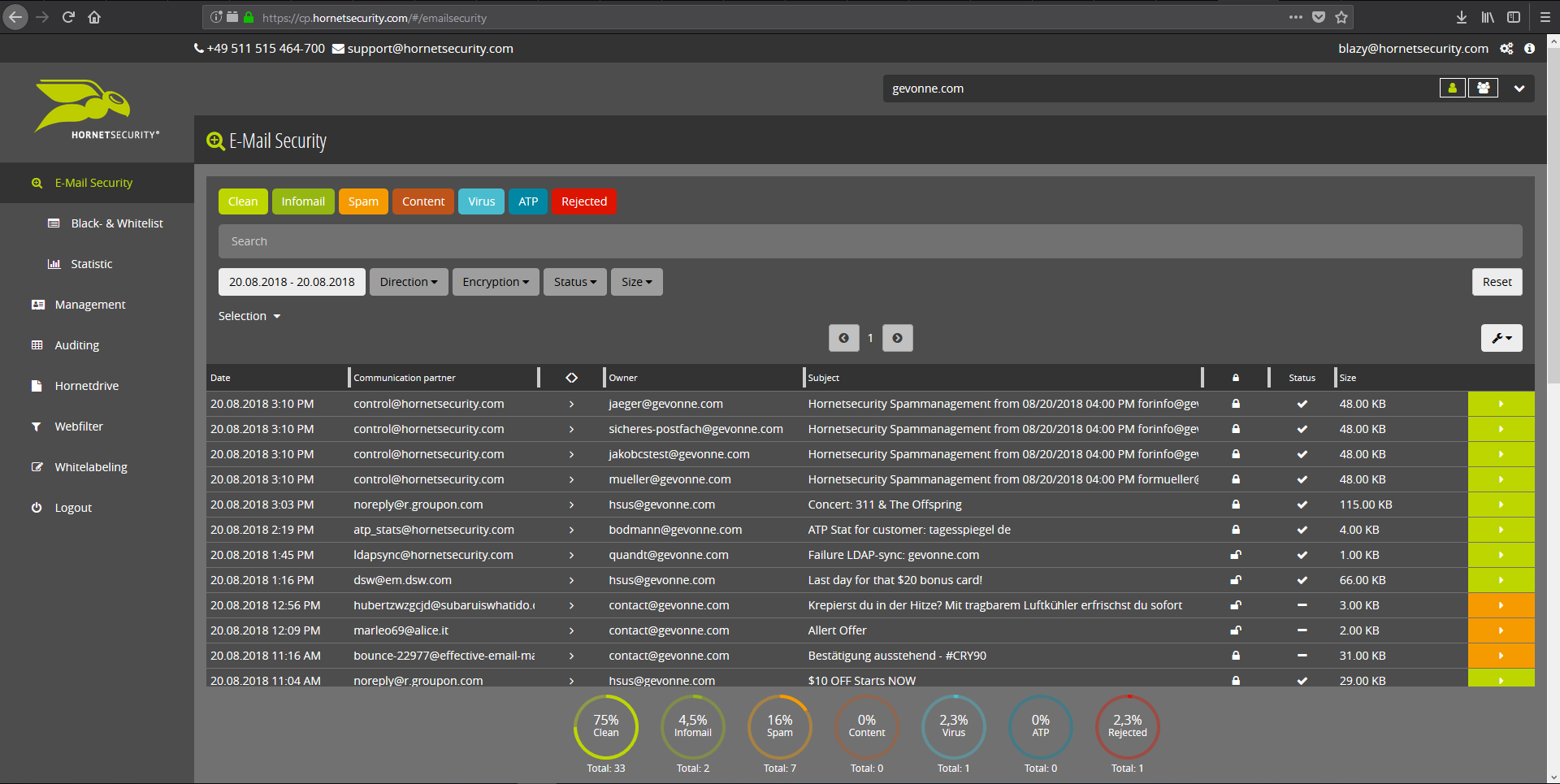
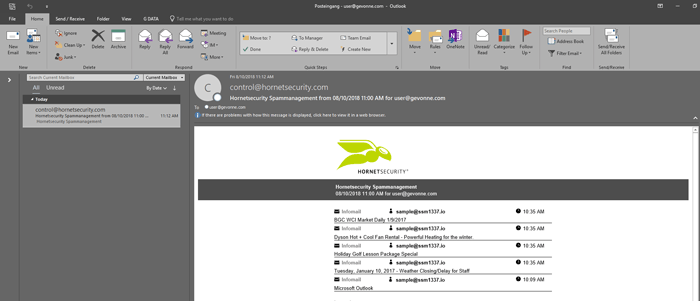
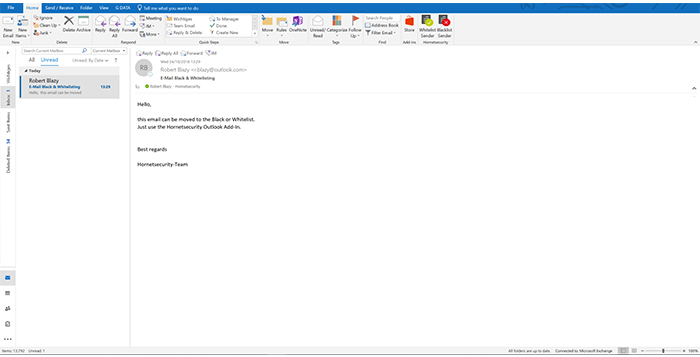
Screenshot of Email Live Tracking with user-defined settings offers users a complete overview of all Emails addressed to them. If an incoming Email has, for example, been classified as spam, you will receive comprehensive information and can individually determine any further interaction. This means that you can always quickly find any email you are searching for and delivery options can be defined for the future.Screenshot of With the help of Infomail Handlings, the inboxes or smartphones of your users will no longer be flooded with newsletters and ad mails. Users are no longer distracted by the constant arrival of unimportant emails, thus making it easier for them to keep track of relevant business matters.Screenshot of Content Control protects your email communication from receiving or sending unwanted or unauthorized file attachments in keeping with your company policy. When running Content Control, umbrella terms and categories (e.g., .docmacro or .executable) may be blocked, for example in the default group (mailboxes that are not allocated to any particular group). For a department such as Marketing, however, the receipt of media files and macros can, on the other hand, be necessary for daily business: In this respect, one can create, for example, a group for the Marketing department and adjust the settings in Content Control so that only potentially dangerous, e.g. executable, file formats are blocked for this group.Screenshot of If an incoming email (e.g. phishing or spam mail) constitutes a threat, the attack is immediately detected by the multi-stage filter systems of 365 Total Protection. Unwanted emails are directly rejected by the Threat Blocking function or detected in later analyses by Threat Intelligence and sent straight to Quarantine. In both cases, these emails will not be delivered to your mailbox.Screenshot of If you do not want to receive emails from one or several specific senders, you can put these on your personal Blacklist. With just one click directly in your in-box the selected senders can be added to the Blacklist to prevent emails from the same sender from being delivered to you in future. If an email from a generally unobjectionable sender lands in Quarantine by mistake, thus appearing in the spam report, the “Whitelist” function can be used. Emails from senders on your Whitelist will always be delivered to your in-box in future.Screenshot of Every email sent out by a company is not only relevant to the business, but is also your company’s business card. In terms of content, a company-wide standardized structure and the completeness of signature datasets are essential. In this context, all email signatures also have the same visual design and layout. This task can also be allocated to the Marketing department or office management via the “What You See is What You Get” editor.

Keepit Screenshots

Screenshot of Login screenScreenshot of Connectors PageScreenshot of Configuration Pop Up for MicrosoftScreenshot of Job MonitorScreenshot of Restore Pop Up