IBM MaaS360 is a mobile security offering developed by Fiberlink, acquired and owned by IBM since early 2014.
$4
Per Client
Pulseway
Score 7.0 out of 10
Mid-Size Companies (51-1,000 employees)
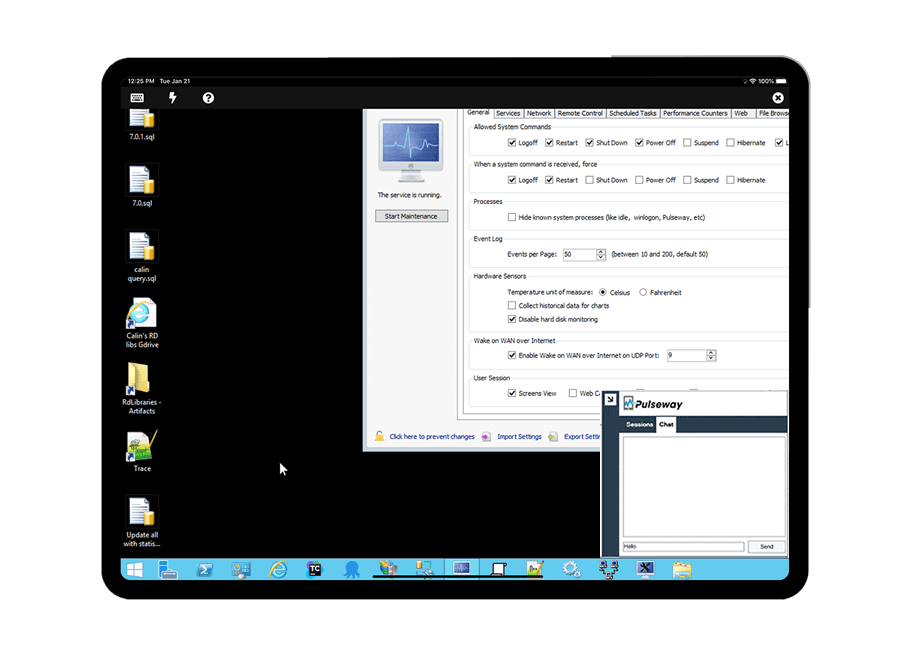
Pulseway is an IT monitoring and management solution that enables users to monitor, manage and control all systems and servers from a smartphone, tablet or browser. For system administrators, Pulseway sends a notification, so they can see an issue and sort it in seconds. Pulseway features: Automation: Auto-remediation workflows, so that IT issues are fixed before users even notice them. Mobile Access: Customers can monitor, manage, connect with…
$0.80
per month per installation
Pricing
IBM MaaS360
Pulseway
Editions & Modules
Essentials
USD 4.00
Per Client
Deluxe
USD 5.00
Per Client
Premier
USD 6.25
Per Client
Enterprise
USD 9.00
Per Client
Enterprise
$0.80
per month per installation
Offerings
Pricing Offerings
IBM MaaS360
Pulseway
Free Trial
Yes
Yes
Free/Freemium Version
No
Yes
Premium Consulting/Integration Services
No
Yes
Entry-level Setup Fee
No setup fee
No setup fee
Additional Details
—
No hidden fees or contracts. Term-based discounts.
Enrolling bulk devices through the Device Enrollment Program (DEP) is simple, straightforward, and quick. Multiple methods for device enrollment are available, including barcode scanning, email, and manual entry via the platform. App synchronization between Apple Business Manager (ABM) and the MaaS360 platform occurs swiftly. Additionally, app distribution and removal are efficiently managed on the platform.
If you have to manage a large number of computers, especially spread over multiple clients or a large physical area. This is one of the main products that allows us to act as a Managed Service Provider (MSP) and actually manage our clients devices and not just react to issues as clients call them in. Clients really love the proactive approach it allows us to take. Sadly as we became more familiar with options out there we found this area lacking and what was actually holding us back.
It monitors computers and notifies us of any issues with any computer.
It allows remote control of computers, such as requesting a computer to reboot itself.
It is very highly configurable to monitor exactly what we need to monitor. For example, on server, we can have it notify us any time the server is shutdown or rebooted. On the other hand, for a desktop computer, we don't have to be bothered with notifications when a user decides to reboot his computer.
MaaS360 with Watson has a lot of features and capabilities, which can sometimes make it difficult for us to navigate. Improving the user interface and making it friendly could help make the platform easier to use.
Expanding integrations with other systems to provide better support for a wider range of systems and platforms.
I'll gave it a 10, because we have not come across any negative point with MaaS360. In a real comparison with other UEMs / MDMs you will find out that other providers that claim to be "free" or "included" don't have the capeabilities that MaaS360 has. Some features are just not available and others would require you to pay for them. In that case the product would not be "free" anymore.
Having years of experience with MDM and experiencing the evolution of the granularity of the functionality MDM's have had to evolve, no MDM is ever "easy" to use. MaaS360 rises to the top however, because zero day changes are always ahead of the competition. A huge benefit with MaaS360 and IBM's approach to supporting these changes is that they seldom change configuration work flows. Competing Vendors always arbitrarily change workflows which requires a significnat ongoing learning curve in order to maintain technical competence
The tool is easy to use however it is can be daunting with the amount of features available in it. Last I checked, their knowledge base was not very expansive and they relied a lot on the changelog for how to do some stuff. This can make it hard to learn how to do some more advanced things like the automation.
MaaS360's phone support has been decent the few times I have used it. In addition the person who on-boarded us has been available for additional questions after the process was over. However IBM could do a much better job in creating a user-friendly search engine and white-paper database to help people find topics. Right now finding info is more based on searching through white papers themselves.
I have never had to use the support for Pulseway. However, when initially starting out, we would receive emails every so often asking how we are doing and if there is any support that they can provide. I would imagine that any request would be supplied with the same great support!
To implement IBM Security MaaS360 with Watson, follow these steps: Set up the platform, enroll devices, configure policies and settings, monitor and manage devices. Implementing it can help organizations to securely manage and monitor the use of mobile devices and related resources in their networks, improving security and productivity for their users.
Ease of use and management of mobile devices are easier and has protection against the Cyber threats. The security controls implementation on our devices are perfect and in one place. I love the responsiveness and prosctivenes of the support. Seamless integration with all security devices. The ability to wipe and control days remotely is perfect easy to control all our company information by locking down lost and stolen devices.
Pulseway has the most features, the best looking app with the best design and better usability than any others we evaluated. We liked the uniformity of the app design across all platforms (Windows, Android, Apple) and the notifications displayed on each platform. The price was a major contributor to our selection of Pulseway compared to the competition.
IBM Congos Analytics has a steep learning curve, but once mastered, Congos can handle massive datasets and complex, multi-tiered reporting. Thousands of users are no problem. A downside is the complexity of the inital setup of this "all in one" tool, what might affect the deployment time.
We worked with an IBM SE who was incredibly competent and extremely professional in handling our questions in addition to ensuring the Knowledge Transfer was completed properly
Problems can be dealt with more rapidly because I have access to systems from anywhere. I don't have to carry a computer with me nor do I have to find a location with potentially non-secure wifi to gain access to my systems.
I can handle 99% of my system admin tasks using Pulseway and never have to touch a system or connect to the console.
Pulseway gives so much control over a system that I don't need to spend extra money on other software to perform management tasks.