TrustRadius: an HG Insights company

Save this comparison

Save this comparison

Add Product

Recommended Comparisons

    Overview
    ProductRatingMost Used ByProduct SummaryStarting Price

    IBM SevOne

    Score8.6 out of 10
    N/AIBM SevOne’s app-centric, hybrid network observability empowers NetOps teams with ML-driven insights, enabling proactive issue prevention and resolution. With a single source of truth for network performance, it delivers visibility to optimize operations and support agility in complex, multi-cloud environments.N/A

    Intermapper

    Score8.4 out of 10
    N/AIntermapper is a network monitoring and mapping software for hybrid environments. Intermapper provides real-time performance alerts and bandwidth monitoring with cross-platform functionality.N/A
    Pricing
    IBM SevOneIntermapper
    Editions & Modules
    No answers on this topic
    No answers on this topic
    Offerings
    Pricing Offerings
    IBM SevOneIntermapper
    Free Trial
    NoYes
    Free/Freemium Version
    NoYes
    Premium Consulting/Integration Services
    YesYes
    Entry-level Setup FeeNo setup feeOptional
    Additional DetailsIBM® SevOne® uses Managed Device (MD) and Managed Client Device (MCD) as pricing metrics. These can be mapped to managed devices for physical, virtualized and containerized functions in the managed environment.Intermapper pricing is based on number of devices monitored. Intermapper is free for 5 devices or less. Subscription pricing starts at $303 for 25 devices. Device-based pricing starts at $765 for 25 devices.
    More Pricing Information
    Community Pulse
    IBM SevOneIntermapper
    Considered Both Products
    IBM
    No answer on this topic
    Fortra
    No answer on this topic
    Key User Insights
    Would buy again
    100%
    Would buy again
    15 Answers
    No answers on this topic
    Delivers good value for the price
    100%
    Delivers good value for the price
    14 Answers
    No answers on this topic
    Happy with the feature set
    100%
    Happy with the feature set
    15 Answers
    No answers on this topic
    Lived up to sales and marketing promises
    92%
    Lived up to sales and marketing promises
    11 Answers
    No answers on this topic
    Implementation went as expected
    91%
    Implementation went as expected
    10 Answers
    No answers on this topic
    Features
    IBM SevOneIntermapper
    Network Performance Monitoring
    Comparison of Network Performance Monitoring features of IBM SevOne and Intermapper
    Feature
    IBM SevOne
    7.6
    16 Ratings
    4% below category average
    Intermapper
    7.2
    8 Ratings
    10% below category average
    Automated network device discovery8.016 Ratings7.05 Ratings
    Network monitoring7.516 Ratings8.08 Ratings
    Baseline threshold calculation7.515 Ratings7.05 Ratings
    Alerts7.015 Ratings7.08 Ratings
    Network capacity planning7.615 Ratings7.03 Ratings
    Packet capture analysis7.610 Ratings7.04 Ratings
    Network mapping7.616 Ratings8.07 Ratings
    Customizable reports7.716 Ratings00 Ratings
    Wireless infrastructure monitoring7.413 Ratings7.05 Ratings
    Hardware health monitoring8.37 Ratings7.07 Ratings
    Best Alternatives
    IBM SevOneIntermapper
    Small Businesses
    Auvik
    Score8.8 out of 10
    Auvik
    Score8.8 out of 10
    Medium-sized Companies
    PingPlotter
    Score9 out of 10
    PingPlotter
    Score9 out of 10
    Enterprises
    Nmap
    Score8.7 out of 10
    Nmap
    Score8.7 out of 10
    All AlternativesView all alternativesView all alternatives
    User Ratings
    IBM SevOneIntermapper
    Likelihood to Recommend
    7.7
    (16 ratings)
    8.0
    (9 ratings)
    Support Rating
    -
    (0 ratings)
    9.0
    (1 ratings)
    User Testimonials
    IBM SevOneIntermapper
    Likelihood to Recommend
    IBM
    IBM SevOne ensures deep performance and in depth monitoring and allows customization according to specific organisation or business needs. Availability of real-time alerts and unlimited customization. The software integrates freely with many third party applications and has reliable analytics and reporting systems. Ability of the software in automating routine network monitoring tasks which reduces operational costs. Software pricing is a major challenge towards smooth implementation of the software. It is expensive and not affordable to small businesses and organisations.
    Read full review
    Fortra
    Intermapper is a light weight, quick and easy to use monitoring application. It will get you up and monitoring key infrastructure devices with a simple management interface and effective alert system that doesn't generate a lot of noise. It provides mobile device access through a web interface and is relatively inexpensive.
    Incentivized
    Read full review
    Pros
    IBM
    • To see trends in network usage, identify upgrade switches, increase bandwidth and cabling
    • Provide dashboards to operations, logistics for both warehouse and production managers
    • Can integrate into incident systems to auto create tickets when issues happen
    Incentivized
    Read full review
    Fortra
    • The best thing about Intermapper is that it is map-based. You start by building your map, which is done completely automatically. I've used many different monitoring software packages, Solarwinds, Nagios, Opmanager, and it is a royal PITA to create live maps with those.
    • Another great feature is that it shows you, visually, the bandwidth utilization of your network by using "ants" and color codes. Incredibly useful.
    • Alarms are very easy to setup, again much easier than the packages mentioned above.
    Incentivized
    Read full review
    Cons
    IBM
    • Documentation for the embedded help pages in NMS and more. In my opinion, these do not provide anything of any depth or maybe anything helpful at all. If anything it just seems to be a guide of what actually exists on the page. It is nicely searchable documentation though.
    • It is very surprising and disappointing for us to learn that it isn't until the latest version of IBM SevOne that bulk editing was introduced. I think this is such a basic and foundational feature that should have been a part of the original rollout. My team is still trying to configure the REST API.
    • It was disappointing for the webinar to start with a speaker who had a thick accent and simply read from slides. To me, it felt hopeless until the second speaker, who was engaging and easy to understand. It's as if this fact wasn't considered. I'm sure the first speaker lost a lot of viewers who didn't stick around to discover the 2nd speaker.
    • I asked three different questions during the webinar and none were answered.
    Incentivized
    Read full review
    Fortra
    • Setting up probes in bulk can be difficult, so it can take a long time to get the system set up correctly to start.
    • Sometimes the probes can be sensitive and report false positives.
    • Interface can be a little clunky and non intuitive at times.
    Incentivized
    Read full review
    Support Rating
    IBM
    No answers on this topic
    Fortra
    The product works well and is very easy to maintain. As such, we haven't had many occasions to use support. When we have called them they were easy to contact and responsive to our questions. We have had the product for years and it may have been a year or better since the last time we contacted them.
    Incentivized
    Read full review
    Alternatives Considered
    IBM
    IBM SevOne was selected instead of Datadog because it is perfect for large insurance networks and also connects trouble-free between the on-premise and cloud environments. Its alerts are in real-time, it offers comprehensive dashboards and it allows to gain a better grip on the network issues, thus helping to keep the downtime small and the operations well managed thanks to the good communication.
    Incentivized
    Read full review
    Fortra
    Intermapper is a cross between WhatsUp Gold and Nagios. WhatsUp Gold being for a less technical end-user and Nagios doing more than just SNMP scans and up down monitoring.
    Incentivized
    Read full review
    Return on Investment
    IBM
    • Being able to create reports with variables, so end users can check on a multitude of devices easily.
    • Proactive alarming on issues that will cause outages.
    • Automatic provisioning of Virtual Machines into IBM SevOne through the VMWare plugin
    Incentivized
    Read full review
    Fortra
    • Downtime costs money. Every minute we can get ahead of an outage is time that a plant is not sitting there waiting. We don't need to wait for a call from a plant, we know they are down immediately and we can begin troubleshooting.
    Incentivized
    Read full review
    ScreenShots

    IBM SevOne Screenshots

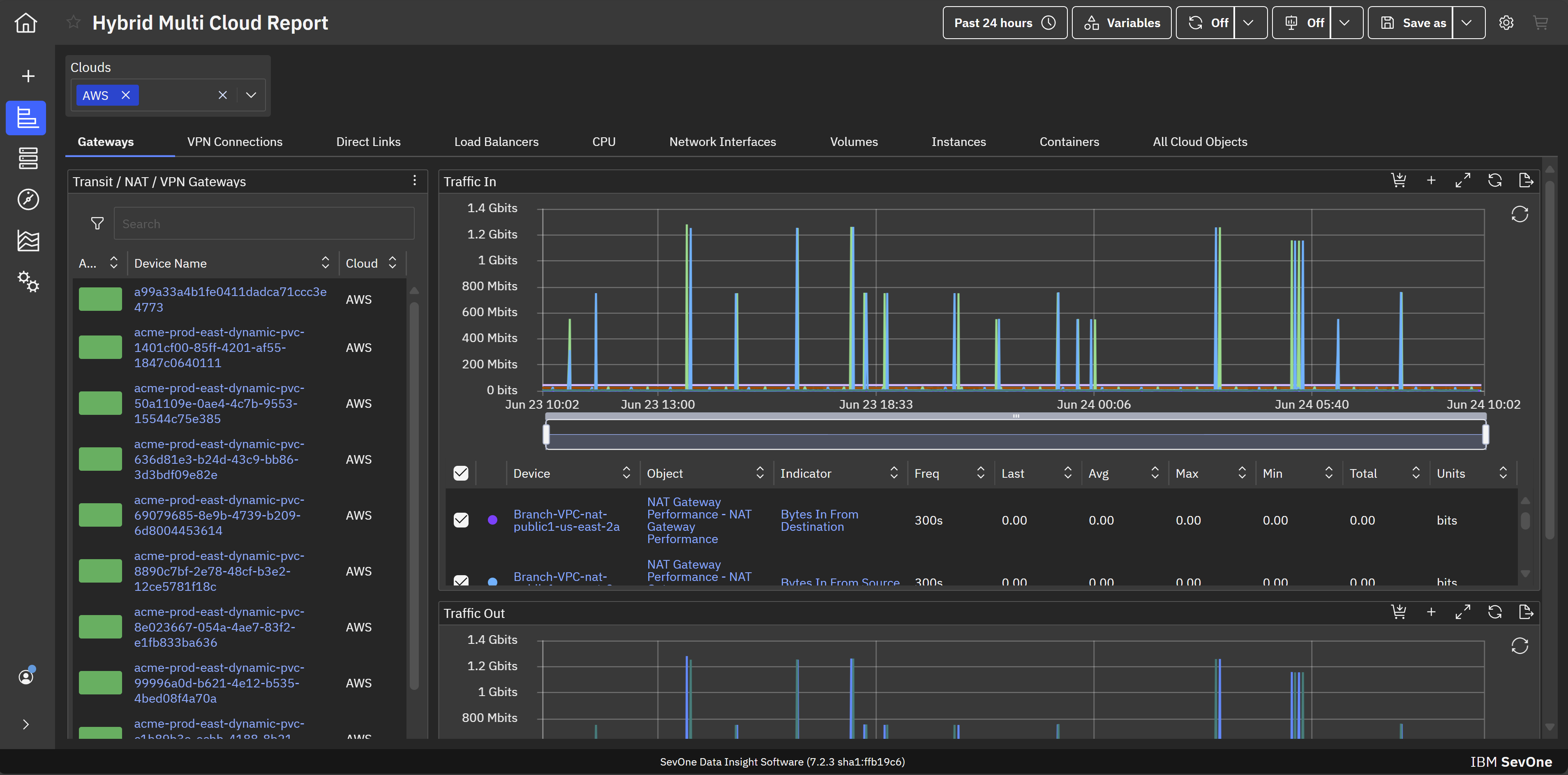
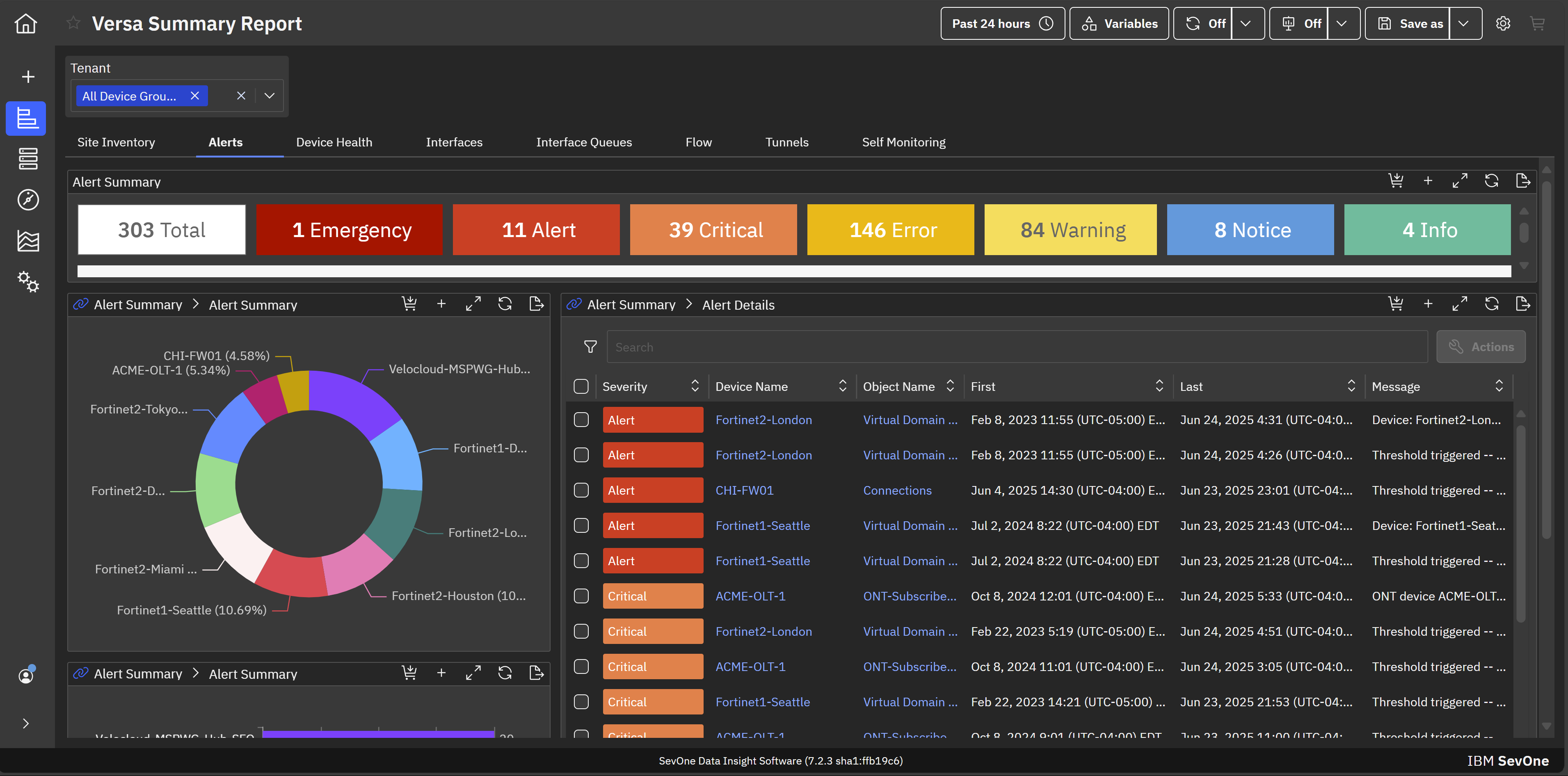
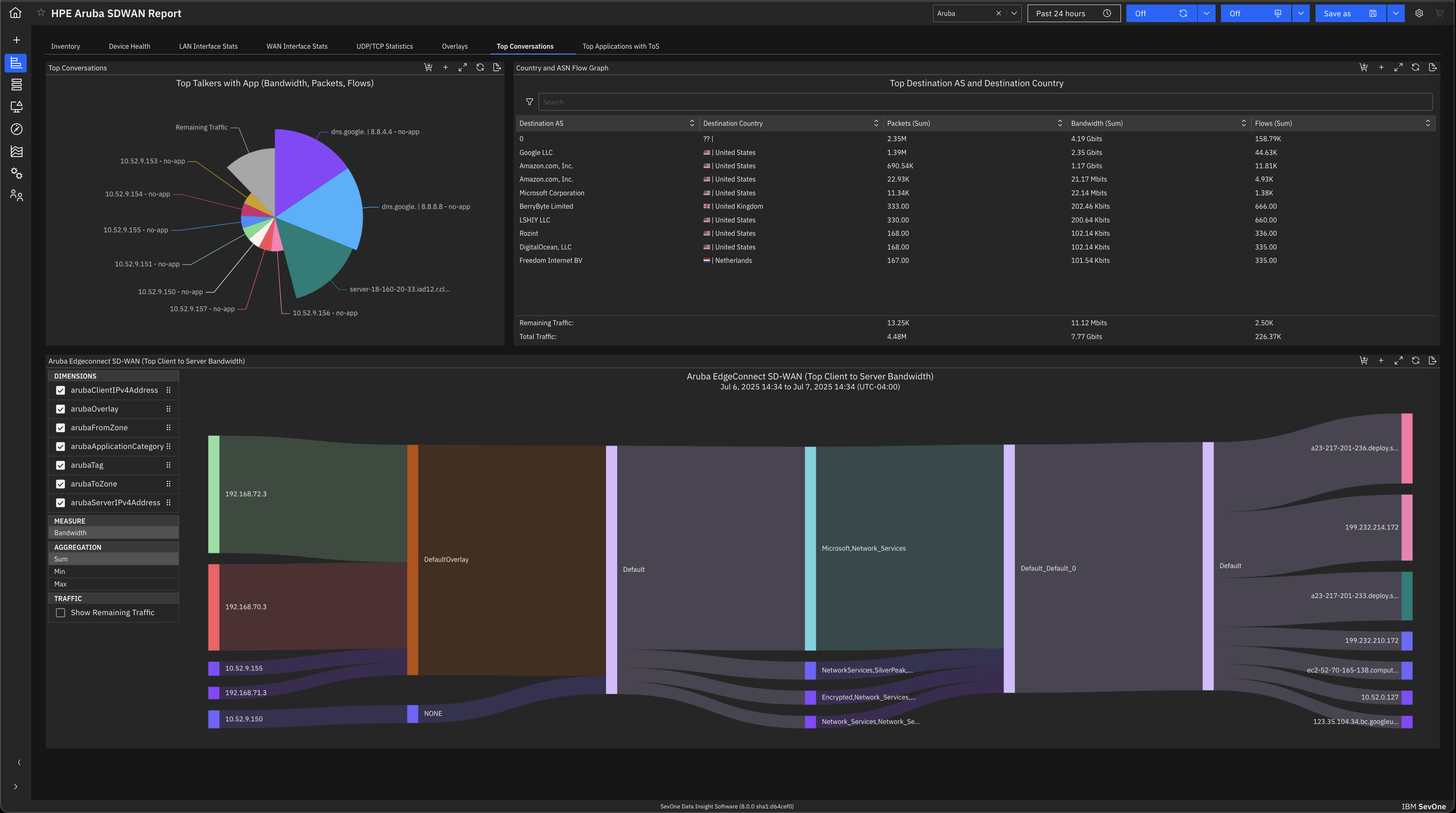
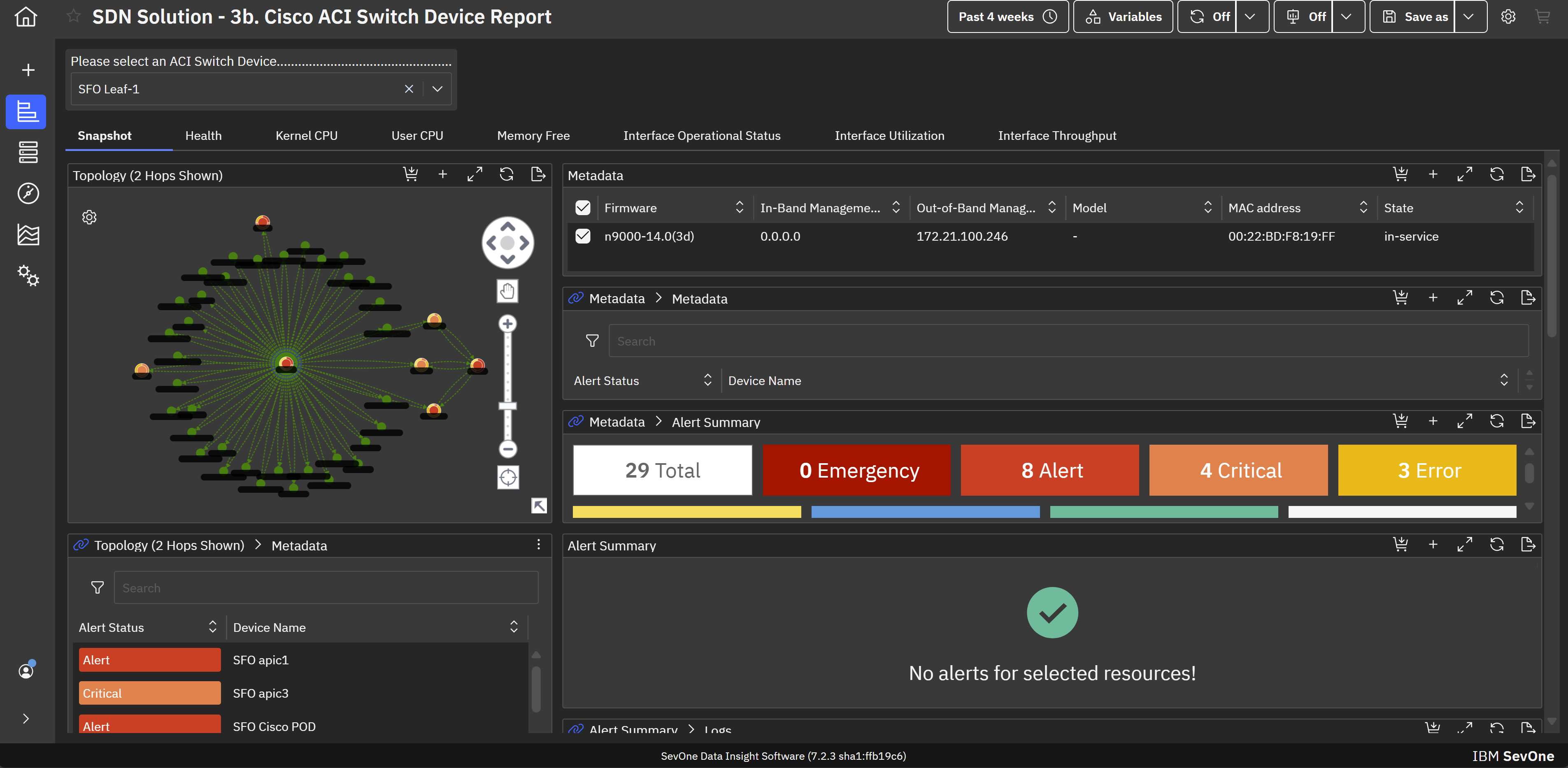
    Screenshot of Hybrid cloud network monitoring. This view helps achieve application-centric observability in hybrid cloud environments for maintaining optimal performance across infrastructure.Screenshot of MSP network monitoring. This provides comprehensive network monitoring and observability that empower MSPs to support enterprise clients on their hybrid multicloud journeys.Screenshot of SD-WAN monitoring. This helps mitigate the transitional risk of moving from traditional WANs to fast and dynamic SD-WAN links.Screenshot of SDN monitoring. This helps maximize the performance and value of Cisco ACI infrastructure with built-in support for monitoring Cisco ACI-based software-defined networks (SDNs).Screenshot of Enterprise wifi monitoring. This creates visibility across wifi infrastructures to assure consistent high-quality services with modern wifi monitoring and management capabilities.Screenshot of A view of the default machine learning analytics and visualizations that aid in troubleshooting, anomaly detection, and forecasting. This allows for proactive identification and troubleshooting of issues before they impact end-users.

    Intermapper Screenshots

    Screenshot of Intermapper maps are flexible to configure exactly to your liking.Screenshot of See your devices on a Google map. Access on any device with our web-based version.Screenshot of Device statuses give you real-time information about how your equipment is performing