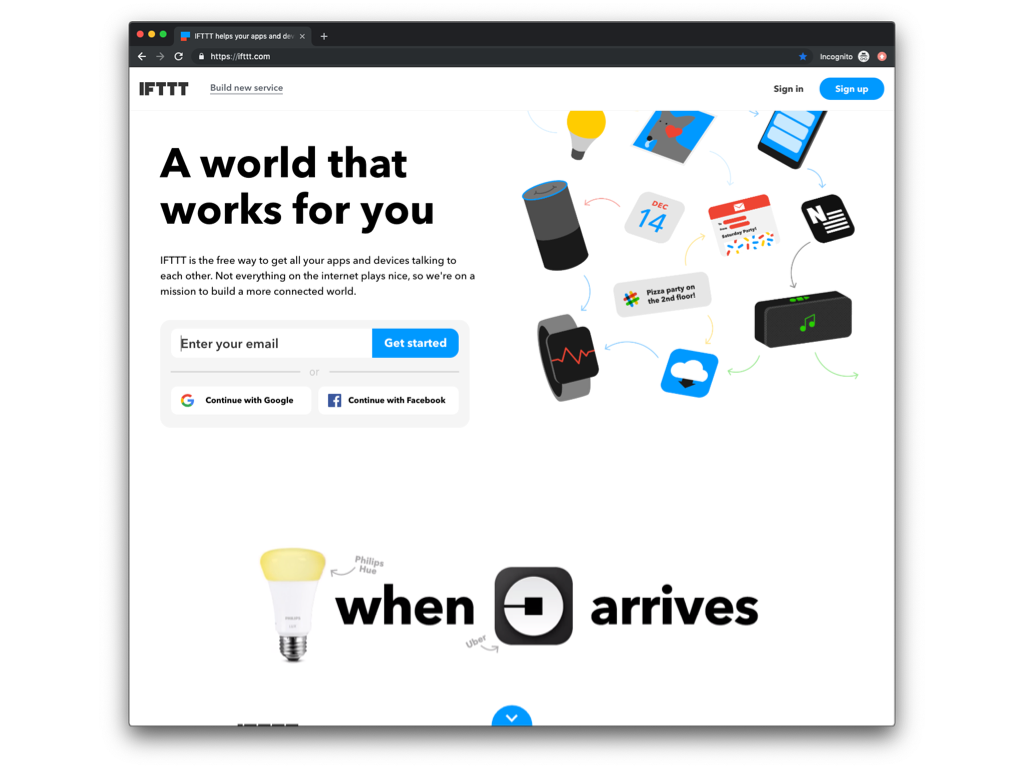
IFTTT is a marketing automation software solution offered by IFTTT. It is scaled for non-technical
users and less complex, generally two-step connectors and API’s.
N/A
Microsoft Dynamics 365 Customer Service
Score8 out of 10
N/A
Microsoft Dynamics 365 Customer Service is designed to create positive experiences through any channel and on any device to exceed customer expectations.
$50
per month per user
Pricing
IFTTT
Microsoft Dynamics 365 Customer Service
Editions & Modules
No answers on this topic
Dynamics 365 Customer Service Professional
$50
per month per user
Add-In - Chat
$60
per month per user
Dynamics 365 Customer Service Enterprise
$105
per month per user
Dynamics 365 Customer Service Premium
$195
per month per user
Offerings
Pricing Offerings
IFTTT
Microsoft Dynamics 365 Customer Service
Free Trial
Yes
No
Free/Freemium Version
Yes
No
Premium Consulting/Integration Services
Yes
No
Entry-level Setup Fee
No setup fee
No setup fee
Additional Details
—
—
More Pricing Information
Features
IFTTT
Microsoft Dynamics 365 Customer Service
Cloud Data Integration
Comparison of Cloud Data Integration features of IFTTT and Microsoft Dynamics 365 Customer Service
Feature
IFTTT
6.7
24 Ratings
18% below category average
Microsoft Dynamics 365 Customer Service
-
Ratings
Pre-built connectors
7.824 Ratings
00 Ratings
Connector modification
6.217 Ratings
00 Ratings
Support for real-time and batch integration
6.916 Ratings
00 Ratings
Data quality services
5.17 Ratings
00 Ratings
Data security features
7.610 Ratings
00 Ratings
Monitoring console
6.516 Ratings
00 Ratings
Incident and problem management
Comparison of Incident and problem management features of IFTTT and Microsoft Dynamics 365 Customer Service
Feature
IFTTT
-
Ratings
Microsoft Dynamics 365 Customer Service
7.4
3 Ratings
10% below category average
Organize and prioritize service tickets
00 Ratings
9.03 Ratings
Expert directory
00 Ratings
1.33 Ratings
Subscription-based notifications
00 Ratings
7.02 Ratings
ITSM collaboration and documentation
00 Ratings
6.83 Ratings
Ticket creation and submission
00 Ratings
10.03 Ratings
Ticket response
00 Ratings
10.03 Ratings
Self Help Community
Comparison of Self Help Community features of IFTTT and Microsoft Dynamics 365 Customer Service
Feature
IFTTT
-
Ratings
Microsoft Dynamics 365 Customer Service
4.5
3 Ratings
56% below category average
External knowledge base
00 Ratings
4.93 Ratings
Internal knowledge base
00 Ratings
4.23 Ratings
Multi-Channel Help
Comparison of Multi-Channel Help features of IFTTT and Microsoft Dynamics 365 Customer Service
Because of the multitude of options with IFTTT, it is hard to describe the best use scenarios, but I will share how I use the platform at this time. I use IFTTT to check Craigslist for certain IT equipment postings and email me if that occurs, turning items on and off with geo-fencing and WiFi network presence, and linking my calendar to my to-do list
A de minimis incentive was given to thank the reviewer for their time. The incentive was not used to bias or drive a particular response, nor was the incentive contingent on a positive endorsement. More Info
Suitable for ticketing that might also require routing to 'queues' and capturing communication timelines. Not as suitable for heavily credentials-management-type organizations or organizations that are not on the Microsoft stack. Also, not as suitable for organizations that have very high needs for knowledge base management or organizations that do not have resources or a partner to help extend the capabilities.
A de minimis incentive was given to thank the reviewer for their time. The incentive was not used to bias or drive a particular response, nor was the incentive contingent on a positive endorsement. More Info
IFTTT manages a number of social media accounts quite well. Being able to login to one platform with access to all your accounts is great.
IFTTT is easy to set up. IFTTT has a number of crowd sourced and created formulas that you can use, or if you're looking for something specific you can create your own. This allows for an endless number of combinations and ways to engage with the program.
IFTTT doesn't require constant upkeep. Once you have things setup you can forget about it and it just works.
A de minimis incentive was given to thank the reviewer for their time. The incentive was not used to bias or drive a particular response, nor was the incentive contingent on a positive endorsement. More Info
The website section "Activity" tends to get very crowded over time. It would benefit from some search and filter functionalities.
Some services lack ingredients. "Ingredients" are attributes passed from one service to another to enhance IFTTT's power. However, some services (like Evernote's notes, for example) currently have too few ingredients available.
It is not possible to link more than two services. It would be great, for example, to have an option to take a mail message and post in multiple social networks and blogs with the same applet.
A de minimis incentive was given to thank the reviewer for their time. The incentive was not used to bias or drive a particular response, nor was the incentive contingent on a positive endorsement. More Info
A de minimis incentive was given to thank the reviewer for their time. The incentive was not used to bias or drive a particular response, nor was the incentive contingent on a positive endorsement. More Info
There is no better alternative and although Integromat is new and the GUI is slick, they make you pay per push and IFTTT does not. The rest of the competition make you pay per integration or are just not as seamless in usage or have the depth of catalogue. If you use Zapier for instance, it is because they have an integration you have to use, not because Zapier does a better job.
A de minimis incentive was given to thank the reviewer for their time. The incentive was not used to bias or drive a particular response, nor was the incentive contingent on a positive endorsement. More Info
For the most part, IFTTT is great but it does have its limitations. You may only do one thing at a time. If you want branching logic it can be cumbersome and clunky. This it where something like Microsoft Flow does better. For simplicity, nothing can beat IFTTT for how easy it is to set up and use right out of the box
A de minimis incentive was given to thank the reviewer for their time. The incentive was not used to bias or drive a particular response, nor was the incentive contingent on a positive endorsement. More Info
It's not as simple as some of the other offerings, but it is fairly intuitive. The design philosophy is a little more bloated, but it can be streamlined by customizing views and forms (pages) to be organized for end users. Once it is set up, though, assuming your UI choices and design are intuitive, it is simple for end users to use.
A de minimis incentive was given to thank the reviewer for their time. The incentive was not used to bias or drive a particular response, nor was the incentive contingent on a positive endorsement. More Info
I have had a few issues with apps over the years. Compared to other services, ITFFF is the best choice but no service is perfect unless you build it yourself for yourself. ITFFF needs more tutorials on how to create a custom platform, but overall I will recommend it as an easy to use, time-saving service.
A de minimis incentive was given to thank the reviewer for their time. The incentive was not used to bias or drive a particular response, nor was the incentive contingent on a positive endorsement. More Info
I haven't used Zapier extensively, but it seems that IFTTT is much simpler to set up. However, Zapier appears to be a much deeper integration where you can sync a variety of fields of data and customize the sync more than you can with IFTTT. Zapier may be more valuable for someone with a complex need and IFTTT is built for simple solutions for more basic apps.
A de minimis incentive was given to thank the reviewer for their time. The incentive was not used to bias or drive a particular response, nor was the incentive contingent on a positive endorsement. More Info
I have worked with Oracle CRM On Demand earlier, mainly for case management and basic customer support workflows. Oracle CRM was stable and worked fine for standard use cases, but customization was limited and changes usually required more effort and time. Integrations with other systems were also not very flexible. Microsoft Dynamics 365 Customer Service is much stronger in terms of flexibility and scalability. The biggest advantage is tight integration with the Microsoft ecosystem like Outlook, Teams, Power Automate, and Power Apps, which makes automation and productivity much better. Case management, SLAs, queues, and omnichannel features are more advanced and easier to configure.
A de minimis incentive was given to thank the reviewer for their time. The incentive was not used to bias or drive a particular response, nor was the incentive contingent on a positive endorsement. More Info
A de minimis incentive was given to thank the reviewer for their time. The incentive was not used to bias or drive a particular response, nor was the incentive contingent on a positive endorsement. More Info