Sage Intacct is a cloud ERP system targeted at high-growth small and medium-sized businesses. Intacct includes applications for core financials and accounting, purchasing, order management, and financial reporting and business intelligence. It also integrates with 3rd party software like Salesforce.
N/A
InvoiceBerry
Score 9.3 out of 10
N/A
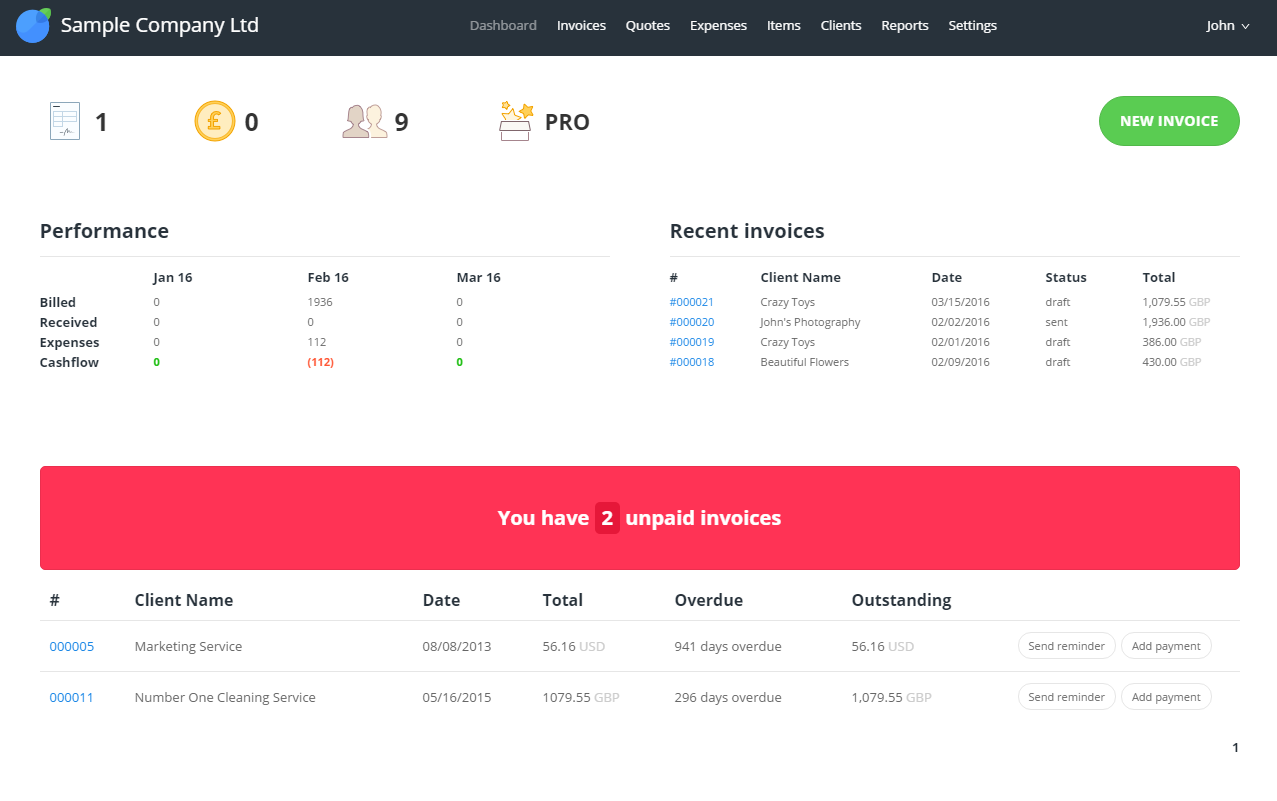
InvoiceBerry offers a simple and secure online invoicing software for freelancers and small businesses. InvoiceBerry users can choose between 15 different invoice template designs when setting up their account. Once set up, businesses can add their company items and services as well as their customers to their InvoiceBerry account. On top of using InvoiceBerry for sending invoices businesses can also send quotes and credit notes and set up recurring invoicing. An expense tracking feature helps…
$0
SlickPie (discontinued)
Score 9.0 out of 10
Small Businesses (1-50 employees)
SlickPie was free online accounting software designed for small businesses, offering online invoicing and billing, multicurrency, financial reporting, bank reconciliation, automatic payment reminders, and source document upload.
SlickPie provided an automated data entry tool that let people use their phone cameras to convert the information from receipts and bill to digital data. It also enabled users to set up recurring invoices to…
It is much cheaper and InvoiceBerry is for very very small businesses. QuickBooks is simple but they keep upgrading their software now it is nice but the features can be challenging to learn and use so again, once the business o the size of the company gets bigger, QuickBooks …
Sage Intacct is well suited for organizations that have outgrown a basic accounting system and need real integrations, better reporting, and the ability to centralize financial operations without significantly adding headcount. For us specifically, it was the right fit because we needed to connect multiple systems, bring invoicing in house, and give leadership real time visibility into our financials. It works particularly well for small but complex finance teams that need the system to absorb work rather than create it. The system is powerful but it requires someone who understands accounting well enough to configure and maintain it properly. It is also worth noting that some of the more advanced features, like bank feeds and certain automation capabilities, can be harder to fully utilize depending on your banking relationships and technical setup.
As a small business, it is very nice especially because we can use it for free. It is very limited though as you can only have 3 clients and usually, you have a business with more than 3 clients but everything has a start. I used the free version for a few weeks before switching to the paid version and it is still the perfect online tool for everyone that has their own small business (consultant on the side) or a small real company trying to start and grow with a limited budget to run the business as we do.
In my opinion, SlickPie is best suited for small business owners and freelancers, especially service-based ones. If that's your case, then it's a no-brainer. However, if you are a bigger enterprise or if you are not a service-based business, then it might not be the best choice for you. Still, the software is free to use, so you might just give it a try anyway.
Custom, real-time financial reporting. I am able to streamline my reporting to pull in various account groups and calculations which save me time from having to do it in Excel.
Out of the box standard reports for clients who don't require as custom of reporting or even as a great starting point to build out reports.
Integrations with other platforms, such as Airbase, various banks, Rippling, etc.
The dashboard module is extremely helpful in my monthly review of various entities.
Sage Intacct is continuously evolving and increasing it's functionalities. I am excited to attend conferences to learn what is in the roadmap for future releases. Additionally, using Sage Intacct allows me grow as a professional, I am really enjoy the knowledge that I have within the product to be able to share my experiences.
The ease of use as a seasoned user is wonderful; however, new users struggle to adapt to the program efficiently. Better training videos--all in one location--would be beneficial. The use of a "sandbox" environment is a great tool for new employees or for the fiscal department to test certain journal entries or other transactions to verify accuracy of data.
It saved me and me lots of time. it is free for smaller organizations or freelancers. it has Android, iPhone and iPad support. It has many features for Account management related tools and features. we can upload documents, print as per requirements. it has other features like Billing & invoicing, contact database, cash Management which can help in many ways.
There has only been one occurrence where Sage Intacct was not available to me, however I had already been working a number of hours trying to get a project completed. It honestly allowed me to step back and take a much needed break.
As fas as integration is concerned I don't feel this slows Sage Intacct down at all. However, sometimes I do feel it takes some larger reports more time to load due to all the detail. As well as, I "move very fast" in my motions so sometimes I double click on fuctions too quickly and the system seems to think that I have a duplicate request.
Only a few times have we had to reach out to support, and every time we did, we received a relatively quick response and a solution was found fairly quickly. Only once was there an issue that took longer than a week to resolve, but it still did eventually get solved.
I have not used support too often but when I did, it was a big long to get the support I needed. But this is probably related to the cost we pay in general for the tool, it is a way of maintaining a very low cost by having fewer people to provide support. But the tool is so simple that we don't really have much support anyway. For our business, the cost is the first criteria so it is ok if support is not excellent.
It is a time saver for Account related things and it has a Billing & invoicing feature which helps us to generate bills and prints directly or share online. It has a very well designed dashboard where we can do our daily work. and it is free for freelancers and small companies so need to worry about money
I have taken in person training classes at several of the annual Sage Intacct user conferences. It is very interactive and the trainers are very easy to follow and understand. They are great at getting everyone in the class involved. They also make sure everyone has learned to task before moving to a new one.
The free training is very minimal. For what we pay for the service, I would like more training. We end up training new users in-house because the provided free training is not nearly comprehensive enough. That being said, the training provided, for the material covered, was adequate and relevant for the given topics.
I would not use a thrid party administrator to implement your system, especially if you are going to be modifying the system at all. Use Intacct implementors as they will be able to better support you on any issues that come up after you go live.
Sage Intacct was selected as the best fit for our core financial management needs, reporting requirements, and finance team operating model. Sage Intacct’s dimensional model was a major factor. It allowed us to report by department, entity, business unit, customer, vendor, project, or other dimensions without creating an overly complex chart of accounts. The approval workflows, transaction history, supporting documentation, and reporting structure helped strengthen financial controls.
Before shifting to SlickPie I was using QBO, so I guess I'll list it as a competitor. However, since SlickPie offers me 80-90% of QBO's features for free I can't really say QBO is a relevant contender.
Positive - It runs better than our old software when we all work together, rather than having to sign off on each other and deal with syncing issues.
Negative - It's not as easy to go back to fix an amount, a date, etc. Sometimes, a very small mistake needs to be corrected by voiding and redoing the entire transaction.
We can successfully sync other software we use with Intacct! It reduces workload when things are automated.