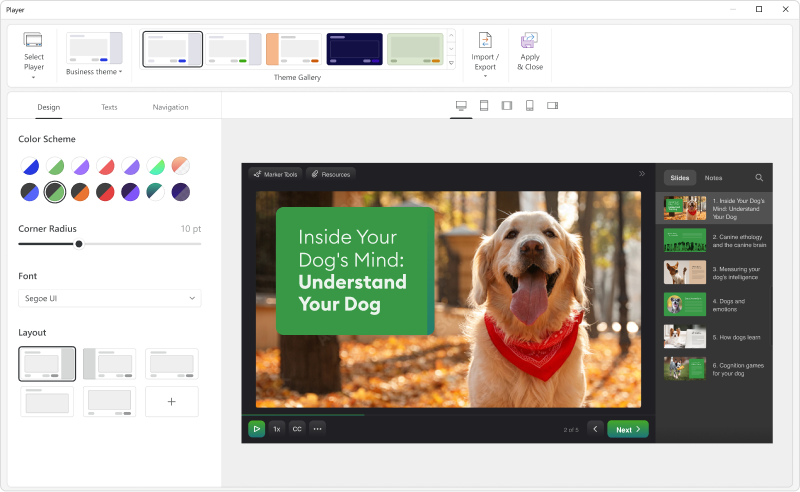
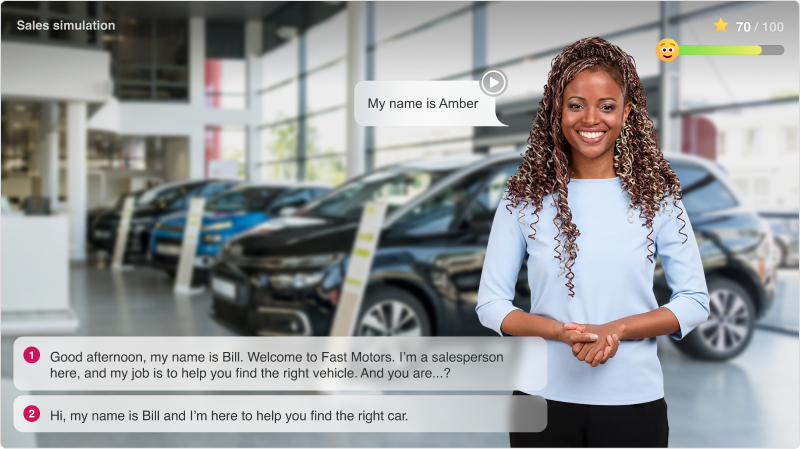
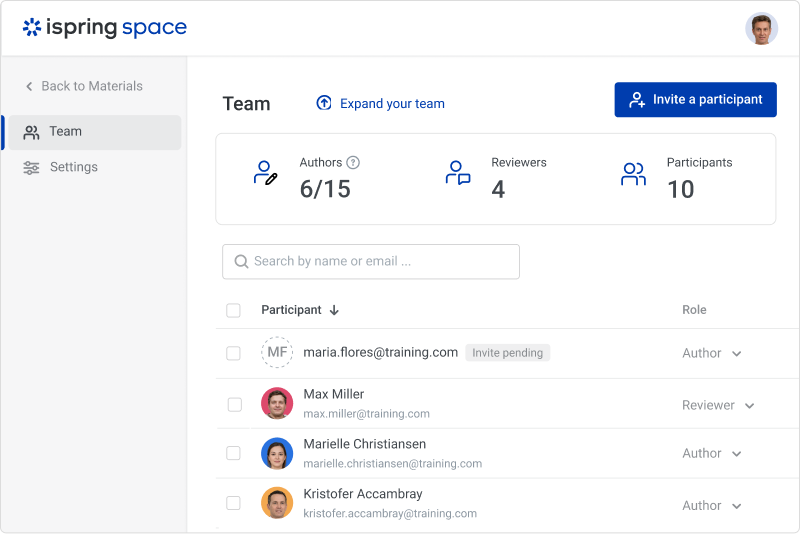
iSpring Suite is an authoring tool with AI-assisted features for creating slide-based online courses, quizzes, and video lessons in Microsoft PowerPoint. Instructional designers, corporate L&D and HR teams, educators, and independent course developers can build training content without relying on multiple specialized tools. iSpring Suite enables users to: Generate a course from a topic. Users can describe what to teach or upload subject…
$970
per year per user
Vyond
Score8.4 out of 10
N/A
Vyond (formerly GoAnimate) is a cloud-based platform for producing custom animated videos. It is used by educators as well as in business contexts by advertisers and content marketers, and for demos and presentations.
$99
per month single user
Pricing
iSpring Suite
Vyond
Editions & Modules
No answers on this topic
Starter
$99
per month
Professional
$199
per month
Enterprise
$1649
per year per user
Agency
$1999
per year per user
Offerings
Pricing Offerings
iSpring Suite
Vyond
Free Trial
Yes
Yes
Free/Freemium Version
Yes
No
Premium Consulting/Integration Services
No
No
Entry-level Setup Fee
No setup fee
No setup fee
Additional Details
Academic, non-profit, government and volume discounts are available.
Discount available for annual billing on Starter and Professional plans.
Director of Human Resources in Human Resources at Butler and Associates, P.A. (Law Practice, 51-200 employees)
Chose iSpring Suite
When I found iSpring three years ago I fell in love with it. It was easy to use and my training went from amateur visuals to professional and polished. When I arrived at the firm they were trying to use Vyond. It is a great idea, but I felt like a deer in the headlights when …
A de minimis incentive was given to thank the reviewer for their time. The incentive was not used to bias or drive a particular response, nor was the incentive contingent on a positive endorsement. More Info
Training and Employee Development Manager at Destination Transport, LLC (Logistics & Supply Chain, 51-200 employees)
Chose iSpring Suite
When comparing features, price point and ease of use, there was no question which I was choosing. iSpring Suite offered more features and was the easiest to use. Additionally, it was one of the most cost conscious choices. It was a no brainer!
A de minimis incentive was given to thank the reviewer for their time. The incentive was not used to bias or drive a particular response, nor was the incentive contingent on a positive endorsement. More Info
Verified User
Chose iSpring Suite
Captivate is too complicated to use, you need a lot of knowledge in this tool to get good results, it is also quite expensive and you need a very powerful computer for it to work. Articulate is easier to use than Captivate, but it is also expensive and the learning curve is …
A de minimis incentive was given to thank the reviewer for their time. The incentive was not used to bias or drive a particular response, nor was the incentive contingent on a positive endorsement. More Info
Verified User
Chose iSpring Suite
Articulate 360 offers Storyline in their suite, which is a much better tool for customized and advanced e-learning development, iSpring could compete with them in the field of responsive authoring tool (iSpring Page) and tools for stakeholder's reviewing.
A de minimis incentive was given to thank the reviewer for their time. The incentive was not used to bias or drive a particular response, nor was the incentive contingent on a positive endorsement. More Info
iSpring Suite gives me a platform to easily create training courses for any number of subjects, custom-designed to fit my workplace. I can include quizzes that allow me to track both the completion rate of the course and the success rate of the training. Its user-friendliness stands out and makes my role as Training Director much easier on a day-to-day basis.
As long as money isn't a major issue (this application is pretty expensive!), it's the best solution I've used so far for creating short explainer videos. It's pretty robust/full-featured and relatively easy to learn to use. Vyond is constantly adding assets and features, too. It would not really appropriate for making full-fledged e-learning, as there's no way to add any interactivity to it, and it's not something I'd used to create long, complex presentations.
A de minimis incentive was given to thank the reviewer for their time. The incentive was not used to bias or drive a particular response, nor was the incentive contingent on a positive endorsement. More Info
A de minimis incentive was given to thank the reviewer for their time. The incentive was not used to bias or drive a particular response, nor was the incentive contingent on a positive endorsement. More Info
In the newest version, the timeline allows you to control each asset individually in a way that mimics video auditing software like Adobe Premiere Pro or Camtasia
I love the way you can replace an object and the new object will automatically take on the formatting of the object it is replacing including, location, size, expression, duration on the timeline, etc.
I really enjoy the spotlights on other user's videos. Even when I don't have time to read the full article, watch the full video, or attend the webinars, this is usually enough to give me new ideas to try out when making my own videos
I appreciate the ample notice when things are changing. For example, the platform will be updated at the end of the year, but I have had access to the new format since June(ish) so I've had time to play around with it and get used to it. By the time the legacy format is retired I won't have any problems adjusting to the new format or functionality.
A de minimis incentive was given to thank the reviewer for their time. The incentive was not used to bias or drive a particular response, nor was the incentive contingent on a positive endorsement. More Info
Add details on what the customized play includes when the mouse hovers over the icon. It took a bit of time to realize that this was where we could select different layouts.
A de minimis incentive was given to thank the reviewer for their time. The incentive was not used to bias or drive a particular response, nor was the incentive contingent on a positive endorsement. More Info
The fact that it's on a cloud server means that sometimes the software can get clunky/slow.
There may be extra work involved if you have multiple characters talking in one audio file and you want them to sync their mouths with their appropriate lines.
Characters having multiple actions/expressions means multiple scenes, which can be very cumbersome to manage.
A de minimis incentive was given to thank the reviewer for their time. The incentive was not used to bias or drive a particular response, nor was the incentive contingent on a positive endorsement. More Info
I was recently at a conference where I learned that many of my peers also use Vyond, solidifying my opinion that it is the right tool for out needs. Further more, one of our content vendors also uses it, ensuring that I will continue to use it as I believe this will facilitate our collaborations in the future
A de minimis incentive was given to thank the reviewer for their time. The incentive was not used to bias or drive a particular response, nor was the incentive contingent on a positive endorsement. More Info
iSpring Suite is a perfect tool overall to create contents in collaboration with colleagues. There are some difficulties though in usability but the usability is OK in total. We are fully satisfied with the customer support. There are simple online tutorials and a team of competent support colleagues. The support content is sometimes not simply accessible, you need to search for them longer.
A de minimis incentive was given to thank the reviewer for their time. The incentive was not used to bias or drive a particular response, nor was the incentive contingent on a positive endorsement. More Info
This program is great when you have no video experience! There's only a little of a learning curve to the program. In general, the user interface is great and easier than using a program like Adobe premier. It's a great resource to use as a marketer.
A de minimis incentive was given to thank the reviewer for their time. The incentive was not used to bias or drive a particular response, nor was the incentive contingent on a positive endorsement. More Info
A de minimis incentive was given to thank the reviewer for their time. The incentive was not used to bias or drive a particular response, nor was the incentive contingent on a positive endorsement. More Info
Vyond is just an animated video creation tool. You have to use your video content and track its performance through other means. Because it is an online tool it doesn't hog your resources or slow down any other tools that I use. It is a stand-alone product and it doesn't need to integrate with any of our other tools. It does what it does and that is all we need.
A de minimis incentive was given to thank the reviewer for their time. The incentive was not used to bias or drive a particular response, nor was the incentive contingent on a positive endorsement. More Info
Great software is only exceeded by their fantastic support. Prompt responses, complete with clearly outlined steps to follow, are just the beginning. There are tremendous resources and continual webinars to challenge what we think we know about the iSpring Suite. I often use PowerPoint to lay out marketing slides, add music and narration, then publish them as an MP4 video. I can count on iSpring support to assist me when I need help.
I haven’t had any issues that required me to contact their support team. However, I believe support in any product starts before you have to call for help. Vyond provides an option for priority queue when you have their professional option. This is great for folks who need things done faster, especially when businesses can’t afford any downtime. Their Live chat feature is also reassuring, because I don’t always want to spend time on the phone or on hold if their call volume is high and I need to solve an issue.
A de minimis incentive was given to thank the reviewer for their time. The incentive was not used to bias or drive a particular response, nor was the incentive contingent on a positive endorsement. More Info
A de minimis incentive was given to thank the reviewer for their time. The incentive was not used to bias or drive a particular response, nor was the incentive contingent on a positive endorsement. More Info
Ultimately, I selected iSpring Suite because of the ease of use and small learning curve. I needed to be able to start creating content immediately, and after doing trial periods with iSpring as well as some of the other options, it was clear that I could be up and running the quickest with iSpring. I don't see any features that are missing for what I need, and it was also the cheapest option.
A de minimis incentive was given to thank the reviewer for their time. The incentive was not used to bias or drive a particular response, nor was the incentive contingent on a positive endorsement. More Info
Vyond is the best tool our company has used for creating animated explainer videos and social content. We have tried many other software solutions but Vyond offers the most options for animating characters, text, and scenes. Despite the lack of options for overall styles, it offers a consistent and professional video every time. Plus, Vyond it's constantly adding new templates to their already expanding library
A de minimis incentive was given to thank the reviewer for their time. The incentive was not used to bias or drive a particular response, nor was the incentive contingent on a positive endorsement. More Info
A de minimis incentive was given to thank the reviewer for their time. The incentive was not used to bias or drive a particular response, nor was the incentive contingent on a positive endorsement. More Info
It has enhance my reputation personally within the organization. This has led to other departments requesting me by name to head up eLearning development projects, even delaying their own deadlines to ensure that I am involved.
Other than a few duds (I let some inexperienced vocal talent slip thru in the heat of multiple conflicting deadlines), learner feedback has skyrocketed over that developed before I became involved and standardized the effort on iSpring
A de minimis incentive was given to thank the reviewer for their time. The incentive was not used to bias or drive a particular response, nor was the incentive contingent on a positive endorsement. More Info