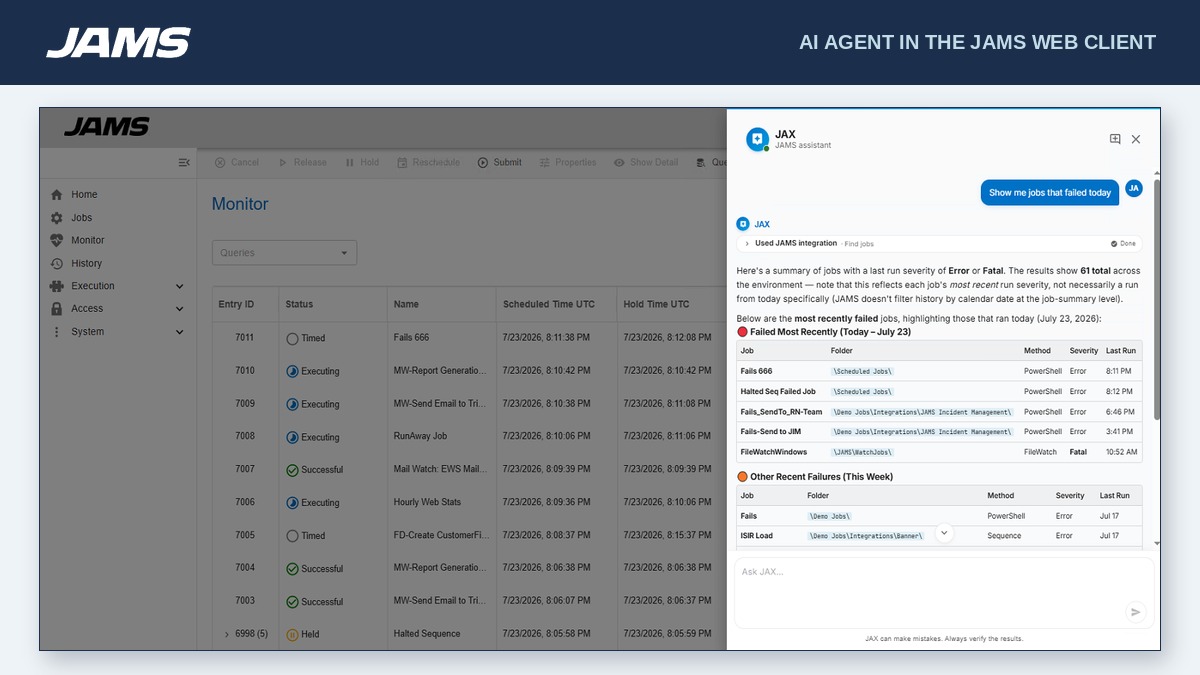
JAMS is a centralized workload automation and job scheduling solution that runs, monitors, and manages jobs and workflows. Reliably orchestrate the critical IT processes that run your business from a single pane of glass.
$9,996
per year
Jenkins
Score8.1 out of 10
N/A
Jenkins is an open source automation server. Jenkins provides hundreds of plugins to support building, deploying and automating any project. As an extensible automation server, Jenkins can be used as a simple CI server or turned into a continuous delivery hub for any project.
N/A
Pricing
JAMS
Jenkins
Editions & Modules
Core
9,996.00
per year
Advanced
Customized Pricing
per year
No answers on this topic
Offerings
Pricing Offerings
JAMS
Jenkins
Free Trial
Yes
No
Free/Freemium Version
No
Yes
Premium Consulting/Integration Services
Yes
No
Entry-level Setup Fee
No setup fee
No setup fee
Additional Details
- Core: For small teams getting started with automation. Core Integrations: PowerShell, SQL, Azure Data Factory, Python, 20+ others.
- Advanced: Comprehensive solution for large-scale operations. Core Integrations: SAP, JDE, Ellucian Banner, Informatica, Mainframe and Power Systems.
There's probably better schedulers out there. JAMS is good for an on-premises/classic IT implementation. JAMS is well-suited for use cases such as collecting a file from a shared location and uploading it to an API, running scripts on servers, and handling middleware tasks that process files or data between handoffs across different locations. JAMS is best suited to environments with IT staff who can develop, test, implement, maintain, and troubleshoot scripts; it does not use natural language processing (so it requires in-depth knowledge of the scripting language in use), and it does not appear to offer native dashboarding or reporting that is easily accessible to all users.
A de minimis incentive was given to thank the reviewer for their time. The incentive was not used to bias or drive a particular response, nor was the incentive contingent on a positive endorsement. More Info
Jenkins is a highly customizable CI/CD tool with excellent community support. One can use Jenkins to build and deploy monolith services to microservices with ease. It can handle multiple "builds" per agent simultaneously, but the process can be resource hungry, and you need some impressive specs server for that. With Jenkins, you can automate almost any task. Also, as it is an open source, we can save a load of money by not spending on enterprise CI/CD tools.
A de minimis incentive was given to thank the reviewer for their time. The incentive was not used to bias or drive a particular response, nor was the incentive contingent on a positive endorsement. More Info
A de minimis incentive was given to thank the reviewer for their time. The incentive was not used to bias or drive a particular response, nor was the incentive contingent on a positive endorsement. More Info
Automated Builds: Jenkins is configured to monitor the version control system for new pull requests. Once a pull request is created, Jenkins automatically triggers a build process. It checks out the code, compiles it, and performs any necessary build steps specified in the configuration.
Unit Testing: Jenkins runs the suite of unit tests defined for the project. These tests verify the functionality of individual components and catch any regressions or errors. If any unit tests fail, Jenkins marks the build as unsuccessful, and the developer is notified to fix the issues.
Code Analysis: Jenkins integrates with code analysis tools like SonarQube or Checkstyle. It analyzes the code for quality, adherence to coding standards, and potential bugs or vulnerabilities. The results are reported back to the developer and the product review team for further inspection.
A de minimis incentive was given to thank the reviewer for their time. The incentive was not used to bias or drive a particular response, nor was the incentive contingent on a positive endorsement. More Info
A de minimis incentive was given to thank the reviewer for their time. The incentive was not used to bias or drive a particular response, nor was the incentive contingent on a positive endorsement. More Info
A de minimis incentive was given to thank the reviewer for their time. The incentive was not used to bias or drive a particular response, nor was the incentive contingent on a positive endorsement. More Info
JAMS is a critical resource free up people to do other things and ensuring that processes and tasks are run consistently. We are also confident that procedures are run consistently and on time or as soon as the necessary data is available. With automated job failure notification, we are not required to check that jobs are running correctly.
A de minimis incentive was given to thank the reviewer for their time. The incentive was not used to bias or drive a particular response, nor was the incentive contingent on a positive endorsement. More Info
We have a certain buy-in as we have made a lot of integrations and useful tools around jenkins, so it would cost us quite some time to change to another tool. Besides that, it is very versatile, and once you have things set up, it feels unnecessary to change tool. It is also a plus that it is open source.
A de minimis incentive was given to thank the reviewer for their time. The incentive was not used to bias or drive a particular response, nor was the incentive contingent on a positive endorsement. More Info
JAMS is very user friendly; you hardly need to do coding. The only thing that I would say a challenge is setting it up, but that's because you barely know the product yet and, in every processing, setting up is the difficult part. But once you've set it up and you are going to use it, you will really feel that it is worth to invest in this kind of software solution, it really does it job very well.
A de minimis incentive was given to thank the reviewer for their time. The incentive was not used to bias or drive a particular response, nor was the incentive contingent on a positive endorsement. More Info
Jenkins streamlines development and provides end to end automated integration and deployment. It even supports Docker and Kubernetes using which container instances can be managed effectively. It is easy to add documentation and apply role based access to files and services using Jenkins giving full control to the users. Any deviation can be easily tracked using the audit logs.
A de minimis incentive was given to thank the reviewer for their time. The incentive was not used to bias or drive a particular response, nor was the incentive contingent on a positive endorsement. More Info
We didnt really encounter any downtime, no issues encountered during 2 years of use of JAMs also our client barely raise an issue with JAMS, mostly the issues is on the batch jobs that jams executes. So I would gave it a perfect 10, very reliable hardly encounters any error and bug
A de minimis incentive was given to thank the reviewer for their time. The incentive was not used to bias or drive a particular response, nor was the incentive contingent on a positive endorsement. More Info
JAMS performance is very great, there are no issues raised with the performance, it just like nothing happens on the job after integration it gives you this monitoring capability, no reports and bugs raised on the performance, we didnt do integration with other software only database and with use of JAMS agent to different servers
A de minimis incentive was given to thank the reviewer for their time. The incentive was not used to bias or drive a particular response, nor was the incentive contingent on a positive endorsement. More Info
No, when we integrated this with GitHub, it becomes more easy and smart to manage and control our workforce. Our distributed workforce is now streamlined to a single bucket. All of our codes and production outputs are now automatically synced with all the workers. There are many cases when our in-house team makes changes in the release, our remote workers make another release with other environment variables. So it is better to get all of the work in control.
A de minimis incentive was given to thank the reviewer for their time. The incentive was not used to bias or drive a particular response, nor was the incentive contingent on a positive endorsement. More Info
I've never had to wait more than a day for a response to any email queries submitted. We had a very positive experience using support hours during out migration process from v6 to v7. We've also recently had a weeklong group training course where all attendees were positive about the learning outcomes, a shoutout to Jose who did both the migration and the weeklong course!
A de minimis incentive was given to thank the reviewer for their time. The incentive was not used to bias or drive a particular response, nor was the incentive contingent on a positive endorsement. More Info
As with all open source solutions, the support can be minimal and the information that you can find online can at times be misleading. Support may be one of the only real downsides to the overall software package. The user community can be helpful and is needed as the product is not the most user-friendly thing we have used.
A de minimis incentive was given to thank the reviewer for their time. The incentive was not used to bias or drive a particular response, nor was the incentive contingent on a positive endorsement. More Info
People that were involved in the POC found the training a lot easier to follow. I think most people would have preferred to just get the training material and run through themselves.
A de minimis incentive was given to thank the reviewer for their time. The incentive was not used to bias or drive a particular response, nor was the incentive contingent on a positive endorsement. More Info
I Was not part of the original Implementation, and the persons did that are no longer with the Organization. But I was part of the recent Upgrade process a year ago and I am the JAMS admin and was very pleased
A de minimis incentive was given to thank the reviewer for their time. The incentive was not used to bias or drive a particular response, nor was the incentive contingent on a positive endorsement. More Info
It is worth well the time to setup Jenkins in a docker container. It is also well worth to take the time to move any "Jenkins configuration" into Jenkinsfiles and not take shortcuts.
A de minimis incentive was given to thank the reviewer for their time. The incentive was not used to bias or drive a particular response, nor was the incentive contingent on a positive endorsement. More Info
JAMS is WAY more advanced, it isn't a fair comparison. The history is easy to get through. It is easy to get alerts of complete to failed and with a log. Adding jobs is extremely easy that even my teammates who do not manange the software are able to set them up. With the new web component we are very excited for the future of JAMS advancements.
A de minimis incentive was given to thank the reviewer for their time. The incentive was not used to bias or drive a particular response, nor was the incentive contingent on a positive endorsement. More Info
Overall, Jenkins is the easiest platform for someone who has no experience to come in and use effectively. We can get a junior engineer into Jenkins, give them access, and point them in the right direction with minimal hand-holding. The competing products I have used (TravisCI/GitLab/Azure) provide other options but can obfuscate the process due to the lack of straightforward simplicity. In other areas (capability, power, customization), Jenkins keeps up with the competition and, in some areas, like customization, exceeds others.
A de minimis incentive was given to thank the reviewer for their time. The incentive was not used to bias or drive a particular response, nor was the incentive contingent on a positive endorsement. More Info
The product is quite flexible. There are a number of features and functions that we use on a daily basis, and there are many features that are available that we have not yet needed or explored (like setting up jobs with the ability to do FTP or Sftp file transfers).
A de minimis incentive was given to thank the reviewer for their time. The incentive was not used to bias or drive a particular response, nor was the incentive contingent on a positive endorsement. More Info
Our company depends on the JAMS Scheduler in executing a large number of SAP Jobs. In never having had a true Enterprise Scheduler such as JAMS before now, we are very happy with the results.
There a number of features in JAMS for setting up schedules and dependencies on other jobs. This helps our company achieve the necessary workflows for Job execution. This optimization saves on system resources and keeps Jobs flowing smoothly.
We are very happy that JAMS is a robust solution with High Availability. This is necessary for Enterprise products, to reduce downtime, which we have not had as a result. This feature definitely saves our company money by reducing or eliminating unexpected downtime.
A de minimis incentive was given to thank the reviewer for their time. The incentive was not used to bias or drive a particular response, nor was the incentive contingent on a positive endorsement. More Info