Chose Rider
Microsoft Visual Studio, Microsoft Visual Studio Code and Eclipse

| Product | Rating | Most Used By | Product Summary | Starting Price |
|---|---|---|---|---|
 Rider | N/A | JetBrains supports .NET development with Rider, a .NET IDE based on the IntelliJ platform and ReSharper. | $149 per year per user | |
 Mendix | Enterprise companies (1,001+ employees) | Mendix is a low code platform-as-a-service offering with mobile and social extensions. Mendix was acquired by Siemens August 2018. | $0 | |
 Zoho Creator | Mid-Size Companies (51-1,000 employees) | Zoho Creator is a low-code application development platform for building enterprise-class applications that run on mobile, tablet, and web. It is designed to allow users to create custom forms, configure workflows, build pages, and deploy apps quickly. | $12 per month per user |
| JetBrains Rider | Mendix | Zoho Creator | ||||||||||||||||||||||
|---|---|---|---|---|---|---|---|---|---|---|---|---|---|---|---|---|---|---|---|---|---|---|---|---|
| Editions & Modules |
|
|
| |||||||||||||||||||||
| Offerings |
| |||||||||||||||||||||||
| Entry-level Setup Fee | No setup fee | Optional | Optional | |||||||||||||||||||||
| Additional Details | dotUltimate: All .NET tools, ReSharper C++ and JetBrains Rider, together in one pack | — | Add-ons: Customer Portal: $100/month onwards Premium Support : 20% of license fees Enterprise support: 25% of license fees | |||||||||||||||||||||
| More Pricing Information | ||||||||||||||||||||||||
| JetBrains Rider | Mendix | Zoho Creator | |
|---|---|---|---|
| Considered Multiple Products |  Rider  Luiz Wendt Software Engineer Chose Rider It helps you develop and not have to think too much about some things because of the IntelliSense support for Unreal (that others don't have) and it has a quick search with multiple types as well. Visual code has an ok search, but no IntelliSense, Visual Studio has a slow …  Rajan Tande Chief Technology Officer Chose Rider JetBrains Rider provides better refactoring suggestions and support than Visual Studio, and uniquely, it provides specific recommendations for the Unity engine.  Anthony Aziz Senior Software Engineer Chose Rider Rider (and the entire IntelliJ suite) has been my preferred IDE for years. Visual Studio is wonderful as well, but Rider just keeps ahead in the important features. More importantly, both IDEs provide healthy competition and I only see this getting better. Compared to other …  Aaron Smith Senior Software Developer Chose Rider Rider is hands down smoother and way less glitchy than Visual Studio Enterprise. There are way more refactoring capabilities and spell check so that your code is readable, maintainable, and easy to follow. Since Rider is cross-platform, our developers are no longer constrained … |  Mendix  Raymond Reyes Information Technology Manager Chose Mendix Because most of our apps work closely with our main system (ERP) and other tools, we went with Mendix. It's good at easily connecting with lots of different systems, which is exactly what we need. Another thing we like about it is that it can handle growth well, and its pricing …  Ruediger Reitzig Sales Director Chose Mendix Easy integration  Manjunath Prasad Solution Architect Chose Mendix Opcenter  Maarten Bongers Business consultant/ Expert Mendix developer Chose Mendix Although I have never worked with Outsystems, Mendix is seen as a platform that can be used more easily by people that do not have an IT background. Mendix is indeed a platform that makes it possible for people with a business background (and are IT minded) to create beautiful …  Georgios Andronikidis Mendix Consultant Chose Mendix Mendix is more flexible and custom making oriented than Appian. OutSystems is almost the same as Mendix but more directed to the traditional developer, whereas Mendix is trying to make it possible for everyone to be able to model.  Jeroen Odink Mendix Consultant Chose Mendix Powerapps is much harder to learn. It lacks the robustness of Mendix; if a detail is lacking in Powerapps the app won't run and it takes much time to debug. Mendix is build to work for Scrum teams. I think Microsoft could learn a lot from the way working on one app by diverse …  Sjoerd Beljon Business Consultant Chose Mendix Mendix would be my preferred system all the way. The system is designed for these kinds of works. I've worked with WP and DNN but they should be used just for websites. To create an app for a business value, I would suggest Mendix. Also, the offline capabilities of Mendix have …  Menno de Haas Team Lead Chose Mendix Mendix is more user-friendly for development, less custom code required.  Osama Shalabi Mendix Developer Chose Mendix Mendix is easy to use and quick to deliver and it has a lot of good features and is secure.  Willem van Zantvoort Senior (Mendix) Consultant Chose Mendix Mendix is more business oriented and focusses on visual coding.  Sebastian Piest Channel Development Manager Chose Mendix Mendix is based on model driven development and uses model interpretation in stead of code generation.  Niels van de Sande Business Engineer Chose Mendix We got in touch with Mendix due to a project at a former company I and my companion worked. That company went bankrupt and we decided we could start our own software company with Mendix. We never really had the opportunity to compare it to others, because all other software …  Jessica Truszczynski Customer Engagement Manager Chose Mendix none  Umesh Sukheja Jr. Software Developer Chose Mendix You can create applications faster as compared to other products, You can code easily just by creating flow charts, instead of thousands of lines of code. You can manage databases from the domain model of Mendix, you can also manage webservices very easily with Mendix Modeler.  Simon Angel Chief Technology Officer Chose Mendix I have spent many month/years evaluating and discarding products. Some have cost me time (developers) and money to use the software. The development approach with Mendix means I don't have to pay for developer licenses and only pay when I have an approved solution ready for …  Paul Ketelaars Senior Mendix Consultant Chose Mendix OutSystems |  Zoho Creator  Bat-Shachar Kaniel CEO (Chief Executive Officer) Chose Zoho Creator for the ability to tailor it to our needs and add more and more features that helps us do our job fast and correct.  Gaurav Kakkar System Process Manager Chose Zoho Creator Well, We had reviewed many applications during last 5 years and we moved with Zoho Creator, due to its technical support capabilities along with per user Cost which they provided. The mix of both worked for us and we moved.  Hemant Joshi Vice President Of Product Management Chose Zoho Creator Zoho Creator offers more functionalities than Zapier but has lesser integrations than Zapier. Compared to Honeycomb.io, I find Zoho Creator easier to work on.  Rafael Grandizoli Gerente de Operações Chose Zoho Creator We decided that proprietary programming language and develop the software from scratch would cost us more than our budget, and also it would take a lot of time we didn't have. Zoho Creator was chosen besides any other proprietary way to develop a software because it's low code …  George C. Thiess III Director Chose Zoho Creator I really did not evaluate any competing platforms.  John M. Whitney Manager - Research and Development, Rubber Technology Chose Zoho Creator Lower cost and easier implementation. I had been creating "cloud" solutions using active server pages (ASP) with a MS Access directory back-end before Zoho Creator. I did not want the worry of maintaining a server and required an easier way to build database forms. I was one of …  Aaron Thornock Entrepreneur Chose Zoho Creator I've used Knack previously. It has better/easier controls over user authenticated access and a better/more fun to use UI. However it is less flexible than Zoho Creator. With Zoho I can pretty much do anything I can dream up. Knack is powerful, but more limited than Zoho Creator. |
| JetBrains Rider | Mendix | Zoho Creator | |||||||||||||||||||||||||||
|---|---|---|---|---|---|---|---|---|---|---|---|---|---|---|---|---|---|---|---|---|---|---|---|---|---|---|---|---|---|
| Low-Code Development |
|
| JetBrains Rider | Mendix | Zoho Creator | |
|---|---|---|---|
| Small Businesses |  Visual Studio Score 8.8 out of 10 |  Creatio Score 9.3 out of 10 | Creatio Score 9.3 out of 10 |
| Medium-sized Companies | Visual Studio Score 8.8 out of 10 |  Quixy Score 9.9 out of 10 | Quixy Score 9.9 out of 10 |
| Enterprises | Visual Studio Score 8.8 out of 10 | Creatio Score 9.3 out of 10 | Creatio Score 9.3 out of 10 |
| All Alternatives | View all alternatives | View all alternatives | View all alternatives |
| JetBrains Rider | Mendix | Zoho Creator | |
|---|---|---|---|
| Likelihood to Recommend | 9.4 (0 ratings) | 9.0 (0 ratings) | 8.9 (0 ratings) |
| Likelihood to Renew | 9.1 (0 ratings) | - (0 ratings) | 10.0 (0 ratings) |
| Usability | 9.2 (0 ratings) | 8.5 (0 ratings) | 8.0 (0 ratings) |
| Availability | - (0 ratings) | - (0 ratings) | 10.0 (0 ratings) |
| Performance | - (0 ratings) | - (0 ratings) | 9.0 (0 ratings) |
| Support Rating | 8.0 (0 ratings) | 7.8 (0 ratings) | 9.8 (0 ratings) |
| Implementation Rating | - (0 ratings) | - (0 ratings) | 8.0 (0 ratings) |
| Product Scalability | - (0 ratings) | - (0 ratings) | 10.0 (0 ratings) |
| JetBrains Rider | Mendix | Zoho Creator | |
|---|---|---|---|
| Likelihood to Recommend |
Luiz Wendt Software Engineer |
|
|
| Pros |
Aaron Smith Senior Software Developer |
Umesh Sukheja Jr. Software Developer |
|
| Cons |
|
 Micha Friede Sr. Consultant (Service Management / Mendix) |
Gaurav Kakkar System Process Manager |
| Likelihood to Renew |
Anthony Aziz Senior Software Engineer | No answers on this topic |
Rafael Grandizoli Gerente de Operações |
| Usability |
|
Raymond Reyes Information Technology Manager |
 Pranesh Padmanabhan Founder |
| Reliability and Availability | No answers on this topic | No answers on this topic |
|
| Performance | No answers on this topic | No answers on this topic |
|
| Support Rating |
Rajan Tande Chief Technology Officer |
Jeroen Odink Mendix Consultant |
 Muhammad Hafeez Freelancer |
| Implementation Rating | No answers on this topic | No answers on this topic |
Rafael Grandizoli Gerente de Operações |
| Alternatives Considered |
|
Raymond Reyes Information Technology Manager |
|
| Scalability | No answers on this topic | No answers on this topic |
|
| Return on Investment |
Rajan Tande Chief Technology Officer |
 Ronald Catersels Business Engineer / Consultant |
|
| ScreenShots | Mendix Screenshots    | Zoho Creator Screenshots  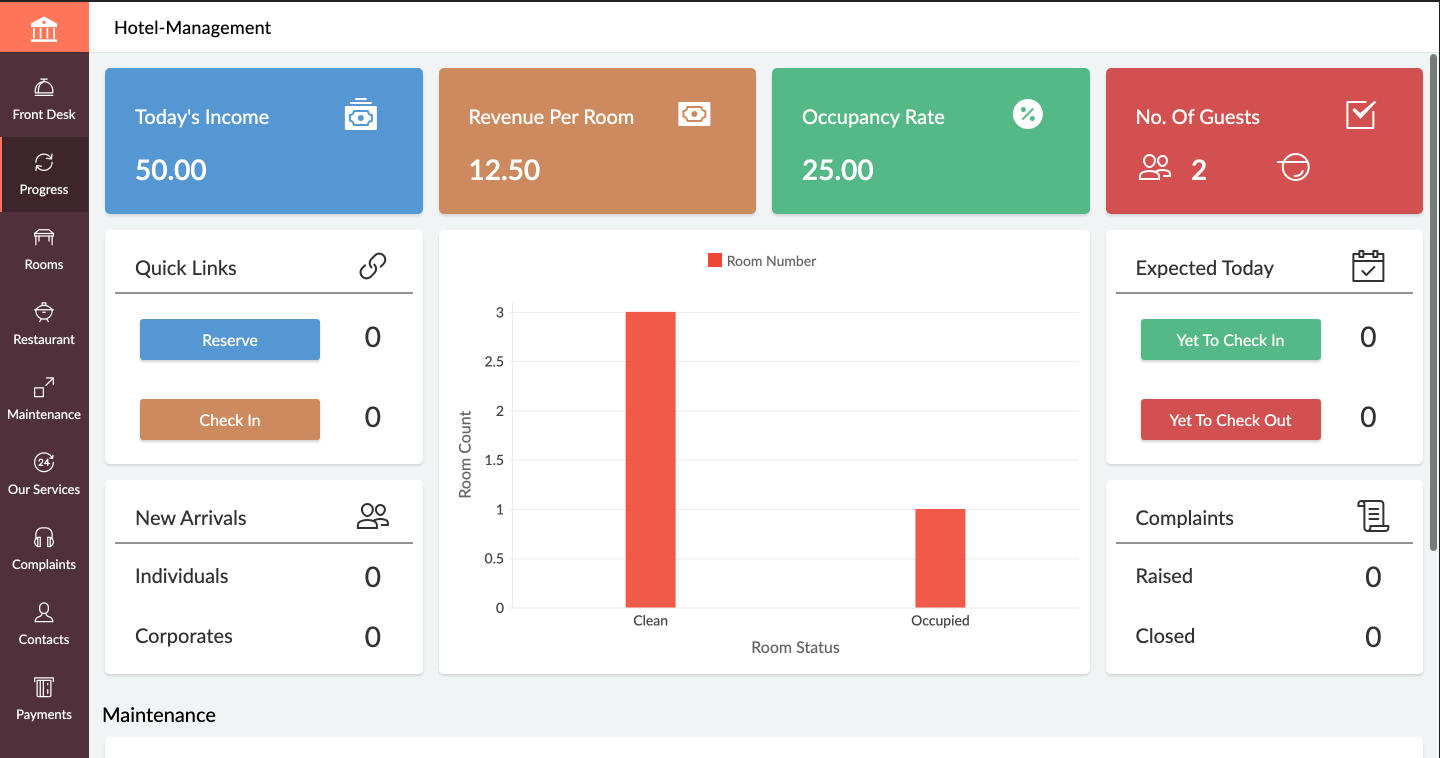  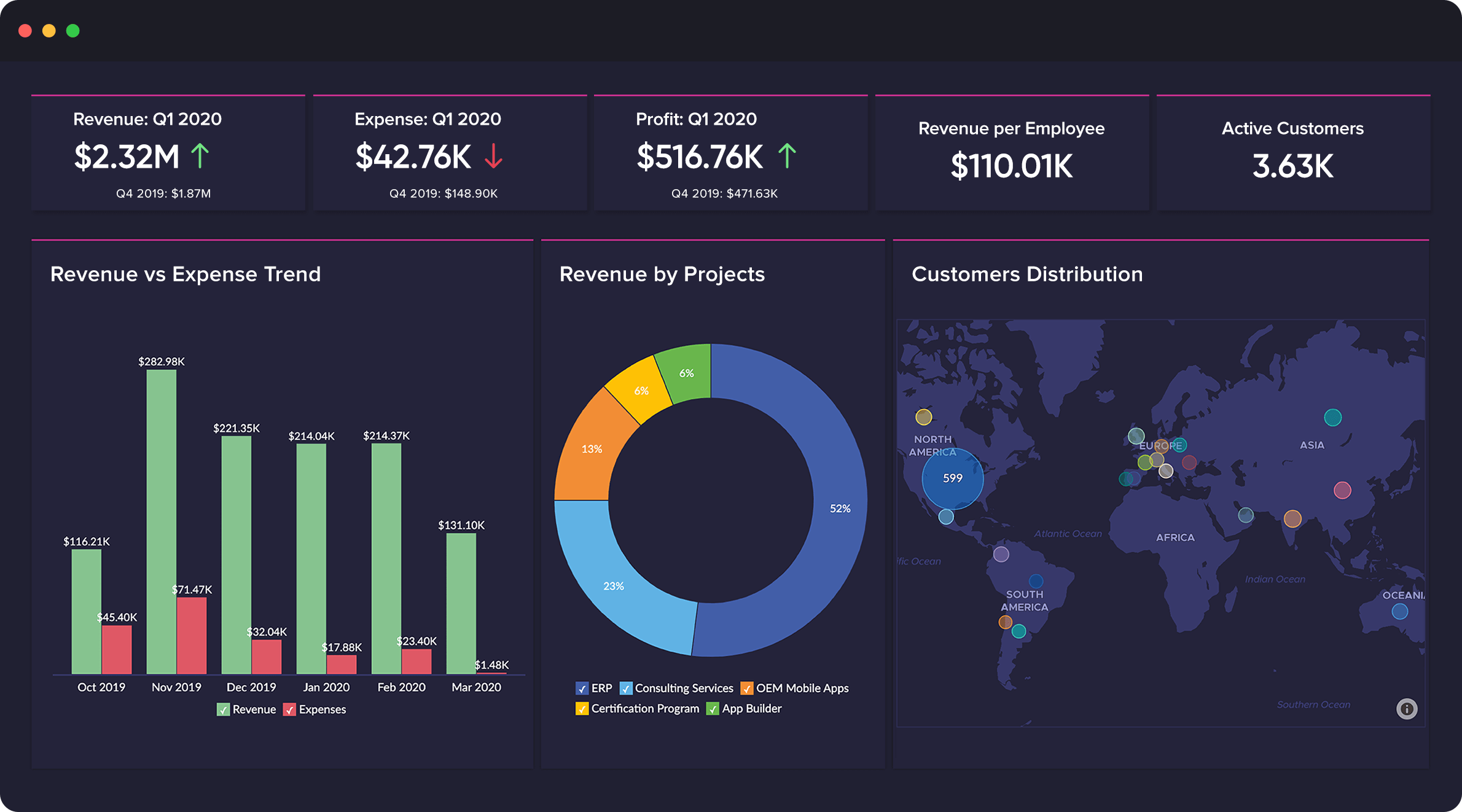  |