Overview
ProductRatingMost Used ByProduct SummaryStarting Price
Jotform Tables
Score 8.4 out of 10
N/A
Jotform Tables is a spreadsheet app with that enables users to collect, organize, and manage data in a shared workspace with collaboration features. Users can sync responses from connected forms, import data, or enter data manually into Jotform Tables. Then search and filter data, add formulas and calculations, and collaborate with teammates in the workspace.N/A
Workflowy
Score 9.6 out of 10
N/A
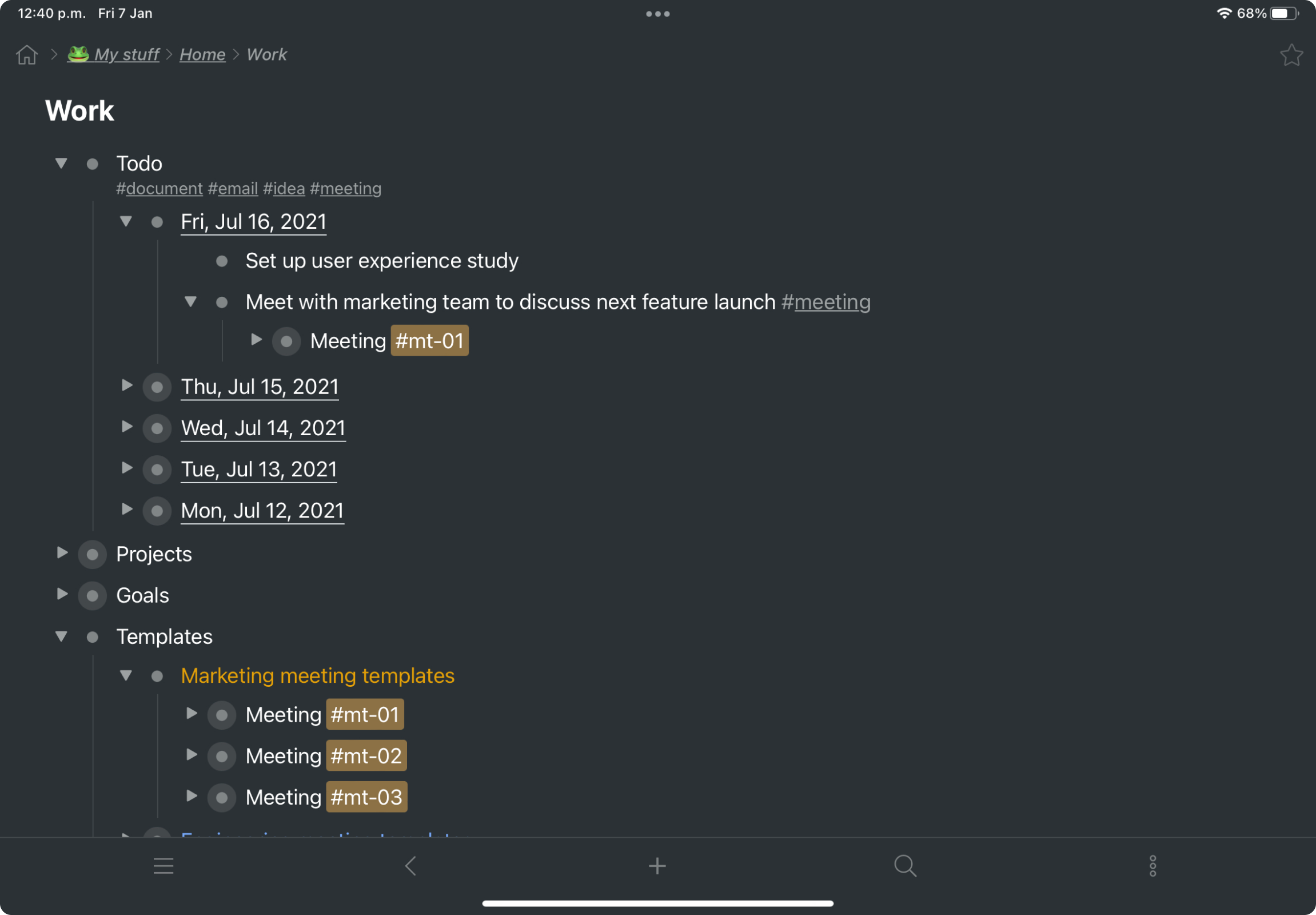
Workflowy is a note-taking and organizational tool designed to help users manage their tasks, notes, and projects. Its simplicity and features make it a choice for individuals and teams looking to streamline their workflow. Infinite Nesting Structure: Workflowy allows users to create lists within lists to an infinite degree, enabling a detailed and structured way to organize information Global Search: Its search function is used to search through all their…
$8.99
per month per user
Zoho Projects
Score 9.2 out of 10
N/A
Zoho Project is online project management and planning software that provides project teams with a web-based collaborative environment. Zoho Projects can also include a bug tracking module specifically design to support software development project. It is integrated with other Zoho products including Zoho CRM.
$5
per month per user
Pricing
Jotform TablesWorkflowyZoho Projects
Editions & Modules
No answers on this topic
Workflowy basic
$0
per user
Workflowy pro - Monthly
$8.99
per month per user
Workflowy pro - Yearly
$83.88
per year per user
Free
$0
Premium
$5
per month per user
Enterprise
$10
per month per user
Project Plus
Contact Sales
Offerings
Pricing Offerings
Jotform TablesWorkflowyZoho Projects
Free Trial
NoYesYes
Free/Freemium Version
YesYesYes
Premium Consulting/Integration Services
NoNoYes
Entry-level Setup FeeNo setup feeNo setup feeOptional
Additional DetailsDiscount offered for annual billing.
More Pricing Information
Community Pulse
Jotform TablesWorkflowyZoho Projects
Features
Jotform TablesWorkflowyZoho Projects
Project Management
Comparison of Project Management features of Product A and Product B
Jotform Tables
-
Ratings
Workflowy
8.2
2 Ratings
5% above category average
Zoho Projects
8.3
21 Ratings
7% above category average
Task Management00 Ratings9.42 Ratings8.621 Ratings
Mobile Access00 Ratings6.12 Ratings8.419 Ratings
Search00 Ratings9.02 Ratings00 Ratings
Resource Management00 Ratings00 Ratings8.420 Ratings
Gantt Charts00 Ratings00 Ratings8.318 Ratings
Scheduling00 Ratings00 Ratings8.819 Ratings
Workflow Automation00 Ratings00 Ratings9.415 Ratings
Team Collaboration00 Ratings00 Ratings9.321 Ratings
Support for Agile Methodology00 Ratings00 Ratings6.35 Ratings
Support for Waterfall Methodology00 Ratings00 Ratings8.812 Ratings
Document Management00 Ratings00 Ratings8.217 Ratings
Email integration00 Ratings00 Ratings8.217 Ratings
Timesheet Tracking00 Ratings00 Ratings8.620 Ratings
Change request and Case Management00 Ratings00 Ratings6.96 Ratings
Budget and Expense Management00 Ratings00 Ratings7.715 Ratings
File Sharing & Management
Comparison of File Sharing & Management features of Product A and Product B
Jotform Tables
-
Ratings
Workflowy
6.3
2 Ratings
24% below category average
Zoho Projects
-
Ratings
Video files00 Ratings5.32 Ratings00 Ratings
Audio files00 Ratings5.01 Ratings00 Ratings
Document collaboration00 Ratings6.92 Ratings00 Ratings
Access control00 Ratings6.22 Ratings00 Ratings
Device sync00 Ratings8.02 Ratings00 Ratings
Professional Services Automation
Comparison of Professional Services Automation features of Product A and Product B
Jotform Tables
-
Ratings
Workflowy
-
Ratings
Zoho Projects
6.9
14 Ratings
12% below category average
Quotes/estimates00 Ratings00 Ratings5.55 Ratings
Invoicing00 Ratings00 Ratings8.413 Ratings
Project & financial reporting00 Ratings00 Ratings6.55 Ratings
Integration with accounting software00 Ratings00 Ratings7.314 Ratings
Best Alternatives
Jotform TablesWorkflowyZoho Projects
Small Businesses
Stackby
Stackby
Score 8.9 out of 10
Stackby
Stackby
Score 8.9 out of 10
Stackby
Stackby
Score 8.9 out of 10
Medium-sized Companies
Microsoft Excel
Microsoft Excel
Score 8.9 out of 10
Troop Messenger
Troop Messenger
Score 9.8 out of 10
InEight
InEight
Score 8.3 out of 10
Enterprises
Microsoft Excel
Microsoft Excel
Score 8.9 out of 10
HCL Connections
HCL Connections
Score 9.0 out of 10
InEight
InEight
Score 8.3 out of 10
All AlternativesView all alternativesView all alternativesView all alternatives
User Ratings
Jotform TablesWorkflowyZoho Projects
Likelihood to Recommend
10.0
(1 ratings)
9.5
(3 ratings)
6.5
(24 ratings)
Likelihood to Renew
-
(0 ratings)
-
(0 ratings)
9.9
(3 ratings)
Usability
-
(0 ratings)
9.0
(3 ratings)
5.6
(4 ratings)
Availability
-
(0 ratings)
-
(0 ratings)
9.0
(1 ratings)
Performance
-
(0 ratings)
-
(0 ratings)
9.0
(1 ratings)
Support Rating
-
(0 ratings)
-
(0 ratings)
7.4
(9 ratings)
Online Training
-
(0 ratings)
-
(0 ratings)
9.0
(1 ratings)
Implementation Rating
-
(0 ratings)
-
(0 ratings)
8.0
(1 ratings)
User Testimonials
Jotform TablesWorkflowyZoho Projects
Likelihood to Recommend
Jotform
It worked well for me in managing students' data and enrollments in different courses. I also found it suited for managing emails for newsletters and trial classes that I posted on social media. I also ended up using it for accounting when I was managing my own startups. The customization of the whole experience makes it much better overall.
Read full review
Workflowy
For my money, it is best to use Workflowy for all areas of focus in my daily life. When I start to separate information, notes, convo's that's when I run into trouble. By using Workflowy for everything, I keep my sanity and my effectiveness. I cannot think of any environment where the Workflowy app would not work out extremely well!
Read full review
Zoho
My work involves projects of 5-15 people with numerous projects running simultaneously. Prior to Zoho, I did not have a central location from which to view all project statuses at once. Zoho looks to provide this and also looks like it will deliver. I am anxious to see how our organization's use of it develops. At this time, I feel I am likely to recommend Zoho Projects because my organization has made great software decisions in the past so I have a level of trust already that the research has been done that Zoho is the best solution for our line of work.
Read full review
Pros
Jotform
  • Flawless Integration with forms
  • Customization
  • Great user interface and user experience
Read full review
Workflowy
  • searching
  • storing information
  • organizing information
Read full review
Zoho
  • We use it to manage our sales orders as there are lots of moving parts which are necessary to get client orders done properly.
  • I use it anytime I have a new idea I want to put into motion. As I can create a list for brainstorming, feedback, specific actions necessary in order to test and or implement the idea.
  • Unrelated to business, it's a great way to plan travel in order to make sure you don't forget those important things like passport, flight arrangement, client meeting confirmation, and meeting prep as far as what specific documents or things do you need to bring with you.
  • And since everyone is on the go and expected to keep up with work, the mobile/tablet app makes it a breeze to keep up, work on, and create new projects.
Read full review
Cons
Jotform
  • Mobile experience could be better
  • Maybe better experience with other forms
  • Version control
Read full review
Workflowy
  • Insert a more affordable Tier between Pro and Free
  • Provide the capability to add separate files for different projects and areas of focus
Read full review
Zoho
  • There is no ability to add custom fields in the "Bugs" module - for example, if we want to add fields such as Version Number.
  • Reporting is not integrated - its a fairly expensive add-on.
  • There is no easy way to track actual and completed dates for tasks - so historical variance analysis is not easy.
Read full review
Likelihood to Renew
Jotform
No answers on this topic
Workflowy
No answers on this topic
Zoho
I've reviewed about 8 other project management solutions and Zoho Projects is the best I've seen without being overly complicated. Zoho Projects keeps getting better! Recent new enhancements makes it even easier to navigate. There are new keyboard shortcuts that cut my time way down. The tools are very easy to use.
Read full review
Usability
Jotform
No answers on this topic
Workflowy
I now have 12+ years of notes stored in Workflowy - everything from song lyrics to book outlines to classroom notes. It makes it VERY easy to find, VERY easy to sort, and VERY easy to organize.
Read full review
Zoho
Zoho Project has been very user-friendly. As a small business, we have a diverse group of people with varying skill sets. This platform has been easy for our team to learn, implement, and succeed with. The mobile version is also very handy for our team.
Read full review
Reliability and Availability
Jotform
No answers on this topic
Workflowy
No answers on this topic
Zoho
Has not been down to my knowledge.
Read full review
Performance
Jotform
No answers on this topic
Workflowy
No answers on this topic
Zoho
Speed meets my expectations.
Read full review
Support Rating
Jotform
No answers on this topic
Workflowy
No answers on this topic
Zoho
Although it might lack intuitiveness, once you get a hang of how Zoho Projects works, you can do a LOT. The impact good project management has on profitability is huge, and it has helped not only improve communication and coordination when working on a project, but more importantly have adequate tracking of time, due dates and potential bottle necks
Read full review
Alternatives Considered
Jotform
I used Google Sheets and Google Forms before and was constantly frustrated with how clunky the overall experience was. The user interface in the other platforms is simply lacking, and this is where Jotform tables shine.
Read full review
Workflowy
Workflowy seems to have less constraints than those other products. It is easier to use and more versatile.
Read full review
Zoho
Zoho Projects provides a more limited set of functionality and customization options than other task/bug trackers on the market, but what it lacks in functionality it makes up for in ease of use. It probably has 80-90% of the features of its competitors but takes about a third of the time to get up and running and realizing value.
Read full review
Return on Investment
Jotform
  • Better data management
  • Better user experience for enrollments through Jotform forms and to Jotform tables
  • Simply a better visual experience that helped productivity
Read full review
Workflowy
  • I estimate that Workflowy easily saves me 1.5 - 2 hours each day in streamlined productivity. That calculates, for my organization approximaely $500.00 a month!
Read full review
Zoho
  • We needed a system to organize our growing business, so anything was better than what we had, which was nothing.
  • Recording time spend is a huge reason for using project software. It has made me aware of the tasks that are taking too long and where we are not being profitable as a company.
  • It has kept our team accountable for what needs to get completed and when projects are not in motion or completed timely. It's helpful to know in order to get billing out faster.
Read full review
ScreenShots

Jotform Tables Screenshots

Screenshot of Screenshot of Screenshot of

Workflowy Screenshots

Screenshot of a kanban board in Workflowy, used to organize files and images.Screenshot of the interface to draft complex documents and artistic works while keeping everything organized.Screenshot of Workflowy's task management interface, where boards boards and lists can be managed and combined.Screenshot of item highlighting, with search by highlight color.Screenshot of tags, used to find anything in an account, no matter where it is.

Zoho Projects Screenshots

Screenshot of Task Automation with Blueprint - Map out your entire workflow with no code as flowcharts. Automate your tasks and notifications and set approval criteria with blueprint.Screenshot of Intuitive Gantt Charts - Say what, say who, say when. And done. Zoho Projects' Gantt chart comes feature loaded with advanced operations such as Critical path and Baseline.Screenshot of Inbuilt Issue Tracker - You can log, organize, track, and fix any problems. Features such as status and workflow, can be customized to suit the exact needs of your project.Screenshot of Drag, Drop and Done - A view of your tasks as cards placed along columns. Helps you identify bottlenecks and reorganize quickly using drag and drop.Screenshot of A quick pulse of all your work - The Portfolio dashboard, is a compact overview of all the work that's been happening across projects with widgets that address the project level timeline, status, ownership, budget health, and clients.Screenshot of Looks that matter - A refreshing UI that supports multiple themes, including an eye-catching dark mode.