
Jupyter Notebook vs. OpenText Magellan
| Product | Rating | Most Used By | Product Summary | Starting Price |
|---|---|---|---|---|
 Jupyter Notebook | Score8.6 out of 10 | N/A | Jupyter Notebook is an open-source web application that allows users to create and share documents containing live code, equations, visualizations and narrative text. Uses include: data cleaning and transformation, numerical simulation, statistical modeling, data visualization, and machine learning. It supports over 40 programming languages, and notebooks can be shared with others using email, Dropbox, GitHub and the Jupyter Notebook Viewer. It is used with JupyterLab, a web-based IDE for… | N/A |
 OpenText Magellan | Score9 out of 10 | N/A | OpenText Magellan Analytics Suite leverages a comprehensive set of data analytics software to identify patterns, relationships and trends through data visualizations and interactive dashboards. | N/A |
| Jupyter Notebook | OpenText Magellan | |||||||||||||||
|---|---|---|---|---|---|---|---|---|---|---|---|---|---|---|---|---|
| Editions & Modules | No answers on this topic | No answers on this topic | ||||||||||||||
| Offerings |
| |||||||||||||||
| Entry-level Setup Fee | No setup fee | No setup fee | ||||||||||||||
| Additional Details | — | — | ||||||||||||||
| More Pricing Information | ||||||||||||||||
| Jupyter Notebook | OpenText Magellan | |
|---|---|---|
| Considered Both Products | No answer on this topic | No answer on this topic |
| Key User Insights | ||
| Would buy again | ||
100% Would buy again 23 Answers | No answers on this topic | |
| Delivers good value for the price | ||
100% Delivers good value for the price 23 Answers | No answers on this topic | |
| Happy with the feature set | ||
96% Happy with the feature set 22 Answers | No answers on this topic | |
| Lived up to sales and marketing promises | ||
100% Lived up to sales and marketing promises 17 Answers | No answers on this topic | |
| Implementation went as expected | ||
95% Implementation went as expected 20 Answers | No answers on this topic | |
| Jupyter Notebook | OpenText Magellan | |||||||||||||||||||
|---|---|---|---|---|---|---|---|---|---|---|---|---|---|---|---|---|---|---|---|---|
| Platform Connectivity |
| |||||||||||||||||||
| Data Exploration |
| |||||||||||||||||||
| Data Preparation |
| |||||||||||||||||||
| Platform Data Modeling |
| |||||||||||||||||||
| Model Deployment |
| |||||||||||||||||||
| BI Standard Reporting |
| |||||||||||||||||||
| Ad-hoc Reporting |
| |||||||||||||||||||
| Report Output and Scheduling |
| |||||||||||||||||||
| Data Discovery and Visualization |
| |||||||||||||||||||
| Access Control and Security |
| |||||||||||||||||||
| Mobile Capabilities |
| |||||||||||||||||||
| Application Program Interfaces (APIs) / Embedding |
| |||||||||||||||||||
| Jupyter Notebook | OpenText Magellan | |
|---|---|---|
| Small Businesses |  RapidMiner Score8.9 out of 10 |  Cyfe Score4 out of 10 |
| Medium-sized Companies |  Anaconda Score8.8 out of 10 |  Qlik Cloud Analytics (Qlik Sense) Score8.1 out of 10 |
| Enterprises |  IBM Watson Studio Score10 out of 10 |  Jaspersoft Community Edition Score7 out of 10 |
| All Alternatives | View all alternatives | View all alternatives |
| Jupyter Notebook | OpenText Magellan | |
|---|---|---|
| Likelihood to Recommend | 10.0 | 9.0 |
| Likelihood to Renew | - | 3.9 |
| Usability | 10.0 | 9.0 |
| Support Rating | 9.0 | 9.0 |
| Data Sharing and Collaboration | - | 9.0 |
| Data Sources | - | 8.0 |
| Jupyter Notebook | OpenText Magellan | |
|---|---|---|
| Likelihood to Recommend |
|
|
| Pros |
|
|
| Cons |
|
|
| Likelihood to Renew | No answers on this topic |
|
| Usability |
|
|
| Support Rating |
|
|
| Alternatives Considered |
|
|
| Return on Investment |
|
|
| ScreenShots | OpenText Magellan Screenshots   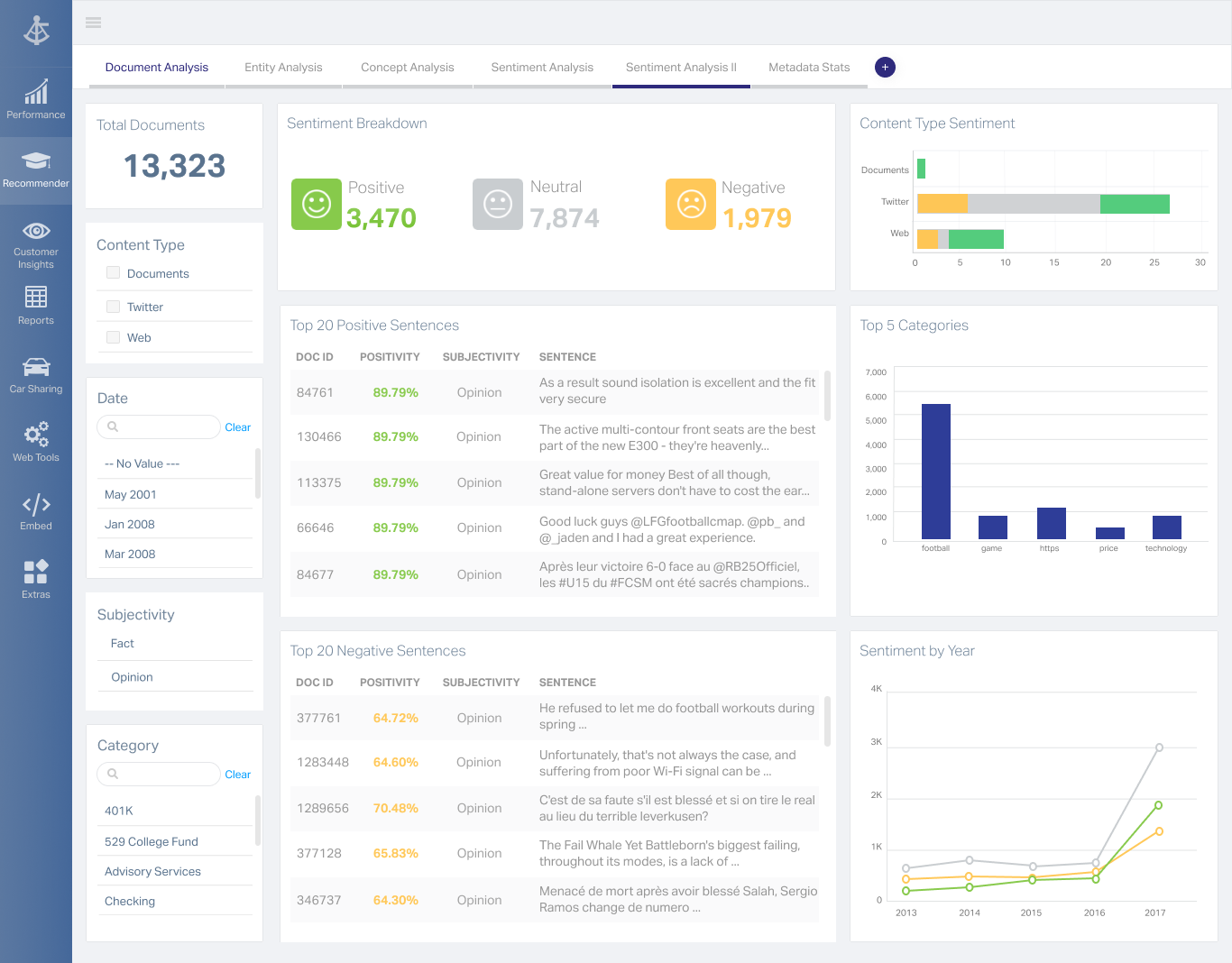 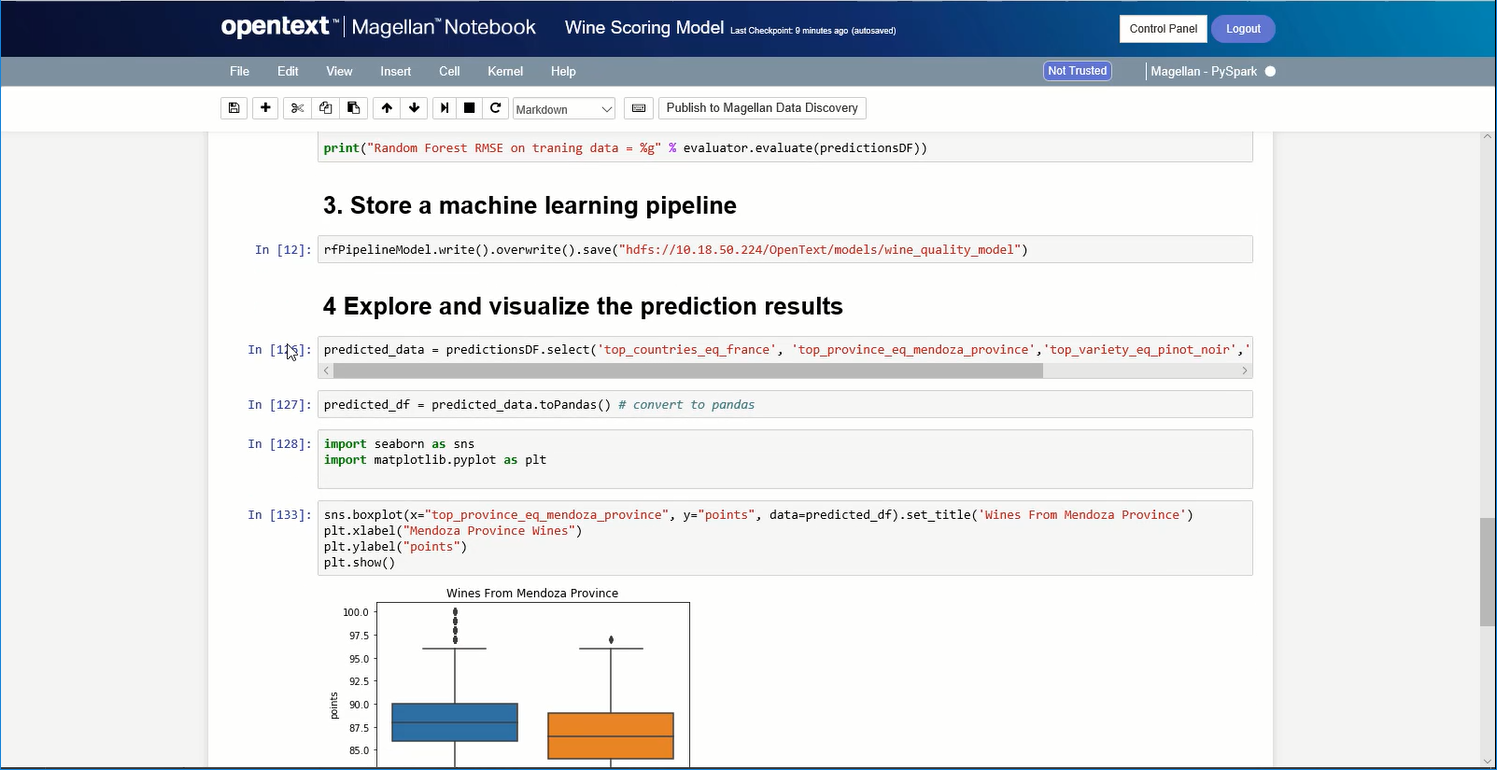 |





