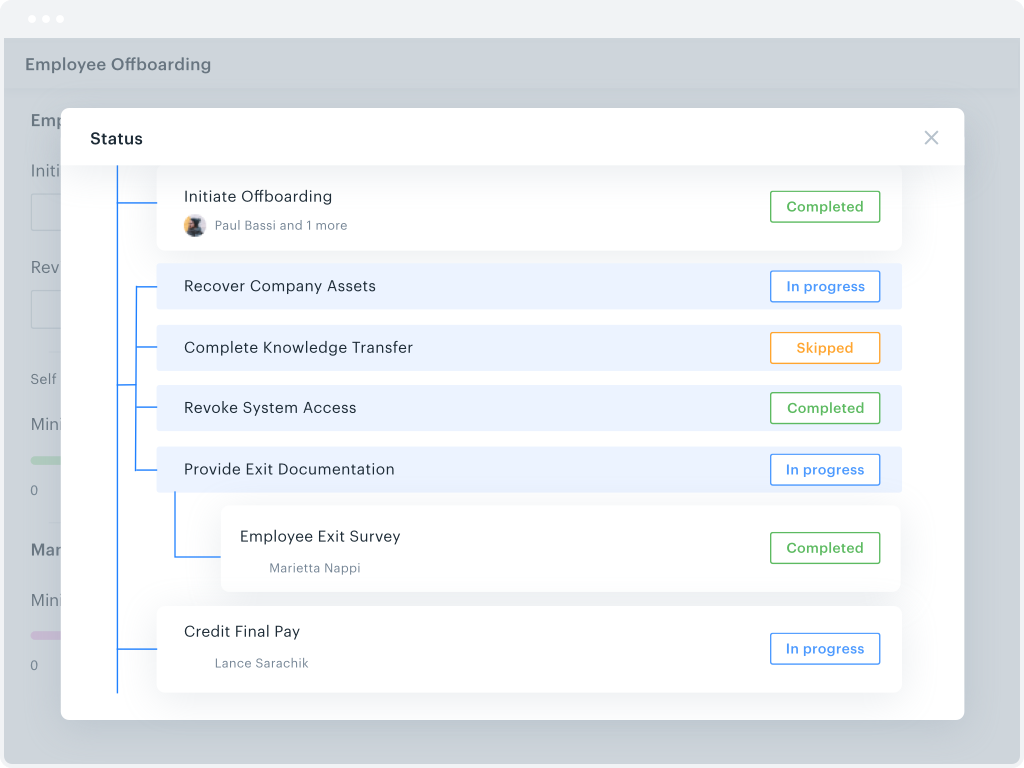
Kissflow is a low-code platform for custom application development tailored to business operations. Kissflow empowers process owners and IT developers to automate and build processes and applications for internal business operations.
$1,500
per month 50 Users
Spotfire
Score7.8 out of 10
N/A
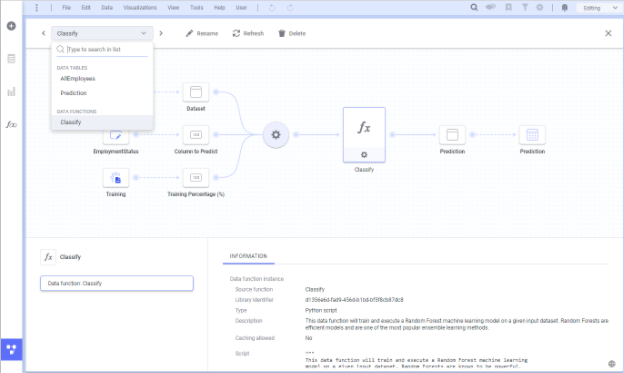
Spotfire, formerly known as TIBCO Spotfire, is a visual data science platform that combines visual analytics, data science, and data wrangling, so users can analyze data at-rest and at-scale to solve complex industry-specific problems.
N/A
Pricing
Kissflow
Spotfire
Editions & Modules
Small Business
$1500
per month
No answers on this topic
Offerings
Pricing Offerings
Kissflow
Spotfire
Free Trial
Yes
Yes
Free/Freemium Version
No
No
Premium Consulting/Integration Services
Yes
Yes
Entry-level Setup Fee
No setup fee
No setup fee
Additional Details
—
For Enterprise engagements, contact Spotfire directly for a custom price quote.
We've used Kissflow [School Cloud] in order to track parent requests for transportation in the SpEd department. It has been user friendly for parents to input a request and staff to review, double check school sites and locations, and set up specific routes to meet the needs of students and communicate the info back to parents.
A de minimis incentive was given to thank the reviewer for their time. The incentive was not used to bias or drive a particular response, nor was the incentive contingent on a positive endorsement. More Info
A high level of data integration is available here it supports various data sources and so on. Collaborating features allow users to give access to the dashboard and merge data analytics with other team members. It can meet the demands of both small and large size business enterprises. A customized dashboard and reports are provided to meet the specific needs and get support of extensibility through APIs and customized scripts.
A de minimis incentive was given to thank the reviewer for their time. The incentive was not used to bias or drive a particular response, nor was the incentive contingent on a positive endorsement. TR verified that a representative sample of customers was invited. More Info
They know what they are. You aren't going to get a Workflow program that also wants to be a CRM. You will get the equivalent of an electronic assistant going from station to station, taking care of business and giving you the end result.
Paper. It reduces the amount of paper needed for menial tasks tremendously. You can automate an entire process. As an educational institution, you may still need paper copies, but you aren't waiting for John Doe to sign Line 3, then Jane Doe to initial, and so on and so on with a paper form.
Tracking. If you need to know where things are in the process, the fact that this program is dedicated to workflow makes it incredibly easy to identify where people are in the sales flow.
Customer appreciation. When your workflow is stronger, faster, and better, the customers feel it. They feel like you are right there with them and getting things moving.
A de minimis incentive was given to thank the reviewer for their time. The incentive was not used to bias or drive a particular response, nor was the incentive contingent on a positive endorsement. More Info
A de minimis incentive was given to thank the reviewer for their time. The incentive was not used to bias or drive a particular response, nor was the incentive contingent on a positive endorsement. More Info
Workflow Design: There isn't a copy/paste function when creating the workflow, and you can't move a workflow task between parallel branches. This becomes a pain point when an item has 98% of what you need, but you can't copy it and place it in another branch to make the last tweaks. Instead, it needs to be completely recreated
Interface: While I like the current design features, which make it easy for an end-user to find their tasks and items, it would be nice to also have some flexibility within the platform. Things like being able to groups apps under a category or tailoring the look and feel of the page a little more would be a welcome addition.
A de minimis incentive was given to thank the reviewer for their time. The incentive was not used to bias or drive a particular response, nor was the incentive contingent on a positive endorsement. More Info
The donut chart is I guess a powerful illustrations but I hope it should be done quite simple in Spotfire. But in Spotfire there are lots of steps involve just to build a simple donut chart.
Table calculation (like Row or Column Differences) should be made simple or there should be drag and drop function for Table Calculation. No need for scripting.
Information Link should be changed. If new columns are added to the table just refreshing the data should be able to capture the new column. No need extra step to add column
A de minimis incentive was given to thank the reviewer for their time. The incentive was not used to bias or drive a particular response, nor was the incentive contingent on a positive endorsement. TR verified that a representative sample of customers was invited. More Info
A de minimis incentive was given to thank the reviewer for their time. The incentive was not used to bias or drive a particular response, nor was the incentive contingent on a positive endorsement. More Info
-Easy to distribute information throughout the enterprise using the webplayer. -Ad hoc analysis is possible throughout the enterprise using business author in the webplayer or the thick client. -Low level of support needed by IT team. Access interfaces with LDAP and numerous other authentication methods. -Possible to continually extend the platform with JavaScript, R scripts, HTML, and custom extensions. -Ability to standardize data logic through pre-built queries in the Information Designer. Everyone in the enterprise is using the same logic -Tagging and bookmarking data allows for quick sharing of insights. -Integration with numerous data sources... flat files, data bases, big data, images, etc. -Much improved mapping capability. Also includes the ability to apply data points over any image.
The system has room to grow as it's limited by not being able to edit POs after they've been approved. The system is great for registrations and syncing to other systems while including the attachments. The reporting from Kissflow is also easy to setup to link to other platforms such as Looker
A de minimis incentive was given to thank the reviewer for their time. The incentive was not used to bias or drive a particular response, nor was the incentive contingent on a positive endorsement. More Info
Basic tasks like generating meaningful information from large sets of raw data are very easy. The next step of linking to multiple live data sources and linking those tables and performing on the fly analysis of the imported data is understandably more difficult.
A de minimis incentive was given to thank the reviewer for their time. The incentive was not used to bias or drive a particular response, nor was the incentive contingent on a positive endorsement. TR verified that a representative sample of customers was invited. More Info
Even though, it's a rather stable and predictable tool that's also fast, it does have some bugs and inconsistencies that shut down the system. Depending on the details, it could happen as often as 2-3 times a week, especially during the development period.
Generally, the Spotfire client runs with very good performance. There are factors that could affect performance, but normally has to do with loading large analysis files from the library if the database is located some distance away and your global network is not optimal. Once you have your data table(s) loaded in the client application, usually the application is quite good performance-wise.
I haven't encountered a need for support with KiSSFLOW. It's not a perfect platform, but it's functional, dependable, and reasonably intuitive. I can't fault a support team just because their product works!
A de minimis incentive was given to thank the reviewer for their time. The incentive was not used to bias or drive a particular response, nor was the incentive contingent on a positive endorsement. More Info
Support has been helpful with issues. Support seems to know their product and its capabilities. It would also seem that they have a good sense of the context of the problem; where we are going with this issue and what we want the end outcome to be.
A de minimis incentive was given to thank the reviewer for their time. The incentive was not used to bias or drive a particular response, nor was the incentive contingent on a positive endorsement. TR verified that a representative sample of customers was invited. More Info
The instructor was very in depth and provided relevant training to business users on how to create visualizations. They showed us how to alter settings and filter views, and provided resources for future questions. However, the instructor failed to cover data sources, connecting to data, etc. While it was helpful to see how users can use the data to create reports, they failed to properly instruct us on how to get the dataset in to begin with. We are still trying to figure out connections to certain databases (we have multiple different types).
A de minimis incentive was given to thank the reviewer for their time. The incentive was not used to bias or drive a particular response, nor was the incentive contingent on a positive endorsement. TR verified that a representative sample of customers was invited. More Info
The online training is good, provides a good base of knowledge. The video demonstrations were well-done and easy to follow along. Provided exercises are good as well, but I think there could be more challenging exercises. The training has also gone up in price significantly in the last 3 years (in USD, which hurts us even more in Canada), and I'm not sure it is worth the money it now costs (it is worth how much it cost 3 years ago, but not double that.)
A de minimis incentive was given to thank the reviewer for their time. The incentive was not used to bias or drive a particular response, nor was the incentive contingent on a positive endorsement. TR verified that a representative sample of customers was invited. More Info
The original architecture I created for our implementation had only a particular set of internal business units in mind. Over the years, Spotfire gained in popularity in our company and was being utilized across many more business units. Soon, its usage went beyond what the original architectural implementation could provide. We've since learned about how the product is used by the different teams and are currently in the middle of rolling out a new architecture. I suggest:
Have clearly defined service level agreements with all the teams that will use Spotfire. Your business intelligence group might only need availability during normal working hours, but your production support group might need 24/7 availability. If these groups share one Spotfire server, maintenance of that server might be a problem.
Know the different types of data you will be working with. One group might be working with "public" data while another group might work with sensitive data. Design your Library accordingly and with the proper permissions.
Know the roles of the users of Spotfire. Will there only be a small set of report writers or does everyone have write access to the Library?
ALWAYS add a timestamp prompt to your reports. You don't want multiple users opening a report that will try and pull down millions of rows of data to their local workstations. Another option, of course, is to just hard code a time range in the backing database view (i.e. where activity_date >= sysdate - 90, etc.), but I'd rather educate/train the user base if possible.
This probably goes without saying, but if possible, point to a separate reporting database or a logical standby database. You don't want the company pounding on your primaries and take down your order system.
KiSSFLOW is much easier to set up, less coding and easier to explain to those that are being trained. The company already had SharePoint, but it is a very difficult system to set up. A class had to be taken, along with getting books in order to understand the process of the workflow. With KiSSFLOW, it is simple to understand, the helpdesk is quick with their response, help topics are laid out simply and you can even talk with someone on that side to ask your questions. Overall, KiSSFLOW is a much easier workflow and system to use.
Spotfire is significantly ahead of both products from an ETL and data ingestion capability. Spotfire also has substantially better visualizations than Power BI, and although the native visualizations aren't as flexible in Tableau, Spotfire enables users to create completely custom javascript visaualizations, which neither Tableau or Power BI has. Tableau and Power BI are likely only superior to Spotfire with respect to embedded analysis on a website.
In an enterprise architecture, if Spotfire Advanced Data services(Composite Studio),data marts can be managed optimally and scalability in a data perspective is great. As the web player/consumer is directly proportional to RAM, if the enterprise can handle RAM requirement accomodating fail over mechanisms appropraitely, it is definitely scalable,
A de minimis incentive was given to thank the reviewer for their time. The incentive was not used to bias or drive a particular response, nor was the incentive contingent on a positive endorsement. More Info
The only real hard number savings that we have had with KiSSFLOW is the money we have saved in forms being printed, especially multi-part forms. So for a small college like us that it probably in the $5000 to $10000 per year range. We have certainly saved money in increased efficiencies of the processes that we have moved to KiSSFLOW. But that is harder to calculate.
A de minimis incentive was given to thank the reviewer for their time. The incentive was not used to bias or drive a particular response, nor was the incentive contingent on a positive endorsement. More Info