TrustRadius: an HG Insights company

Save this comparison

Save this comparison

Add Product

Recommended Comparisons

    Overview
    ProductRatingMost Used ByProduct SummaryStarting Price

    Lansweeper

    Score8.7 out of 10
    N/ALansweeper helps organizations see, understand, and make confident decisions about their technology estate across IT, OT, IoT, and Cloud. Lansweeper automatically discovers and inventories every asset: hardware, software, and user—then connects that data to insights about usage, lifecycle, and risk. This is to create what the vendor describes as Technology Asset Intelligence (TAI): a trusted foundation of knowledge that turns raw inventory data into clear, actionable…

    $2,868

    per year (includes 2000 assets)

    Patch My PC Patch Management

    Score9.1 out of 10
    Enterprise companies (1,001+ employees)
    Software that extends Microsoft Configuration Manager to deploy and patch third-party applications. It is designed to handle the tedious task of packaging, testing, troubleshooting, and deploying applications in the environment. The software automates the creation and patching of third-party applications. Optionally, users can configure automatic deployment rules for complete automation and control over third-party patch management in the enterprise.

    $1

    per year per seat

    Pricing
    LansweeperPatch My PC Patch Management
    Editions & Modules
    Starter
    $239
    per month (billed annually) Includes 2,000 assets
    Pro
    $439
    per month (billed annually) Includes 2,000 assets
    Enterprise
    Contact Sales
    Starts at 10,000 Assets
    Basic
    $1
    per year per seat
    Enterprise
    $2
    per year per seat
    Intune Essentials
    $3.25
    per year per seat
    Enterprise Plus
    $3.50
    per year per seat
    Offerings
    Pricing Offerings
    LansweeperPatch My PC Patch Management
    Free Trial
    YesYes
    Free/Freemium Version
    NoNo
    Premium Consulting/Integration Services
    YesNo
    Entry-level Setup FeeNo setup feeNo setup fee
    Additional Details——
    More Pricing Information
    Community Pulse
    LansweeperPatch My PC Patch Management
    Considered Both Products
    Lansweeper
    No answer on this topic
    Patch My PC
    No answer on this topic
    Key User Insights
    Would buy again
    100%
    Would buy again
    10 Answers
    No answers on this topic
    Delivers good value for the price
    100%
    Delivers good value for the price
    8 Answers
    No answers on this topic
    Happy with the feature set
    100%
    Happy with the feature set
    10 Answers
    No answers on this topic
    Lived up to sales and marketing promises
    100%
    Lived up to sales and marketing promises
    7 Answers
    No answers on this topic
    Implementation went as expected
    100%
    Implementation went as expected
    8 Answers
    No answers on this topic
    Features
    LansweeperPatch My PC Patch Management
    IT Asset Management
    Comparison of IT Asset Management features of Lansweeper and Patch My PC Patch Management
    Feature
    Lansweeper
    8.4
    17 Ratings
    8% above category average
    Patch My PC Patch Management
    -
    Ratings
    Software and hardware inventory tracking9.617 Ratings00 Ratings
    License management7.413 Ratings00 Ratings
    Asset lifecycle monitoring8.46 Ratings00 Ratings
    Asset relationship management8.016 Ratings00 Ratings
    Threat Intelligence
    Comparison of Threat Intelligence features of Lansweeper and Patch My PC Patch Management
    Feature
    Lansweeper
    -
    Ratings
    Patch My PC Patch Management
    10.0
    1 Ratings
    21% above category average
    Vulnerability Classification00 Ratings10.01 Ratings
    Vulnerability Management Tools
    Comparison of Vulnerability Management Tools features of Lansweeper and Patch My PC Patch Management
    Feature
    Lansweeper
    -
    Ratings
    Patch My PC Patch Management
    10.0
    1 Ratings
    18% above category average
    Vulnerability Intelligence00 Ratings10.01 Ratings
    Best Alternatives
    LansweeperPatch My PC Patch Management
    Small Businesses
    No answers on this topic
    No answers on this topic
    Medium-sized Companies
    KACE Asset Management Appliance
    Score8.9 out of 10
    Tenable Nessus
    Score8.8 out of 10
    Enterprises
    KACE Systems Management Appliance
    Score8.9 out of 10
    Tenable Vulnerability Management
    Score8.9 out of 10
    All AlternativesView all alternativesView all alternatives
    User Ratings
    LansweeperPatch My PC Patch Management
    Likelihood to Recommend
    9.0
    (18 ratings)
    10.0
    (1 ratings)
    Likelihood to Renew
    10.0
    (2 ratings)
    10.0
    (1 ratings)
    Usability
    9.0
    (4 ratings)
    -
    (0 ratings)
    Support Rating
    9.9
    (3 ratings)
    -
    (0 ratings)
    Implementation Rating
    -
    (0 ratings)
    10.0
    (1 ratings)
    User Testimonials
    LansweeperPatch My PC Patch Management
    Likelihood to Recommend
    Lansweeper
    Lansweeper I believe is well suited for any environment - its low cost and small footprint make it an easy addition to any organization, big or small, that is looking for an asset inventory solution that can either replace or supplement existing asset management systems. It may not be well suited for situations where a lot of customization is necessary, such as pulling in custom fields or details from equipment that don't reside in a registry.
    Incentivized
    Read full review
    Patch My PC
    I highly recommend Patch My PC to businesses of all types and sizes. The tool is highly customizable and can meet the needs of any organization. It is easy to implement with Configuration Manager (SCCM) and Intune and can be set up within a matter of minutes.
    Read full review
    Pros
    Lansweeper
    • Inventory - LANSweeper scans the network for devices - anything with an SNMP trap or using AD or local credentials. We can get an in-depth look at devices.
    • Reporting - LANSweeper can generate just about any report you can imagine. We can check RAM in groups and determine where upgrades are needed. We can find local printers (which aren't allowed on our network) and address that issue with the user. We can check CPU type to help determine end of life without our network.
    • Printers - It's nice to have a quick look at printer statuses. Toner levels, out of paper, and service errors are all reported via LANSweeper.
    Incentivized
    Read full review
    Patch My PC
    • Great customer support
    • Automation of application creation and updates
    • Easy to integrate and manage
    Read full review
    Cons
    Lansweeper
    • Can only scan what it sees. Doesn't show every item on the machine. Patches are also absent.
    • Software Recognition is OK with Microsoft. It is dire within our network of multiple products. Recognition is at about 35% with constant manual work needed to baseline for each manufacturer in each network
    • Datacenter compliance is a manual project. We used Excel extensively.
    • License optimization is limited to installations v surplus licenses. We need to know who's using what and how.
    Incentivized
    Read full review
    Patch My PC
    • SAS solution
    • Be able to select a specific application version for deployment
    Read full review
    Likelihood to Renew
    Lansweeper
    Superb tool
    Read full review
    Patch My PC
    I consider Patch My PC a necessary tool for any environment I manage. I cannot imagine managing an environment without it, as the time and effort it saves is invaluable.
    Read full review
    Usability
    Lansweeper
    The tool is a web gui, and is mostly easy to navigate, but certain areas are more unclear than others. Identifying what im filtering for, or what menu option has what impact can be less straightforward than I'd like. Overall though, this tool will provide me with information other tools in my box just don't.
    Incentivized
    Read full review
    Patch My PC
    No answers on this topic
    Support Rating
    Lansweeper
    Lots of info online there are tons of SQL Reports you can copy from the web as Lansweeper and users post many of them. They also send out alerts that pop up on Lansweeper, letting you know of an update that you need for certain software and provide an SQL report so you can scan your system to see what PCs need this update.
    Incentivized
    Read full review
    Patch My PC
    No answers on this topic
    Implementation Rating
    Lansweeper
    No answers on this topic
    Patch My PC
    The implementation is super easy, specially if you're just Integrating it with Intune.
    Read full review
    Alternatives Considered
    Lansweeper
    In short it has more features and its a more robust solution and it works well with those solutions. I am sure it will keep track with Ai and action recommendations in the future as I didnt see any of it on the platform (at least the one we use) I thin that is the only thing that is missing in the current product
    Incentivized
    Read full review
    Patch My PC
    Patch My PC is a tool developed and maintained by experienced systems administrators, who have a deep understanding of the workings of Configuration Manager (SCCM) and Intune. They know what it takes to successfully deploy applications to end-users, making the tool an ideal choice for managing software updates and deployments.
    Read full review
    Return on Investment
    Lansweeper
    • It had a positive impact on solutions expense cause several teams we're using different solutions with different costs that used several servers and DB resources. Now, we've been able to simply that a lot with Lansweeper.
    • With my previous point, people had to train and learn about each of their solutions. Now we can put a team in charge and so the other teams can focus on other tasks.
    • Last year Lansweeper changed their licencing prices a lot so it slashed our budget.
    Incentivized
    Read full review
    Patch My PC
    • Saves countless hours on manually packaging applications
    • Saves countless hours on investigating what applications in your environment needs updated
    • saves you 1-3 headcounts in your department
    Read full review
    ScreenShots

    Lansweeper Screenshots

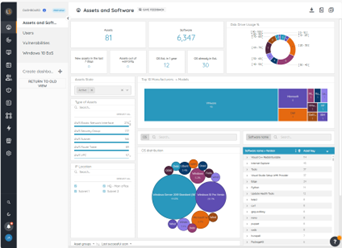
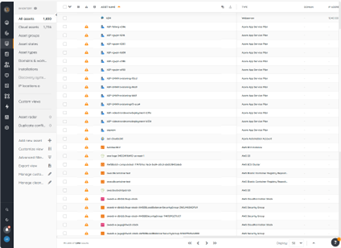
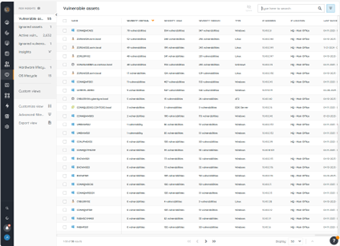
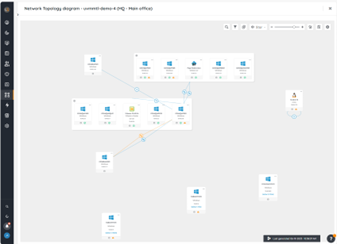
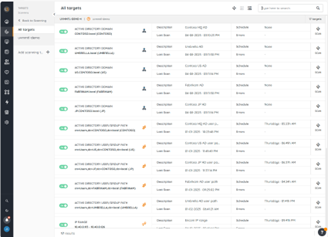
    Screenshot of the Lansweeper BI Dashboard, where users can refine data using advanced filters, and stay informed with email alerts for key metrics, and dive deep into analytics with included exploration tools. Data can also be exported.Screenshot of the Inventory, which is the centralized hub for all discovered assets in an environment. Here, users can navigate through assets, perform actions like rescanning, editing, or deleting assets, and manage relationships between them. Default groups, sorting options, and tailored views can be used to locate and organize specific assets of interest.Screenshot of Lansweeper’s Risk insights for vulnerability data tied to assets. This helps to create visibility into assets with known vulnerabilities to assess severity levels and enhance triage and incident response efforts.Screenshot of Lansweeper’s diagrams, used to explore interconnected views of a network and virtual topologies, powered by inventory data within Lansweeper Site. The visual representations can be exported and shared to enhance cross-team understanding and collaboration.Screenshot of Lansweeper’s Scanning, which provides comprehensive infrastructure discovery. This can be used to discover every IT, OT, IoT, cloud, and mobile asset in an environment along with details that include hardware, software, users, and configuration.

    Patch My PC Patch Management Screenshots

    Screenshot of The general tab is where you can configure the license key and other general settings including the WSUS Code Signing certificate for third-party software updates.Screenshot of You can enable different third-party products to publish to WSUS and sync into Configuration Manager in the updates tab. You can also right-click on all products, vendors, or specific products to enable custom right-click actions.Screenshot of Enable products for application creation and management using the ConfigMgr Apps tab in the Publisher. This feature will automatically package third-party applications and keep them up to date. You can deploy these applications using task sequences or collection deployments in Configuration Manager.Screenshot of The CVE import wizard in the Patch My PC Publisher can evaluate CVE in a file and let you know which ones are either in the Patch My PC catalog or already published to WSUS.Screenshot of The sync schedule controls how often the Publisher will download the catalog and publish new third-party updates and applications to ConfigMgr or Intune.Screenshot of The alerts tab will automatically send you email, Microsoft Teams, or Slack alerts when new updates or applications are created. These alerts will also include details like severity level, classification level, and CVE's.