Little Green Light vs. Slate for Advancement

Overview
ProductRatingMost Used ByProduct SummaryStarting Price
Little Green Light
Score 9.2 out of 10
N/A
Little Green Light offers cloud-based donor management software for nonprofits, used to manage donors, track fundraising activities, generate reports, manage events, and create online donation forms. Plans include unlimited users with no contracts, and no set up or cancellation fees.
$45
per month Up to 2,500 constituent records
Slate for Advancement
Score 8.4 out of 10
N/A
Slate for Advancement is a CRM built exclusively for higher ed advancement and alumni offices. A license to Slate for Advancement is unlimited -- no additional add-ons or costs. Slate enables users to create a personalized constituent experience at scale with custom giving forms, donor portals, video messages, phone calling, and directories. Users can automate processes at scale while having control and access at every level of the system. And the platform includes inbuilt reporting.N/A
Pricing
Little Green LightSlate for Advancement
Editions & Modules
Tier 1
$45.00
per month Up to 2,500 constituent records
Tier 2
$60.00
per month Up to 5,000 constituent records
Tier 3
$75.00
per month Up to 10,000 constituent records
Tier 4
$90.00
per month Up to 20,000 constituent records
Tier 5
$105.00
per month Up to 30,000 constituent records
Tier 6
$120.00
per month Up to 40,000 constituent records
Tier 7
$135.00
per month Up to 50,000 constituent records
No answers on this topic
Offerings
Pricing Offerings
Little Green LightSlate for Advancement
Free Trial
YesNo
Free/Freemium Version
NoNo
Premium Consulting/Integration Services
NoNo
Entry-level Setup FeeNo setup feeNo setup fee
Additional DetailsOver 50,000 constituent records? Add $15/mo for each additional 10k tier. Discounts for prepayment: You can prepay for 12 months and get a 10% discount off the monthly price. Discounts also apply to prepayments of 3 months (2.5%) and 6 months (5%).
More Pricing Information
Community Pulse
Little Green LightSlate for Advancement
Features
Little Green LightSlate for Advancement
Communications and Marketing
Comparison of Communications and Marketing features of Product A and Product B
Little Green Light
8.9
2 Ratings
30% above category average
Slate for Advancement
-
Ratings
Constituent engagement and marketing8.92 Ratings00 Ratings
Reporting and Analytics
Comparison of Reporting and Analytics features of Product A and Product B
Little Green Light
9.0
1 Ratings
33% above category average
Slate for Advancement
-
Ratings
Reporting and data visualization9.01 Ratings00 Ratings
Security and Platform
Comparison of Security and Platform features of Product A and Product B
Little Green Light
9.7
2 Ratings
33% above category average
Slate for Advancement
-
Ratings
Role-based user permissions9.72 Ratings00 Ratings
Best Alternatives
Little Green LightSlate for Advancement
Small Businesses
Bonterra Network for Good
Score 9.5 out of 10
Bonterra Network for Good
Score 9.5 out of 10
Medium-sized Companies
Bloomerang CRM
Bloomerang CRM
Score 9.1 out of 10
Bloomerang CRM
Bloomerang CRM
Score 9.1 out of 10
Enterprises
Blackbaud Enterprise Fundraising CRM
Score 7.6 out of 10

No answers on this topic

All AlternativesView all alternativesView all alternatives
User Ratings
Little Green LightSlate for Advancement
Likelihood to Recommend
8.9
(12 ratings)
9.1
(5 ratings)
Likelihood to Renew
9.0
(1 ratings)
10.0
(2 ratings)
Usability
9.0
(1 ratings)
-
(0 ratings)
Support Rating
8.9
(8 ratings)
7.6
(2 ratings)
User Testimonials
Little Green LightSlate for Advancement
Likelihood to Recommend
Little Green Light
When I came on board, we had a mess. We had so many gift types, categories, and campaigns that it was an epic disaster, and there was no way any reports could easily be pulled. With time, patience, and the bulk edit feature, I could clean up the mess and start again with set campaigns, funds, and appeals...We now have a clean slate for all data entered in 2023 and the future. Thank you for bulk edits
Read full review
Technolutions
What features/functionality pushed your team to select Slate for Advancement? The main winning aspect from our perspective was that all touch points of the donors record would be managed, maintained, updated in one location. We would not be reliant on a third-party vendor for main aspect like e-mail or texting or calling or payment processing. Slate for Advancement has an approach to technology that is embracing of our modern world of technology that I have not seen in other vendors. What lessons learned can you share? Any migration for your CRM is a huge change management project. If you don't have a strong project manager onsite then consider bringing one in as a consultant. If you could make the decision again, would it be the same one? Absolutely What peripherals were you able to replace with the Slate solution (giving portal, events mgmt, etc)? Our institution was a little bit different where we had already built out custom solutions for our alumni portal our event management and our honor roll of giving. Being able to replace those with a platform that's supported by a vendor and has a large community of knowledge base that can be leaned on was huge and another main consideration in moving to slate. For us one of the main selling factors was the depth and willingness of the community to support the rest of us in the effort of making slate for advancement successful in our institutions. And this continues to be the case to this day.
Read full review
Pros
Little Green Light
  • Donor touch tracking (calls, meetings, etc.)
  • Relationships and stewardship
  • Forms for event and other registrations
  • Financial reporting and gift tracking
  • Great support team! I was initially worried because they don't have a contact number, but they reply to support questions really quickly and are always helpful.
Read full review
Technolutions
  • Amazing community support
  • You don't have to be a huge tech person to use Slate for Advancement
  • Just about everything can be customized to meet your needs
Read full review
Cons
Little Green Light
  • I wish it had email formatting rather than integrating with MailChimp, but a small price to pay since it does in fact handle email communications. I've actually found that donors appreciate the "personal" touch versus the more polished, formatted email of MailChimp because they feel like the email went just to them.
  • Wish it had the ability to email year-end statements as easy as it is to print them.
Read full review
Technolutions
  • Dynamic reporting and data visualization
Read full review
Likelihood to Renew
Little Green Light
We have had no issues with LIttle Green Light so I do not see us moving to another software platform at this time. We are all familiar with how to use it and we are a small and mighty team so we don't want to rock the boat too much. LOL
Read full review
Technolutions
Perfect tool for our institution and it only keeps getting better.
Read full review
Usability
Little Green Light
Pretty easy to manage
Read full review
Technolutions
No answers on this topic
Support Rating
Little Green Light
LGL support is absolutely unreal. Send a question straight from inside the software and within minutes you will receive a response from someone at the company who will help you. Most of the time, the person responding to my questions is one of the developers or owners of the company. They are kind, patient, and very helpful. The online knowledge base is very comprehensive as well.
Read full review
Technolutions
Slate's business model does not assign a person to service your instance of the application. To receive effective support, you MUST engage in the online forums involving the greater Slate community. Once you embrace that model, the support team meets or exceeds any service standards I've experienced over the last 20 years.
Read full review
Alternatives Considered
Little Green Light
Little Green Light blows these other two CRM's out of the water. {Little Green Light has] ease of use, user-friendly prompts, and more pertinent information is captured. Little Green Light is perfect for my small-sized Non-Profit organization.
Read full review
Technolutions
Slate for Advancement was more customizable, there is more community support, less expensive both overall and they don't overcharge you for phone calls and texts (if I remember correctly, they charge the customer what they are charged for each phone call or text). Overall, Slate for Advancement was the more innovative option. We switched from Banner to Slate for Advancement, with Banner we constantly had to create workarounds for what we wanted to do with the software, we no longer have to do that. If we dream it, Slate for Advancement can most likely do it.
Read full review
Return on Investment
Little Green Light
  • In two years of using it, we went from $200,000 annually in donor revenue to $500,000. Many factors went into that, but the ease of communications through LGL is definitely one of them.
  • We went from managing communications with ~200 donors to ~400.
Read full review
Technolutions
  • Reducing the number of other systems needed, saving overhead and man-power to automate data integrations
  • Crowd fundraising capabilities that allow for real time reporting and decision making
  • Campus-wide partnerships
Read full review
ScreenShots

Little Green Light Screenshots

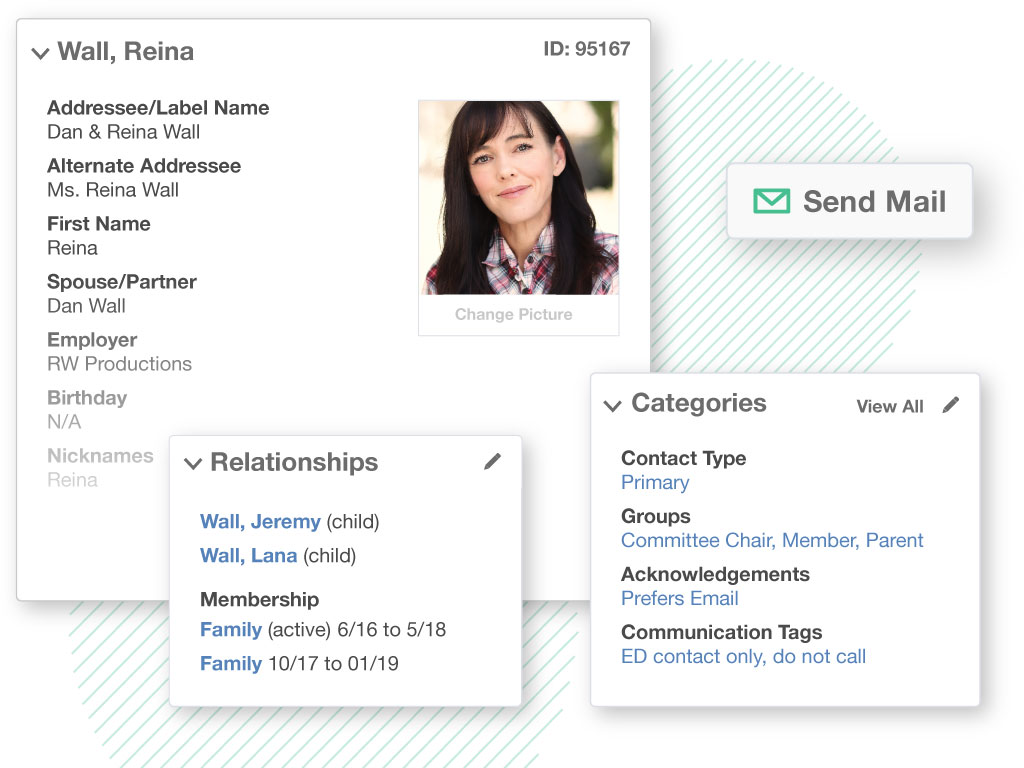
Screenshot of data migrationScreenshot of constituent relationship managementScreenshot of alerts and tracking reportsScreenshot of fundraising and donor management reports