TrustRadius: an HG Insights company

Save this comparison

Save this comparison

Add Product

Recommended Comparisons

    Overview
    ProductRatingMost Used ByProduct SummaryStarting Price

    Looker

    Score8.1 out of 10
    N/ALooker is a BI application with an analytics-oriented application server that sits on top of relational data stores. It includes an end-user interface for exploring data, a reusable development paradigm for data discovery, and an API for supporting data in other systems.N/A

    PingPlotter

    Score9 out of 10
    N/APingPlotter is a graphical traceroute and ping tool that visualizes network performance in a way that makes identifying the source of problems quicker and easier for everyone from online gamers and video streamers to VoIP admins and IT pros. Features for remote deployment, network monitoring, scripting, and a web interface are included along with several additional capabilities.

    $0

    per user

    Pricing
    LookerPingPlotter
    Editions & Modules
    No answers on this topic
    PingPlotter Free
    $0.00
    per user
    PingPlotter Free
    $0.00
    per user
    PingPlotter Standard
    $6.99
    per user per month
    PingPlotter Professional
    $29.00
    per user per month
    PingPlotter Standard
    $39.99
    per user
    PingPlotter Professional
    $349.00
    per user
    Offerings
    Pricing Offerings
    LookerPingPlotter
    Free Trial
    YesYes
    Free/Freemium Version
    NoYes
    Premium Consulting/Integration Services
    YesNo
    Entry-level Setup FeeRequiredNo setup fee
    Additional DetailsMust contact sales team for pricing.—
    More Pricing Information
    Features
    LookerPingPlotter
    BI Standard Reporting
    Comparison of BI Standard Reporting features of Looker and PingPlotter
    Feature
    Looker
    7.4
    134 Ratings
    10% below category average
    PingPlotter
    -
    Ratings
    Pixel Perfect reports6.5110 Ratings00 Ratings
    Customizable dashboards8.2133 Ratings00 Ratings
    Report Formatting Templates7.5115 Ratings00 Ratings
    Ad-hoc Reporting
    Comparison of Ad-hoc Reporting features of Looker and PingPlotter
    Feature
    Looker
    6.8
    132 Ratings
    16% below category average
    PingPlotter
    -
    Ratings
    Drill-down analysis6.3128 Ratings00 Ratings
    Formatting capabilities6.6130 Ratings00 Ratings
    Integration with R or other statistical packages5.655 Ratings00 Ratings
    Report sharing and collaboration8.8131 Ratings00 Ratings
    Report Output and Scheduling
    Comparison of Report Output and Scheduling features of Looker and PingPlotter
    Feature
    Looker
    7.9
    128 Ratings
    4% below category average
    PingPlotter
    -
    Ratings
    Publish to Web7.7105 Ratings00 Ratings
    Publish to PDF7.8113 Ratings00 Ratings
    Report Versioning7.984 Ratings00 Ratings
    Report Delivery Scheduling8.2110 Ratings00 Ratings
    Data Discovery and Visualization
    Comparison of Data Discovery and Visualization features of Looker and PingPlotter
    Feature
    Looker
    6.6
    128 Ratings
    19% below category average
    PingPlotter
    -
    Ratings
    Pre-built visualization formats (heatmaps, scatter plots etc.)7.7124 Ratings00 Ratings
    Location Analytics / Geographic Visualization7.5110 Ratings00 Ratings
    Predictive Analytics4.66 Ratings00 Ratings
    Access Control and Security
    Comparison of Access Control and Security features of Looker and PingPlotter
    Feature
    Looker
    7.3
    128 Ratings
    15% below category average
    PingPlotter
    -
    Ratings
    Multi-User Support (named login)7.5120 Ratings00 Ratings
    Role-Based Security Model7.2105 Ratings00 Ratings
    Multiple Access Permission Levels (Create, Read, Delete)7.2122 Ratings00 Ratings
    Report-Level Access Control7.360 Ratings00 Ratings
    Mobile Capabilities
    Comparison of Mobile Capabilities features of Looker and PingPlotter
    Feature
    Looker
    5.2
    95 Ratings
    39% below category average
    PingPlotter
    -
    Ratings
    Responsive Design for Web Access4.991 Ratings00 Ratings
    Mobile Application5.01 Ratings00 Ratings
    Dashboard / Report / Visualization Interactivity on Mobile5.885 Ratings00 Ratings
    Network Performance Monitoring
    Comparison of Network Performance Monitoring features of Looker and PingPlotter
    Feature
    Looker
    -
    Ratings
    PingPlotter
    8.5
    34 Ratings
    7% above category average
    Automated network device discovery00 Ratings8.724 Ratings
    Network monitoring00 Ratings9.434 Ratings
    Baseline threshold calculation00 Ratings9.624 Ratings
    Alerts00 Ratings6.919 Ratings
    Customizable reports00 Ratings8.018 Ratings
    Best Alternatives
    LookerPingPlotter
    Small Businesses
    Cyfe
    Score4 out of 10
    Auvik
    Score8.8 out of 10
    Medium-sized Companies
    Qlik Cloud Analytics (Qlik Sense)
    Score8.1 out of 10
    Paessler PRTG
    Score8.4 out of 10
    Enterprises
    Sisense
    Score6.9 out of 10
    Nmap
    Score8.7 out of 10
    All AlternativesView all alternativesView all alternatives
    User Ratings
    LookerPingPlotter
    Likelihood to Recommend
    8.0
    (134 ratings)
    9.1
    (34 ratings)
    Likelihood to Renew
    9.2
    (8 ratings)
    -
    (0 ratings)
    Usability
    8.8
    (12 ratings)
    9.3
    (14 ratings)
    Availability
    10.0
    (1 ratings)
    -
    (0 ratings)
    Performance
    6.0
    (1 ratings)
    -
    (0 ratings)
    Support Rating
    8.8
    (14 ratings)
    9.0
    (1 ratings)
    Implementation Rating
    10.0
    (1 ratings)
    -
    (0 ratings)
    Configurability
    10.0
    (1 ratings)
    -
    (0 ratings)
    Contract Terms and Pricing Model
    10.0
    (1 ratings)
    -
    (0 ratings)
    Data Sharing and Collaboration
    8.5
    (51 ratings)
    -
    (0 ratings)
    Data Sources
    7.3
    (51 ratings)
    -
    (0 ratings)
    Ease of integration
    10.0
    (1 ratings)
    -
    (0 ratings)
    Product Scalability
    10.0
    (1 ratings)
    -
    (0 ratings)
    Professional Services
    10.0
    (1 ratings)
    -
    (0 ratings)
    Vendor post-sale
    10.0
    (1 ratings)
    -
    (0 ratings)
    Vendor pre-sale
    10.0
    (1 ratings)
    -
    (0 ratings)
    User Testimonials
    LookerPingPlotter
    Likelihood to Recommend
    Google
    When data drives potential for new orders, Looker earns its place in our tech stack. If, on the other hand, we are hoping for pipeline generation, Looker is useful if you are willing to repeatedly go check customer utilizations .... it is not appropriate if you are hoping to automate data analysis for this purpose.
    Incentivized
    Read full review
    Pingman Tools
    This tool is best suited to get a quick read on basic network access across multiple hops. It provides immediate, very valuable feedback. If you know your stuff, there are other tools that handle the rest you need: packet capture, port scans, etc. We are all looking for that multi-tool, but this is perfect for the basic need of knowing where in the network a problem might be.
    Read full review
    Pros
    Google
    • Show visited pages - sessions, pageviews - which programs are viewed the most.
    • Displays session source/medium views to see where users are coming from.
    • It shows the video titles, URLs, and event counts so we can monitor the performance of our videos.
    • It gives a graphic face to the numbers, such as using bar charts, pie graphs, and other charts to show user trends or which channels are driving engagement.
    • Our clients like to see the top pages visited for a month.
    • I like the drop-and-drag approach, and building charts is a little easier than it was before.
    Incentivized
    Read full review
    Pingman Tools
    • Monitor traffic in network
    • Measure stops when contacting network locations such as websites
    • Measures the lag and latency it takes to contact network locations
    • Gives you both induvidual measurements as well as good oversight
    • identifies when network lag or disconnect occurs
    Read full review
    Cons
    Google
    • Documentation is scarce, and very difficult to find when you need it.
    • Pricing is unclear, particularly as you look to scale your reports across the business.
    • Data from other sources is not represented in the system as well as first party Google services.
    Incentivized
    Read full review
    Pingman Tools
    • Being able to export data would have been helpful for a larger analysis.
    • It is a robust program and probably more than we needed for a small business; some options that were better aligned with our budget would have been good.
    • As a non-technical person in the networking space, I found the data helpful for communicating, but not always easy to understand.
    Read full review
    Likelihood to Renew
    Google
    I give it this rating because it deems as effective, I am able to complete majority of my tasks using this app. It is very helpful when analyzing the data provided and shown in the app and it's just overall a great app for Operational use, despite the small hiccups it has (live data).
    Incentivized
    Read full review
    Pingman Tools
    No answers on this topic
    Usability
    Google
    Looker is relatively easy to use, even as it is set up. The customers for the front-end only have issues with the initial setup for looker ml creations. Other "looks" are relatively easy to set up, depending on the ETL and the data which is coming into Looker on a regular basis.
    Incentivized
    Read full review
    Pingman Tools
    I installed it and it just started working. I realized I could then tweak it to show what I needed but didn't have to spend a long time configuring it before use, editing YAML files etc. Maybe that's fine for a network professional, but I only need this software if something goes wrong, and then need it to work quickly out of the box.
    Incentivized
    Read full review
    Reliability and Availability
    Google
    No objections
    Incentivized
    Read full review
    Pingman Tools
    No answers on this topic
    Performance
    Google
    Somehow resources heavy, both on server and client. I recommned at least 50Mbs data rate and high performance desktop comouter to be abke to run comolex tasks and configure larger amount of data. On the other hand, the client does not need to worry when viewing, the performance is usually ok
    Incentivized
    Read full review
    Pingman Tools
    No answers on this topic
    Support Rating
    Google
    Never had to work with support for issues. Any questions we had, they would respond promptly and clearly. The one-time setup was easy, by reading documentation. If the feature is not supported, they will add a feature request. In this case, LDAP support was requested over OKTA. They are looking into it.
    Incentivized
    Read full review
    Pingman Tools
    I have not had much contact with the PingPlotter support, only one time have I went to them and it was a positive experience. The questions I had were answered quickly and professionally. I have no issue with the experience I had with the Support team. This was from before and after the purchase of the product.
    Incentivized
    Read full review
    Implementation Rating
    Google
    Very satisfied, easy to implement
    Incentivized
    Read full review
    Pingman Tools
    No answers on this topic
    Alternatives Considered
    Google
    Looker Studio, you can easily report on data from various sources without programming. Looker Studio is available at no charge for creators and report viewers. Enterprise customers who upgrade to Looker Studio Pro will receive support and expanded administrative features, including team content management. So it's good.
    Incentivized
    Read full review
    Pingman Tools
    I used Ping.app and UptimeLog.app on the Mac. These both provided different aspects. These two had a menubar to show me green or red for multiple connections. UptimeLog showed me very clearly when my connectivity was on or off and for exactly how long
    Read full review
    Contract Terms and Pricing Model
    Google
    Perfect price to performance
    Incentivized
    Read full review
    Pingman Tools
    No answers on this topic
    Return on Investment
    Google
    • Looker has a poignant impact on our business's ROI objectives. As an advertising exchange we have specific goals for daily requests and fill, and having premade Looks to monitor this is an integral piece of our operational capability
    • To facilitate an efficient monthly billing cycle in our organization, Looker is essential to track estimated revenue and impression delivery by publisher. Without the Looks we have set up, we would spend considerably more time and effort segmenting revenue by vertical.
    • Looker's unique value proposition is making analytical tools more digestible to people without conventional analytical experience. Other competing tools like Tableau require considerably more training and context to successfully use, and the ability to easily plot different visualizations is one of its greatest selling points.
    Incentivized
    Read full review
    Pingman Tools
    • Great ROI, troubleshooting time has been reduced by 90%
    • Network Discoveries used to take 2 to 3 hours and were inconsistent - now it is a matter of minutes
    • lacks integration into our MSP toolkit, and we now use it as a stand alone product
    Incentivized
    Read full review
    ScreenShots

    Looker Screenshots

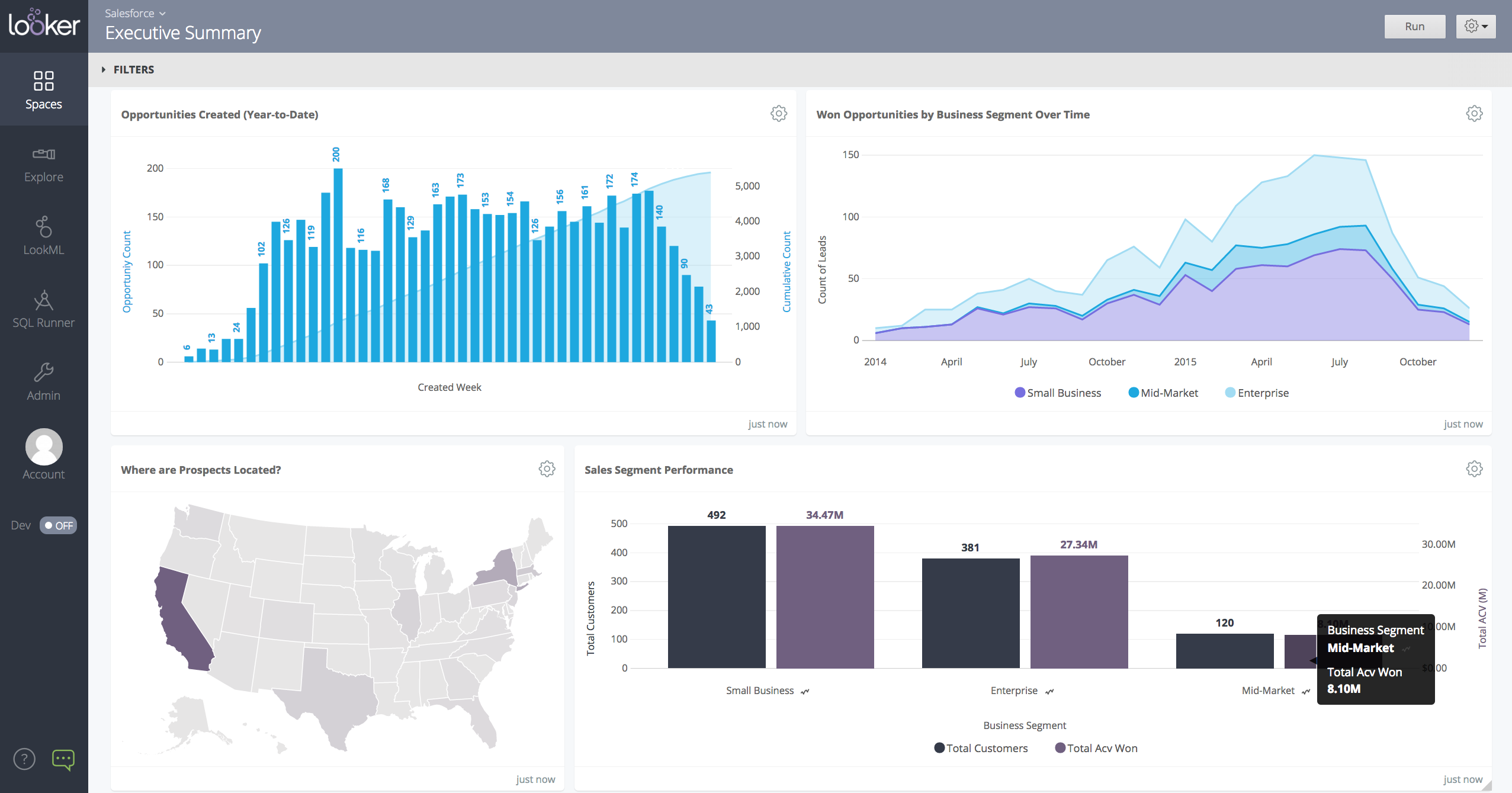
    Screenshot of a Looker dashboard with a geo chart.

    PingPlotter Screenshots

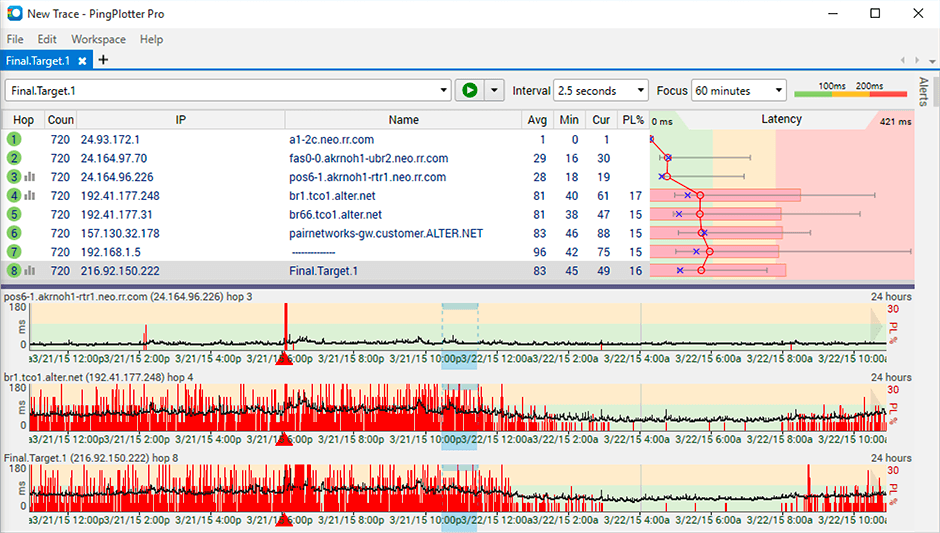
    Product screenshotProduct screenshotProduct screenshot