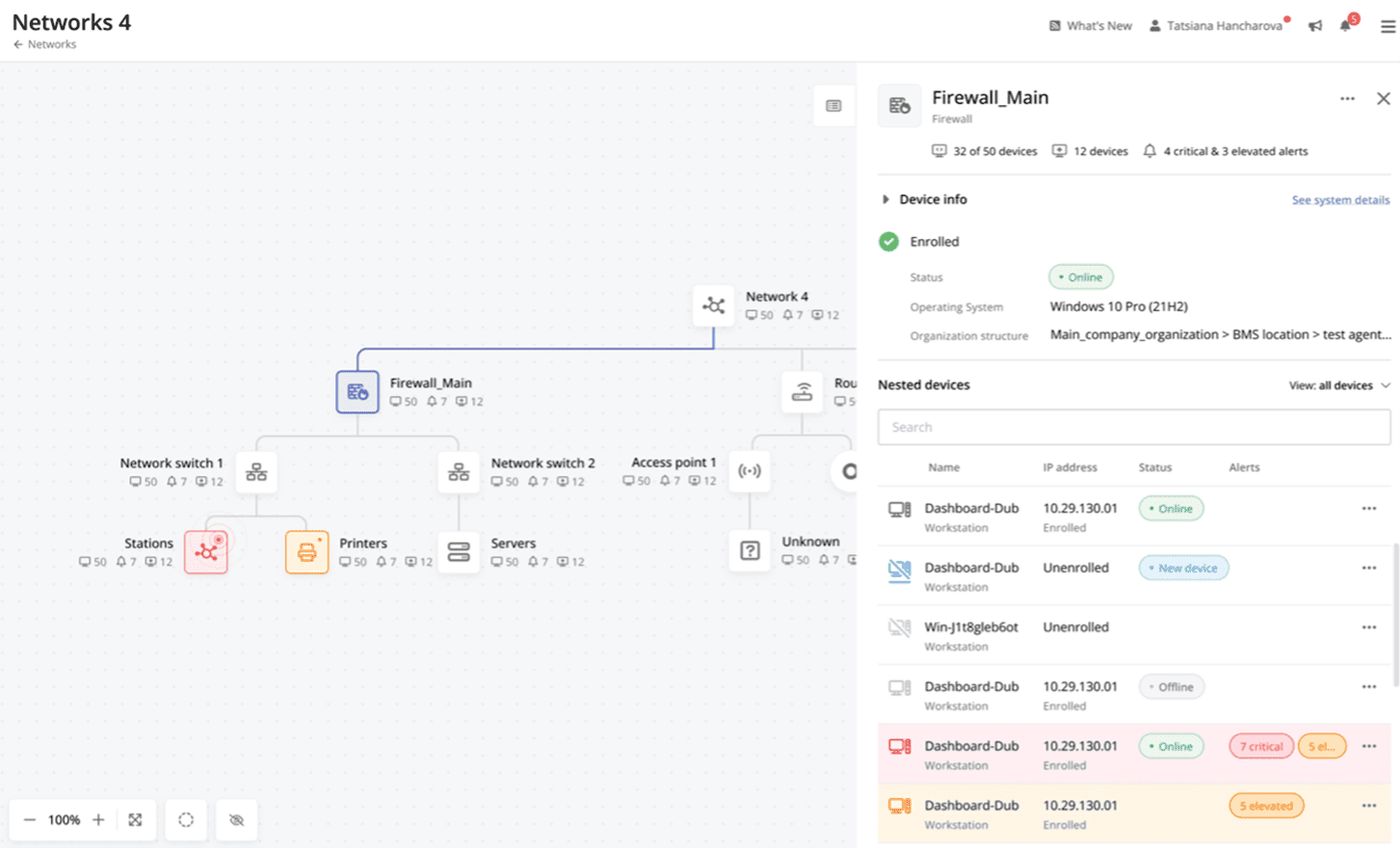
ManageEngine's OpManager is network performance monitoring software.
$95
per year
Pulseway
Score 7.0 out of 10
Mid-Size Companies (51-1,000 employees)
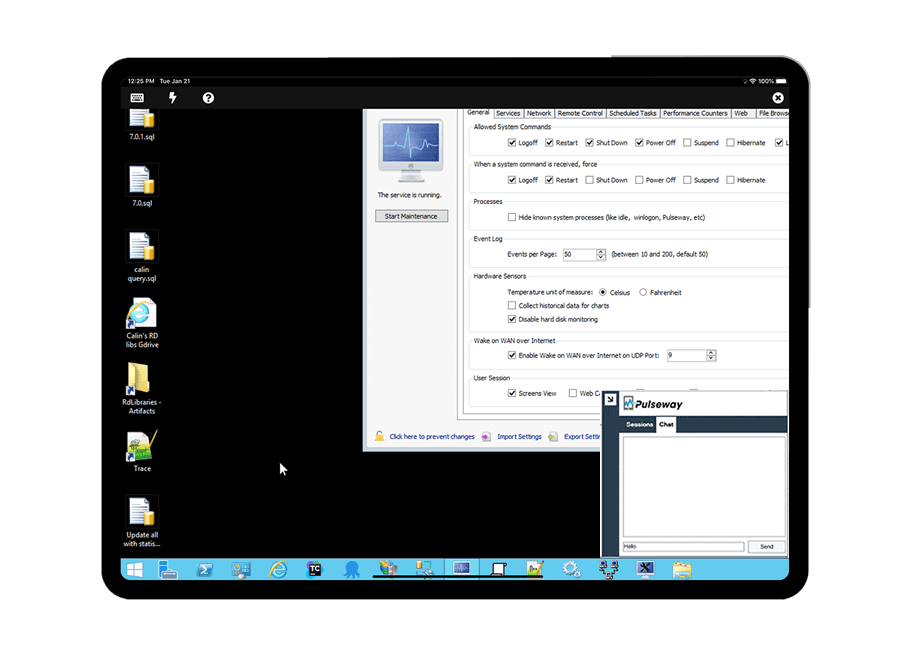
Pulseway is an IT monitoring and management solution that enables users to monitor, manage and control all systems and servers from a smartphone, tablet or browser. For system administrators, Pulseway sends a notification, so they can see an issue and sort it in seconds. Pulseway features: Automation: Auto-remediation workflows, so that IT issues are fixed before users even notice them. Mobile Access: Customers can monitor, manage, connect with…
$0.80
per month per installation
Pricing
ManageEngine OpManager
Pulseway
Editions & Modules
Standard Edition
$245
for 10 devices
Professional Edition
$345
for 10 devices
Enterprise Edition
11,545
for 250 devices
Enterprise
$0.80
per month per installation
Offerings
Pricing Offerings
ManageEngine OpManager
Pulseway
Free Trial
Yes
Yes
Free/Freemium Version
No
Yes
Premium Consulting/Integration Services
Yes
Yes
Entry-level Setup Fee
$245 per installation
No setup fee
Additional Details
—
No hidden fees or contracts. Term-based discounts.
More Pricing Information
Community Pulse
ManageEngine OpManager
Pulseway
Features
ManageEngine OpManager
Pulseway
Network Performance Monitoring
Comparison of Network Performance Monitoring features of Product A and Product B
Manage Engine OpManager is better suited to serve server and network admins at organization to monitor their servers and network devices. It helps us with compliance with the reports available like utilization reports and capacity planning reports. It helps you to keep track of what all process are consuming the resources. It helps you in monitoring what is happening in your switches, routers and firewall
If you have to manage a large number of computers, especially spread over multiple clients or a large physical area. This is one of the main products that allows us to act as a Managed Service Provider (MSP) and actually manage our clients devices and not just react to issues as clients call them in. Clients really love the proactive approach it allows us to take. Sadly as we became more familiar with options out there we found this area lacking and what was actually holding us back.
It measures the CPU utilization of hosts, the network bandwidth utilization of links, and other aspects of the operation
It often sends messages—sometimes called watchdog messages—over the network to each host to verify if it is responsive to requests.
Set Up Notifications And Reports.
OpManager offers a set of advantages that allow it to adapt to the needs of the company, guaranteeing effective monitoring of the application networks used in our organization.
It monitors computers and notifies us of any issues with any computer.
It allows remote control of computers, such as requesting a computer to reboot itself.
It is very highly configurable to monitor exactly what we need to monitor. For example, on server, we can have it notify us any time the server is shutdown or rebooted. On the other hand, for a desktop computer, we don't have to be bothered with notifications when a user decides to reboot his computer.
Alerts has to be configured correctly otherwise unnecessary bombarding of alerts can cause inconvenience.
The server on which ManageEngine OpManager is to be deployed should have higher resources as monitoring a large number of devices may slow down the performance of the system.
Configuring the advanced features may require a learning curve.
The rating I provided is based on the product quality, experience (I have been using OpManager for almost the last 4 years), and relevance of the information/response I generated through Manage Engine OpManager. I have also received good support from OpManager.
The tool is easy to use however it is can be daunting with the amount of features available in it. Last I checked, their knowledge base was not very expansive and they relied a lot on the changelog for how to do some stuff. This can make it hard to learn how to do some more advanced things like the automation.
At first, we were not able to add our Avaya switches to the configuration backup module, our partner tried to help, but they did not find the solution, we had one remote session with tech support of ME and they solve the problem.
I have never had to use the support for Pulseway. However, when initially starting out, we would receive emails every so often asking how we are doing and if there is any support that they can provide. I would imagine that any request would be supplied with the same great support!
During our competitive analysis, we found ManageEngine OpManager was not expensive compared to other vendors. At the same time, there was no compromise on the features such as customized reporting or configuring alerts per our clientele's unique requirements. These are our client words "Other vendors ask us to pay more $$$ for enabling additional email alerts".
Pulseway has the most features, the best looking app with the best design and better usability than any others we evaluated. We liked the uniformity of the app design across all platforms (Windows, Android, Apple) and the notifications displayed on each platform. The price was a major contributor to our selection of Pulseway compared to the competition.
I don't know if you can calculate ROI with a monitoring solution, there are more factors to calculate.
We found a really big problem with a network switch (faulty transceiver) in a trunk configuration with OPManager. this caused us serial troubles with the overall network stability.
We are loosing around € 3.000 to 5.000 per hour if our network is not working so this was a great help to fix this issue
Our label printers are really important to monitoring in our warehouse system, this makes OPManager a great solution for that
Problems can be dealt with more rapidly because I have access to systems from anywhere. I don't have to carry a computer with me nor do I have to find a location with potentially non-secure wifi to gain access to my systems.
I can handle 99% of my system admin tasks using Pulseway and never have to touch a system or connect to the console.
Pulseway gives so much control over a system that I don't need to spend extra money on other software to perform management tasks.