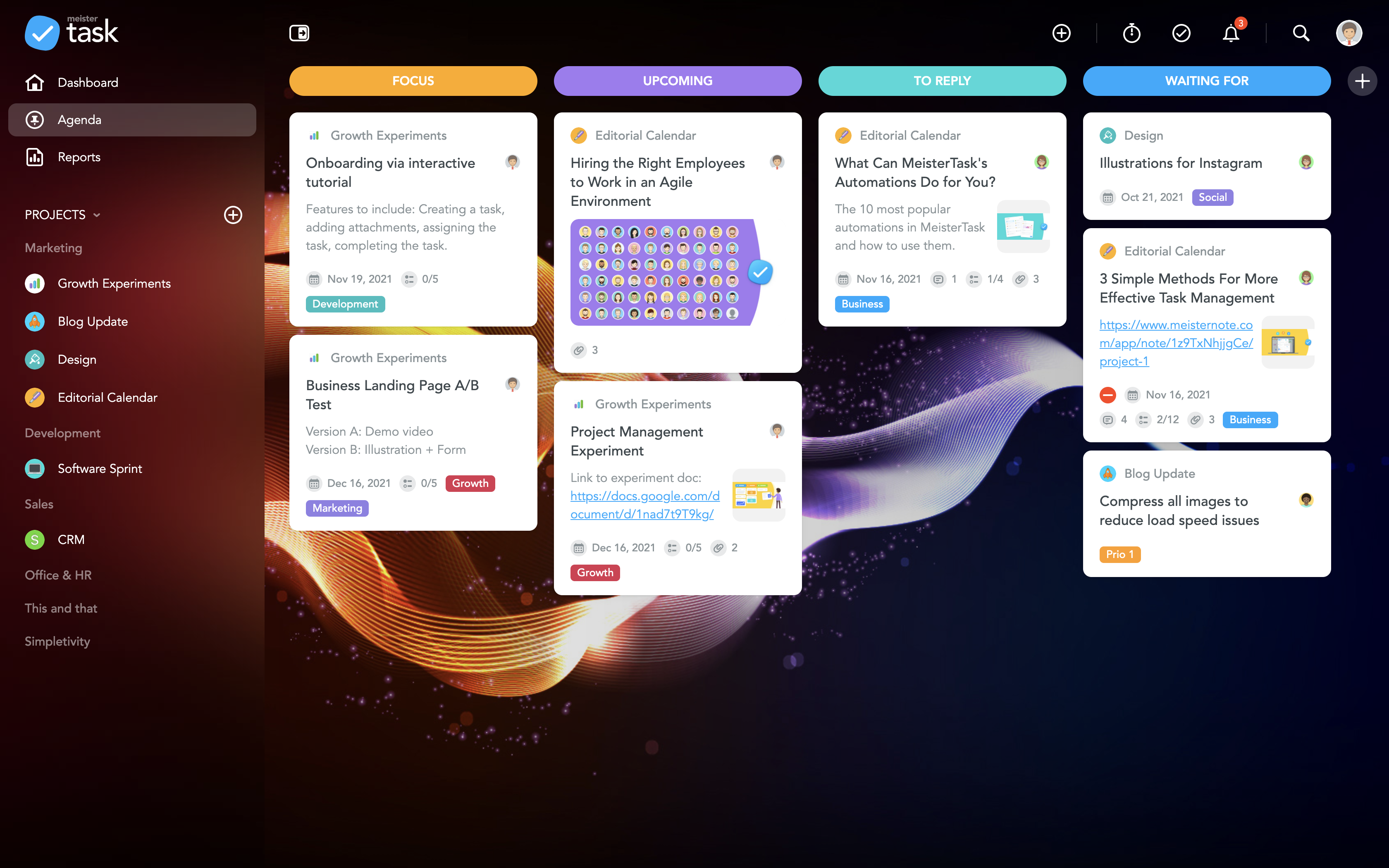
MeisterTask is a task management and collaboration tool that let teams manage tasks in a customizable environment. MeisterTask's project boards adapt to a team’s workflow, and is suitable for managing a variety of tasks from software sprints to editorial calendars. As opposed to only providing a tool that visualizes the work, MeisterTask automates recurring steps in users' workflows to help them work more efficiently and consistently.
MeisterTask is developed by…
$16
per month per user
Todoist
Score9.3 out of 10
N/A
Doist, a company boasting an entirely globally distributed workforce, offers Todoist, a project management platform emphasizing the needs of a distributed workforce. The application emphasizes tracking events over time with advanced closed task and progress reporting, with custom graphics for sharing or ease of review.
$10
per month per user
Pricing
MeisterTask
Todoist
Editions & Modules
Pro
$16
per month per user
Business
$32
per month per user
Enterprise
Custom
Business
$10
per month per user
Offerings
Pricing Offerings
MeisterTask
Todoist
Free Trial
No
Yes
Free/Freemium Version
Yes
Yes
Premium Consulting/Integration Services
No
No
Entry-level Setup Fee
No setup fee
No setup fee
Additional Details
Discounts are available for education and non-profit organisations. 28% discount for annual pricing.
Lecturer Marketing & Sales in Marketing at Amsterdam University of Applied Sciences (Education Management, 1001-5000 employees)
Chose MeisterTask
Meistertask is more visual and has a strong integration with mindmeister to create mindmaps first and from that to create tasks for your team. The reporting part is insightful to help monitor your team and see who needs additional help.
A de minimis incentive was given to thank the reviewer for their time. The incentive was not used to bias or drive a particular response, nor was the incentive contingent on a positive endorsement. More Info
Graphic Artist in Professional Services at Self-Employed (Design, 1-10 employees)
Chose MeisterTask
More customization, easier learning curve, gorgeous interface, more user-friendly, just the right amount of features without offering so many that you practically have to set up the entire app yourself before you can use it, the most integrations with other services, lets you …
A de minimis incentive was given to thank the reviewer for their time. The incentive was not used to bias or drive a particular response, nor was the incentive contingent on a positive endorsement. More Info
Todoist
Verified User
Chose Todoist
I tried using Meister for its email integration, but in general, the built-in task tracker in our email client was sufficient in that regard. Todoist feels less clunky than the tasks that Outlook offers (ditto Gmail) and it's nice to have a separate app for task management. …
A de minimis incentive was given to thank the reviewer for their time. The incentive was not used to bias or drive a particular response, nor was the incentive contingent on a positive endorsement. More Info
Verified User
Chose Todoist
For me, TDI is the simplest, most cost-effective option. It just works. It's inexpensive. Some of the others are probably more robust. I've never needed more. I love TDI.
A de minimis incentive was given to thank the reviewer for their time. The incentive was not used to bias or drive a particular response, nor was the incentive contingent on a positive endorsement. More Info
The best part about Meistertask is how dead simple it is, while still absolutely nailing what it needs to really get right. Meistertask makes task management dead simple for me and keeps the detail out of the way unless I specifically need it.
A de minimis incentive was given to thank the reviewer for their time. The incentive was not used to bias or drive a particular response, nor was the incentive contingent on a positive endorsement. More Info
There have been lots of times when we need to add a new habit into our daily work routines, and having the option to do so in the To-Doist app on the very first screen is incredibly helpful. It's a good reminder, and I believe that professionals who truly appreciate and properly value the implementation of good habits would be very grateful for this feature. It's also a time saver because you don't have to manually type it in every day/week / etc.
A de minimis incentive was given to thank the reviewer for their time. The incentive was not used to bias or drive a particular response, nor was the incentive contingent on a positive endorsement. More Info
The learning curve is really short compared to other software that is related to this.
It is very easy to manage several projects at the same time, thus saving time in the work process.
Managing the elements of the list is very comfortable since its interface allows everything to work in an orderly manner based on what I want to put as important for me.
It has versions that are adapted to any type of company or if you want to give a personal use because it also has an option based on what you want to do with MeisterTask.
A de minimis incentive was given to thank the reviewer for their time. The incentive was not used to bias or drive a particular response, nor was the incentive contingent on a positive endorsement. More Info
A de minimis incentive was given to thank the reviewer for their time. The incentive was not used to bias or drive a particular response, nor was the incentive contingent on a positive endorsement. More Info
A de minimis incentive was given to thank the reviewer for their time. The incentive was not used to bias or drive a particular response, nor was the incentive contingent on a positive endorsement. More Info
The Todoist application now works almost identically across all platforms. There is a minor improvement that I would like to see on iOS and that is the ability to show task count by custom filter.
In Board view, I want to be able to easily add sub-tasks to a parent task.
Besides those two minor improvements, I am extremely happy with the application.
A de minimis incentive was given to thank the reviewer for their time. The incentive was not used to bias or drive a particular response, nor was the incentive contingent on a positive endorsement. More Info
A de minimis incentive was given to thank the reviewer for their time. The incentive was not used to bias or drive a particular response, nor was the incentive contingent on a positive endorsement. More Info
Excellent features and concept, simple implementation, but the software is not very clear in training new users and communicating features. The occasional unexplained crash or freeze is not handled gracefully by the desktop software, requiring either the user or tech support to manually restart.
A de minimis incentive was given to thank the reviewer for their time. The incentive was not used to bias or drive a particular response, nor was the incentive contingent on a positive endorsement. More Info
A de minimis incentive was given to thank the reviewer for their time. The incentive was not used to bias or drive a particular response, nor was the incentive contingent on a positive endorsement. More Info
I've used Todoist for about three years now and I haven't needed to contact support, which I'm considering a 10 out of 10. Honestly, their platform is so easy to use that I never had to look up a knowledge base or forum to be able to do what I wanted in Todoist. So I'm not sure what their support system looks like or how it works, but I do know that if I haven't needed support, that's also a good sign!
A de minimis incentive was given to thank the reviewer for their time. The incentive was not used to bias or drive a particular response, nor was the incentive contingent on a positive endorsement. More Info
Meistertask seems like it was made for work, and it doesn’t hide its features amid complicated menus. The Mobile experience is one of the best I have used in task management. It integrates with other tools more widely via Zapier and various built-in ecosystem connections within the Meisterlabs space. If you need to get started simplifying your digital life, this can help.
A de minimis incentive was given to thank the reviewer for their time. The incentive was not used to bias or drive a particular response, nor was the incentive contingent on a positive endorsement. More Info
[Todoist: To-Do List & Task Manager] is significantly simpler and cheaper than most of the alternatives and doesn't complicate the management of tasks with a plethora of unnecessary features. While all the alternatives have strong feature sets, what Todoist does better than any of them is manage tasks, in theory the central point of them all.
A de minimis incentive was given to thank the reviewer for their time. The incentive was not used to bias or drive a particular response, nor was the incentive contingent on a positive endorsement. More Info
MeisterTask saves me a lot of time in communicating about various tasks of a project. The activity chat feature lets me communicate with other members of my team without having to be in the same location as them, and increasing our productivity.
It has caused me to use some additional time though, and create a Gantt chart myself instead of being able to use a built-in feature.
MeisterTask is great for letting us organize and keep track of all aspects of a project and make sure each one gets done by its respective due date.
A de minimis incentive was given to thank the reviewer for their time. The incentive was not used to bias or drive a particular response, nor was the incentive contingent on a positive endorsement. More Info
Location-based reminders ensured that my staff didn't miss things when they went onsite with a customer. This has led to renewals on a regular basis.
Sharing of task visibility for managers with their direct reports has enhanced 1-on-1 meetings and ensured that field coaches kept focused
The cost of Todoist vs. the value it creates is a huge selling point for the software. For the price per user, I've found nothing that even comes close!
A de minimis incentive was given to thank the reviewer for their time. The incentive was not used to bias or drive a particular response, nor was the incentive contingent on a positive endorsement. More Info