Microsoft Planner is presented as a solution to organize teamwork with intuitive, collaborative, visual task management. With it, users can create Kanban boards using task cards with files, checklists, and labels. Users can collaborate in Planner and Microsoft Teams and check visual status charts—all in the Microsoft cloud.
N/A
Planview AgilePlace
Score7.5 out of 10
N/A
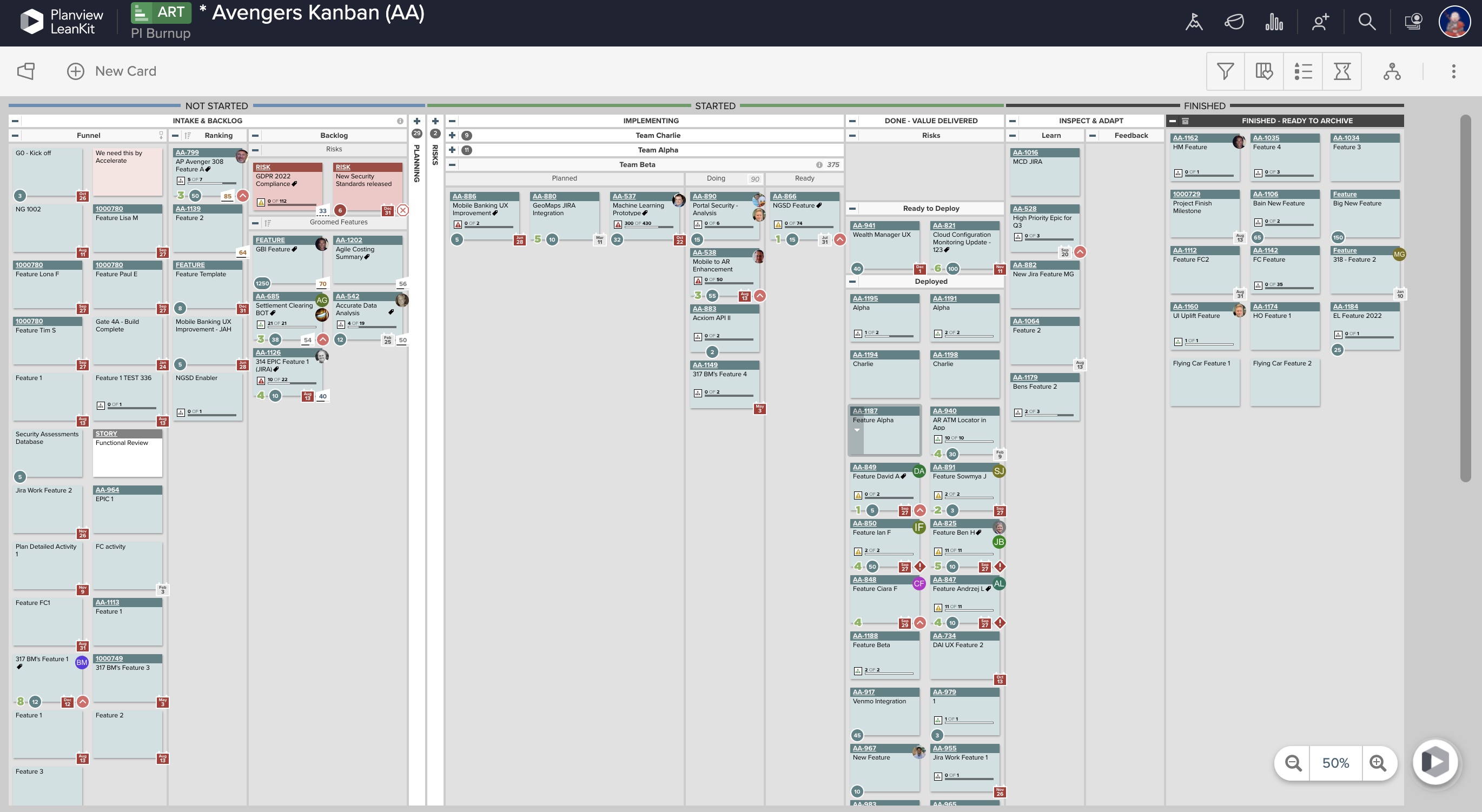
AgilePlace is a project management solution built around flexibility, data-driven analytics, and workflow automation. The software was acquired by Planview in December 2017 to expand that company's capabilities.
$19
per user, per month
Pricing
Microsoft Planner
Planview AgilePlace
Editions & Modules
No answers on this topic
Teams
$19
per user, per month
Scaled Teams
$29
per user, per month
Custom
Contact Sales for Quote
per user, per month
Offerings
Pricing Offerings
Microsoft Planner
Planview AgilePlace
Free Trial
No
Yes
Free/Freemium Version
No
No
Premium Consulting/Integration Services
No
No
Entry-level Setup Fee
No setup fee
No setup fee
Additional Details
—
All editions include unlimited boards.
More Pricing Information
Community Pulse
Microsoft Planner
Planview AgilePlace
Considered Both Products
Microsoft
Verified User
Chose Microsoft Planner
Planner provides better integration with Microsoft products that are used across the organization as a whole. It provides better connection to SharePoint, MS Teams, MS Office products, and even in MS Outlook, which is the company's email client.
A de minimis incentive was given to thank the reviewer for their time. The incentive was not used to bias or drive a particular response, nor was the incentive contingent on a positive endorsement. More Info
There are a few examples where MS Planner would be suitable for employees at a mature organization. In my opinion, if you have Outlook or Teams, you already have built-in calendars and to-do lists. If you need a project management tool, you have two options: either pay for MS Project or use an alternative tool like Monday, Asana, or Jira. Regardless, their free versions are much more sophisticated than Microsoft's (MS Planner). Any team wishing to put together a halfway-decent project management board will need to look elsewhere, as MS Planner is only suitable for a personal to-do list.
A de minimis incentive was given to thank the reviewer for their time. The incentive was not used to bias or drive a particular response, nor was the incentive contingent on a positive endorsement. More Info
This tool enables the visual management needed in many offshore teams to easily and quickly see the pending work, work in progress and completed work.For teams that work with a waterfall methodology and do not have AGILE internalized, I believe there are other solutions from Planview or other providers.
A de minimis incentive was given to thank the reviewer for their time. The incentive was not used to bias or drive a particular response, nor was the incentive contingent on a positive endorsement. More Info
Would be nice to see a calendar view instead of a list view
Permissions aren't configurable, anyone can delete any task at any time and there is no recycle bin
Notifications aren't great, you have to be attached as an owner to a task to see comments and be notified of changes, and even then notifications aren't shown for a lot of things
A de minimis incentive was given to thank the reviewer for their time. The incentive was not used to bias or drive a particular response, nor was the incentive contingent on a positive endorsement. More Info
Ability to add more than 1 visual cue to the card. We use custom icons and sometimes more than 1 is appropriate but you have to choose which is most important since only 1 can be applied.
Better visibility to board access from the user administration screens. Currently have to run 1-2 reports to see this information. Would like to be able to click on a user within Configure Users and see what boards they have access to quickly.
It is a very useful tool that brings teams in sync with one another. The integration with other Microsoft products makes it an obvious choice because you don't have to purchase a license for a completely different tool that doesn't have cross-functional capabilities with the software you already use on a daily basis.
A de minimis incentive was given to thank the reviewer for their time. The incentive was not used to bias or drive a particular response, nor was the incentive contingent on a positive endorsement. More Info
The board-and-bucket layout makes it easy to organize tasks, track progress, and prioritize work at a glance, even for first-time users. I also appreciate how Planner seamlessly integrates with tools like Teams, Outlook, and SharePoint, enabling users to collaborate, schedule tasks, and access their plans without needing to switch platforms. I also like how it’s accessible not only on desktops, but also on mobile devices.
A de minimis incentive was given to thank the reviewer for their time. The incentive was not used to bias or drive a particular response, nor was the incentive contingent on a positive endorsement. More Info
LeanKit isn't the best designed Kanban system I've seen, but overall it's pretty usable. The boards I've used are pretty complex, so it can be difficult to find things. I found that searching and filtering for specific cards was somewhat of a challenge. Dragging a card from one lane to another is kind of a fun way to get things done though.
A de minimis incentive was given to thank the reviewer for their time. The incentive was not used to bias or drive a particular response, nor was the incentive contingent on a positive endorsement. More Info
A de minimis incentive was given to thank the reviewer for their time. The incentive was not used to bias or drive a particular response, nor was the incentive contingent on a positive endorsement. More Info
A de minimis incentive was given to thank the reviewer for their time. The incentive was not used to bias or drive a particular response, nor was the incentive contingent on a positive endorsement. More Info
Every time I have reached out to the AgilePlace support team I have received a timely response in addition to professional & personal feedback. Their consultants are knowledgeable and the management team is happy to jump in and help when needed.
A de minimis incentive was given to thank the reviewer for their time. The incentive was not used to bias or drive a particular response, nor was the incentive contingent on a positive endorsement. More Info
Many areas of the company still use Trello to organize their activities and tasks, but gradually Microsoft Planner must replace the activities. Users are often "attached" to familiar technologies, but Office 365 takes advantage of the more organized use of the tools. This year we will not renew the Trello contract.
Originally, we had evaluated two other tools next to Planview LeanKit: Kanbantool and Kanbanflow. The latter was a close contestant for productive use, as it was also very customizable and a joy to work with and look at. It also had lower user fees and a mobile integration. In the end, we picked Planview LeanKit because of several reasons: Aesthetics: The look was much more clean and professional. Reporting: It was obvious from the start that we could use Planview LeanKit as a tool for improvement. API: We needed to integrate the Kanban into our central systems and Planview LeanKit API was (and still is) a way to do it. Card Headers: This sounds like a simple thing, but the headers above the titles fit our work perfectly and looked perfect, which helped the decision.
A de minimis incentive was given to thank the reviewer for their time. The incentive was not used to bias or drive a particular response, nor was the incentive contingent on a positive endorsement. More Info
A de minimis incentive was given to thank the reviewer for their time. The incentive was not used to bias or drive a particular response, nor was the incentive contingent on a positive endorsement. More Info
In my experience, productivity is negatively impacted because assigning subtasks aren't clear on Microsoft Planner
Managers aren't able to track direct reports' tasks across multiple boards -- leading to poor visibility for us
Notifications aren't always sent to inbox, so you rely on people's own project management skills to follow the communication on tasks they're assigned to. In my experience, this leads to missed deadlines impacting customer relationships.
A de minimis incentive was given to thank the reviewer for their time. The incentive was not used to bias or drive a particular response, nor was the incentive contingent on a positive endorsement. More Info
A de minimis incentive was given to thank the reviewer for their time. The incentive was not used to bias or drive a particular response, nor was the incentive contingent on a positive endorsement. More Info