Microsoft Viva Engage vs. Nifty

Overview
ProductRatingMost Used ByProduct SummaryStarting Price
Microsoft Viva Engage
Score 8.3 out of 10
N/A
Microsoft Viva Engage, formerly Yammer, is used for private communication within organizations or between organizational members and pre-designated groups.
$24
per year per user
Nifty
Score 8.6 out of 10
N/A
Nifty consolidates projects, work, and communications in one place. Nifty simplifies and automates the tracking of project milestones, communications with teammates and clients, collaborative document creation, and more in a centralized workspace! Nifty enables organizational oversight across projects and teammates with project & team workload overviews. With communications, project management, and workflow collaboration centralized in one place, teams can consolidate their workday as well…N/A
Pricing
Microsoft Viva EngageNifty
Editions & Modules
Microsoft Viva Employee Communications and Communities
$24
per year per user
Microsoft Viva Suite
$144
per year per user
No answers on this topic
Offerings
Pricing Offerings
Microsoft Viva EngageNifty
Free Trial
NoYes
Free/Freemium Version
NoYes
Premium Consulting/Integration Services
NoYes
Entry-level Setup FeeNo setup fee$89 simple flat-rate pricing
Additional DetailsMicrosoft Viva Engage is also available in some Microsoft 365 packages.
More Pricing Information
Community Pulse
Microsoft Viva EngageNifty
Features
Microsoft Viva EngageNifty
Project Management
Comparison of Project Management features of Product A and Product B
Microsoft Viva Engage
8.3
46 Ratings
6% above category average
Nifty
9.6
3 Ratings
21% above category average
Task Management8.828 Ratings8.83 Ratings
Gantt Charts8.515 Ratings10.03 Ratings
Scheduling8.023 Ratings10.03 Ratings
Workflow Automation7.723 Ratings9.43 Ratings
Mobile Access8.843 Ratings10.03 Ratings
Search8.143 Ratings00 Ratings
Visual planning tools8.426 Ratings00 Ratings
Resource Management00 Ratings9.43 Ratings
Team Collaboration00 Ratings10.03 Ratings
Support for Agile Methodology00 Ratings10.01 Ratings
Support for Waterfall Methodology00 Ratings10.03 Ratings
Document Management00 Ratings9.43 Ratings
Email integration00 Ratings10.02 Ratings
Timesheet Tracking00 Ratings8.53 Ratings
Change request and Case Management00 Ratings9.03 Ratings
Budget and Expense Management00 Ratings10.02 Ratings
Communication
Comparison of Communication features of Product A and Product B
Microsoft Viva Engage
8.6
49 Ratings
7% above category average
Nifty
-
Ratings
Chat9.344 Ratings00 Ratings
Notifications8.449 Ratings00 Ratings
Discussions9.648 Ratings00 Ratings
Surveys9.238 Ratings00 Ratings
Internal knowledgebase9.338 Ratings00 Ratings
Integrates with GoToMeeting7.314 Ratings00 Ratings
Integrates with Gmail and Google Hangouts6.713 Ratings00 Ratings
Integrates with Outlook8.632 Ratings00 Ratings
File Sharing & Management
Comparison of File Sharing & Management features of Product A and Product B
Microsoft Viva Engage
8.7
42 Ratings
8% above category average
Nifty
-
Ratings
Versioning9.728 Ratings00 Ratings
Video files8.936 Ratings00 Ratings
Audio files8.834 Ratings00 Ratings
Document collaboration8.435 Ratings00 Ratings
Access control8.435 Ratings00 Ratings
Advanced security features8.333 Ratings00 Ratings
Integrates with Google Drive8.014 Ratings00 Ratings
Device sync9.328 Ratings00 Ratings
Professional Services Automation
Comparison of Professional Services Automation features of Product A and Product B
Microsoft Viva Engage
-
Ratings
Nifty
9.3
2 Ratings
18% above category average
Quotes/estimates00 Ratings8.62 Ratings
Project & financial reporting00 Ratings10.02 Ratings
Best Alternatives
Microsoft Viva EngageNifty
Small Businesses
Stackby
Stackby
Score 8.9 out of 10
Stackby
Stackby
Score 8.9 out of 10
Medium-sized Companies
Troop Messenger
Troop Messenger
Score 9.8 out of 10
InEight
InEight
Score 8.3 out of 10
Enterprises
HCL Connections
HCL Connections
Score 9.0 out of 10
InEight
InEight
Score 8.3 out of 10
All AlternativesView all alternativesView all alternatives
User Ratings
Microsoft Viva EngageNifty
Likelihood to Recommend
8.5
(55 ratings)
9.0
(3 ratings)
Likelihood to Renew
9.0
(11 ratings)
-
(0 ratings)
Usability
8.0
(5 ratings)
-
(0 ratings)
Availability
8.0
(1 ratings)
-
(0 ratings)
Performance
9.0
(1 ratings)
-
(0 ratings)
Support Rating
7.0
(12 ratings)
-
(0 ratings)
Online Training
7.0
(2 ratings)
-
(0 ratings)
Implementation Rating
8.0
(1 ratings)
-
(0 ratings)
User Testimonials
Microsoft Viva EngageNifty
Likelihood to Recommend
Microsoft
Yammer is great when you have a company culture that encourages friendly collaboration and communication. It can be a great supplement (but certainly not a substitute) for bonding and sharing ideas and thoughts. Certain channels can be really successful, too, like a channel where people can post dog pictures or something fun like that!
Read full review
Nifty
I've found myself recommending Nifty to other business owners as well as for personal use. I've personally found it to be invaluable when it comes to:
  • Daily / Weekly / Monthly / Quarterly recurring tasks
  • Creating templates for company processes such as new product creation, marketing strategy, on-boarding, quarterly goals, content management
  • Having forms zapped into a new task from multiple locations ensuring they're never overlooked
  • Having clear milestones and timelines for projects
  • Communicating on projects, tasks, and just in general
  • Assigning different components of projects to different people
  • Creating prior requirements that must be completed before completing the task
Read full review
Pros
Microsoft
  • Providing a platform for social news in the company where "bottom up" topics can percolate freely across department
  • Social networking across the company where folks can divide their work into topics instead of teams
  • Basic collaboration within a group including document sharing with ability to pin documents to a team
Read full review
Nifty
  • An overview of project timelines and milestones.
  • One-on-one or group conversations.
  • Tracking the status of projects and tasks.
Read full review
Cons
Microsoft
  • Although the social enterprise network works very well, there is room for some slight improvement - such as the ability to attract users. By being part of the Microsoft Office Suite, it is offered as an "add-on" and many overlook it and see it as unnecessary at first. It would be smart for Microsoft to sell it as its own product so it could gather more popularity as a "social network".
  • Giving an option to filter results could be better as well as giving an option to turn off the "recent activity" bar on the home page.
Read full review
Nifty
  • Time Expense could be improved since we cannot edit the previous/past time logs entered.
  • Lacks expense management and Purchase order management functionality
  • Newest product updates are not always stable and I had to reach Nifty's support team a couple of times in the past to fix the issues with new updates e.g. our document management and meeting integrations had to be re-authorized
Read full review
Likelihood to Renew
Microsoft
Microsoft is dedicated to continual improvement on Yammer. They realize the value that Yammer brings to the table with their clients. In the short time that we have had Yammer implemented, we are just now beginning to see the strong impact it has on becoming more effective and efficient around collaboration.
Read full review
Nifty
No answers on this topic
Usability
Microsoft
Overall easy to use and intuitive, although limited in the possibility to personalize layout and look & feel of a site. Some functionalities are not easy to use, like document editing, but some others are quick and effective (posts and tagging above all). Performance and responsiveness of the Yammer site is typically acceptable, in my experience.
Read full review
Nifty
No answers on this topic
Reliability and Availability
Microsoft
Very available
Read full review
Nifty
No answers on this topic
Performance
Microsoft
It's a simple product but it does provide value.
Read full review
Nifty
No answers on this topic
Support Rating
Microsoft
We have never had to use the support for Yammer. The tool works well and we have not come across any bugs. User Interface is simple and easy to use, similar to other forum type products, thereby removing the need for any extensive training. Team members are invited in and immediately are able to start using the tool.
Read full review
Nifty
No answers on this topic
Online Training
Microsoft
The training that Microsoft provides is very generic training for Yammer. I like the fact the training is short and easy to understand
Read full review
Nifty
No answers on this topic
Implementation Rating
Microsoft
We organically implemented the product
Read full review
Nifty
No answers on this topic
Alternatives Considered
Microsoft
Our team briefly used Salesforce.com's Chatter product before switching over to Yammer in 2012. While Chatter is essentially the same product as Yammer, it left much to be desired. Chatter's design was (and remains) clunky and difficult to navigate. Yammer is a simple, easy-to-use product that offers similar functionality as Salesforce's Chatter.
Read full review
Nifty
There's no comparison. Nifty does what all of these do all in one place (with the exception of Slack's community aspect with hashtagging - not sure if Nifty can do this, never tried) Nifty even has the ability to import directly from many other platforms - I've personally imported projects from Trello and Asana, saving tons of time in migration.
Read full review
Return on Investment
Microsoft
  • My company is pleased with the positive impact Yammer has created departmentally and on an individual basis with work flow efficiency.
  • Adversely, most old and new employees are more familiar with SharePoint, causing the company to pay for training for all current and incoming employees.
  • As Yammer becomes more widely used, the need for training may diminish, which is where we will see our return on investment, as the product clearly provides a more effective form of file sharing and communication between employees and their department.
Read full review
Nifty
  • Consistent communications.
  • Staying on project schedule.
  • Aligned projects with business strategies.
Read full review
ScreenShots

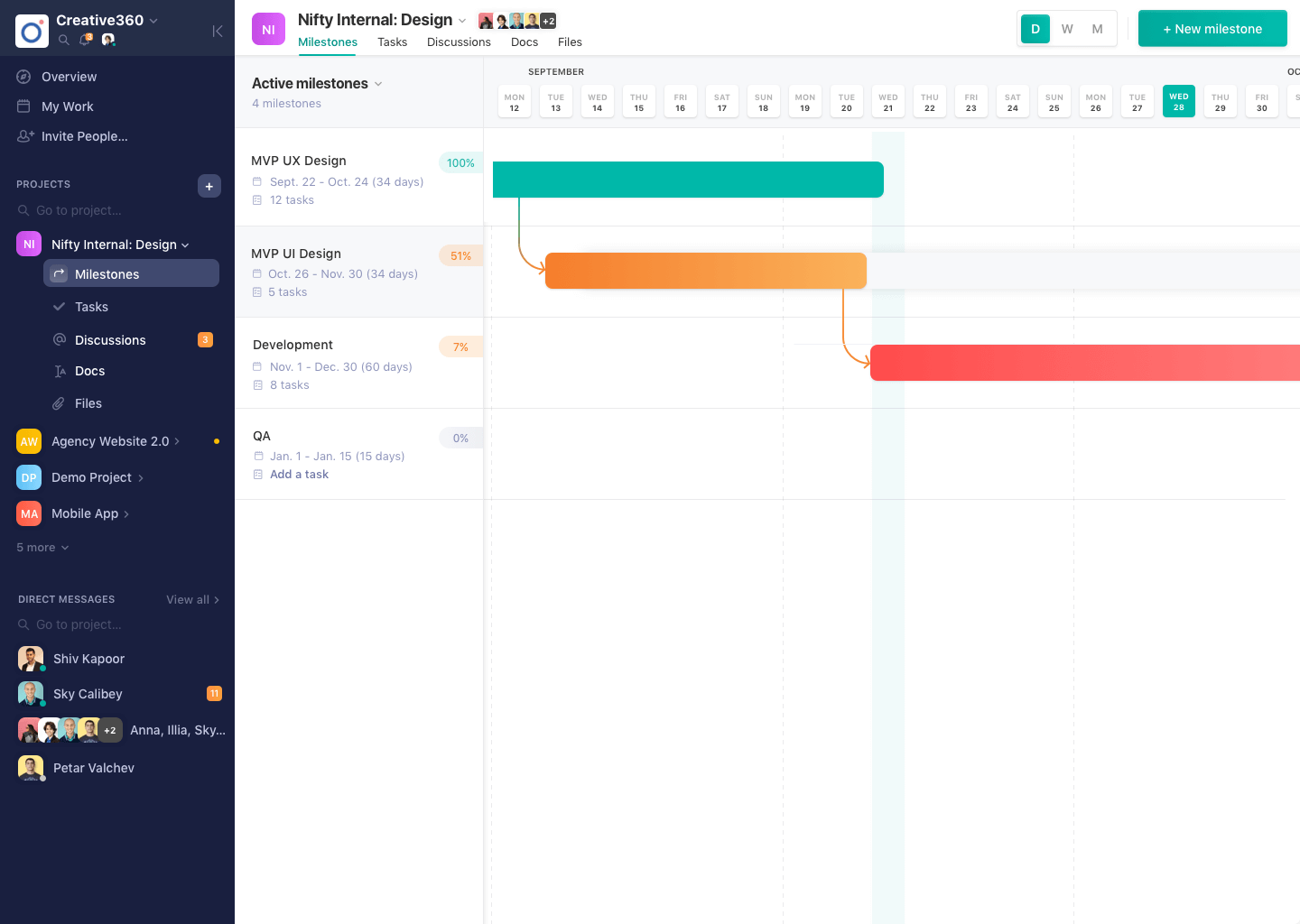
Nifty Screenshots

Screenshot of Project DiscussionsScreenshot of Project MilestonesScreenshot of Project Overview