Movavi Screen Recorder vs. UserTesting

Overview
ProductRatingMost Used ByProduct SummaryStarting Price
Movavi Screen Recorder
Score 7.0 out of 10
Small Businesses (1-50 employees)
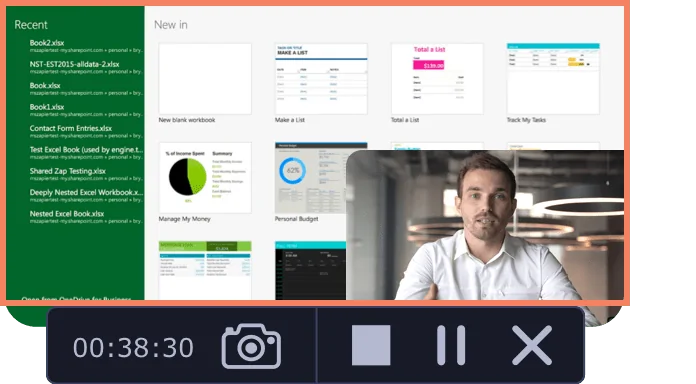
Movavi Screen Recorder lets the user grab any screen video, audio, system sounds and web-cam from a computer with a single button click. Capture webinars, live streams, Skype chats, and anything else. The user can create GIFs from movie scenes and share them with collegues. Carry Out App Reviews and Software Demos Adjust the capture area Add captions and voice-over comments with mic Split audio and video into multiple segments Do video…
$39.95
per user
UserTesting
Score 8.2 out of 10
N/A
UserTesting helps UX researchers, designers, product teams, and marketers gather actionable insights through research, testing, and feedback. With a network of real people ready to share their perspectives, UserTesting enables organizations to make customer-first decisions at scale.N/A
Pricing
Movavi Screen RecorderUserTesting
Editions & Modules
Movavi Screen Recorder (lifetime license)
$39.95
per user
Video Suite
$79.95
per user
Screen Recorder + Video Editor Plus
$99.99
per user
No answers on this topic
Offerings
Pricing Offerings
Movavi Screen RecorderUserTesting
Free Trial
YesYes
Free/Freemium Version
NoNo
Premium Consulting/Integration Services
NoNo
Entry-level Setup FeeNo setup feeNo setup fee
Additional Details
More Pricing Information
Community Pulse
Movavi Screen RecorderUserTesting
Best Alternatives
Movavi Screen RecorderUserTesting
Small Businesses
Sendspark
Sendspark
Score 10.0 out of 10
Smartlook
Smartlook
Score 8.7 out of 10
Medium-sized Companies
Snagit
Snagit
Score 9.6 out of 10
Optimal
Optimal
Score 9.1 out of 10
Enterprises
Snagit
Snagit
Score 9.6 out of 10
Optimal
Optimal
Score 9.1 out of 10
All AlternativesView all alternativesView all alternatives
User Ratings
Movavi Screen RecorderUserTesting
Likelihood to Recommend
10.0
(1 ratings)
7.6
(188 ratings)
Likelihood to Renew
-
(0 ratings)
7.7
(8 ratings)
Usability
-
(0 ratings)
8.0
(167 ratings)
Availability
-
(0 ratings)
9.1
(1 ratings)
Performance
-
(0 ratings)
9.1
(1 ratings)
Support Rating
-
(0 ratings)
6.3
(166 ratings)
Implementation Rating
-
(0 ratings)
4.6
(4 ratings)
Configurability
-
(0 ratings)
7.3
(1 ratings)
Product Scalability
-
(0 ratings)
7.3
(1 ratings)
Vendor post-sale
-
(0 ratings)
9.1
(1 ratings)
Vendor pre-sale
-
(0 ratings)
9.1
(1 ratings)
User Testimonials
Movavi Screen RecorderUserTesting
Likelihood to Recommend
Movavi
Mainly used for content creation in social media platforms where video works well, creating testimonials, Company Intro maker.
Read full review
UserTesting
UserTesting has been great for moderated customer interviews/usability testing as well as for unmoderated testing of messaging, imagery, prototypes and live experiences. I would say that the scope of what you want needs to be limited, as the participants are only paid so much and tests are supposed to not exceed a certain amount of time. For customer interviews, I think it can be difficult to onboard customers to UserTesting if they have never used it before. If I set up interviews, I don't even have them use the UserTesting scheduling tool, I actually set up all the interviews with the customers myself through the tool (being mindful of time zones!). When we run the meeting, they really don't even know UserTesting is involved. Might be nice for UserTesting to allow the upload/connecting to of a Zoom interview and let it do the transcription/analysis from there.
Read full review
Pros
Movavi
  • Video Editing
  • Custom Animation
  • Custom Templates
Read full review
UserTesting
  • Product Manager who follows up on your UserTesting usage and gives advice/support when you need it.
  • UserTesting University is a great platform to learn how to use UT and general information about research.
  • UserTesting can find participants quickly, so you won't need to wait long before you can start the analysis.
Read full review
Cons
Movavi
  • Adding more custom editing features like imovie
  • Improving the processing time of the video.
Read full review
UserTesting
  • Sometimes there are restrictions around types of research that can be used for moderated user-testing with our own users.
  • For tests on relatively small areas of a website or app, the AI analysis seems rather overblown, like it's trying too hard to come up with something insightful when the test is actually about something quite small (e.g. structure of a mobile app menu).
  • It's difficult to invite our own users to unmoderated user-testing because they wouldn't know how the UserTesting interface works - this is particularly an issue for mobile research.
Read full review
Likelihood to Renew
Movavi
No answers on this topic
UserTesting
I'm very happy with my experience of the product and the level of service and learning resources they provide. If the service becomes more expensive than it currently is then we might not be able to justify additional cost - but this is theoretical. I would recommend UserTesting and would ideally renew our contract.
Read full review
Usability
Movavi
No answers on this topic
UserTesting
It's very good, I have used other tools in the past and this is by far the most intuitive and user friendly. Testament to this is the ease with which other non researchers who have been onboarded to the tool with our additional seat have found it easy to use
Read full review
Reliability and Availability
Movavi
No answers on this topic
UserTesting
Never encountered any problems
Read full review
Performance
Movavi
No answers on this topic
UserTesting
Perfectly fine. Never had any problems.
Read full review
Support Rating
Movavi
No answers on this topic
UserTesting
I have contacted UserTesting's customer service online, by email, or by phone a few times, and each time, I have encountered the same professionalism and expertise. Even in person during a work event, they were there, and it was the same experience.
Read full review
Implementation Rating
Movavi
No answers on this topic
UserTesting
From a technical perspective, the implementation was extremely smooth. Most of the change management / implementation hurdles were clearing use of the tool through our various security, legal, and information privacy teams. Once these concerns were addressed (UserTesting.com was very helpful in providing all the needed documentation), the implementation process was very simple and we were able to get going right away.
Read full review
Alternatives Considered
Movavi
The pricing is very high for the Adobe products can't afford at this moment and requires high technical skills to make quality video generation.
Read full review
UserTesting
The quality of the participants: they usually have good feedback and act like "professional" users. Which is good when we want a few insights in a short amount of time. Also, the interface is good. I miss having more features, like a good transcription tool like we have in Condens
Read full review
Scalability
Movavi
No answers on this topic
UserTesting
The package we have limits the number of people who can set up tests. This prevents us from scaling the use of the platform.
Read full review
Return on Investment
Movavi
  • Where able to create good testimonial for the company which increased the sales.
  • Pricing might be little above for the startups to afford on the early stages.
Read full review
UserTesting
  • Content is key to the sign up journey and UserTesting helps me improve that.
  • UserTesting has helped me improve the Cashier on our site, making it easier for users to deposit money.
  • UserTesting is helping me iterate all our content decisions, helping us improve the UX across all platforms.
Read full review
ScreenShots

Movavi Screen Recorder Screenshots

Screenshot of Screenshot of Screenshot of

UserTesting Screenshots

Screenshot of UserTesting's several solutions for gathering rich customer experience narratives.Screenshot of Interactive Path Flows
Built on recent research in data mining, the Interactive Path Flow aggregates interaction data across multiple participant sessions to visualize the customer journey, surface unexpected behaviors, and locate key moments in the customer journey.Screenshot of Keyword Mapping
Similar keywords are automatically grouped based on overall sentiment (positive, negative, or neutral) to identify themes. Highlight reels associated with each keyword are grouped together, to discover the why behind each sentiment.Screenshot of Video capture and live streaming
Digital and real-world customer experiences are recorded on desktop and mobile devices or live streamed for in-platform viewing.Screenshot of Audience targeting
Audiences are specified by screening contributors from UserTesting’s global network of contributors or connecting to any preferred network.