Microsoft's SharePoint is an Intranet solution that enables users to share and manage content, knowledge, and applications to empower teamwork, quickly find information, and collaborate across the organization.
$5
Per User Per Month
Zendesk Chat
Score 8.2 out of 10
N/A
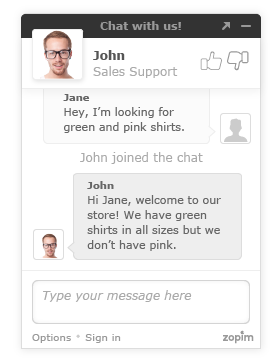
Zendesk Chat (formerly Zopim) is a live chat tool developed by the Singaporean company also called Zopim, acquired by Zendesk in April 2014.
$11.20
per month
Zendesk Explore
Score 8.3 out of 10
N/A
Zendesk offers Explore, a business intelligence and customer analytics tool which integrates with the Zendesk suite featuring ticket analytics, custom fields, dashboards, and other features. Zendesk is migrating customers of the BIME analytics product, which is approaching end of support, to Zendesk Explore in 2019.
N/A
Pricing
Microsoft SharePoint
Zendesk Chat
Zendesk Explore
Editions & Modules
Plan 1
$5.00
Per User Per Month
Plan 2
$10.00
Per User Per Month
Office 365 E3
$20.00
Per User Per Month
Lite
$0
per user
Basic
$14
per user
Advanced
$25
per user
Premium
$55
per user
No answers on this topic
Offerings
Pricing Offerings
SharePoint
Zendesk Chat
Zendesk Explore
Free Trial
Yes
Yes
No
Free/Freemium Version
No
Yes
No
Premium Consulting/Integration Services
No
No
No
Entry-level Setup Fee
No setup fee
Optional
No setup fee
Additional Details
—
The pricing above is price per user per month. You will get a discount when you opt for annual payment.
—
More Pricing Information
Community Pulse
Microsoft SharePoint
Zendesk Chat
Zendesk Explore
Considered Multiple Products
SharePoint
No answer on this topic
Zendesk Chat
Verified User
Administrator
Chose Zendesk Chat
Olark Chat - Not as many customization options as Zendesk Salesforce - More expensive Syntellect - Old application based system instead of a cloud based software
SharePoint Document Management excels as a central repository for storing, organising, and retrieving documents. It supports version control, metadata tagging, secure access, and integration with tools like Power Automate. At our organisation, it's used for managing contracts, policies, and supplier documents. SharePoint Workflow Automation integrates with Power Automate to streamline approvals, gather feedback, and automate recurring tasks. This reduces reliance on email chains and manual trackers.
Zendesk Chat is suited for all the support teams that provide real-time assistance. Like if someone wants to block the debit/credit card, it is a high-priority case that needs real-time assistance. Whereas issues like close my account, and invoice request doesn't need real-time assistance, where Zendesk tickets support will be perfect.
Zendesk Explore is well suited for tracking ticket flow, agent performance, and customer satisfaction providing valuable insights into response and resolution time, workload and support quality. Particularly useful for monitoring ticket handling for different teams. Helps ensure accountability by tracking how long tickets remain assigned before being reassigned to another group. Drill down capability helps identify support bottlenecks. However, it is less appropriate for real time monitoring as it lacks real time data updates making it unsuitable for instant decision making.
Windows Explorer users have some difficulty having to constantly UPLOAD / DOWNLOAD files. Specifically on the DOWNLOAD when they are used to Drag & Drop in & out of LOCAL folders via Window's explorer.
Microsoft SharePoint supports multiple "library" types. When implementing our "image" library the search function is done via "tags" and boolean logic. This is challenging to most end users. I'd like our users to be able to search our Microsoft SharePoint image library without having to enter KEYWORD or other BOOLEAN logic.
Microsoft SharePoint can also be an internal website for each department or company wide communication tool but I believe these features are geared for much larger organizations. Since we are a SMB we really aren't using these features. So maybe something more useful to SMBs would be nice.
Some aspects of Zendesk, in general, are not super intuitive. The same goes for Zendesk Explore. And, while you can google answers and hope you find something helpful, there isn't a great way to learn to get the full potential out of the product unless you want to pay for someone from your team to take a class (which costs several hundred dollars).
To piggyback off the last point, if you would prefer to get help from a Zendesk expert, you'll find that there is almost no customer support available to you. For a company that aims to help other companies help their customers, this has always struck me as odd. Again, Google is your friend and beyond that, you're mostly out of luck.
It's integral to our business. It's already included with most of the Office 365 licensing we buy, so the cost is effectively zero. It stores our files, it is the foundation for custom applications, and Microsoft only continues to enhance its functionality and its connections to other Microsoft tools. SharePoint just keeps getting better and better.
Due to staffing issues, we have temporarily stopped offering chat as an available channel. We're also interested in the best ways to integrate chat with our FAQs and AI to provide quick responses, either during off-hours or prior to speaking with a live agent. I've also found that reporting is rather limited where some of the interesting and useful data made available and visible during the chat cannot be pulled post-chat; it would be great to pull a high-level report so we can analyze this data.
No usability issues reported. Individual teams also have allocated areas which replace legacy shared drives on local LANs. Access to Sharepoint resources is fully integrated with corporate Active Directory with additional two-factor authentication required for administrative users. Users have access to Microsoft Services Hub which allows you to create, manage, and track support requests while staying current on Microsoft technologies with access to select self-paced learning paths
As mentioned previously, it's a clunky product that lacks user-friendliness. It feels old and behind the times compared to other products we have used. The inability to have a wrap-up time before a new chat comes in is also a big issue for our team.
I rate Zendesk Explore 8 out of 10 for it's overall usability because it offers powerful reporting and analytics with an easy to navigate interface and intuitive dashboards. It helps improve customer satisfaction by providing valuable insights into ticket handling, agent performance and customer satisfaction. Though the complex query builder can be challenging for non technical users.
Getting assistance and/or troubleshooting anything with Zendesk can be quite frustrating. In my years of experience with Zednesk, I have almost never found the answer to my question without going through multiple articles, ultimately getting frustrated and reaching out to our contact for more assistance. So for a consumer, the support is not as relieving as Zendesk Chat is to our customers in getting the questions answered by us.
Support for all of Zendesk has exceeding my expectations. This company will always get a 10 out of 10 in my book. Any question you have they make sure you have the answer plus a step-by-step guide on how to do each step so you are set up for success!
The face to face training I received was on SharePoint Administration. It was rushed as there was a lot of information to cover and the application of the labs weren't that great either. I like to be able to relate what I am learning to what I am currently doing.
I like to learn at my own pace and online training allows for that. Additionally, you can skip through pieces of content that you already know or are already comfortable with. Microsoft actually offers great videos on their website for basic fundamental SharePoint Training. I have used these training videos in some of my own training sessions with end users.
The reasons for selecting MS SharePoint are: SharePoint provides ease of use and web design assistance and support SharePoint helps you schedule your content for publishing. enables users to share documents with external parties and offers a better internal structure of the content and better indexing and searching capabilities.
Zendesk Chat is far more user friendly than some of the other competitors on the market. It has a very all the features that you require to ensure your customers are contacted in 'real time'. Its main tools include a live chat interface for quick communication, customisable chat widgets to fit your brand, mobile responsiveness for all devices, and canned responses for common questions. The platform can also start chats based on visitor actions, like time on a page or exit intent. A real must for any leading company
I selected Zendesk Explore only to provide an easy and quick access for my managers and supervisors regading metrics and volume trends. Is not the most flexible nor complete data visualization tool, but works well for day-to-day follow ups. You need to use another tool if you want to see long-term patterns (e.g. month over month volume trends) and you need another platform if you want your interaction metrics to interact with other important factors of the business
Positive impact - Compared to our old system, this newly updated system provides features and functionality that has increased our agent productivity and provided customer insight like we've never had before. This has resulted in fewer hold times and higher customer satisfaction.
Negative impact - Our reporting team still struggles with obtaining the right information from time to time with the chats. This leads to loss of productivity and more resources dedicated to reporting.
Positive impact - Due to Zopim's embed, we are able to more successfully place them on the appropriate self-service portals and pages, reaching a larger audience, and being more readily available to answer our client's questions. This has resulted in an increase in our self-service portal usage, driving down the phone and email support channels, which in turn reduces support costs.