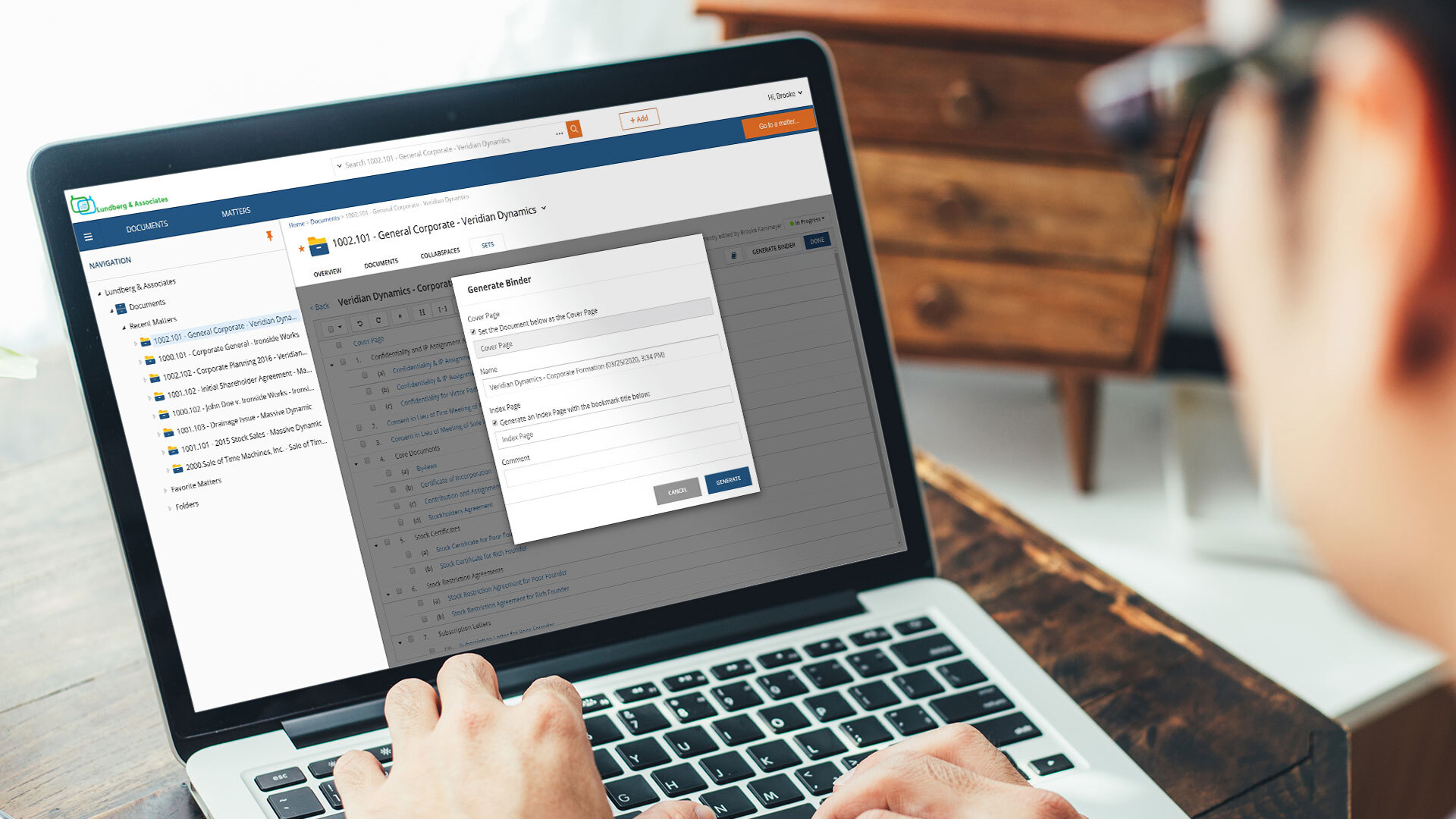
NetDocuments is a document management solution from the company of the same name in Lehi, Utah.
N/A
pdfFiller
Score 9.0 out of 10
N/A
pdfFiller is a cloud-based platform with a comprehensive digital toolkit used to handle PDFs, and to edit, sign, store, manage, and collaborate on documents. Documents are stored in the cloud and can be accessed anytime, anywhere, without worrying about losing data.
$20
per month (for an individual user)
Pricing
NetDocuments
pdfFiller
Editions & Modules
No answers on this topic
Basic for Enterprise
$8
per month (annual commitment) per user (minimum 20 users)
Premium for Enterprise
$10
per month (annual commitment) per user (minimum 10 users)
Basic
$20
per month single user
Plus
$30
per month single user
Premium
$40
per month single user
Offerings
Pricing Offerings
NetDocuments
pdfFiller
Free Trial
No
Yes
Free/Freemium Version
No
No
Premium Consulting/Integration Services
No
Yes
Entry-level Setup Fee
No setup fee
Optional
Additional Details
—
Up to a 70% discount on individual plans for annual billing.
It is ideal where security is your number one concern or where there is a need to share securely across different physical locations. Speed is less than ideal in certain usage scenarios. It is limited by the speed of the internet and it can be difficult to pull large quantities of documents when researching or answering discovery requests, although, that being said, it can be addressed by maintaining your own secure server to contain a mirror of your online documents. But then the security for a mirror falls back on the organization.
I chose to hit #9. I believe we all have abilities to broaden our needs so for the majority you may end up thinking this is a 10 if having used comparison tools or remembering those times when a certain "other" signature and document completion tool didn't go as planned or seemed less familiar. I will always welcome the clients and professionals who need my response to send their documents to me for PDF filling. On the random flip when I have to have communication rapidly flow on the go in a last minute piece of time, these people will receive my PDF™ items. And if tips and tools are necessary, they are rather easily placed where they can be worked out by anyone.
Delay. At times, there is a delay between saving a document into Netdocuments and actually seeing them in the appropriate workspace. Such a delay is caused by the system indexing the newly added file.
Netdocuments' servers slow down at times causing users to receive error messages. This can be quickly remedied, but can become a nuisance.
I will always be a faithful PDFfiller customer. The product has saved me a lot of time over the years and I find a great deal of value in the platform. If I move on to another company someday, PDFfiller will be going with me wherever I go.
The product is simple to learn and adheres to well-known web user protocols. The NetDocuments team spends a lot of time talking to customers regarding how to improve their interface, and are pretty quick about implementing good ideas. The system is reliable and repeatable, and similar functions are laid out consistently and in formats that users are used to.
I don't fully understand all the features and I could probably be using it better, especially the templates. The organisation of exisiting files could be better (ie similar to folders on a pc/laptop). I haven't really invested much time into exploring it further than filling out forms; There possibly is an organisation solution I haven't discovered yet
NetDocuments is a performant web app. It is reliable and provides all the functionality of a sophisticated document management system. It also can serve, through its APIs, as a base system for other applications, which enhances its value. Other vendors find the company easy to work with, and it consistently seems to be the first to offer new features and technologies to its customers.
I've never had to contact support, but I won't give it a ten. We've had a few hiccups along the way, but nothing that couldn't be fixed within 24 hours.
If you need help, you can easily search for it and find online tutorials that walk you through how to do specific things step by step. You do not have to read a 20 page manual or sit for a 10 hour training session, it is refreshing that you can take it at your own pace and learn things as you need to
When I was hired on by my current company I was already a paying customer, so I just brought it with me. Once I showed our President/Founder how simple it was to use for our contracts, agreements, and NDAs, it has been a staple in our company ever since. That was almost 3 years ago. We've closed quicker because of the speed at which we can turn signed docs around.
I have used other editors such as Adobe Acrobat and, in my opinion, for the money Adobe costs, if the need is just to edit pdf I would go with PDFfiller. It is a really easy tool to use. It's learning curve is not that steep and it does pretty much everything I need from it.
NetDocuments has really saved us from hiring more people. The document management system is a core technology to any law firm. Our last DMS was an in-house system. It easily required the attention of half a FTE and offered a fraction of the functionality.
NetDocuments has also been relatively easy for our employees to use. We have a high adoption rate and it allows for our employees (and third parties) to collaborate pretty well.
NetDocuments offers any number of certifications -- e.g. ISO 27001, business associate agreements for HIPAA -- certifications that are required by some clients, that we could not possibly attain with an in-house system.
all the paperwork i need to fill out is typed, not handwritten into forms which looks much more professional. Almost as if I had an assistant to type out my documents
I love the fact that I can make an edit to an existing PDF. I dont have to go back and forth and ask for editable copies of word documents, etc.