Chose OpenText UFT One
Since this tool is licensed most of the work is performed by the tool and one needs to just record or create basic script and it should be running in no time

| Product | Rating | Most Used By | Product Summary | Starting Price |
|---|---|---|---|---|
 Nintex | N/A | Nintex offers a platform that helps companies discover, automate, and optimize business processes. | $480 Minimum 1,000 users per user | |
 OpenText UFT One | N/A | Unified Functional Testing (UFT, formerly known as HP UFT and before that QuickTest Professional or HP QTP) is a functional and performance testing tool acquired by Micro Focus from Hewlett-Packard Enterprise, now from OpenText. | N/A | |
 Worksoft | N/A | The Worksoft Connective Automation Platform is a suite of products that automates business processes from discovery, to testing to RPA. Worksoft Analyze and Worksoft Capture support automated process discovery. Worksoft Certify allows users to create, maintain, share, and consume automated end-to-end business process tests as part of continuous testing, integration, and delivery cycles. Finally, the Connective RPA is codeless solution to reusing automated processes, moving automation into… | N/A |
| Nintex | OpenText UFT One | Worksoft Connective Automation Platform | ||||||||||||||||||||||
|---|---|---|---|---|---|---|---|---|---|---|---|---|---|---|---|---|---|---|---|---|---|---|---|---|
| Editions & Modules |
| No answers on this topic | No answers on this topic | |||||||||||||||||||||
| Offerings |
| |||||||||||||||||||||||
| Entry-level Setup Fee | Optional | No setup fee | No setup fee | |||||||||||||||||||||
| Additional Details | — | — | — | |||||||||||||||||||||
| More Pricing Information | ||||||||||||||||||||||||
| Nintex | OpenText UFT One | Worksoft Connective Automation Platform | |
|---|---|---|---|
| Considered Multiple Products | Nintex No answer on this topic |  OpenText UFT One  Veeraiah Motukuri Principal Consultant Chose OpenText UFT One 1. It works solid for automate SAP and S/4 Hana applications and Fiori too. 2. Teams are well versed about UFT One 3. Able to handle maintained execution results  Sourav Halder Senior Specialist Chose OpenText UFT One UFT has the advantages of supporting different types of technologies. Different competitive tools were not able to support the wide range of technologies which UFT does. UFT has a strong history and has been ranked one among all the Test Automation tools for quite some time. … |  Worksoft Veeraiah Motukuri MDG Test Lead Chose Worksoft Connective Automation Platform SAP TAO is only alternate tool I would suggest. |
| Nintex | OpenText UFT One | Worksoft Connective Automation Platform | |||||||||||||||||||||||||||||||||||
|---|---|---|---|---|---|---|---|---|---|---|---|---|---|---|---|---|---|---|---|---|---|---|---|---|---|---|---|---|---|---|---|---|---|---|---|---|---|
| Reporting & Analytics |
| ||||||||||||||||||||||||||||||||||||
| Process Engine |
| ||||||||||||||||||||||||||||||||||||
| Collaboration |
| ||||||||||||||||||||||||||||||||||||
| Content Management Capabilties |
|
| Nintex | OpenText UFT One | Worksoft Connective Automation Platform | |
|---|---|---|---|
| Small Businesses |  Square 9 Softworks Score 9.4 out of 10 |  BrowserStack Score 8.4 out of 10 | BrowserStack Score 8.4 out of 10 |
| Medium-sized Companies | Square 9 Softworks Score 9.4 out of 10 |  ReadyAPI Score 6.1 out of 10 | ReadyAPI Score 6.1 out of 10 |
| Enterprises |  CMW Platform Score 9.4 out of 10 | ReadyAPI Score 6.1 out of 10 |  ignio AIOps Score 8.1 out of 10 |
| All Alternatives | View all alternatives | View all alternatives | View all alternatives |
| Nintex | OpenText UFT One | Worksoft Connective Automation Platform | |
|---|---|---|---|
| Likelihood to Recommend | 7.6 (300 ratings) | 8.0 (12 ratings) | 8.0 (1 ratings) |
| Likelihood to Renew | 2.7 (34 ratings) | - (0 ratings) | - (0 ratings) |
| Usability | 7.7 (23 ratings) | 7.0 (1 ratings) | - (0 ratings) |
| Availability | 8.9 (7 ratings) | - (0 ratings) | - (0 ratings) |
| Performance | 9.7 (4 ratings) | - (0 ratings) | - (0 ratings) |
| Support Rating | 8.6 (24 ratings) | 8.0 (1 ratings) | - (0 ratings) |
| In-Person Training | 7.0 (1 ratings) | - (0 ratings) | - (0 ratings) |
| Online Training | 8.8 (3 ratings) | - (0 ratings) | - (0 ratings) |
| Implementation Rating | 8.0 (12 ratings) | - (0 ratings) | - (0 ratings) |
| Configurability | 8.8 (3 ratings) | - (0 ratings) | - (0 ratings) |
| Ease of integration | 9.8 (3 ratings) | - (0 ratings) | - (0 ratings) |
| Product Scalability | 9.8 (3 ratings) | - (0 ratings) | - (0 ratings) |
| Vendor post-sale | 9.7 (3 ratings) | - (0 ratings) | - (0 ratings) |
| Vendor pre-sale | 9.7 (3 ratings) | - (0 ratings) | - (0 ratings) |
| Nintex | OpenText UFT One | Worksoft Connective Automation Platform | |
|---|---|---|---|
| Likelihood to Recommend | Nintex
| OpenText
Sourav Halder Senior Specialist | Worksoft
Veeraiah Motukuri MDG Test Lead |
| Pros | Nintex
| OpenText
 Derek Wallis Technical Test Analyst and Automation Engineer | Worksoft
Veeraiah Motukuri MDG Test Lead |
| Cons | Nintex
| OpenText
 Sourav Singla ,Safe Agilist, CSP, ICP-ACC, CSM, CSPO, SSM, LSSG Enterprise Agile Coach | Worksoft
Veeraiah Motukuri MDG Test Lead |
| Likelihood to Renew | Nintex
| OpenText No answers on this topic | Worksoft No answers on this topic |
| Usability | Nintex
 Chris Carpenter Staff Project Manager, Awesomizer, Fixer, Maker, Collaboration Enabler | OpenText
| Worksoft No answers on this topic |
| Reliability and Availability | Nintex
| OpenText No answers on this topic | Worksoft No answers on this topic |
| Performance | Nintex
 Shivani Pandey Manager | OpenText No answers on this topic | Worksoft No answers on this topic |
| Support Rating | Nintex
| OpenText
Derek Wallis Technical Test Analyst and Automation Engineer | Worksoft No answers on this topic |
| In-Person Training | Nintex
Shivani Pandey Manager | OpenText No answers on this topic | Worksoft No answers on this topic |
| Online Training | Nintex
| OpenText No answers on this topic | Worksoft No answers on this topic |
| Implementation Rating | Nintex
| OpenText No answers on this topic | Worksoft No answers on this topic |
| Alternatives Considered | Nintex
 Julio Magana CTO | OpenText
Veeraiah Motukuri Principal Consultant | Worksoft
Veeraiah Motukuri MDG Test Lead |
| Scalability | Nintex
| OpenText No answers on this topic | Worksoft No answers on this topic |
| Return on Investment | Nintex
| OpenText
 Gagneet Singh Test Manager | Worksoft
Veeraiah Motukuri MDG Test Lead |
| ScreenShots | Nintex Screenshots 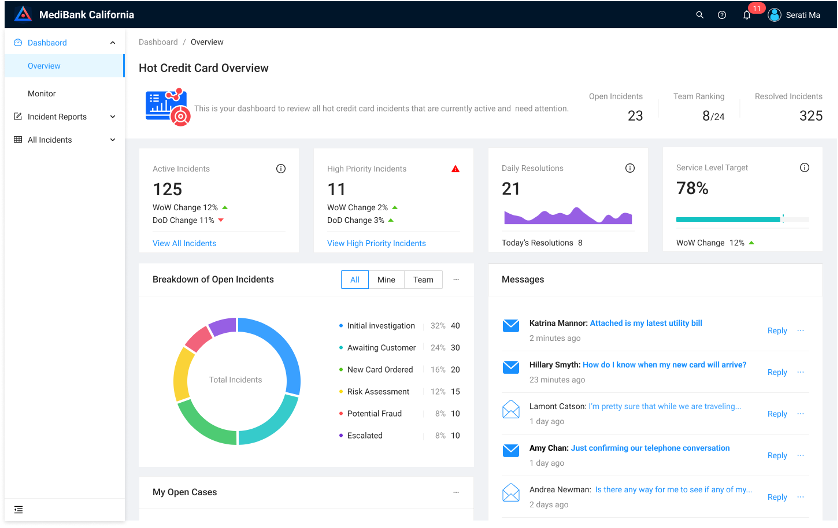 |