Nutanix in San Jose, California offers their software-defined Enterprise Cloud as a hyper-converged infrastructure solution. The Nutanix Cloud Infrastructure solution combines the Nutanix Acropolis virtualization solution, Nutanix AHV hypervisor (though Acropolis works with other hypervisors), Prism cluster manager, Nutanix Calm and Nutanix Flow server management, and is available on the Nutanix NX series of server hardware appliances, as well as third-party OEM appliances.
N/A
Parallels Desktop for Mac
Score 8.8 out of 10
N/A
Parallels® Desktop for Mac is used to run Windows on Intel or Apple silicon. Users can switch between Mac and Windows applications, while retaining the macOS appearance, or use the familiar Windows desktop aesthetic.
$99.99
per year
Parallels RAS
Score 9.3 out of 10
N/A
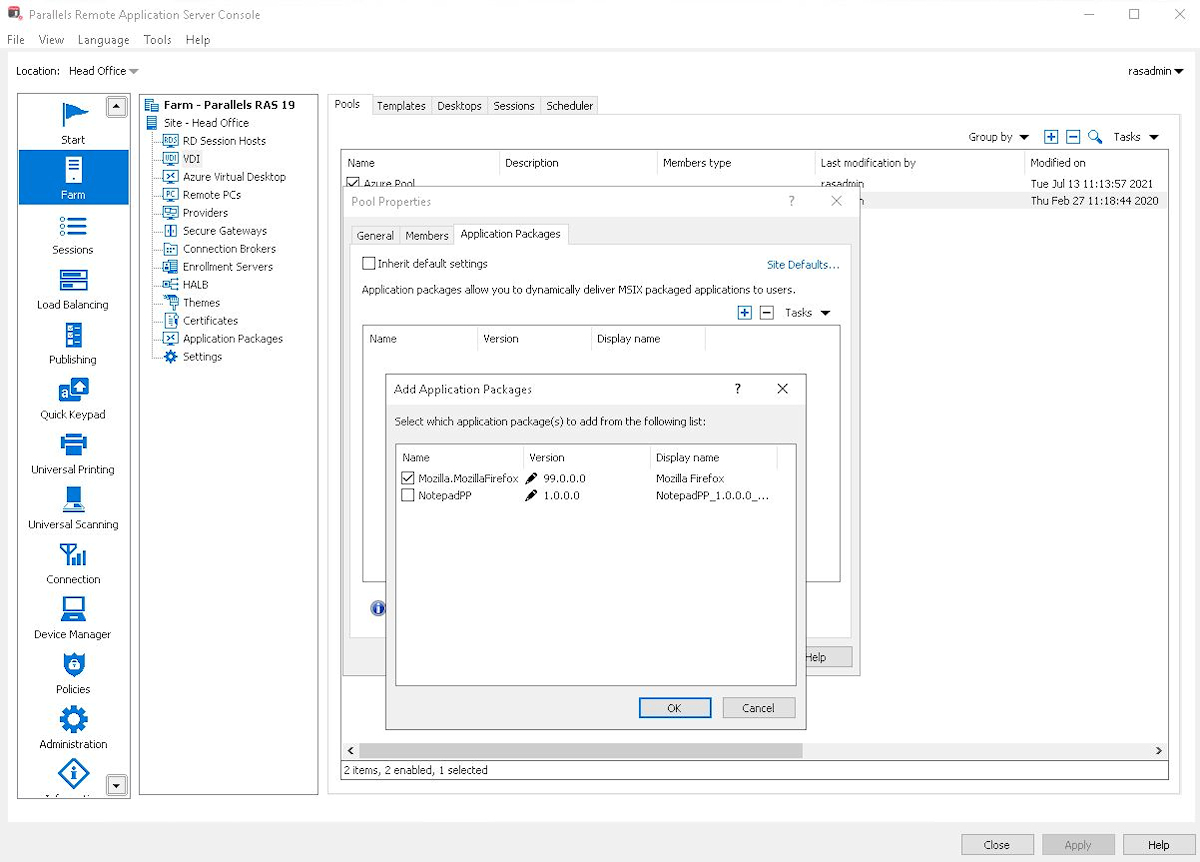
Parallels Remote Application Server (Parallels RAS, formerly 2X RAS), is application virtualization technology, billed as a solution to extend the life of legacy OS (like Windows XP) with its virtual desktop for any device.
Maltese company 2X Software developed the technology, but was acquired by Parallels (in Seattle, WA) in February, 2015 to extend their cross-platform support solutions.
$120
per year per user
Pricing
Nutanix Cloud Infrastructure
Parallels Desktop for Mac
Parallels Remote Application Server (Parallels RAS)
Chose Parallels Remote Application Server (Parallels RAS)
Parallels RAS stacks up against other options, but each has its own pros and cons; it is important to know what a company is trying to accomplish with the solution to make the best decision as they're all good products. The same is true across the board with IT. For instance, …
Administrador de comunicaciones, redes y servidores
Chose Parallels Remote Application Server (Parallels RAS)
Parallels RAS is easier to setup, use and mantain than other options I have tried. It really works and we had great reviews from our users on the trial period prior to fully deploy the solution across 3 cities. Parallels has a great visual presentation and excellent user …
Parallels Remote Application Server (Parallels RAS)
Likelihood to Recommend
Nutanix
For an organization that requires top-notch performance HCI, Nutanix is the best. You may start with 3 nodes and expand the cluster as required. The management through Nutanix Prism Central and Element was so easy that even a Junior Engineer was able to handle it. The Nutanix platform is not suitable for organizations with a small budget and fewer requirements for high-performance infrastructure, as the Nutanix solution itself is suited for enterprises.
Parallels is great for an end user that is primarily a macOS user, but occasionally needs Windows access to a specific application or service that is Windows only, or Windows primarily. It obviates the need for multiple desktop units or remote VMs where spin up time is an issue. It is not quite perfect due to the ARM version of Windows requirement, but that particular case is common to all ARM use of Windows.
Scenarios where time is a factor in having a solution in place and up and running safely and securely. Where there are older devices that ordinarily wouldn't be up to the task of running modern apps and services. Where users need to work away from the network, and security is a concern.
One-click upgrades; whether it's hypervisor, firmware, disk or other updates. This feature has drastically decreased complexity and administration time.
Data Locality. Not all hyperconverged technology is created equal. When I first purchased Nutanix they were the only vendor (and as far as I know, still are) that made sure the storage a VM used was on the same host that VM was running on. Given a normal operating state, the [storage] network is literally only used for replication data.
They got rid of traditional RAID. Nutanix uses software to determine where a VM's storage should be written and replicated to. This dramatically decreases I/O when changing the number of nodes in a cluster, be it on purpose or during a failure scenario. Ex. adding a new node: If one uses RAID arrays then enough space has to be set aside to create a new array that includes the new node, then all the information has to be copied over, and the old array destroyed. RAID arrays do not grow and shrink gracefully so Nutanix has designed a better solution.
The Nutanix management interface was built on HTML5. No more flash headaches!
The printing driver is quite excellent, both in the Parallels Client and on the HTML5 client.
Setup is incredibly easy; the default setup is very functional, and adding features is a breeze.
Speed is very acceptable in general for end-users, the clients adapt quite well to the amount of bandwidth available, and features are available to adjust further.
The one downside I have working with Nutanix is the sales team. They seem to try to add in extra goodies to sales quotes or push for extras that you don't really need and you have to tell them to take them out. Don't be afraid to push back on them.
Need to analyze sizing with sales team to ensure right sizing.
Parallels Remote Application Server (Parallels RAS) continually improves the product but has broken some features recently. For example the web management portal lost the ability to manage user sessions after a major update. That issue was fixed in a later release
Multi-monitor support beyond 4 monitors (It does handle up to 4 -1080 monitors well)
More options around connection security and MFA. current options are sufficient but limited
We've noticed some performance issues with Windows Server 2019 and 2022. I'd like to see more robust support for remote applications running from those platforms.
AOS definitely make our dev/test virtual environment management much easier than before. And the consolidation the test/dev environment from Azure and Cisco UCS, we have less need to transfer large amount of data between different hardware platforms which was very big challenge. To expand the capacity is very easy to archive as well.
Users are familiar with the application which will keep us going for a little while. However since we are seeing a decline for a need for the software, I wouldn't be surprised to find that this answer changes dramatically in the near future. We would probably keep it to some extent, but we would probably reduce our licensing count.
We have been using Parallels since it was called 2X - it is a major part of how we do business. It is fairly simple to use and maintain - staff like it, we like it. It is a product that makes a promise - and it keeps it. As Parallels evolves, and clean bandwidth becomes more readily available everywhere - it just makes sense to continue to use Parallels in our environment
It's not out of the box easy, but once you get the fundamentals the steep learning curve flattens out and the processes to get things done and how it works becomes very apparent. It's wrapping the slight change in workflow from prior VM management methods took time to unbox and apply the Nutanix Cloud Infrastructure way
It has a good integration, including the connection of peripherals. Taking files back and forth works well and I can attach my Home drive as a network drive in Windows. There is even integration with iCloud and other macOS services. There are also a few different display modes which are useful and fleixible (coherence, windowed, full-screen with multiple screens)
Parallels RAS was easy to setup, with great admin guides and resources. We especially liked the included Visio templates which made diagramming much easier. The reference deployment diagrams also simplified our deployment process. Our end users love Parallels RAS. Apps launch faster than Citrix, and the Parallels RAS client is far more reliable than Workspace.
If there are any issues with Parallels - they are usually more about the server operating systems than Parallels itself. It would be rare for us to have any reason to take Parallels offline - we schedule a reboot on the servers at 3am to keep the O/S itself fresh, but again - it is not a Parallels issue. If individual users have any issues we ask them to completely log out of parallels - which ends their session - and then back in - and that typically resolves the issue right away.
The performance is nothing short of amazing. This is an HCI solution, and as any all-flash HCI solution is amazingly fast, Nutanix AOS fills local IO requests until its local IO is saturated before reaching out over the network. This lowers latency substantially compared to vSAN.
I am giving Parallels 9/10 on this one because the only application that sometimes seems slow or has issues - is Microsoft Outlook. It is sometimes the result of a pop-up that may not show up in the published application (vs full desktop). Other than that - pages load very quickly - and it does not seem to slow down other applications that are running at the same time. Most of our users run Outlook, softphone and Teams locally - and published applications for everything else. When they do that - it is very solid.
Our implementation team were great and worked with us and got the program up and running very easily. Every time we called post implementation we immediately talked to an Engineer, which is so unusual in dealing with companies. Everything they have promised they have full filled. I think their support is top notch.
The Parallels documentation and support websites are great. I have not had much use for them, but a cursory check shows richly documented features aimed at both the layperson and the power user or software developer. Their website is well-designed and information is easy to find, and their list of known issues as well as bugfixes on point releases is clear and transparent. They aren't trying to hide any of the limitations of their software, and seem to be regularly updating it to fix new bugs that arise with Mac OS X updates.
Good support in place if required, very helpful when it comes to upgrades or any issues faced. The support team is knowledgeable, friendly, and quick to respond to issues The company also provides a range of online resources, including a knowledge base, documentation, and forums, which can be helpful before raising a ticket
IPv6 is needed for link local discovery. We do not have IPv6 configured on our network so the easiest way to get our nodes configured and discovered by foundation was to configure the IPv4 addressing within the node prior to trying to discover with foundation.
Overall, it was pretty simple compared to most other projects. Again, we had a strong familarity with the product so there was not much of a learning curve. Our 'biggest' issue is the end-user understanding of a 'local' application and a published application. For example - Online meetings need to run locally for camera/video to work smoothly so opening a link to a meeting from a published application continues to be an occasional issue.
Nutanix integrates very well with Rubrik for backup and protection of the environment. Nutanix gave us simplicity and scalability compared to VMware and allowed us to extend our infrastructure into the cloud using EC2. One unified management pane for all our workloads, unlike VMWare.
Main two features that made the balance decission go to the Parallels Desktop were the possibility to pause the Windows partition easily (allowing to consume less resources in Mac and save battery) and the other one is the user interface feature called "Coherence" with allows you to show the Windows application windows as if they were native to the macOS, allowing for a better user experience.
Parallels Remote Application Server (Parallels RAS) provides the finest end user experience while being cost-effective and reducing administrative and support man hours. Parallels Remote Application Server (Parallels RAS) is platform agnostic; it works with various kinds of devices (computers, phones, tablets) and several operating systems (Windows, Linux, Apple, etc.), allowing users to access it on gadgets of their choice.
We added our Integrated Services Staff to parallels, with filtered, published applications - in a single afternoon. We added licensing and installed the desktop client software on multiple platforms both in the office and at remote sites all on the same day - and got remote users that had never used the product up and running - very quickly.
We find that return on investment is probably a better metric in most cases.
ROI analysis is more than an exercise. Companies must outline what their future looks like, even if it’s vastly different from what they’re used to and comfortable with.
As good as your financial analysis might be, displacing status quo infrastructure has a lot of emotions tied to it.
Saves money on having to buy a Windows and MacBook, as the MacBook can run almost 99% of all Windows software and usually run it faster and share between your MacBook transparently.
Gives employers the most flexibility with regards to which OS to adopt across an enterprise
We are a media company and everyone uses Macs in our industry, Fortune 500 companies also use Windows and MS Project, Parallels gives you the most flexibility for almost all of these use cases
Improves efficiency as the MacBook Pro M3 systems are much faster than some of the fastest corporate issued Windows laptops. What takes me 3-10 seconds for a video export can take 5 minutes on a similar Windows laptop
Our customers have had dramatic cost decreases due to no longer needing IT departments to work with our software.
We've been able to charge more for our hosting services due to our customers saving money in the long run. Parallels Remote Application Server has more than paid for itself, and the increased income has gone right back into the business.
Both our customers and our company have benefited from this transition.