TrustRadius: an HG Insights company

On-Screen Takeoff® vs. Operations Centralizer vs. Wrike

Save this comparison

Save this comparison

Add Product

Recommended Comparisons

    Overview
    ProductRatingMost Used ByProduct SummaryStarting Price

    On-Screen Takeoff®

    Score7.3 out of 10
    N/AOn-Screen Takeoff is a construction takeoff and estimating solution. It is intended to streamline takeoff, RFI, and bidding processes.N/A

    Operations Centralizer

    N/AN/AOperations Centralizer is a construction and estimation software offering from GudAnuf, Inc.N/A

    Wrike

    Score8.5 out of 10
    Mid-Size Companies (51-1,000 employees)
    Wrike is a project management and collaboration software. This solution connects tasks, discussions, and emails to the user’s project plan. Wrike is optimized for agile workflows and aims to help resolve data silos, poor visibility into work status, and missed deadlines and project failures.

    $240

    per year 2 users (minimum)

    Pricing
    On-Screen Takeoff®Operations CentralizerWrike
    Editions & Modules
    No answers on this topic
    No answers on this topic
    Wrike Free
    $0
    per month per user
    Wrike Team
    $10
    per month (billed annually) per user (2-15 users)
    Wrike Business
    $25
    per month (billed annually) per user (5-200 users)
    Apex
    Request a quote
    per month per user
    Pinnacle
    Request a quote
    per month per user
    Offerings
    Pricing Offerings
    On-Screen Takeoff®Operations CentralizerWrike
    Free Trial
    YesNoYes
    Free/Freemium Version
    NoNoYes
    Premium Consulting/Integration Services
    NoNoYes
    Entry-level Setup FeeNo setup feeNo setup feeNo setup fee
    Additional DetailsOn-Screen Takeoff® pricing varies based on licensing options and specific business needs. The annual subscription plans are designed to scale with project and team size. Available Subscription Options: •On-Screen Takeoff •On-Screen Takeoff with Takeoff Boost™ •On-Screen Takeoff and Quick Bid® •On-Screen Takeoff with Takeoff Boost and Quick Bid Each subscription is customized to match the subscriber's workflow requirements. A 14-day free trial is available.—Every premium plan begins with a 14-day trial period.
    More Pricing Information
    Community Pulse
    On-Screen Takeoff®Operations CentralizerWrike
    Considered Multiple Products
    ConstructConnect
    No answer on this topic
    GudAnuf, Inc.
    No answer on this topic
    Wrike
    No answer on this topic
    Key User Insights
    Would buy again
    100%
    Would buy again
    6 Answers
    No answers on this topic
    92%
    Would buy again
    819 Answers
    Delivers good value for the price
    100%
    Delivers good value for the price
    6 Answers
    No answers on this topic
    96%
    Delivers good value for the price
    568 Answers
    Happy with the feature set
    100%
    Happy with the feature set
    6 Answers
    No answers on this topic
    94%
    Happy with the feature set
    837 Answers
    Lived up to sales and marketing promises
    100%
    Lived up to sales and marketing promises
    5 Answers
    No answers on this topic
    96%
    Lived up to sales and marketing promises
    391 Answers
    Implementation went as expected
    100%
    Implementation went as expected
    5 Answers
    No answers on this topic
    91%
    Implementation went as expected
    452 Answers
    Features
    On-Screen Takeoff®Operations CentralizerWrike
    Project Management
    Comparison of Project Management features of On-Screen Takeoff® and Operations Centralizer and Wrike
    Feature
    On-Screen Takeoff®
    -
    Ratings
    Operations Centralizer
    -
    Ratings
    Wrike
    7.8
    969 Ratings
    2% above category average
    Task Management00 Ratings00 Ratings9.1963 Ratings
    Resource Management00 Ratings00 Ratings7.6832 Ratings
    Gantt Charts00 Ratings00 Ratings7.3683 Ratings
    Scheduling00 Ratings00 Ratings8.3845 Ratings
    Workflow Automation00 Ratings00 Ratings8.0836 Ratings
    Team Collaboration00 Ratings00 Ratings8.8963 Ratings
    Support for Agile Methodology00 Ratings00 Ratings7.9544 Ratings
    Support for Waterfall Methodology00 Ratings00 Ratings8.0492 Ratings
    Document Management00 Ratings00 Ratings7.5815 Ratings
    Email integration00 Ratings00 Ratings7.8730 Ratings
    Mobile Access00 Ratings00 Ratings7.4706 Ratings
    Timesheet Tracking00 Ratings00 Ratings7.5459 Ratings
    Change request and Case Management00 Ratings00 Ratings7.723 Ratings
    Budget and Expense Management00 Ratings00 Ratings6.8354 Ratings
    Professional Services Automation
    Comparison of Professional Services Automation features of On-Screen Takeoff® and Operations Centralizer and Wrike
    Feature
    On-Screen Takeoff®
    -
    Ratings
    Operations Centralizer
    -
    Ratings
    Wrike
    7.3
    363 Ratings
    5% below category average
    Quotes/estimates00 Ratings00 Ratings8.21 Ratings
    Invoicing00 Ratings00 Ratings6.628 Ratings
    Project & financial reporting00 Ratings00 Ratings7.5358 Ratings
    Integration with accounting software00 Ratings00 Ratings6.9220 Ratings
    Best Alternatives
    On-Screen Takeoff®Operations CentralizerWrike
    Small Businesses
    PlanSwift, by ConstructConnect
    Score3 out of 10
    CMiC Construction Platform
    Score7.5 out of 10
    Any.do
    Score8 out of 10
    Medium-sized Companies
    Sage Estimating
    Score9.5 out of 10
    Autodesk Build
    Score8.6 out of 10
    KanbanFlow
    Score7.3 out of 10
    Enterprises
    No answers on this topic
    Revit
    Score8.9 out of 10
    Microsoft To Do
    Score7.9 out of 10
    All AlternativesView all alternativesView all alternativesView all alternatives
    User Ratings
    On-Screen Takeoff®Operations CentralizerWrike
    Likelihood to Recommend
    9.0
    (15 ratings)
    -
    (0 ratings)
    8.4
    (1004 ratings)
    Likelihood to Renew
    10.0
    (1 ratings)
    -
    (0 ratings)
    8.5
    (109 ratings)
    Usability
    6.0
    (1 ratings)
    -
    (0 ratings)
    8.4
    (340 ratings)
    Availability
    -
    (0 ratings)
    -
    (0 ratings)
    8.3
    (24 ratings)
    Performance
    -
    (0 ratings)
    -
    (0 ratings)
    6.6
    (21 ratings)
    Support Rating
    8.2
    (5 ratings)
    -
    (0 ratings)
    9.5
    (93 ratings)
    In-Person Training
    -
    (0 ratings)
    -
    (0 ratings)
    8.2
    (5 ratings)
    Online Training
    -
    (0 ratings)
    -
    (0 ratings)
    8.3
    (13 ratings)
    Implementation Rating
    7.0
    (1 ratings)
    -
    (0 ratings)
    9.9
    (37 ratings)
    Configurability
    -
    (0 ratings)
    -
    (0 ratings)
    8.0
    (16 ratings)
    Contract Terms and Pricing Model
    -
    (0 ratings)
    -
    (0 ratings)
    8.4
    (5 ratings)
    Ease of integration
    -
    (0 ratings)
    -
    (0 ratings)
    7.0
    (7 ratings)
    Product Scalability
    -
    (0 ratings)
    -
    (0 ratings)
    8.2
    (15 ratings)
    Professional Services
    -
    (0 ratings)
    -
    (0 ratings)
    9.1
    (4 ratings)
    Vendor post-sale
    -
    (0 ratings)
    -
    (0 ratings)
    9.1
    (8 ratings)
    Vendor pre-sale
    -
    (0 ratings)
    -
    (0 ratings)
    7.7
    (9 ratings)
    User Testimonials
    On-Screen Takeoff®Operations CentralizerWrike
    Likelihood to Recommend
    ConstructConnect
    I think most of the reasoning was just provided on the previous pros and cons questions. On-Screen Takeoff (OST) is well suited for doing either quick takeoffs or getting into an elaborate, detailed takeoff. All though the viewing tools are quick and easy, I would still very much prefer using BlueBeam for looking through an overall set of drawings. With all of the hyperlink and bookmark functions of BlueBeam, OST doesn't compare and I rarely use OST unless I'm actually doing a takeoff.
    Incentivized
    Read full review
    GudAnuf, Inc.
    No answers on this topic
    Wrike
    Wrike helped us stitch PMO-related activities under one umbrella. The easy collaboration with multiple access types, combined with security access definitions, helped users across the organization contribute according to their roles. This helped provide the organization with multiple items to be reviewed in a single tool. This saved time in weekly review meetings by avoiding switching between multiple tools & files.
    Incentivized
    Read full review
    Pros
    ConstructConnect
    • The biggest thing for me is that it is so easy to use, which allows it to be used widely throughout our organization without a lot of intense training.
    • Another great thing is that it does not matter how big or little the scope of the take off may be, it works just as well for a whole 12 story building take off as it does for a stretch of sidewalk.
    Incentivized
    Read full review
    GudAnuf, Inc.
    No answers on this topic
    Wrike
    • Excellent dashboards that are easy to use and give amazing insights.
    • User friendly interface that is also easy to interact with.
    • Lot of integrations.
    • Robust project and task management features.
    • Facilitate seamless team collaboration and communication.
    • Highly customizable and multiple project views.
    Read full review
    Cons
    ConstructConnect
    • It would be nice if you could select an object that occurs on multiple sheets, copy, and paste it into change orders or alternates.
    • If you could search for where a certain condition is being used (which sheet) and go directly to that page or pages, that would be cool.
    Incentivized
    Read full review
    GudAnuf, Inc.
    No answers on this topic
    Wrike
    • Email alerts sometimes send too slowly.
    • If you put a project on hold, it can be hard to find it once you are ready to return to it.
    • Sometimes there are too many steps/tasks and the main page can get cluttered.
    Incentivized
    Read full review
    Likelihood to Renew
    ConstructConnect
    It provides invaluable communication, organization, and flexibility to generate a project overview both visually and by the numbers. In addition to the overview it makes getting into the project details easy and quick, so our takeoff is accurate and correct every time
    Incentivized
    Read full review
    GudAnuf, Inc.
    No answers on this topic
    Wrike
    I wish that Wrike had more drag and drop functionality that would be connected to assignee and also I wish that the finish date of a task would update to the date where you checked completed. It does not do that. Also finishing a task doesn't move the start date of the next task it "protects your time in that way", but our management team wants us to quickly see what we have down the pipeline rather than having to scroll down the list of upcoming tasks.
    Incentivized
    Read full review
    Usability
    ConstructConnect
    On Screen Takeoff is a valuable tool for what it does. Across the board it can keep track of the critical data and corresponding values without extra legwork. While powerful, it is prone to user error, and the problem can compound quickly if not realized up front. Overall a great project tool, but not without limitations
    Incentivized
    Read full review
    GudAnuf, Inc.
    No answers on this topic
    Wrike
    We have project templates set up based on what job type is selected in our work request form. This helps save time by having specific tasks already on each job as it is opened. Then it's just a matter of scheduling the tasks based on the job request and current workload. As long as a due date is flexible, it's easy to shift specific due dates as needed.
    Incentivized
    Read full review
    Reliability and Availability
    ConstructConnect
    No answers on this topic
    GudAnuf, Inc.
    No answers on this topic
    Wrike
    Over two years of (almost) daily usage without outages. Don't remember any errors. I give it 9 only because some Wrike plugins (for online document edit) are based on NPAPI architecture. These types of plugins are being phased out in new browsers, and NPAPI plugins are disabled by default in recent versions of Chrome so you have to do some browser adjustments when you switch browsers or move to another computer.
    Read full review
    Performance
    ConstructConnect
    No answers on this topic
    GudAnuf, Inc.
    No answers on this topic
    Wrike
    Wrike tasks loads fine, but I hate clicking files and wait for a bit of time since it is powerpoint or word, Wrike assumes I want to open those on Wrike. My suggestion is to link it to office 365 so we do not need Wrike based decoder for PPTX and DOCX
    Incentivized
    Read full review
    Support Rating
    ConstructConnect
    I have had very few issues with the software which is probably the first sign that there is a good customer support team, since I am sure they are working and fixing problems for everyone when they get a report from somewhere. The few times I have had to reach out to support they have been knowledgeable and on top of helping me quickly get my issues resolved.
    Incentivized
    Read full review
    GudAnuf, Inc.
    No answers on this topic
    Wrike
    During my learning phase with Wrike, I initially struggled with setting up automation rules and request forms. However, Wrike support was always my go-to, resolving issues within seconds or minutes. Their assistance made the learning process much easier. My best experience was receiving step-by-step screenshots to follow, with the support team on standby until I was completely satisfied.
    Incentivized
    Read full review
    In-Person Training
    ConstructConnect
    No answers on this topic
    GudAnuf, Inc.
    No answers on this topic
    Wrike
    We had staff in person provide some training
    Incentivized
    Read full review
    Online Training
    ConstructConnect
    No answers on this topic
    GudAnuf, Inc.
    No answers on this topic
    Wrike
    I love the Wrike training options. Wrike Discover has tons of courses, learning plans, certifications, etc. This is an area where Wrike definitely shines! I wish these resources were more in your face for new people, because it seems like a lot of coworkers didn't know all of this training was available to them.
    Incentivized
    Read full review
    Implementation Rating
    ConstructConnect
    Implementation was as simple as setting up the program and creating databases. Everything else was already in use and this was a supplement to the final organization of the system
    Incentivized
    Read full review
    GudAnuf, Inc.
    No answers on this topic
    Wrike
    There are a lot of bells and whistles in Wrike, and not all of it is easy or intuitive to understand once it's plopped in your lap. It's easier when there are a few choice people who understand Wrike as a platform and articulate it in such a way where it makes it easy to pass it along to others in the group
    Read full review
    Alternatives Considered
    ConstructConnect
    Being able to train individuals in a single afternoon on the program and trusting them to get you something usable as soon as possible is quite invaluable. It is also something that I feel is unique to this program. It is just easier.
    Incentivized
    Read full review
    GudAnuf, Inc.
    No answers on this topic
    Wrike
    Jira did not at all help us get our work done as content creators. I think that was because Jira wasn't quite right for our uses. Wrike fits our needs so much better. I can't tell you enough the relief I felt when we adopted Wrike and I never had to use Jira again.
    Incentivized
    Read full review
    Contract Terms and Pricing Model
    ConstructConnect
    No answers on this topic
    GudAnuf, Inc.
    No answers on this topic
    Wrike
    company purchase
    Incentivized
    Read full review
    Scalability
    ConstructConnect
    No answers on this topic
    GudAnuf, Inc.
    No answers on this topic
    Wrike
    The sky is the limit for what can be done in Wrike. We started with 1 use case and within 5 months we migrated several key business practices over to Wrike because they were easier to manage. Use cases so far: process improvement, management review, corrective actions, maintenance requests, month-end financial closing, and document management. As we grow, it's easy to imagine putting even more into Wrike where it becomes a cornerstone for how we do business
    Read full review
    Professional Services
    ConstructConnect
    No answers on this topic
    GudAnuf, Inc.
    No answers on this topic
    Wrike
    I do not use professional services.
    Incentivized
    Read full review
    Return on Investment
    ConstructConnect
    • The software has more than paid for itself because the company has been able to save lots of money when awarding to subs since it is easy to verify quantities to qualify their bids.
    • Less of a chance of under-ordering products since the visible audit trail improves accuracy. Also you spend less since you aren't ordering more than you should be.
    Incentivized
    Read full review
    GudAnuf, Inc.
    No answers on this topic
    Wrike
    • Different teams (e.g., contracting, compliance, provider relations) can view updates in real time, comment directly on tasks, and escalate items when needed.
    • Wrike allows us to template the contracting process (from intake to signature) to ensure consistency across payers and reduce administrative overhead.
    • Leadership can see the status of negotiations at a glance, identify bottlenecks, and prioritize resources accordingly.
    Incentivized
    Read full review
    ScreenShots

    On-Screen Takeoff® Screenshots

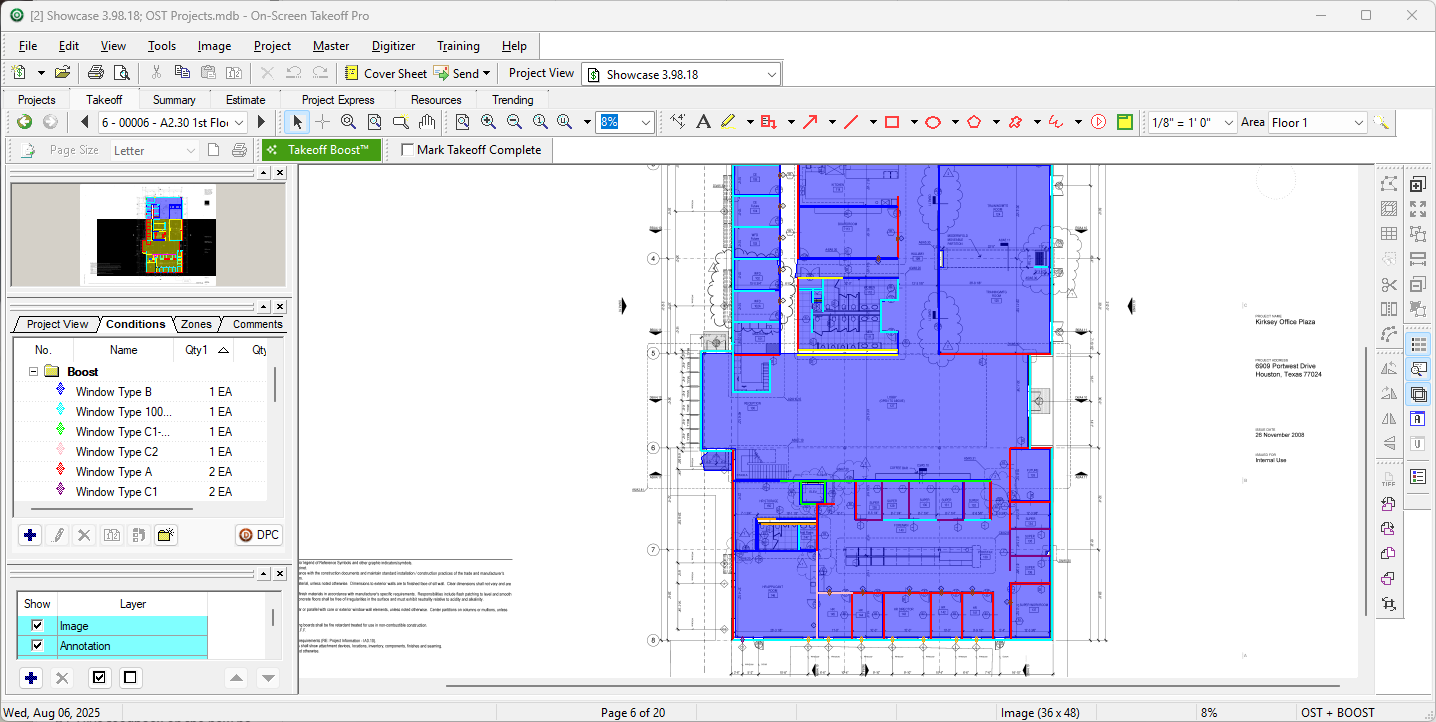
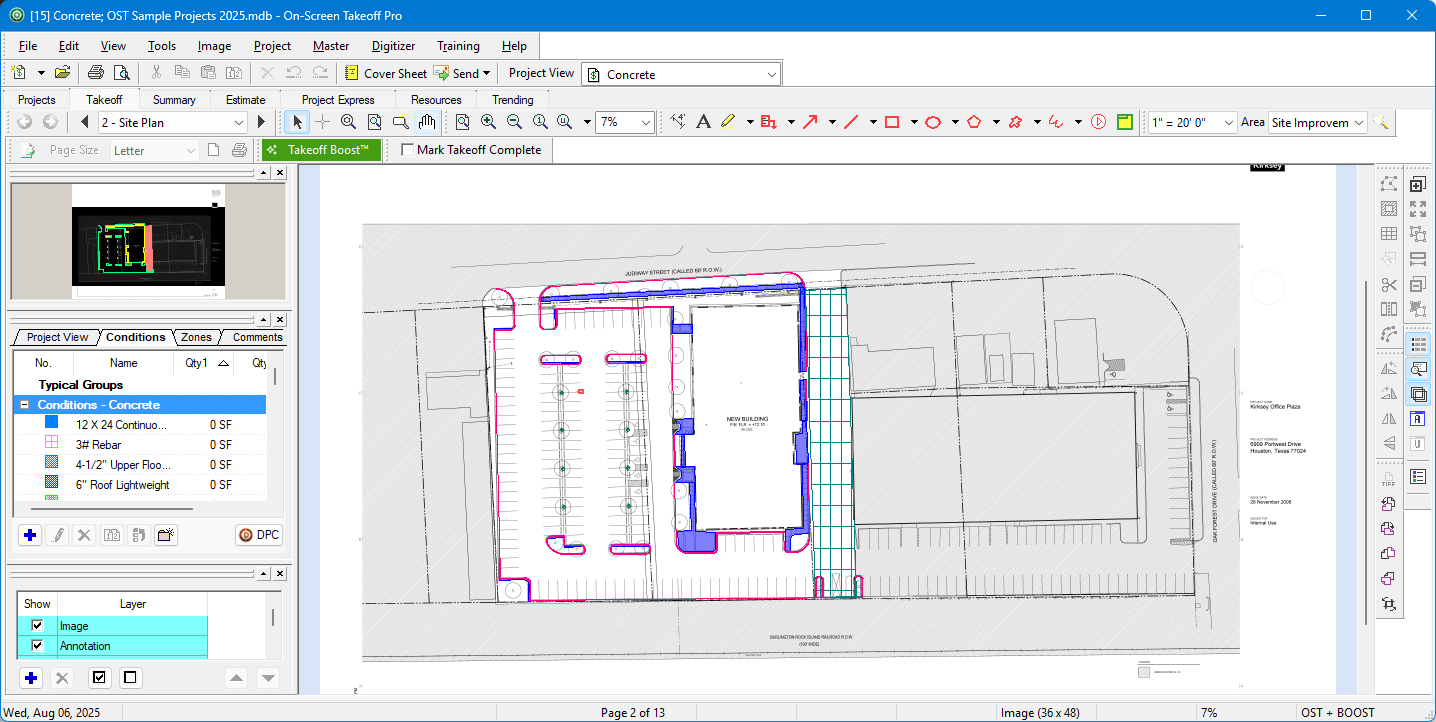
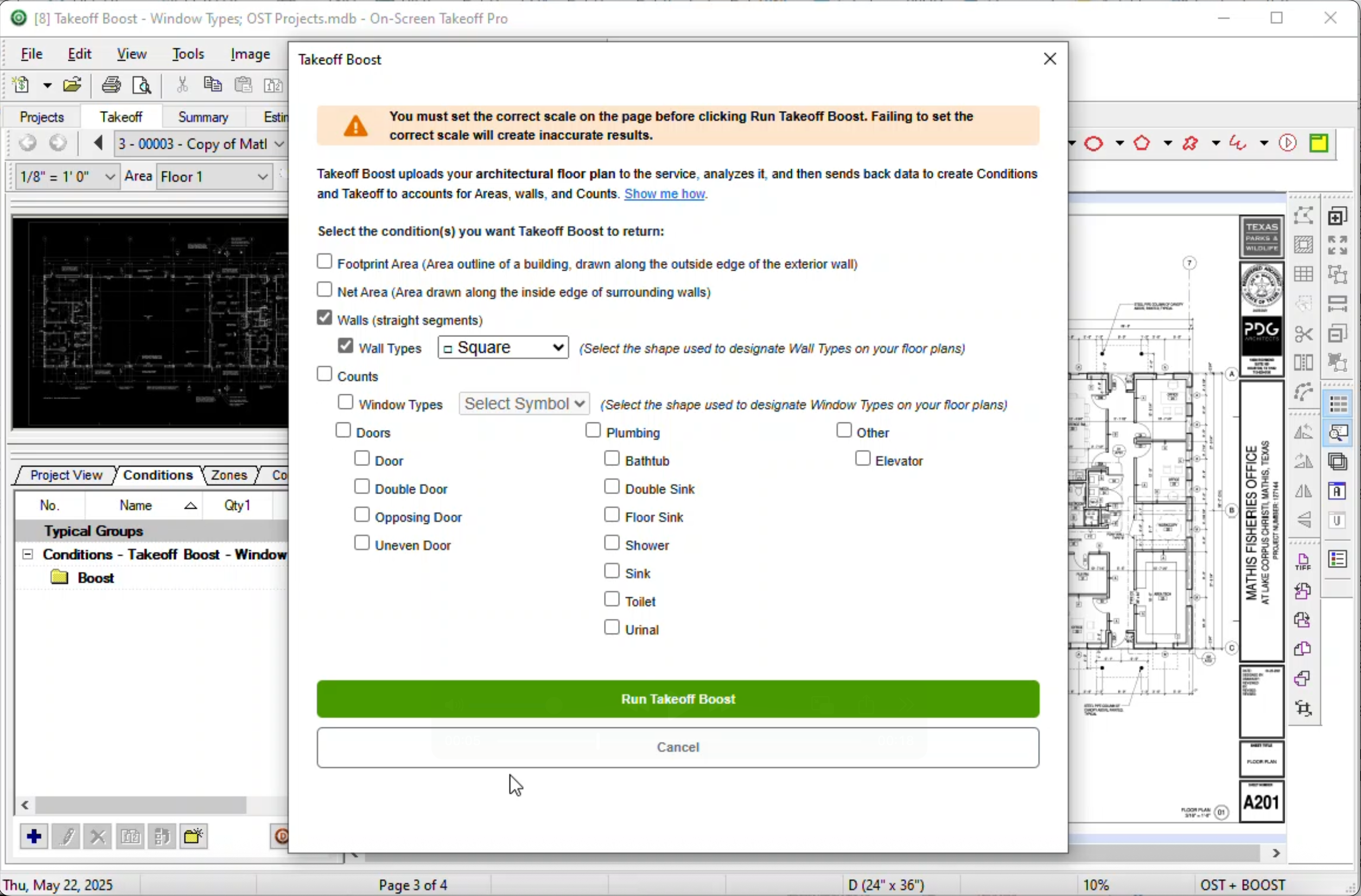
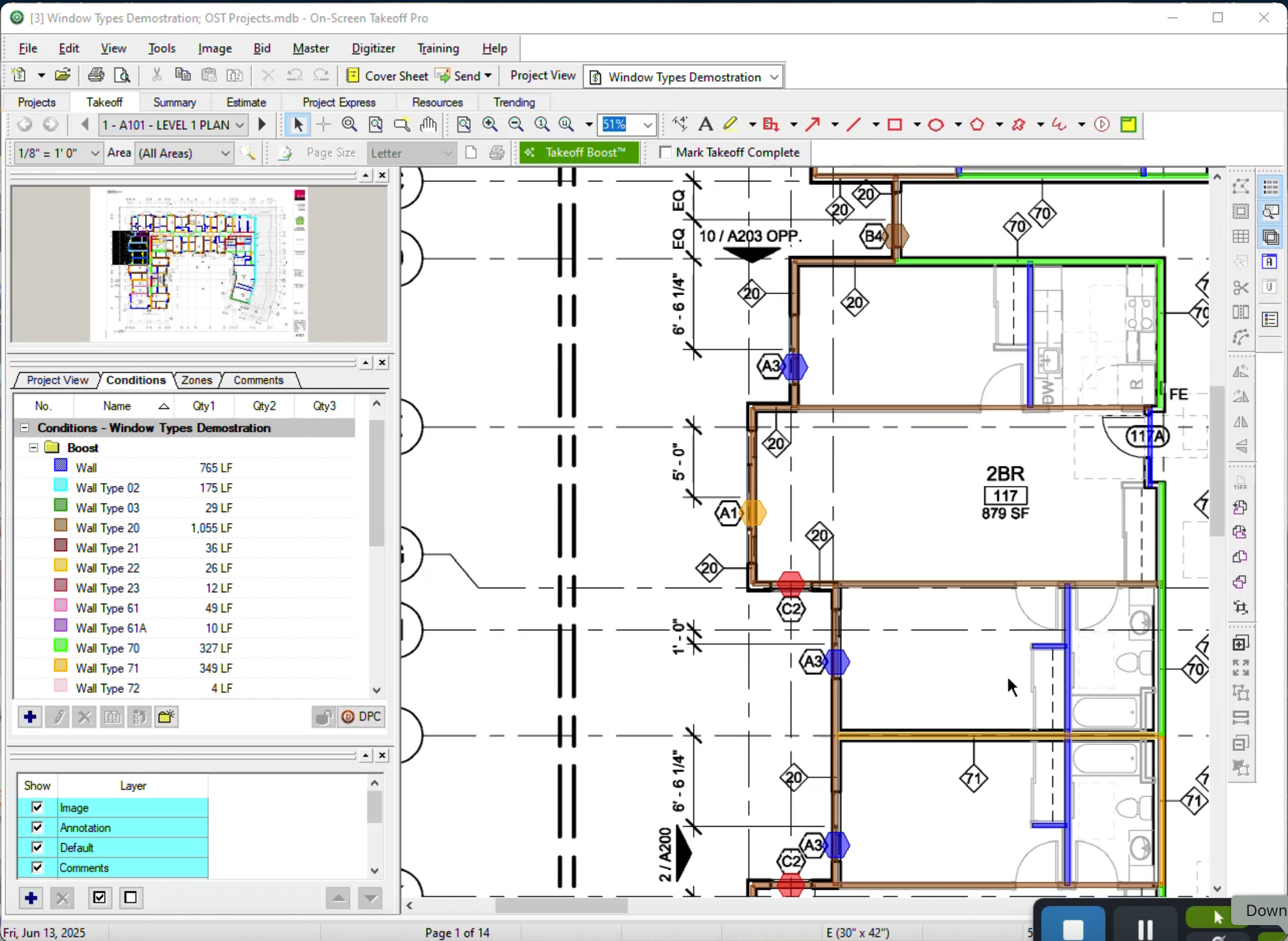
    Product screenshotProduct screenshotProduct screenshotProduct screenshot

    Wrike Screenshots

    Screenshot of DashboardsScreenshot of DashboardsScreenshot of DashboardsScreenshot of DashboardsScreenshot of Space workflowsScreenshot of Space workflows