OnePageCRM vs. Outlook4Gmail

Overview
ProductRatingMost Used ByProduct SummaryStarting Price
OnePageCRM
Score 10.0 out of 10
N/A
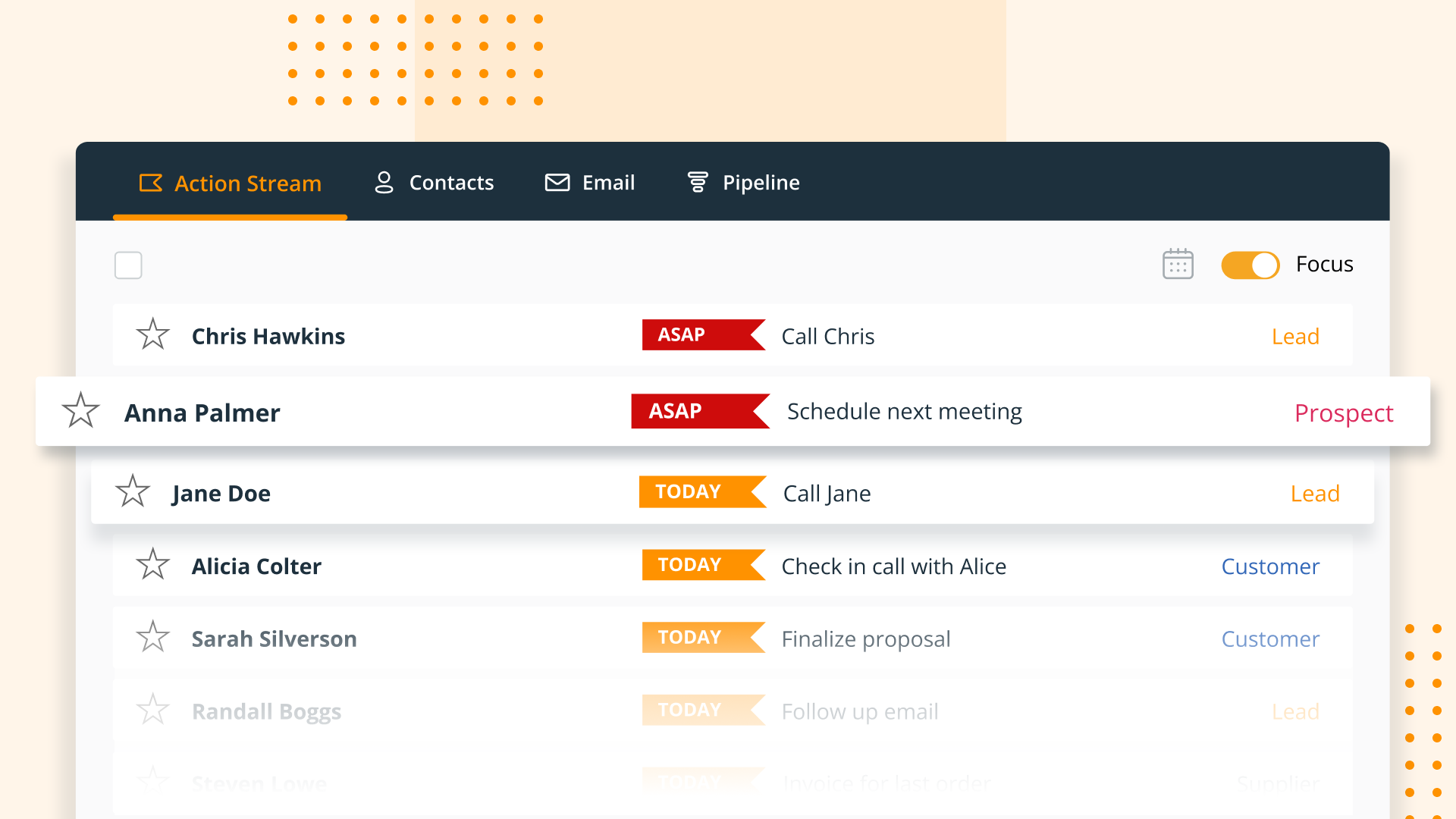
OnePageCRM aims to turn the complexity of a CRM into a simple to-do list. This action-focused CRM helps users interact with contacts by setting simple follow-up tasks. Just out of a promising sales call? Type the next action to "Send a quote", set a date, and move on to the next contact. Contacts will be sorted by task priority so the user can sell with focused attention to each prospect and client. OnePageCRM can be tried with a 21-day free trial today.
$9.95
per month per user
Outlook4Gmail
Score 8.5 out of 10
N/A
Outlook4Gmail is an Outlook add-in that helps users perform Google calendars sync with Outlook, as well as contacts and tasks sync. It also syncs Google calendars from multiple Google accounts with Outlook ones. The settings provide opportunities of duplicates check, their elimination and automatic data backup.N/A
Pricing
OnePageCRMOutlook4Gmail
Editions & Modules
Professional Plan (Annually)
$9.95
per month per user
Professional Plan (Monthly)
$15
per month per user
Business Plan (Annually)
$19.95
per month per user
Business Plan (Monthly)
$29
per month per user
No answers on this topic
Offerings
Pricing Offerings
OnePageCRMOutlook4Gmail
Free Trial
YesNo
Free/Freemium Version
NoNo
Premium Consulting/Integration Services
NoNo
Entry-level Setup FeeNo setup feeNo setup fee
Additional DetailsOnePageCRM offers 4 months free in annual subscriptions.
More Pricing Information
Community Pulse
OnePageCRMOutlook4Gmail
Features
OnePageCRMOutlook4Gmail
Sales Force Automation
Comparison of Sales Force Automation features of Product A and Product B
OnePageCRM
9.3
4 Ratings
17% above category average
Outlook4Gmail
-
Ratings
Customer data management / contact management9.94 Ratings00 Ratings
Workflow management10.04 Ratings00 Ratings
Territory management10.02 Ratings00 Ratings
Opportunity management10.03 Ratings00 Ratings
Integration with email client (e.g., Outlook or Gmail)10.02 Ratings00 Ratings
Contract management5.43 Ratings00 Ratings
Quote & order management10.02 Ratings00 Ratings
Interaction tracking9.53 Ratings00 Ratings
Channel / partner relationship management9.22 Ratings00 Ratings
Customer Service & Support
Comparison of Customer Service & Support features of Product A and Product B
OnePageCRM
9.9
3 Ratings
25% above category average
Outlook4Gmail
-
Ratings
Case management9.93 Ratings00 Ratings
Call center management9.93 Ratings00 Ratings
Help desk management9.93 Ratings00 Ratings
Marketing Automation
Comparison of Marketing Automation features of Product A and Product B
OnePageCRM
10.0
4 Ratings
25% above category average
Outlook4Gmail
-
Ratings
Lead management10.04 Ratings00 Ratings
Email marketing10.03 Ratings00 Ratings
CRM Project Management
Comparison of CRM Project Management features of Product A and Product B
OnePageCRM
10.0
4 Ratings
26% above category average
Outlook4Gmail
-
Ratings
Task management10.04 Ratings00 Ratings
Reporting10.03 Ratings00 Ratings
CRM Reporting & Analytics
Comparison of CRM Reporting & Analytics features of Product A and Product B
OnePageCRM
10.0
4 Ratings
26% above category average
Outlook4Gmail
-
Ratings
Forecasting10.02 Ratings00 Ratings
Pipeline visualization9.94 Ratings00 Ratings
Customizable reports10.02 Ratings00 Ratings
Customization
Comparison of Customization features of Product A and Product B
OnePageCRM
10.0
3 Ratings
26% above category average
Outlook4Gmail
-
Ratings
Custom fields9.83 Ratings00 Ratings
Custom objects10.02 Ratings00 Ratings
Scripting environment10.02 Ratings00 Ratings
API for custom integration10.01 Ratings00 Ratings
Security
Comparison of Security features of Product A and Product B
OnePageCRM
10.0
4 Ratings
17% above category average
Outlook4Gmail
-
Ratings
Single sign-on capability9.94 Ratings00 Ratings
Role-based user permissions10.02 Ratings00 Ratings
Integrations with 3rd-party Software
Comparison of Integrations with 3rd-party Software features of Product A and Product B
OnePageCRM
10.0
1 Ratings
29% above category average
Outlook4Gmail
-
Ratings
Marketing automation10.01 Ratings00 Ratings
Platform
Comparison of Platform features of Product A and Product B
OnePageCRM
10.0
3 Ratings
27% above category average
Outlook4Gmail
-
Ratings
Mobile access10.03 Ratings00 Ratings
Best Alternatives
OnePageCRMOutlook4Gmail
Small Businesses
Salesmate
Salesmate
Score 10.0 out of 10
Cloze
Cloze
Score 9.9 out of 10
Medium-sized Companies
Creatio
Creatio
Score 9.0 out of 10
Shared Contacts for Gmail
Score 8.0 out of 10
Enterprises
Creatio
Creatio
Score 9.0 out of 10
Shared Contacts for Gmail
Score 8.0 out of 10
All AlternativesView all alternativesView all alternatives
User Ratings
OnePageCRMOutlook4Gmail
Likelihood to Recommend
7.6
(4 ratings)
9.4
(3 ratings)
User Testimonials
OnePageCRMOutlook4Gmail
Likelihood to Recommend
OnePageCRM
OnePage is great for any company with a sales team. Onepage is great for lead tracking, and showing all communication in one place. Its timeline is easy to use and understand. OnePage also makes it easy to manage a sales team. Their reporting capabilities are excellent and it is a great way to track deals.
Read full review
SCAND
It is well suited when you have three locations of dental practices and you can review all three emails in one spot. like having the microsoft apps to use quickly from the apps buttons. I wished that there was a short class on how all be different things work togather
Read full review
Pros
OnePageCRM
  • It uses a split screen: one half is your action stream, the other is for a selected contact. This is really helpful.
  • You can do mass actions-- like rescheduling a group of actions for another day.
  • "Tags" are a handy feature... it's sophisticated enough to trigger automated follow-ups in our mail service, Klaviyo
Read full review
SCAND
  • Keep schedule's accessible to all with access to the shared pages.
  • Moving from task to task and keeping track of messages related to those tasks.
  • Being able to move emails from folder to folder as well as monitoring those mails as needed.
Read full review
Cons
OnePageCRM
  • The ability to interface with all or many VoIP services would be top of my priority list
  • Skype is not a favourite of mine, but Google hangouts is which is now included with OnePageCRM
  • The ability to create email templates would be good. I have a separate app for that, but it would be good to have it on board
Read full review
SCAND
  • Needs improvement on scheduling emails for future delivery
  • Out of office feature - I use the gmail function
  • I would love my calendar to work through it. It may, but I haven't worked out how yet.
Read full review
Usability
OnePageCRM
No answers on this topic
SCAND
Easy to use for a email and calander. If offers a wide variety of ways to use and store data. Easy to search for old emails that may have gotten lost for quick reference. Like being able to see all of our offices emails in one spot. It is a great product
Read full review
Alternatives Considered
OnePageCRM
We use all these software for task management and email marketing. OnePage doesn't send out mass emails and we needed a more robust task management system, so we use SharpSpring and Asana as well.
Read full review
SCAND
I believe Outlook4Gmail stacks up against AppNeta having a better graphic and simplicity. I have selected Outlook4Gmail because is more known and probably easier to find answers to questions when they may come.
Read full review
Return on Investment
OnePageCRM
  • OnePage has helped with time efficiency for the sales team. Because OnePage is so easy to use and manage, our sales team can spend more time selling and less time working with the system.
  • OnePage is great for organization. It helps us track our daily schedules/tasks and shows all communication clearly in one place.
Read full review
SCAND
  • Easily able to email frequent users at work.
  • Easily able to pull up my work email no matter the device I am using at the time
  • Easily able to find and locate most emails I would like to view or see
Read full review
ScreenShots

OnePageCRM Screenshots

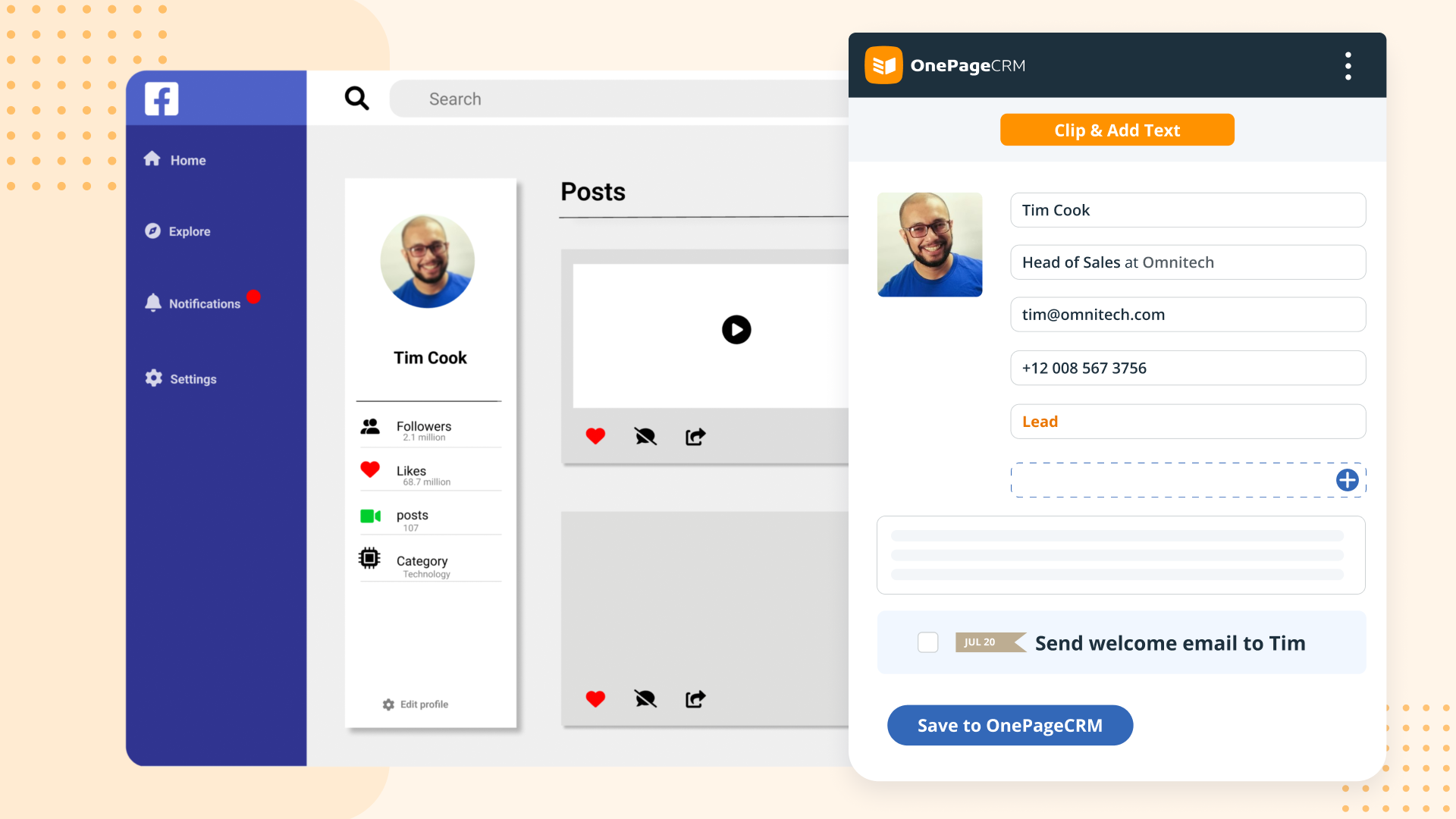
Screenshot of OnePageCRM transforms the user's database into an actionable to-do list. Contacts are sorted into Action Stream by task priority so users know what to do next.Screenshot of OnePageCRM displays relevant calls, notes, deals, and golden nuggets about a contact in one place.Screenshot of OnePageCRM's email integration allows users to send emails in bulk, create templates, and track opens.Screenshot of For lead generation, OnePageCRM's browser extension lets users add leads to a CRM from any webpage in one click.Screenshot of For sales on the go, download the OnePageCRM mobile app (iOS & Android). Log calls and update deals.Screenshot of Manage deals with OnePageCRM's drag-and-drop feature and keep track of goals with a live KPI dashboard.