TrustRadius: an HG Insights company

Save this comparison

Save this comparison

Add Product

Recommended Comparisons

    Overview
    ProductRatingMost Used ByProduct SummaryStarting Price

    PandaDoc

    Score8.5 out of 10
    N/APandaDoc headquartered in San Francisco offers their eponymous electronic signature platform for sales teams, containing sales proposal automation and CPQ (configure, price, quote) features, and integration with CRMs.

    $35

    per month per seat

    Printout Designer

    N/AN/APrintout Designer is order document automation software for e-commerce merchants. It enables the creation, printing and emailing of invoices, receipts, refund notes, packing slips, pick lists, labels and other order documents, and integrates with Shopify, BigCommerce, Ecwid by Lightspeed and WooCommerce. Orders and product data are synchronised automatically from the connected store. Each document is designed once in a drag-and-drop editor, and automation rules determine when it is printed or…

    $4.99

    per month

    Pricing
    PandaDocPrintout Designer
    Editions & Modules
    Starter
    $35
    per month per seat
    Business
    $65
    per month per seat
    Enterprise
    Contact Sales
    Micro
    $4.99
    per month
    Starter
    $9.99
    per month
    Basic
    $19.99
    per month
    Professional
    $59.99
    per month
    Offerings
    Pricing Offerings
    PandaDocPrintout Designer
    Free Trial
    YesYes
    Free/Freemium Version
    NoNo
    Premium Consulting/Integration Services
    YesNo
    Entry-level Setup FeeOptionalNo setup fee
    Additional DetailsPandaDoc offers a free eSign plan and 3 paid packages for eSigning and document automation. All plans include unlimited documents and eSignatures. Evaluations start with a free 14-day trial. Up to a 46% discount for annual pricing.Printout Designer is priced by monthly order and product volume and is available in four plans. Micro costs $4.99 per month and covers 50 orders and 50 products per month. Starter costs $9.99 per month and covers 300 orders and 300 products. Basic costs $19.99 per month and covers 1,000 orders and 1,000 products. Professional costs $59.99 per month and covers unlimited orders and products. All plans include the drag-and-drop editor, default templates, barcodes, QR codes and an unlimited number of templates. Batch order updates and automatic emails are available from the Starter plan, and the PrintNode integration for automatic printing and priority support from the Basic plan. A 14-day free trial is available with no credit card required. There are no setup fees or long-term contracts, and plans can be changed or cancelled at any time. Pricing is the same on Shopify, BigCommerce, Ecwid by Lightspeed and WooCommerce. Each connected store requires its own account and plan.
    More Pricing Information
    Community Pulse
    PandaDocPrintout Designer
    Considered Both Products
    PandaDoc
    No answer on this topic
    Actual Reports
    No answer on this topic
    Key User Insights
    Would buy again
    96%
    Would buy again
    222 Answers
    No answers on this topic
    Delivers good value for the price
    97%
    Delivers good value for the price
    204 Answers
    No answers on this topic
    Happy with the feature set
    96%
    Happy with the feature set
    221 Answers
    No answers on this topic
    Lived up to sales and marketing promises
    97%
    Lived up to sales and marketing promises
    174 Answers
    No answers on this topic
    Implementation went as expected
    97%
    Implementation went as expected
    182 Answers
    No answers on this topic
    Best Alternatives
    PandaDocPrintout Designer
    Small Businesses
    BoldSign, by Syncfusion
    Score10 out of 10
    Formstack for Salesforce
    Score7.2 out of 10
    Medium-sized Companies
    OneSpan Sign
    Score9.7 out of 10
    Formstack for Salesforce
    Score7.2 out of 10
    Enterprises
    DocuSign
    Score8.8 out of 10
    Conga Composer
    Score7.8 out of 10
    All AlternativesView all alternativesView all alternatives
    User Ratings
    PandaDocPrintout Designer
    Likelihood to Recommend
    8.5
    (329 ratings)
    -
    (0 ratings)
    Likelihood to Renew
    9.1
    (18 ratings)
    -
    (0 ratings)
    Usability
    8.3
    (23 ratings)
    -
    (0 ratings)
    Availability
    9.1
    (4 ratings)
    -
    (0 ratings)
    Performance
    9.6
    (21 ratings)
    -
    (0 ratings)
    Support Rating
    6.1
    (23 ratings)
    -
    (0 ratings)
    Implementation Rating
    6.3
    (4 ratings)
    -
    (0 ratings)
    Configurability
    2.8
    (3 ratings)
    -
    (0 ratings)
    Ease of integration
    9.0
    (20 ratings)
    -
    (0 ratings)
    Product Scalability
    8.6
    (4 ratings)
    -
    (0 ratings)
    Vendor post-sale
    9.7
    (20 ratings)
    -
    (0 ratings)
    Vendor pre-sale
    6.7
    (4 ratings)
    -
    (0 ratings)
    User Testimonials
    PandaDocPrintout Designer
    Likelihood to Recommend
    PandaDoc
    Best suited for after demonstrations when requested by the prospect when they are looking for pricing with T&C. The data room is also great that acts like a drop box for opportunities and their contacts. Helps share pertinent information with others in the organization.
    Incentivized
    Read full review
    Actual Reports
    No answers on this topic
    Pros
    PandaDoc
    • Allows clients to remotely execute documents.
    • Tracks the progress of document execution.
    • Emails clients to remind them to sign documents so we don't have to follow up.
    • Emails us when documents have been fully executed.
    • Provides an easy-to use interface to place signatures, dates, and other information on our forms.
    Incentivized
    Read full review
    Actual Reports
    No answers on this topic
    Cons
    PandaDoc
    • Sometimes the fillable fields don't automatically map properly and you have to manually adjust.
    • Plan tiers and pricing recently changed, so now we get less value and less features (limited templates, no more pricing tables or invoicing/connected payment) for the same price, which is pricy for a small business.
    • Easier, integrated invoicing as an included feature (so we don't have to use a different software for invoicing/payment collection) would be ideal. You have to upgrade to the Business Plan for this.
    Incentivized
    Read full review
    Actual Reports
    No answers on this topic
    Likelihood to Renew
    PandaDoc
    The reason I gave it a rating of 7 is because it's probable, but not for sure. This is because there are a few little things we don't love about pandadoc. Mostly that there is not conditional logic such as: they must either fill this field out OR this one. Also it's a little pricey. But we'll probably stay because it's good enough and a pain to switch to something new
    Incentivized
    Read full review
    Actual Reports
    No answers on this topic
    Usability
    PandaDoc
    Once you get the hang of it, it's very easy to use. There can be a slightly steep learning curve to get fully in on the system. The new editor v2 has really improved usability and allows us to collaborate on documents simultaneously. Once the templates and library items are set up, a new document, whether it be a sales or HR document, takes very little time to complete.
    Incentivized
    Read full review
    Actual Reports
    No answers on this topic
    Reliability and Availability
    PandaDoc
    We haven't had any real issues regarding downtime as of yet.
    Incentivized
    Read full review
    Actual Reports
    No answers on this topic
    Performance
    PandaDoc
    The documents load quickly for the most part but sometimes if there are larger documents with a high number of variables it could take a bit longer to get the document to show up. Most of the time the document comes on the screen relatively quickly allowing for quick access to documents to be edited and sent out.
    Incentivized
    Read full review
    Actual Reports
    No answers on this topic
    Support Rating
    PandaDoc
    Recently I could not upload a pdf to a contract - support was very responsive and easy to work with. They got back to me the next day with an apparent fix - however when I opened the document nothing had changed. I then could not respond to the rep who was helping me because it was a "no-reply address", the problem still has not been solved and we had to make alternate arrangements to get this to the client. Never had it happen before and was only with this one contract.
    Incentivized
    Read full review
    Actual Reports
    No answers on this topic
    Implementation Rating
    PandaDoc
    Implementation was before the time I was here at Riafox, however, support has been great in assisting to merge spaces and upgrade to 2.0 Editor.
    Incentivized
    Read full review
    Actual Reports
    No answers on this topic
    Alternatives Considered
    PandaDoc
    We used Dropbox back when it was still HelloSign. At the time, new templates were very hard to create. We had to upload a PDF and then add the fields from there. With PandaDoc, we are able to drag and drop the text, images, logos, and fields we need easily. This has saved our team an immense amount of time.
    Incentivized
    Read full review
    Actual Reports
    No answers on this topic
    Scalability
    PandaDoc
    It's scalable
    Incentivized
    Read full review
    Actual Reports
    No answers on this topic
    Return on Investment
    PandaDoc
    • We have greatly increased the efficiency in which we can get signatures from individuals for documents and increase productivity.
    • We have been able to find older documents very easily.
    • W-9 have been very difficult due to Section 3, but this was addressed with conditional logic
    Incentivized
    Read full review
    Actual Reports
    No answers on this topic
    ScreenShots

    PandaDoc Screenshots

    Screenshot of some of the custom-designed themes, templates, embedded rich media, and interactivity to give every deal the opportunity to get noticed.Screenshot of automatic notifications, on-the-fly editing, CRM Integrations, and integrated eSignatures.Screenshot of reporting, with drill down to the deal level with proposals, to pick which deals to include (or exclude).Screenshot of legally binding eSignaturesScreenshot of centralized communications to streamline the negotiation process, and make revisions in real-time in a single location.Screenshot of document analytics that display what’s really happening after documents are sent with real-time reporting on engagement and activity on the documents. This enables teams to respond faster to prospects.

    Printout Designer Screenshots

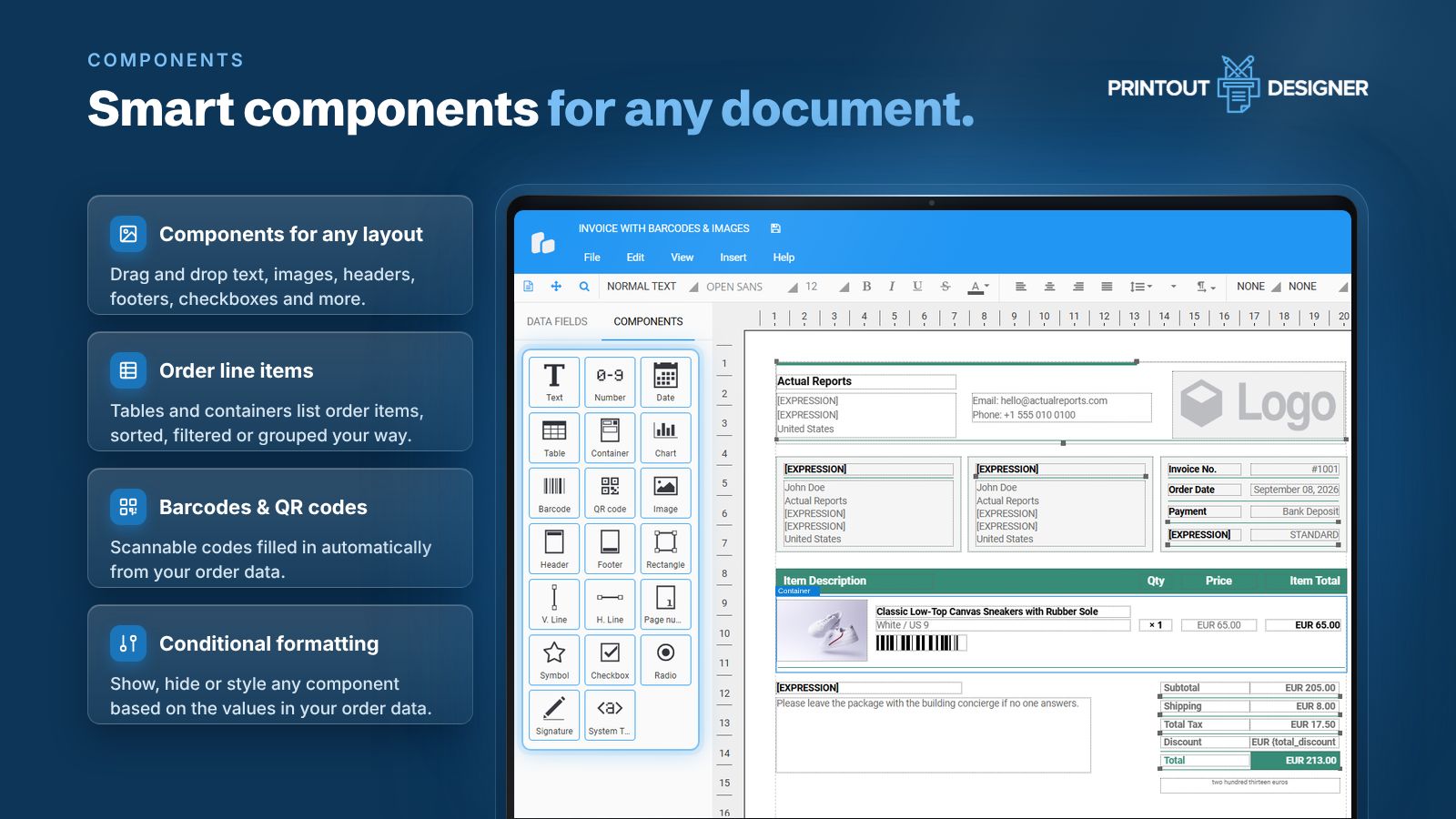
    Screenshot of invoices, packing slips, labels and other order documents that can be designed, then printed and emailed automatically as orders come in.Screenshot of a default template or a blank canvas, which can be used to build the document with a live preview of real order data.Screenshot of where to place text, images, tables, barcodes, QR codes and signatures, list order items sorted or grouped, and use conditional formatting based on order data.Screenshot of how to create separate print and email rules that run on new, fulfilled, cancelled or custom order statuses, with conditions such as shipping country or method.Screenshot of a document template that can be printed when an order event occurs, with the number of copies set per order.Screenshot of email templates with order data, that can be attached to the emails sent to customers.