
Pipefy vs. Process Street vs. Quixy
Pipefy vs. Process Street vs. Quixy
| Product | Rating | Most Used By | Product Summary | Starting Price |
|---|---|---|---|---|
 Pipefy | N/A | Pipefy headquartered in San Francisco offers their process management and workflow software providing processes for customer success, service desk, sales operations, and other processes. | $22 per month | |
 Process Street | N/A | Process Street in San Francisco offers their application which allows teams to create simple recurring checklists, collaborate around them and track as they’re completed. | $25 per month per user | |
 Quixy | Small Businesses (1-50 employees) | Enterprises can use Quixy's cloud-based no-code platform to enable their business users (citizen developers) to automate workflows and build simple to complex enterprise-grade applications for their custom needs. Quixy helps eliminate manual processes and turn ideas into applications making business more innovative, productive, and transparent. Users can start from scratch or customize pre-built apps from the Quixy app… | N/A |
| Pipefy | Process Street | Quixy | ||||||||||||||||||||||
|---|---|---|---|---|---|---|---|---|---|---|---|---|---|---|---|---|---|---|---|---|---|---|---|---|
| Editions & Modules |
|
|
| |||||||||||||||||||||
| Offerings |
| |||||||||||||||||||||||
| Entry-level Setup Fee | No setup fee | No setup fee | No setup fee | |||||||||||||||||||||
| Additional Details | *Discounts available for annual billing. | — | Solution Suitable when the no. of users is high and the no. of apps/workflows is low Platform Suitable when the no. of apps/workflows is high Enterprise Suitable for bigger organizations looking for enterprise features | |||||||||||||||||||||
| More Pricing Information | ||||||||||||||||||||||||
| Pipefy | Process Street | Quixy |
|---|
| Pipefy | Process Street | Quixy | |||||||||||||||
|---|---|---|---|---|---|---|---|---|---|---|---|---|---|---|---|---|---|
| Reporting & Analytics |
| ||||||||||||||||
| Process Engine |
| ||||||||||||||||
| Collaboration |
| ||||||||||||||||
| Content Management Capabilties |
|
| Pipefy | Process Street | Quixy | |
|---|---|---|---|
| Small Businesses |  Stackby Score 8.9 out of 10 |  Square 9 Softworks Score 9.7 out of 10 | Stackby Score 8.9 out of 10 |
| Medium-sized Companies |  CMW Platform Score 9.3 out of 10 | Square 9 Softworks Score 9.7 out of 10 |  Creatio Score 9.0 out of 10 |
| Enterprises | CMW Platform Score 9.3 out of 10 | CMW Platform Score 9.3 out of 10 | Creatio Score 9.0 out of 10 |
| All Alternatives | View all alternatives | View all alternatives | View all alternatives |
| Pipefy | Process Street | Quixy | |
|---|---|---|---|
| Likelihood to Recommend | 8.2 (10 ratings) | 9.2 (11 ratings) | 10.0 (25 ratings) |
| Usability | - (0 ratings) | - (0 ratings) | 9.5 (5 ratings) |
| Support Rating | 9.5 (2 ratings) | 9.0 (7 ratings) | - (0 ratings) |
| Pipefy | Process Street | Quixy | |
|---|---|---|---|
| Likelihood to Recommend | Pipefy
| Process Street
| Quixy
|
| Pros | Pipefy
| Process Street
 Nora Delolli Marketing & Listing Manager | Quixy
 Ravindranath Tagore Project Manager |
| Cons | Pipefy
| Process Street
Nora Delolli Marketing & Listing Manager | Quixy
Ravindranath Tagore Project Manager |
| Usability | Pipefy No answers on this topic | Process Street No answers on this topic | Quixy
 Chandana Katragadda Senior Designer |
| Support Rating | Pipefy
 Logan Wiser IT Director | Process Street
 Kevin Miller Owner | Quixy No answers on this topic |
| Alternatives Considered | Pipefy
| Process Street
 Malessa Brisbane Web Marketing Consultant | Quixy
 Surya Bhaskar Nekkanti AVP Projects |
| Return on Investment | Pipefy
| Process Street
| Quixy
 Mahindra Dev Imadabathuni Director Of Operations |
| ScreenShots | Process Street Screenshots    | Quixy Screenshots 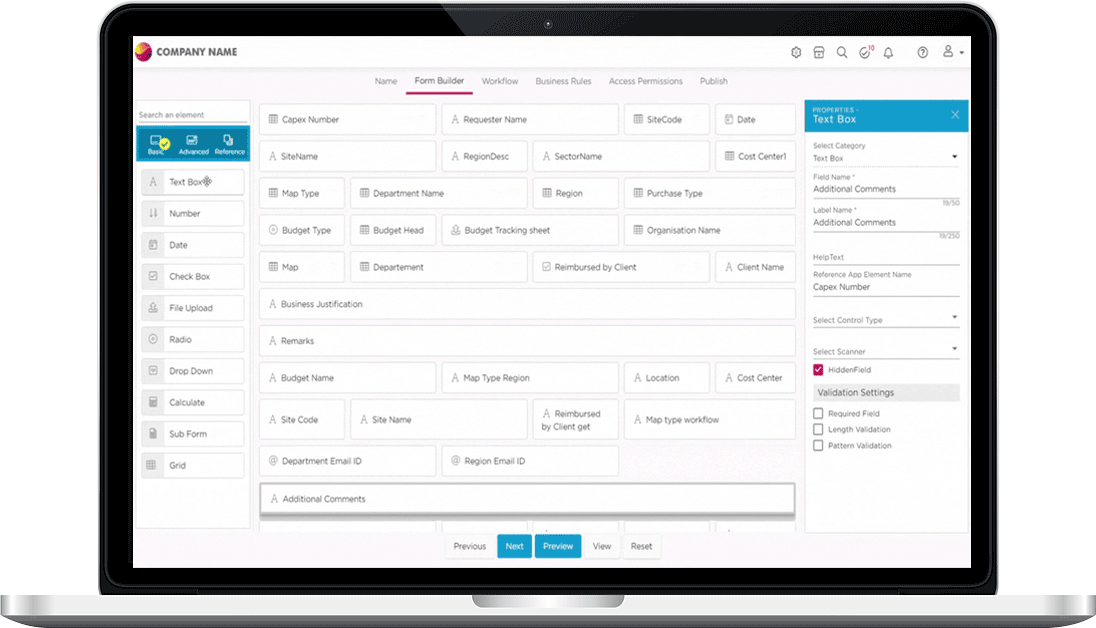     |