ProProfs LMS is a learning management system software that is designed
to help instructors create and deliver online training courses. The LMS offers
both businesses and educational institutions comprehensive training solutions
by allowing them to create online courses, complemented by tests, surveys,
polls and even a knowledge base.
$1
Trakstar Learn
Score9 out of 10
Mid-Size Companies (51-1,000 employees)
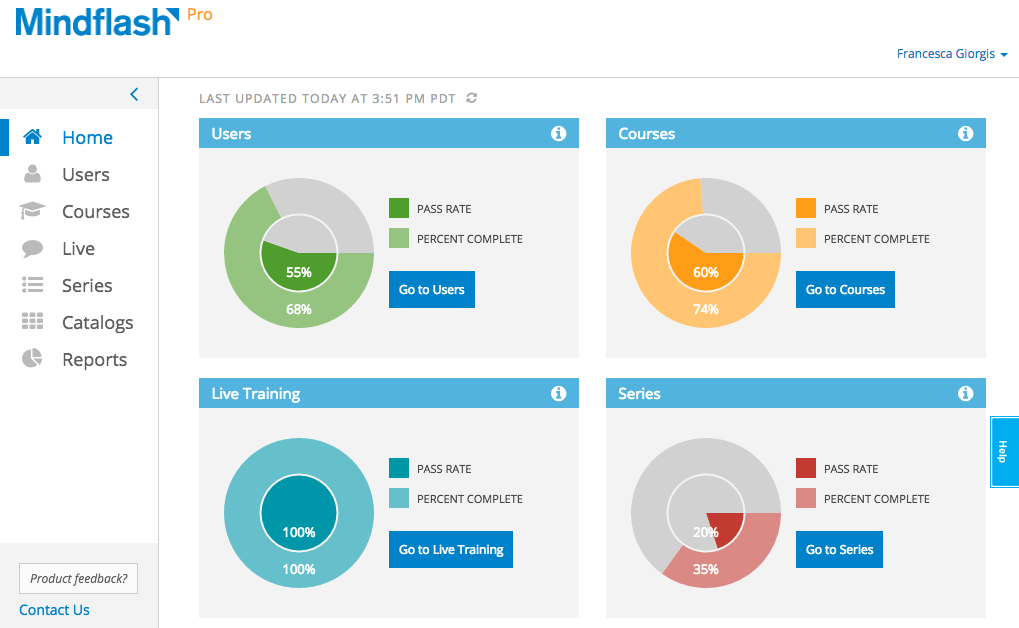
Trakstar Learn (formerly Mindflash) is an online training platform. Users can create courses, add quizzes and track results. Users can upload external content and access the platform via mobile devices. It also provides user management and reporting for internal and external training and scaling purposes.
$149
per month
Pricing
ProProfs LMS Software
Trakstar Learn
Editions & Modules
ESSENTIALS
$25
per month
PREMIUM
$38
per month
BUSINESS
$49
per month
Basic
249/mo
Advanced
599/mo
500 trainees
Pro
1,199/mo
1000 trainees
Enterprise
Call for details
Unlimited
Offerings
Pricing Offerings
ProProfs LMS Software
Trakstar Learn
Free Trial
Yes
Yes
Free/Freemium Version
Yes
No
Premium Consulting/Integration Services
Yes
No
Entry-level Setup Fee
Optional
No setup fee
Additional Details
—
—
More Pricing Information
Features
ProProfs LMS Software
Trakstar Learn
Learning Management
Comparison of Learning Management features of ProProfs LMS Software and Trakstar Learn
A de minimis incentive was given to thank the reviewer for their time. The incentive was not used to bias or drive a particular response, nor was the incentive contingent on a positive endorsement. More Info
We use Mindflash for a lot of our internal training needs, and it is very versatile to accomplish your needs in training employees in a variety of different areas. I've never tried to use it for external needs, but I feel like the software at the advanced level wouldn't suit that need very well at all. At the Pro level, you get a lot more flexibility, but the cost is prohibitive for the size of our company.
A de minimis incentive was given to thank the reviewer for their time. The incentive was not used to bias or drive a particular response, nor was the incentive contingent on a positive endorsement. More Info
A de minimis incentive was given to thank the reviewer for their time. The incentive was not used to bias or drive a particular response, nor was the incentive contingent on a positive endorsement. TR verified that a representative sample of customers was invited. More Info
ProProfs is very bland-looking, rather Web 1.0. They have a very limited-number of templates, and they are not customizable. If the company is making any money, I think they should try to make it as aesthetically pleasing as possible.
ProProfs quizzes are not responsive to devices. A quiz looks exactly the same on an iPhone as it does on a computer screen. Students live in a world where everything they access online is customized to the device they use, but a ProProfs quiz will have small type on an iPhone, and won't allow a zoom by pinching.
Uploading images, audio, and video when making a quiz is a time-consuming task. Takes a lot of clicks. And there's no way to see your own library of uploaded stuff, so when you want to use a previously-uploaded image, you can't just find it in your account and attach it, you have to upload the same image every time. It's tedious.
Other LMSs I've used in the past year, like BookWidgets and iSpring Quiz Maker have a good deal more variety of question types than ProProfs. For example, you can't touch, drag and drop an answer on a blank from a word bank with a ProProfs quiz. Matching-type questions in ProProfs are limited to drop-down menu choices or radio buttons. There's no HTML5 magic at work.
ProProfs support is not bad (response within a day), but they can't explain frequent glitches that occur. Example: Nearly every time a class takes a quiz, there's ONE student who presses "submit" and their answers don't get submitted; instead, the loading circle just keeps rotating and the student panics, and then the student has to press refresh on their web browser, and --sometimes, but not always-- all their responses are erased and they have to take the quiz again. And there's nothing that a teacher can do. It's dreadful. Tell ProProfs about it, and they dodge the bullet because I wasn't able to give them enough info they required (e.g. what kind of phone?, what kind of OS?, what version?, was the device facing North?, etc).
ProProfs UI has not changed significantly in the 4 years I've been using them. I get the feeling that they're not trying hard enough.
A de minimis incentive was given to thank the reviewer for their time. The incentive was not used to bias or drive a particular response, nor was the incentive contingent on a positive endorsement. More Info
Integration with Salesforce using professional level software. Mindflash's limited integration to only work with the higher level of Salesforce product.
More brand customization for multiple product line trainings.
Communication of trainers using Mindflash and sales team. We have multiple trainers sending invitations for training with no way for them to communicate with our sales team when a person has completed training.
The number of people using Mindflash is only going to rise and we need a system that remains easy to use for everyone involved. [update] This is especially vital now that we've lost head count in critical departments. Getting all of our training and Safety objectives met would be impossible without Mindflash.
The interface is just so simple to understand. It's clean and efficient. We showed Mindflash off to the Safety group, who are not computer gurus and they were beyong excited to use it.
ProProfs deserves the best of the best ratings. It makes learners the prime focus of every step of learning, and that’s the greatest thing about it. Besides, arranging and putting different relevant content together is a walk in the park. Everything is so straightforward. If you look at the customization options, they are equally amazing.
Any problems or questions we have had with Mindflash have been handled promptly and effectively. I normally use the online chat option but have had to correspond with them through email and phone as well. We have never had an issue languish for weeks or months with Mindflash. They either fix the problem or let you know that the software isn't capable to handle the need at that point.
A de minimis incentive was given to thank the reviewer for their time. The incentive was not used to bias or drive a particular response, nor was the incentive contingent on a positive endorsement. More Info
If you're going to develop a short course to demo the product internally, don't bother avoiding your own topics. Mindflash rolls whatever content you create during the trial into your production environment when you decide to buy. The time taken to go from not having a system to being live with Mindflash is virtually instant. What you'll be wanting for is time to develop content and people to test it out.
This is an alternate software that we have looked into, right now we don't have the need for the increased flexibility that Lesson.ly provides with learning from your mobile or tablet. We haven't seen a lot of those things as particularly useful for our current training methods, but we see the quality to be similar.
A de minimis incentive was given to thank the reviewer for their time. The incentive was not used to bias or drive a particular response, nor was the incentive contingent on a positive endorsement. More Info
Mindflash has had a positive impact on our business because it allows us to train more new users with less effort, and ensure that trainees have access to the course materials for a period of time after they have started using our software to do their daily jobs. Review of the course materials allows them to get answers to common questions without having to submit requests to our support team, thereby reducing the administrative burden on our resources.
A de minimis incentive was given to thank the reviewer for their time. The incentive was not used to bias or drive a particular response, nor was the incentive contingent on a positive endorsement. More Info