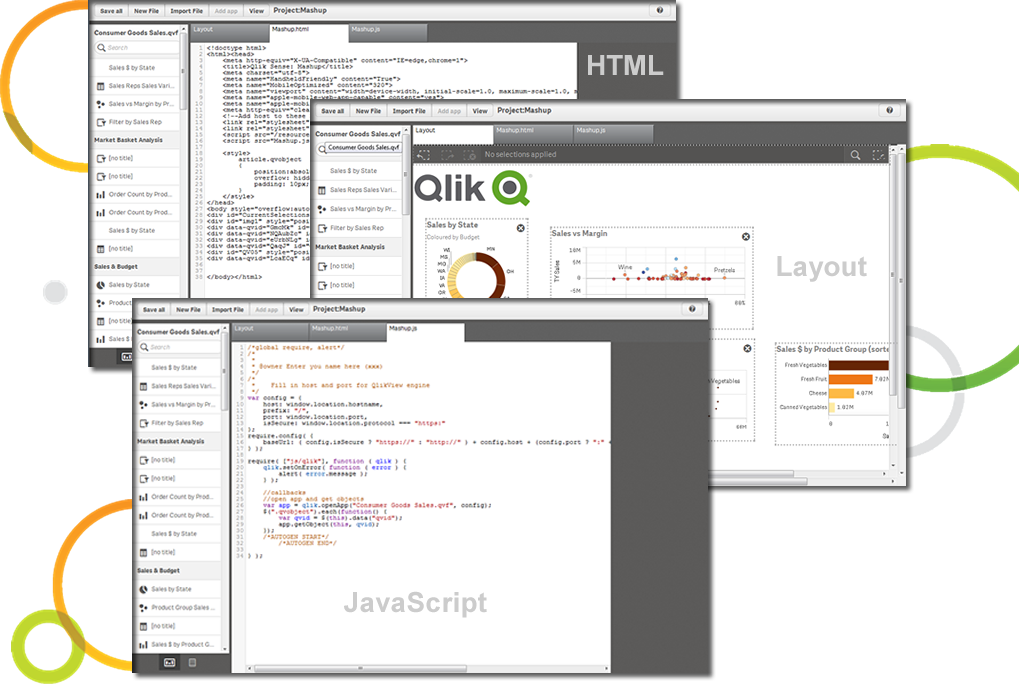
Qlik Sense® is a self-service BI platform for data discovery and visualization. It supports a full range of analytics use cases—data governance, pixel-perfect reporting, and collaboration. Its Associative Engine indexes and connects relationships between data points for creating actionable insights.
$200
per month
SAP BusinessObjects Business Intelligence
Score7 out of 10
N/A
The SAP® BusinessObjects™ Business Intelligence Platform provides users with ad hoc queries, reporting, data visualizations, and analysis tools. Its integrated, unified infrastructure aims to offer scalability from one-to-many tools and interfaces on-premise, in the cloud, or as a hybrid approach.
N/A
Pricing
Qlik Cloud Analytics (Qlik Sense)
SAP BusinessObjects Business Intelligence
Editions & Modules
Starter
$200
per month
Standard
$825
per month
Premium
$2750
per month
Qlik Sense (On-Premise)
Contact Sales
No answers on this topic
Offerings
Pricing Offerings
Qlik Cloud Analytics (Qlik Sense)
SAP BusinessObjects Business Intelligence
Free Trial
No
No
Free/Freemium Version
No
No
Premium Consulting/Integration Services
Yes
No
Entry-level Setup Fee
No setup fee
No setup fee
Additional Details
—
—
More Pricing Information
Community Pulse
Qlik Cloud Analytics (Qlik Sense)
SAP BusinessObjects Business Intelligence
Considered Both Products
Qlik
Verified User
Chose Qlik Cloud Analytics (Qlik Sense)
Other vendors products evaluated (in some cases used by other divisions within our corporation): ** SAP Analytics Cloud - stacks up quite well against Qlik Sense but the differences are subtle but important. Sometimes SAC has it over Qlik and sometimes Qlik has it over SAC so …
A de minimis incentive was given to thank the reviewer for their time. The incentive was not used to bias or drive a particular response, nor was the incentive contingent on a positive endorsement. More Info
Verified User
Chose Qlik Cloud Analytics (Qlik Sense)
[I was not involved in the decision making process for the choice of the reporting tool] Qlik Sense is - certainly on the front-end side - far more user-friendly than the other tools I've experienced, and allows for more dynamic reporting. It also has obtained a certain …
A de minimis incentive was given to thank the reviewer for their time. The incentive was not used to bias or drive a particular response, nor was the incentive contingent on a positive endorsement. More Info
A de minimis incentive was given to thank the reviewer for their time. The incentive was not used to bias or drive a particular response, nor was the incentive contingent on a positive endorsement. TR verified that a representative sample of customers was invited. More Info
Verified User
Chose Qlik Cloud Analytics (Qlik Sense)
Not the best or easiest product to use for novice users but, does pixel perfect reporting very well
A de minimis incentive was given to thank the reviewer for their time. The incentive was not used to bias or drive a particular response, nor was the incentive contingent on a positive endorsement. More Info
Verified User
Chose Qlik Cloud Analytics (Qlik Sense)
In terms of reporting, demonstration abilities, Qlik sense is definitely leader.
A de minimis incentive was given to thank the reviewer for their time. The incentive was not used to bias or drive a particular response, nor was the incentive contingent on a positive endorsement. More Info
Verified User
Chose Qlik Cloud Analytics (Qlik Sense)
QlikView - more functionality but not so focused on self-service. SAP BO - another approach in getting data - directly from data source and not in-memory.
A de minimis incentive was given to thank the reviewer for their time. The incentive was not used to bias or drive a particular response, nor was the incentive contingent on a positive endorsement. More Info
A de minimis incentive was given to thank the reviewer for their time. The incentive was not used to bias or drive a particular response, nor was the incentive contingent on a positive endorsement. More Info
Verified User
Chose Qlik Cloud Analytics (Qlik Sense)
We selected Qlik Sense when other public-facing tools were either prohibitively expensive for our uses (BusinessObjects) or still not quite mature (Power BI). Now we're in the maintenance contract it's cost-effective for us to remain. Qlik feels like an excellent interactive …
A de minimis incentive was given to thank the reviewer for their time. The incentive was not used to bias or drive a particular response, nor was the incentive contingent on a positive endorsement. More Info
Verified User
Chose Qlik Cloud Analytics (Qlik Sense)
A the moment, I have a personal preference to QlikView. This is probably due to my the familiarity of the tool, the ability to customize almost anything, and the simplicity of the data modeling. Power BI is fairly simple to use, but lacks any true advantage over Qlik Sense …
A de minimis incentive was given to thank the reviewer for their time. The incentive was not used to bias or drive a particular response, nor was the incentive contingent on a positive endorsement. More Info
Verified User
Chose Qlik Cloud Analytics (Qlik Sense)
They all have their merits. Qlik Sense's main advantage is the ability to build mini data warehouses as QVDs.
A de minimis incentive was given to thank the reviewer for their time. The incentive was not used to bias or drive a particular response, nor was the incentive contingent on a positive endorsement. TR verified that a representative sample of customers was invited. More Info
Verified User
Chose Qlik Cloud Analytics (Qlik Sense)
Qlik Sense have the most flexibility of this products.
A de minimis incentive was given to thank the reviewer for their time. The incentive was not used to bias or drive a particular response, nor was the incentive contingent on a positive endorsement. More Info
A de minimis incentive was given to thank the reviewer for their time. The incentive was not used to bias or drive a particular response, nor was the incentive contingent on a positive endorsement. TR verified that a representative sample of customers was invited. More Info
Comparison of Mobile Capabilities features of Qlik Cloud Analytics (Qlik Sense) and SAP BusinessObjects Business Intelligence
Feature
Qlik Cloud Analytics (Qlik Sense)
7.5
221 Ratings
3% below category average
SAP BusinessObjects Business Intelligence
6.4
38 Ratings
19% below category average
Responsive Design for Web Access
8.0215 Ratings
5.637 Ratings
Mobile Application
8.0133 Ratings
5.332 Ratings
Dashboard / Report / Visualization Interactivity on Mobile
9.0185 Ratings
5.634 Ratings
Application Program Interfaces (APIs) / Embedding
Comparison of Application Program Interfaces (APIs) / Embedding features of Qlik Cloud Analytics (Qlik Sense) and SAP BusinessObjects Business Intelligence
Qlik Sense is a program whose purpose is to greatly improve all your operations and use of all data in an organic way. The mission will always be to increase the economic and commercial processes of the company in a short time. I recommended it for its high technology, which was Created for this area, the results are successful. We have noticed how it has increased relationships with our clients thanks to the credibility and security that we provide.
A de minimis incentive was given to thank the reviewer for their time. The incentive was not used to bias or drive a particular response, nor was the incentive contingent on a positive endorsement. More Info
As mentioned earlier reporting was a big headache for us and the tools we used didn't support large data sets and visualization Performing analytics with such data sets was cumbersome and later post using this SAP BusinessObjects Business Intelligence we were able to correlate different data sets and prepare the dashboard pretty easier which were helpful and easier to understand.
A de minimis incentive was given to thank the reviewer for their time. The incentive was not used to bias or drive a particular response, nor was the incentive contingent on a positive endorsement. More Info
A de minimis incentive was given to thank the reviewer for their time. The incentive was not used to bias or drive a particular response, nor was the incentive contingent on a positive endorsement. More Info
This software is easy to initially learn, and very powerful in producing reusable reports.
It is much faster than my company's internal manual queries. The ability to build off of a saved query and share queries to other users is a great positive.
My favorite part is that you can run queries in the background and it does not interfere with your current work or slow your computer down.
A de minimis incentive was given to thank the reviewer for their time. The incentive was not used to bias or drive a particular response, nor was the incentive contingent on a positive endorsement. More Info
A de minimis incentive was given to thank the reviewer for their time. The incentive was not used to bias or drive a particular response, nor was the incentive contingent on a positive endorsement. More Info
The installation can be very complex and time-consuming, it requires a lot of planning and foresight as to what role the software will play in the organization.
The software has a relatively large learning curve that takes dedicated users months to get comfortable with, the UI is a bit intimidating for new users.
SAP could organize their help better, it can be difficult to find dependable solutions to issues via their website and support channels.
A de minimis incentive was given to thank the reviewer for their time. The incentive was not used to bias or drive a particular response, nor was the incentive contingent on a positive endorsement. More Info
Qlik Sense is a constantly improving it's software and working with its' users to make it better. They are great at keeping their users informed of progress and care about delivering a quality product
A de minimis incentive was given to thank the reviewer for their time. The incentive was not used to bias or drive a particular response, nor was the incentive contingent on a positive endorsement. TR verified that a representative sample of customers was invited. More Info
The institution has decided to move in a different direction, and will be using MSBI for reporting. I have been very happy with the Business Objects suite of tools, and will continue to use them heavily until we make the transition.
A de minimis incentive was given to thank the reviewer for their time. The incentive was not used to bias or drive a particular response, nor was the incentive contingent on a positive endorsement. More Info
Qlik Sense has a better and easy to learn user interface compared with other analytics tool which always help us to create regular and adhoc reports within the stipulated time frame and can be easily refreshed at a scheduled time and sent to multiple stakeholders for timely update regarding the Key metrics indicator.
A de minimis incentive was given to thank the reviewer for their time. The incentive was not used to bias or drive a particular response, nor was the incentive contingent on a positive endorsement. More Info
From a server and client side perspective. the Business Intelligence Platform provides a foundation for all aspects of content development, distribution, analysis, collaboration and self service. Ease of use from targeted content delivery through controlled accessibility. Content exporting in the format of the users choice. Scheduling for internal or external delivery. Public and private folders for secure content access when requied. Web based for viewing on the users device of choice without the need to download additional applications.
A de minimis incentive was given to thank the reviewer for their time. The incentive was not used to bias or drive a particular response, nor was the incentive contingent on a positive endorsement. More Info
Overall, the tool (Web Intelligence 4.2) is fast and solid. One issue is a dependability on JAVA for a full feature report creation/edit capabilities (as opposed to limited HTML option). Second, planned end of JAVA support by major browsers (Chrome is already not supporting JAVA applet).
Qlik is great for companies with lots of business domains and departments because it scales well, especially if data that is reported is saved in SQL and similar structures. Its ease of use and good UI enables business units to create and manage their own reports. That removes a great burden of creating and managing/modifying these pages from the IT team. Overall, it's a win-win for both IT and business units.
A de minimis incentive was given to thank the reviewer for their time. The incentive was not used to bias or drive a particular response, nor was the incentive contingent on a positive endorsement. More Info
SAP has released various versions of SAP BO BI. starting from 3.1 and going to 4.0,4.1,4.2 and latest being 4.3. SAP provides support to these new versions. As new versions keep on coming, support for the very old software goes out of scope from SAP. it is when the different organization plans to get their BO content migrated from a lower version to a newer version. The newer version had definitely added functionality and features which ease the work of users.
A de minimis incentive was given to thank the reviewer for their time. The incentive was not used to bias or drive a particular response, nor was the incentive contingent on a positive endorsement. More Info
A de minimis incentive was given to thank the reviewer for their time. The incentive was not used to bias or drive a particular response, nor was the incentive contingent on a positive endorsement. More Info
A de minimis incentive was given to thank the reviewer for their time. The incentive was not used to bias or drive a particular response, nor was the incentive contingent on a positive endorsement. More Info
A de minimis incentive was given to thank the reviewer for their time. The incentive was not used to bias or drive a particular response, nor was the incentive contingent on a positive endorsement. More Info
A de minimis incentive was given to thank the reviewer for their time. The incentive was not used to bias or drive a particular response, nor was the incentive contingent on a positive endorsement. More Info
Hire specialists and experienced staff. Mix some beginners so that everyone is not a leader but a learner too. Plan well; architect well; break down implementation in small steps and move towards larger steps. Create a centralized and authorized SAP Business Objects implementation team.
A de minimis incentive was given to thank the reviewer for their time. The incentive was not used to bias or drive a particular response, nor was the incentive contingent on a positive endorsement. More Info
The customization of the platform opens up plenty of other options depending on the use cases. The API layer is incredibly rich and makes integration of Qlik based visualization into web pages a simple and effective pattern. It's been very easy to use with a great community made up of professionals. Qlik Sense has introduces artificial Intelligence into my data visualization and reporting activity.
We selected SAP BusinessObjects Business Intelligence (BI) based on price. It can stack up against others in terms of price and honestly, that's about it. Salesforce Commerce does a hell of a better job at handling it. However, in the space of Business Intelligence, SAP can do more, and that's why at the end we went with it
A de minimis incentive was given to thank the reviewer for their time. The incentive was not used to bias or drive a particular response, nor was the incentive contingent on a positive endorsement. More Info
SAP BusinessObjects Business Intelligence (BI) Platform supports SOA Service Oriented Architecture. You can start/restart/enable/disable all the servers. You can seamless do load balancing and clustering. It supports all leading application and web server. Supports LDAP SSO integration. People who can work on excel with training they can work on SAP Business Objects Web Intelligence, dashboard, Lumira, Information design tool product suite. Tool is very user friendly and easy to learn and implement
A de minimis incentive was given to thank the reviewer for their time. The incentive was not used to bias or drive a particular response, nor was the incentive contingent on a positive endorsement. More Info
A de minimis incentive was given to thank the reviewer for their time. The incentive was not used to bias or drive a particular response, nor was the incentive contingent on a positive endorsement. TR verified that a representative sample of customers was invited. More Info
By generating and distributing reports in a timely manner, we were able to save millions of dollars for the company which otherwise would not have been visible.
Almost realtime dashboard, saved the company a huge amount by showing the outages and kept the company from buying a tool to do just that.
It showed the customers who were not paying the bills and were missing in the system due to some loophole. This was visible by doing reporting on the theft usage of electricity.
A de minimis incentive was given to thank the reviewer for their time. The incentive was not used to bias or drive a particular response, nor was the incentive contingent on a positive endorsement. More Info