Qualaroo Insights allows you to survey or nudge site visitors at various stages of their visit, to gather insights and generate sales leads.
$199
per month
SurveyLegend
Score8 out of 10
N/A
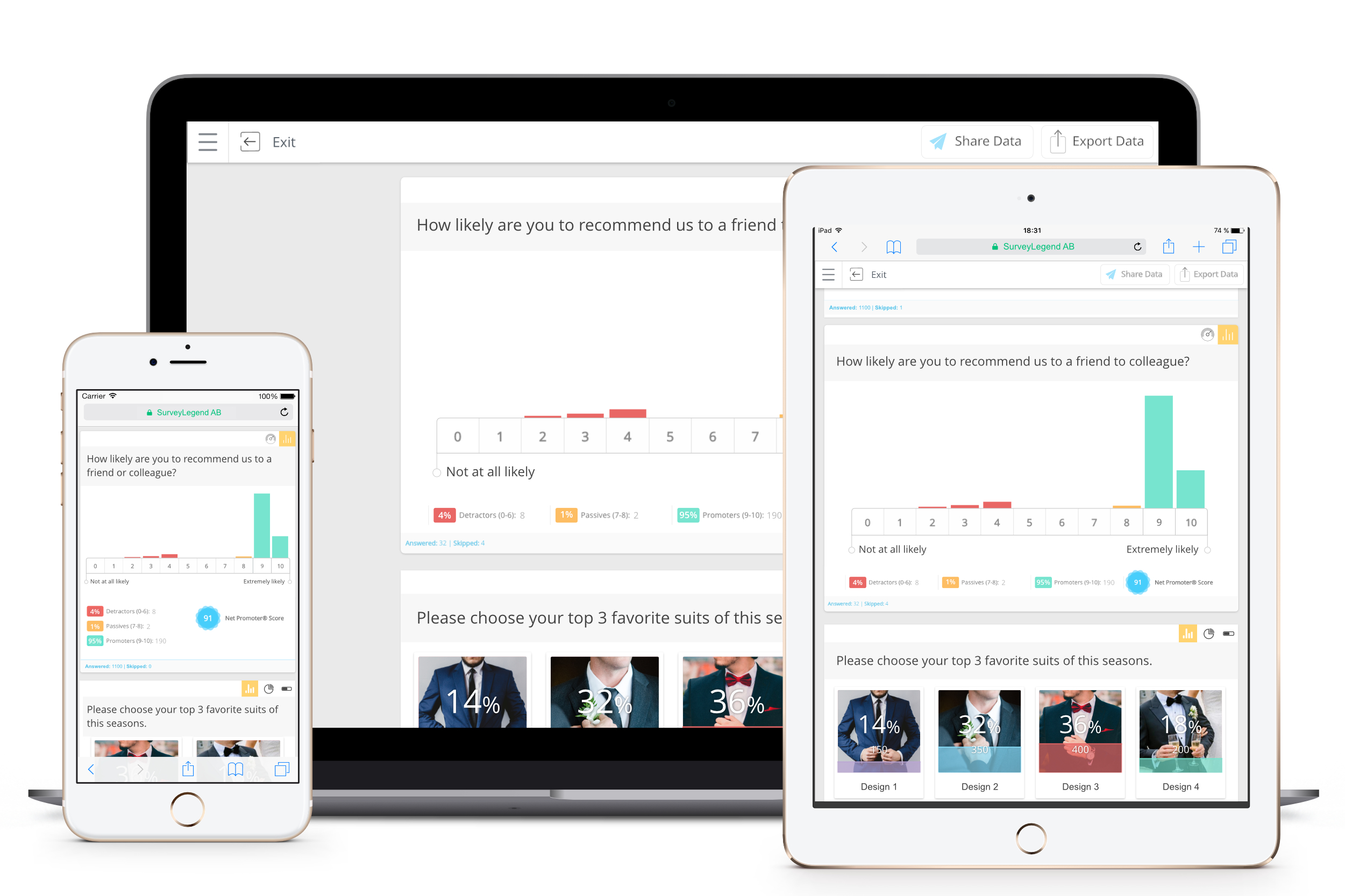
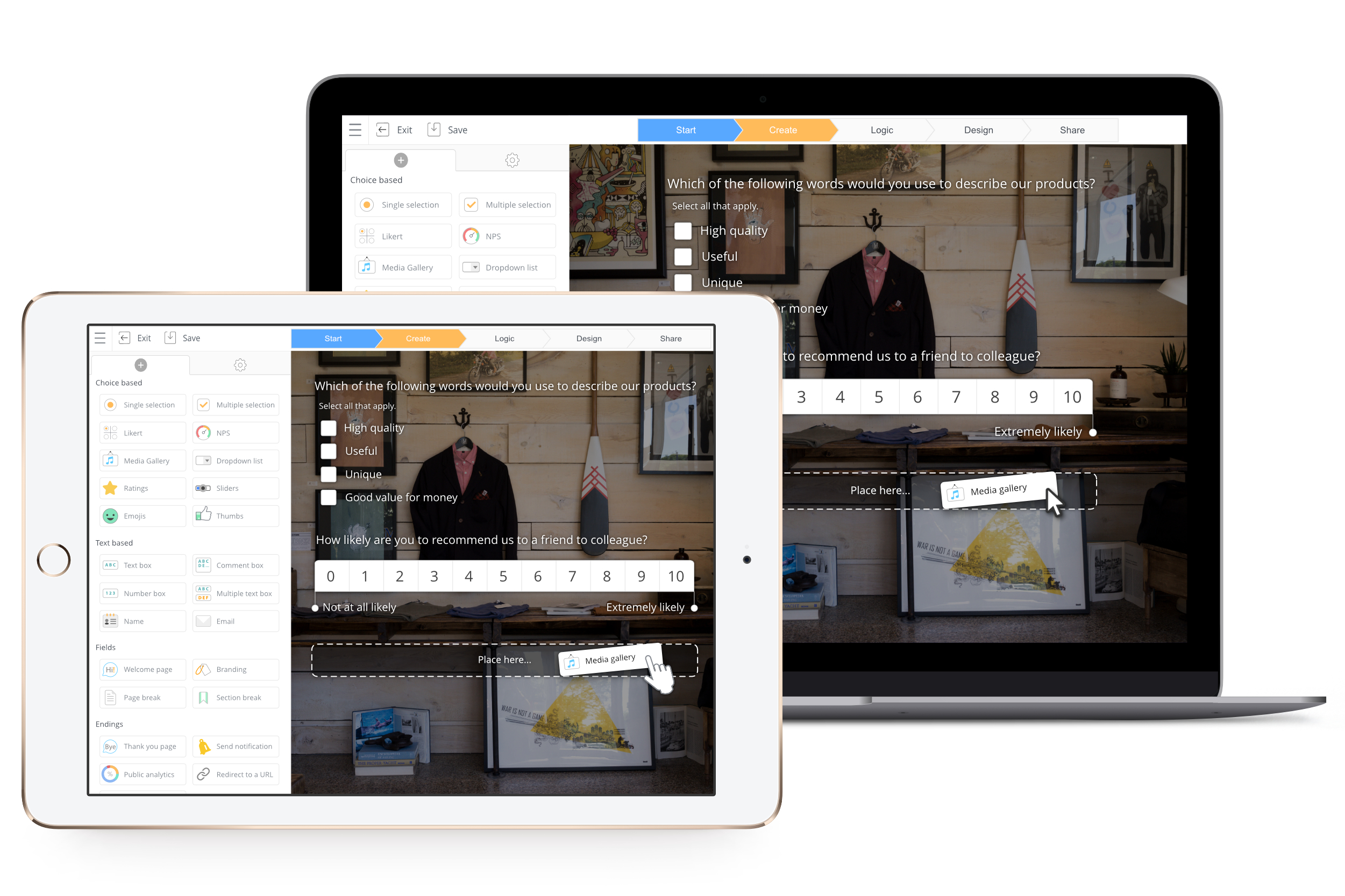
SurveyLegend aims to help individuals and companies create mobile-friendly surveys. Users can create surveys on a computer or tablet device and customize the look of the survey. Data can be displayed with eye-catching and insightful graphics. SurveyLegend's advanced users can take advantage of unlimited features, company branding, white-label questionnaires, skip logic, branching, media-rich questions and more. Customers include L'Oréal, Universal, Harvard, Greenpeace, Airbnb,…
$0
per user
Pricing
Qualaroo
SurveyLegend
Editions & Modules
No answers on this topic
Starter (for ever free)
$0
per user
Pro, monthly
$19
per user
Business, monthly
$39
per user
Legendary, monthly
$89
per user
Pro yearly, (save 25% with a yearly plan)
$170
per user
Business yearly, (save 25% with a yearly plan)
$300
per user
Legendary, yearly (save 25% with a yearly plan)
$780
per user
Offerings
Pricing Offerings
Qualaroo
SurveyLegend
Free Trial
Yes
Yes
Free/Freemium Version
No
Yes
Premium Consulting/Integration Services
No
Yes
Entry-level Setup Fee
No setup fee
No setup fee
Additional Details
—
SurveyLegend gives a 25 % discount on the yearly plans for everyone.
We believe in being and doing good, so we also offer special discounts for educators and non-profit organizations that can be found here: https://www.surveylegend.com/pricing-education/ and https://www.surveylegend.com/pricing-ngo/
It makes it easy to move from design to development. We collect highly targeted feedback without organizing a meeting to discuss every iteration, saving time and effort. The comments are open-ended and unorganized. But with survey Nudges, we can ask additional questions about design UI/UX.
For us, it is a good service and fulfills its services. Its main functions have allowed us to improve the quality of each of our services by delivering a survey to our clients with special and easy-to-use software and tools. It allows to receive analytics in order to solve problems in all areas in order to improve the organization. I recommend it because its main function is to create surveys but the information received there is possible to use throughout the company.
A de minimis incentive was given to thank the reviewer for their time. The incentive was not used to bias or drive a particular response, nor was the incentive contingent on a positive endorsement. More Info
Qualaroo’s question engine connects fragmented data points spread across all the customer feedback gathered from varied sources.
Qualaroo allows us to connect with our customers’ questions directly so that we can focus on the most important ones on priority.
The insights we get from Qualaroo surveys help us prioritize which hypotheses to formally run as an experiment first, and which to implement straight away.
Visual questions! Survey Legend was the only affordable software I could find that let me add images to questions easily and in a flow that made sense.
Live analytics! Super helpful for us when we were just starting our survey program, to be able to make sure the questions were formatted properly for example.
Lots of flexibility; any type of question I needed was available here.
I wish the dashboard was a little more interactive so that you can do some deeper analysis - things like filtering out people who answered a certain way
I wish the building of the survey "nudge" was easier and more visual - it's a bit clunky and hard to reorder questions.
I wish there was a way to add more logic into questions, as you have to duplicate questions to get around this which can make the building process difficult
A de minimis incentive was given to thank the reviewer for their time. The incentive was not used to bias or drive a particular response, nor was the incentive contingent on a positive endorsement. More Info
Improved correlation of the data between the analytics tool and the responses (i.e. it says 3 responses have been received, but only shows results for 2)
The micro-survey landscape is evolving very quickly and it seems like there is a new entrant almost every month. I'm generally happy with Qualaroo (we got what we expected) and I like the folks on the Qualaroo team (support is fast and friendly and rarely needed), but there haven't been real improvements to the platform in the last eight months. We will be re-assessing Qualaroo's features and price versus other competitors when our current contract is up.
We know the value of consumer feedback and believe that users actually want to be a part of the process. With Qualaroo, we have learnt that people like answering certain types of questions, especially if you ask them something about themselves — like what they want most and their motivations behind purchases — they can’t resist typing a response.
I've never experienced an outage where Qualaroo was unavailable. I don't think I've even gotten notices for scheduled down/maintenance time. The platform is always available.
Our developers complain that Qualaroo is just one of several similar site add-ons that slow down our site performance. I'm skeptical that Qualaroo has any measurable impact on our page load times, but don't have any hard evidence either way. The Qualaroo admin interface and reporting mechanisms are all quick and reliable.
I have only contacted customer support twice, and they have managed to solve my problem every time. There is a slight waiting time between the query and resolution, but other than that I don’t need to contact them time and again to understand things since their help section is sufficient most of the time.
Qualaroo doesn't offer full-blown online training, at least not that I've used or needed. The online help documentation is adequate and Qualaroo-sponsored webinars are informative.
Have your technical team set up the "Identify" feature right out of the gate - this is a "fire and forget" feature. Once it's set up, your data is much more valuable. Also, if there are very specific kinds of page targeting you might imagine doing, have a technical person set up and test at least 2-3 examples of using Qualaroo's regular expression features to achieve this targeting. With a couple good examples in place to work from, it becomes much easier to create your own regular expressions for custom targeting.
Qualaroo makes it very easy to launch a quick survey based on templates or custom questions with an intuitive user interface. It is also very flexible and can be easily integrated with AB testing thanks to the advanced options. Reports are getting better but analytics wise it's still not up to the refinement level of SurveyMonkey but it does beat the latter in terms of UI experience. When compared to SurveyGizmo, the flexibility on surveys is what stands out and how easy it is to create different survey flows.
A de minimis incentive was given to thank the reviewer for their time. The incentive was not used to bias or drive a particular response, nor was the incentive contingent on a positive endorsement. More Info
A de minimis incentive was given to thank the reviewer for their time. The incentive was not used to bias or drive a particular response, nor was the incentive contingent on a positive endorsement. More Info
Qualaroo's simplicity has its down sides when it comes to scaling. Managing multiple nudges across multiple domains, at least in the Pro edition, is challenging. The active nudges all appear as a single list on the admin home page, automatically grouped by domains. Archived nudges are on a separate tab. It would be helpful to have a folder system to organize nudges. Also, once you have multiple active nudges that are targeted to different sections of your site using regular expressions, it's difficult to keep track of what is appearing where. It's also difficult, if not impossible, to figure out where you may have competing nudges. And there's no ability to assign reporting or configuration access to other members of your team. The Pro edition has a single login, which must be shared if you have multiple staff who want to use Qualaroo.
Qualaroo has proven to be extremely useful when it comes to improving conversions.
We deployed Qualaroo on our website to survey visitors and uncover their pain points about our landing page.
Using the feedback, we made several critical changes to our page, including the visibility of the CTA button, information on the page, and the quality of pictures. Since the implementation, there has been a significant increase in conversions, and our visitors have been getting a lot more value from the landing page.